
Follow ZDNET: Add us as a preferred source on Google.
ZDNET’s key takeaways
- Yellow sheet music can confuse playback apps.
- A command-line Python script solved the PDF problem.
- Sometimes AI is best used to write the tool.
Recently, my wife, Denise, started singing with her church’s choir. She has a lovely singing voice. She needed to practice all the new songs. The songs came in booklets, about the size of a trade paperback, printed on yellow paper. She wanted to scan those booklets into her computer as a PDF, remove the color, and reprint them larger, on 8.5-by-11-inch paper so she wouldn’t have to wear her reading glasses to see them.
So one afternoon she came to me. She asked how she could remove the yellow background, but preserve the music itself, so that she could print it out without wasting a huge amount of color printer ink. If she printed it out in black and white, she’d still be using a lot of ink to print out a gray background, which would be even harder to see.
Also: How to use ChatGPT: A beginner’s guide to mastering OpenAI’s chatbot in 2026
She was also planning to feed the music into PlayScore 2, an app that plays the sheet music so that you can sing along to it. She was concerned the software might not like the background color.
I initially suggested removing the yellow background in Photoshop, but the procedure turned out to be too fiddly. Each image needed slightly different slider settings. It was just too annoying and time consuming to do it that way.
So, I suggested she use ChatGPT. She has a ChatGPT Plus account, so this seemed like a fair option.
Deterministic vs. non-deterministic
I did some tests, using prompts like:
Give me back a PDF I can download where the yellow background has been removed and replaced with white.
You did it correctly, but unfortunately, the text quality is very low resolution. Can you regenerate it in full resolution, please?
These tests worked, but ChatGPT subtly altered the resulting PDFs. My wife was concerned that ChatGPT might change the notes the words or some other aspect of the original music. She didn’t want to sight read and practice it wrong.
ChatGPT and other AIs are “non-deterministic.” Webster’s defines determinism as, “occurrences in nature, or social or psychological phenomena [that] are causally determined by preceding events or natural laws.” In other words, the input always predicts the output.
Also: This easy prompt trick gave me better AI-generated images – no matter the model
Algorithmic programming, unlike AI, is deeply deterministic. Granted, programs can go off the deep end, but they do so in a way that can ultimately be predicted from the exact arrangement of code and variables.
AIs are non-deterministic. This means that you could feed in the exact same input three or four times, and get three or four different results back. It’s kind of like talking to a plumber or an electrician. AIs base their results on a complex series of probability calculations, so the results can change with each pass.
Denise has experienced this in her interactions with ChatGPT. She most definitely didn’t want to give ChatGPT her music and get back something where ChatGPT took liberties with the masters.
She wanted a tool to remove background color that was strictly deterministic.
Python can do that
For my final program in my Harvard Python programming certification, I wrote an interactive image management tool that was able to do individual Photoshop-like image transformations, and batch them together in sequences. So I knew that Python has the libraries to accomplish what Denise wanted.
Also: I stopped using ChatGPT for everything: These AI models beat it at research, coding, and more
I, on the other hand, didn’t have the time to write a Python program to do that. It was a very busy week. I had a long backlog of work-related projects I needed to power though.
But ChatGPT has all the time in the world. This is where things get cool. You can use a non-deterministic tool like ChatGPT to generate a deterministic program, like a Python decoloring tool. If you want to read a really interesting article on AI determinism vs. non-determinism, read this by former ZDNETer Jason Perlow.
In any case, I decided to ask ChatGPT to write a Python script that would do the color removal. To create the script, I gave it this prompt, and then went into the kitchen to help my wife prepare dinner.
Write a python script that takes in a jpeg and sets any pixels that are not gray or black to white, saving it back out as name-decolor.jpg where name is the file name. Allow slightly tinted grays so that black text on a colored background will render properly as black text. Can you do the same thing if a PDF is presented? It also needs to work if the PDF is multiple pages.
By the time dinner was done, so was ChatGPT. The first version of the script had a few issues because I needed to install a Python library. But after that, it just ran.
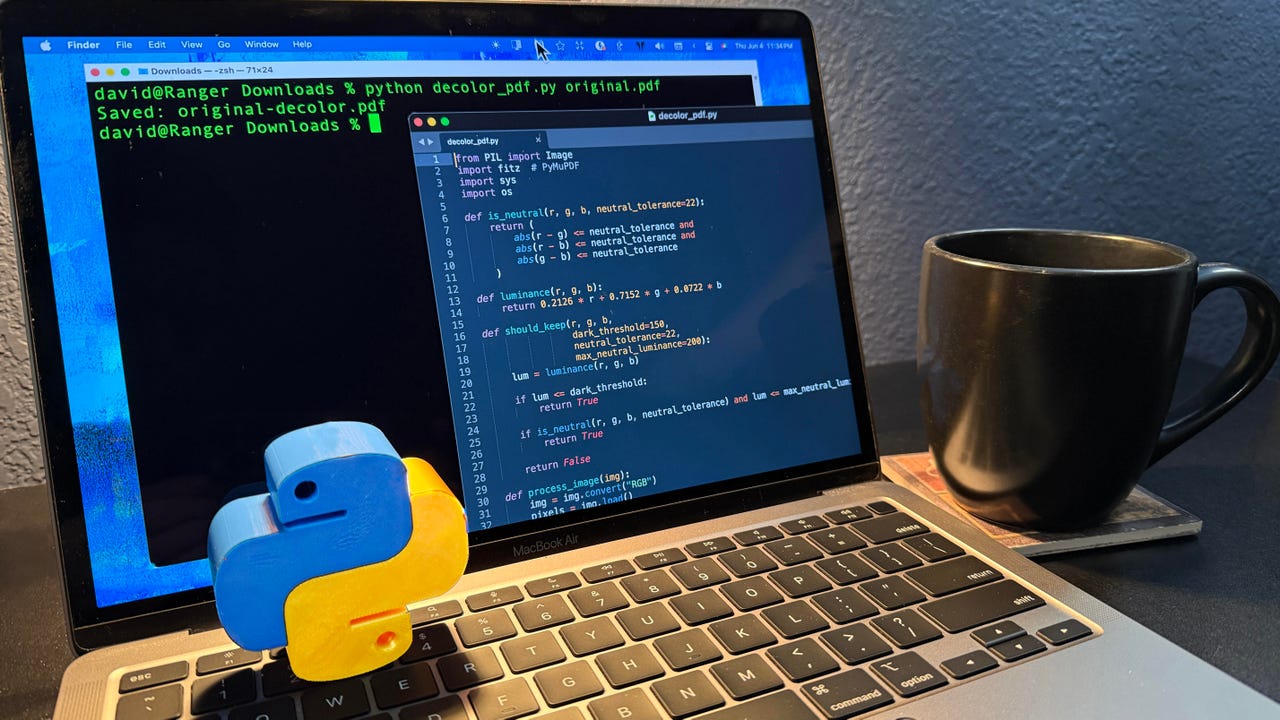
It works very simply. You execute the program decolor_pdf.py from the command line, feeding it a single PDF file. It outputs a new PDF file with the background color removed.
% python decolor_pdf.py input.pdf
Does it work?
Yeah, it does. If you want to download a copy for yourself, it’s on my GitHub repo. My wife was concerned about me using screenshots in this article from the copyrighted church hymnals, so visited the New York Public Library’s website and grabbed a public domain song to demonstrate.
This is a song by jazz great Fats Waller, who also wrote several musicals. It’s a bit of a racy song, using horse racing metaphors to describe changing lovers. It was co-written with Andy Razaf, known for writing the lyrics to songs as “Ain’t Misbehavin'” and “Honeysuckle Rose”.
Helpful lessons
So there are a few helpful takeaways from this experience.
- If you want the AI’s help, you don’t always need to rely on non-deterministic processing. Sometimes, you can just ask for it to write you a program that works based on a reliable algorithm.
- You also don’t have to spend a lot of time on creating a look or UI. Sometimes creating a simple command-line tool will get the job done.
- Don’t be afraid to refine your spec with the AI. Try out what it creates and then ask for tweaks and fixes.
- Python can do a lot. There are many, many libraries so if you’re not sure what you want to use, build it in Python.
So there you go. If you need a quick solution to something, try asking ChatGPT to write it for you. Worked for me and I was able to give my wife a workable tool and help de-chickelate a rotisserie chicken at the same time.
Also: I tested ChatGPT Images 2.0 vs. Gemini Nano Banana to see which is better – this model wins
Have you ever avoided using AI directly because you were worried it might subtly change the original file? Let us know in the comments below.
You can follow my day-to-day project updates on social media. Be sure to subscribe to my weekly update newsletter, and follow me on Twitter/X at @DavidGewirtz, on Facebook at Facebook.com/DavidGewirtz, on Instagram at Instagram.com/DavidGewirtz, on Bluesky at @DavidGewirtz.com, and on YouTube at YouTube.com/DavidGewirtzTV.