
Follow ZDNET: Add us as a preferred source on Google.
ZDNET’s key takeaways
- Google has launched a Gemini app for the Mac.
- The app has all the features and skills of the website.
- Plus, the app can analyze the content in any shared window.
I often turn to Google Gemini for AI-powered assistance when I’m working at my computer. But that means I have to interrupt what I’m doing to fire up the Gemini website, and then bounce back and forth between the site and my work. If only I could access Gemini without leaving my desktop. Well, now I can, courtesy of a new app.
Playing catch-up
Google has released its own dedicated Gemini desktop app for the Mac, as described in a new blog post. Easily accessible through an icon or a keyboard shortcut, the app brings all the features and skills of the website to your computer. But it goes one step further. You can share any open apps or windows on your Mac with Gemini and ask it to summarize or answer questions about the content.
Also: I tested ChatGPT Plus vs. Gemini Pro to see which is better – and if it’s worth switching
With this new Mac app, Gemini is also playing catch-up with ChatGPT, Microsoft Copilot, Claude AI, and Perplexity, all of which already exist as desktop apps. The key difference is that the apps for the other AIs are available for both Windows and the Mac. For now, at least, the Gemini app is only found on the Mac.
How to use Gemini’s Mac app
To get started, you’ll need a Mac with an Apple chip (M1 or higher) and MacOS Sequoia 15 or higher. Just head to the Gemini Mac app page and click the Download button. As the Gemini app opens, you should be prompted to sign in with your Google account. You can then use the app just as you would the Gemini website.
To launch the app in the future, you can certainly access it from the Applications folder or add it to the Dock. But why not try a keyboard shortcut? By default, pressing Option + Shift + Space opens the app in a full window. Pressing just Option + Space launches it in a mini chat window. You can change both shortcuts through Settings.
In the app, click the sidebar, and you can start a new chat or access any of your past conversations from the history. Depending on your Gemini subscription, you’re able to choose the mode you want to use — Fast, Thinking, or Pro. You can then type or speak your request.
By clicking the plus icon at the prompt, you can add and analyze a file from your Mac, from Google Drive, or a photo from Google Photos. You can tap into Google’s NotebookLM and Canvas tools. You’re also able to ask the AI to generate a photo, video, or piece of music.
Also: I tried Google’s new desktop app for Windows, and I’ll never search the old way again
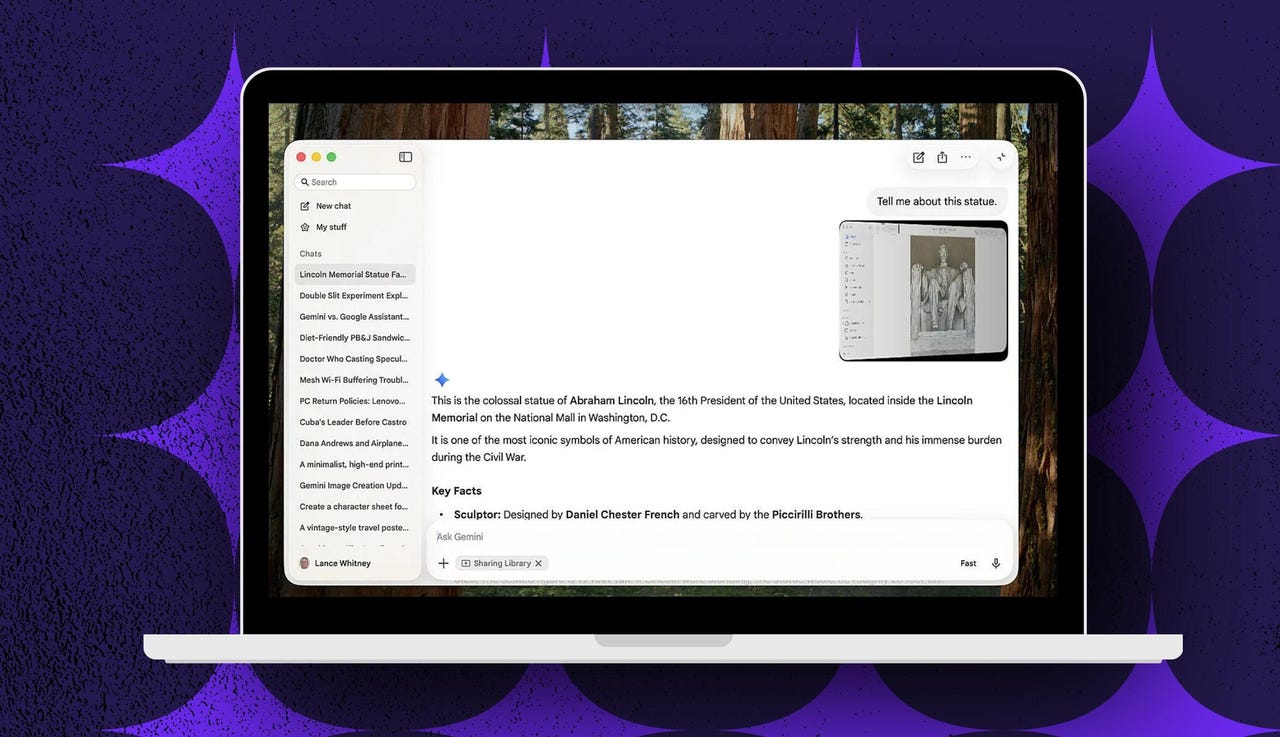
But for the icing on the cake, and the reason I prefer the app over the website — window sharing. Need help or information with an app, a file, a web page, or another window open on your Mac? Just ask Gemini via the app.
To set this up, click the plus icon and select Share Windows. The first time you try this, you’ll have to grant Gemini the necessary system permissions. After completing that task, click the plus icon again, select Share Windows, and then choose the window you want to share.
You may be wary of sharing any kind of personal information with Google, and I can’t say I blame you. But in this case, you do have control over which window you share. I’d also advise against sharing anything of a sensitive or confidential nature.
My results so far
On my end, I asked Gemini to identify a statue of Abraham Lincoln in a photo that I shared through the Photos app. The AI correctly identified it as from the Lincoln Memorial in Washington, DC, and gave me a bit of history about it.
Also: How to switch from ChatGPT to Gemini – without starting from scratch
I like the new Gemini app and will certainly use it on my Mac. However, Windows is still my main platform. To experience similar functionality there, can use Google’s new Windows app, which also let’s you share your entire desktop or a specific window and ask questions about the content.