If You’re a PC Gamer, It’s Time to Upgrade to Magnetic Keyboard Switches


A recent trend in gaming accessories is the move to Hall effect and tunneling magnetoresistance technology. It started in controllers a few years ago, and it was only a matter of time before it made its way into gaming keyboards. There are now dozens of great HE and TMR keyboards to choose from. So now, as with controllers, the question becomes: Is it really worth upgrading?

There are certainly advantages to magnetic keys, but there are also some compromises. The granular levels of customization and significantly shorter response times can make a big difference in competitive games. On the other hand, the typing experience takes some getting used to, the battery life can be shorter and they’re often more expensive than their traditional mechanical cousins.

If you’re on the fence about upgrading, it can be hard to know if and when it’s worth it. For me, though, the answer is now a resounding “Yes, but.” Let me explain.

A closeup of the Turtle Beach Vulkan keyboard keys from the right side.

The Turtle Beach Vulcan 2 TKL uses Hall effect switches.

Jason Cockerham/CNET

What are the benefits of magnetic switches?

The concept of magnetic switches is simple: Instead of compressing a physical spring or rubber membrane as part of a mechanism to send an electrical signal that signifies a keypress, magnetic sensors are used to detect when a key is pressed more precisely and with less friction. This leads to some noticeable benefits.

Durability

The most obvious benefit for most casual gamers is the greater durability. Without the mechanical friction caused by the rubbing of physical components, HE and TMR switches can last much longer. Most mechanical switches are rated to last anywhere between 50 and 100 million keystrokes, which averages to about 10 to 15 years (of course, this could vary wildly depending on your usage). HE and TMR switches, on the other hand, are rated for more than 100 million keystrokes, so 15 to 20 years or more. It’s likely the keyboard’s other components will give out before the switches.

Granular customization

Keychron K4 HE keyboard on a white desk.

The Keychron K4 HE.

Jason Cockerham/CNET

The second benefit is technologically much more profound, but also not nearly as useful for the vast majority of gamers. Some HE and TMR switches can, according to their manufacturers, register inputs (called the actuation point) as small as 0.05 millimeters of travel. By comparison, most traditional mechanical switches have an actuation point of between 1 and 2mm. This means that a key needs to travel far less before the keyboard and computer register the movement, greatly increasing response times. That may not seem like a big difference, but in the world of competitive gaming, that shorter actuation point is significant.

What’s even more interesting is that these switches can be customized far more granularly than their mechanical counterparts. So, not only can the actuation point be set to almost nothing, but most HE and TMR keys can store up to four actuation points per keystroke. That means you can perform four separate actions with a single press of the key; two actions on the downstroke and two on the release. For example, you could use the same single keypress to go from crouch to prone, prime and then throw a grenade. Or enter a vehicle, turn on the lights and then start the engine, all in one keypress.

This advanced customization can be useful in all kinds of games, including shooters, roleplaying games, multiplayer online battle arenas and massively multiplayer online roleplaying games like Elden Ring, League of Legends and World of Warcraft. Imagine being able to use a potion, cast a shield, cast an attack buff, then attack all by pressing a single key. There’s a whole world of possibilities. Again, most gamers probably won’t need that much control, and the amount of benefit depends largely on what genre you prefer. But that level of customization can really change the way you play your favorite games.

Rapid fire

The Meletrix Boog75 keyboard with Hall effect switches.

The Meletrix Boog75 keyboard with Hall effect switches.

Theodore Liggians/CNET

The shorter actuation levels also means response times are much shorter than with traditional mechanical switches. Again, to preface this, if you’re not a hardcore gamer or someone who plays FPS games a lot, you might not notice a difference. However, the more you do notice and practice with it, the harder it becomes to go back. Once you build the muscle memory of not having to fully press the keys to perform an action, going back to a traditional mechanical keyboard might actually start to feel like a chore.

The best pianists learn how to essentially bounce their fingers across the keys, especially when playing faster, more challenging works, and it’s similar here. Once you learn how to bounce your fingers on the keys, you’ll get faster and be able to react to what’s happening in the game. While 0.05mm versus 2mm might not seem like a big difference, in most games, simply starting your attack or trigger pull before the other guy almost always determines who wins the encounter (or how much health you lose during the fight).

That’s not all. Most magnetic keyboards have a feature that ensures all keypresses register, even if two keypresses overlap. With traditional switches, the first key has to return all the way to the top before the next keypress can register. With magnetic switches, the second keypress can register the moment the first keypress reaches the actuation point. This lets you do things like strafing and peeking around corners more quickly.

Are there downsides to magnetic switches?

With all their potential benefits, Hall effect and tunneling magnetoresistance switches have some drawbacks.

Cost

The Redragon FIDD K683 on an orange background.

The Redragon FIDD K683.

Redragon

Like most technologies that aren’t widespread yet, magnetic keyboards are generally more expensive than traditional mechanical keyboards. That’s certainly not true across the board. There are some magnetic keyboards like the Redragon FIDD K683 for as low as $30, but on average, you’ll have to pay a bit more for magnetic switches, particularly TMR ones.

Keep in mind that keyboards vary widely in their materials as well as the types of switches. Arguably, the biggest determining factor in the price of a keyboard is the materials for the rest of the keyboard (you can even get one made of concrete if you want). So, if you want to just test out magnetic switches before investing in a more premium keyboard, pick up a couple of cheaper ones to make sure you like the feel of them before upgrading to a nicer model.

Daily typing

The Keychron K6 HE keyboard on a white background.

The Keychron K6 HE keyboard.

Keychron

Ever since I started testing magnetic keyboards (about two years ago, when they became more widely available), it’s been hard to find one I can also use as my daily typing keyboard. The typing experience on almost all of them has never quite matched the feel and sound of my mechanical keyboards. They are getting better, and I know enthusiasts are shouting loud enough for me to hear that you can change the springs on the switches. Even so, there’s still a way to go.

I say “almost all” because there is one glorious exception, the Keychron Q3 HE 8K. I say this unequivocally: the Q3 HE 8K is by far the best keyboard I have ever typed on. I’ve typed on many keyboards in my lifetime, and I am well aware that there are hundreds, if not thousands, I have never tried, but the Q3 HE 8K is my absolute favorite of the ones I’ve tested.

The Q3 uses Keychron’s custom Lime Magnetic Switches, which are hot-swappable. It has a full metal body, a gasket mount design and polybutylene terephthalate, or PBT, keycaps. I don’t know why or how, but the unique combination of everything on this keyboard adds up to an absolutely superb typing experience. Plus, the gaming benefits of the magnetic switches make it one of the best gaming keyboards you can buy.

A closeup of the Keychron Q3 HE 8K switches.

A closeup of the Keychron Q3 HE 8K switches.

Keychron

Battery life

Most magnetic keyboards have significantly shorter battery life than their mechanical brethren. That’s mostly due to how the technology works: Magnetic-switch keyboards have to continuously scan their sensors. They have to continually process the exact location of every switch, and the ones with rapid-trigger and low-latency features (most of them) use a high polling rate, typically around 8,000 Hz.

All this puts a lot of strain on the battery, which is why many magnetic keyboards, such as the Q3, are wired only. It’s also why the wireless ones suffer from short battery life. While many mechanical keyboards can last well over 1,000 hours with backlighting off, magnetic keyboards typically last between 100 and 200 hours. This will vary depending on which features you keep on or off, but it’s still a fraction of a mechanical keyboard’s battery life.

Should you buy a magnetic keyboard?

As I said at the beginning, “Yes, but…” The extreme levels of customization, rapid response time and greater durability are wonderful benefits for any gamer. However, by and large, they’re benefits that only the most competitive gamers will truly be able to appreciate. There are tons of fantastic gaming keyboards out there that don’t have magnetic switches, and any gamer can enjoy them.

If you have the money or really want to invest in improving your gaming, then a magnetic keyboard is absolutely worth it. It’s taken a few years for them to get this good, but it’s safe to say that if you’ve thought about upgrading, they’re ready for you.


Source link

Leave a Reply

Subscribe to Our Newsletter

Get our latest articles delivered straight to your inbox. No spam, we promise.

Recent Reviews


Harbor Freight tools have become one of the primary points of purchase for DIYers looking to tackle various jobs on the home front without spending too much money on the tools required to accomplish each task. Over the years, the family-owned hardware chain has continued to build out its lineup of offerings, and these days even offers a full range of trailers, heavy garage gear, and even tow packages fit for off-road adventures.

You may not realize it, but Harbor Freight has also secured ownership rights over many of the most notable tool brands you’ll find available through its brick-and-mortar stores and its online retail outlet. One of the more respected names you’ll find among Harbor Freight’s in-house offerings is that of Icon Tools, which makes a full line of non-powered hand tools for virtually any job you can imagine.

While the budget-friendly pricing make Icon Tools ideal for the non-professional workers of the world, the brand’s offerings are, by and large, considered professional grade in quality. That fact alone should make them hard to resist for any DIYer in need. It’s worth noting, however, that some of those pro-graded Icon tools are a little more budget-friendly than others. Some can currently even be purchased for less than $50 through Harbor Freight Tools outlets. Here’s a look at 5 tools in that category that users have deemed to be well worth buying.

Professional 4-Piece 10 mm Socket Set – $9.99

Whether you’re putting together your first mechanic’s tool set, or just adding on to the kit you’ve already assembled, any home tinkerer would be wise to keep an eye out for a good socket or two. That is particularly true of 10 mm sockets, which some Harbor Freight Tools shoppers insist you just cannot have enough of in your tool kit. If you find yourself searching for 10 mm sockets from Harbor Freight, Icon’s 4-Piece Socket Set is as highly-rated an offering as you’ll find, and the set will cost you just $9.99.

As for what you get in that small socket set, it includes one shallow and one deep 10 mm socket in both 1/4-inch and 3/8-inch size. Those sockets are made from hardened chrome-moly steel to provide extra strength and torque, and given a high-polish finish to reduce the risk of corrosion. Their thin-walled design and chamfered openings are designed to provide easy fastening and a firmer hold during use. They’re also backed by Icon’s lifetime manufacturer’s warranty.

If all that wasn’t enticing enough, this 10 mm socket set currently holds a 5-star rating from Harbor Freight customers, which is itself based on 264 reviews of 4-stars or higher. Only 8 of those are 4-star, by the way, and even those admit the set is extremely well-made, with one even comparing them favorably to Snap-on sockets. The 5-star reviews are, obviously, equally glowing, with many praising Icon for not only having the foresight to offer a standalone 10 mm socket set, but making it in such high quality.

Professional 4-Piece Mini Screwdriver Set – $14.99

Speaking of essential items for any homeowner’s tool kit, a good set of screwdrivers is high on the list. Not all screwdrivers are the same, of course, with some slotted (AKA flat head) and Phillips head models proving too large for use in tight spaces. Thus, it can be smart to have a set of smaller screwdrivers around for those occasion when space is at a premium. In such a case, Icon’s 4-Piece Mini Screwdriver Set may be an ideal choice at a cost of just $14.99.

This set is designed for use in small spaces, with Icon capping their length at just 6-inches. Each of those drivers is made from special alloys to increase durability, and fit with an ergonomic handle for comfort during use. They’re also chrome plated for corrosion resistance and fit with precision-machined magnetic tips to hold screws tight while driving. There are also drivers in wider and slimmer sizes, the latter of which are small enough for use with JIS (Japanese Industrial Standards) gear.

This set is well-liked by many home tinkerers like YouTuber MECHAWORKS, with several 5-star user reviews from Harbor Freighters specifically noting they bought this set to use with Japanese made engines or electronics. Others claim the drivers are unexpectedly high quality for the price, with one admitting that fact led them to consider buying a full Icon tool set. There were, however, a pair of 1-star reviews bringing the overall rating to 4.8-stars, with one claiming their driver broke during usage, and the other questioning the claims of a magnetic tip.   

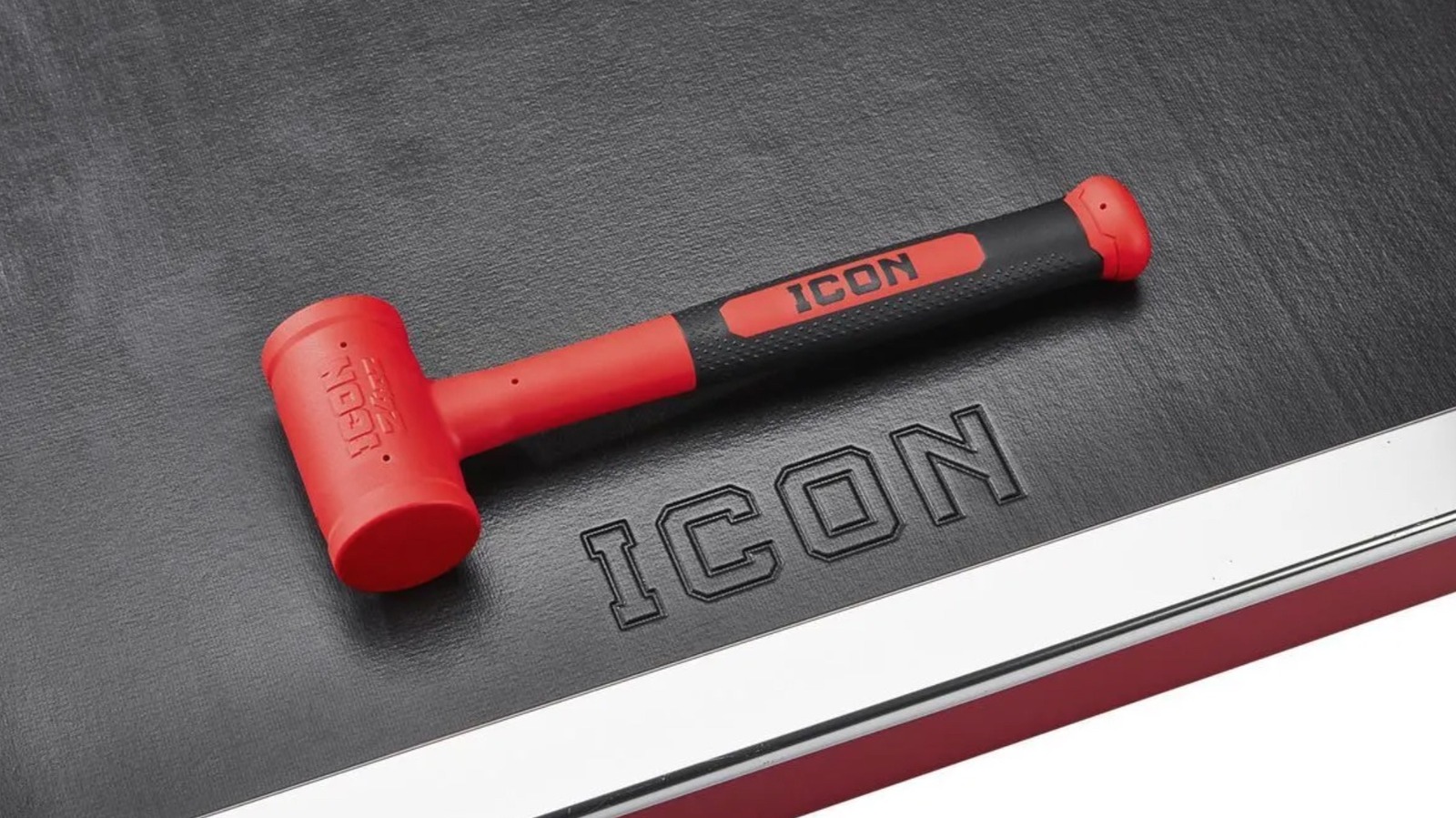
Soft Face Dead Blow Hammer – $24.99

While it can be used to perform the functions of a traditional hammer, a dead blow hammer is a strike device designed for different areas of usage. More specifically, it is a mallet-styled tool designed to reduce the level of bounce-back from each strike via a shot-filled head and a rubberized coating. The increased control makes it an ideal option for use in automotive endeavors like chassis work and suspension jobs, as well as woodworking projects and certain machining gigs. While Harbor Freight carries dead blow hammers from other brands, few are quite as well rated by customers than the 24-inch model made by Icon.

At present, a total of 274 users have chimed in on their Icon Dead Blow Hammer, bestowing upon the hammer an overall rating of 4.9-stars. As for that lone 3-star rating, the user questioned the materials used in its making to the point that they claimed it isn’t a dead blow hammer in the truest sense. Few of the other reviewers agreed, with most hailing it as a first-rate dead blow option that is ideal for automotive work and easy to manage in hand. One even hailed the hammer as, “the best product Icon sells.”

Apart from the shot-filled head and rubberized face, they also boast a steel shank and are covered in Polyurethane materials that make them resistant to many chemicals common to garages and workshops. The hammer is also backed by Icon’s lifetime warranty, and can be purchased for just $24.99. As YouTuber Last Best Tool points out, that considerably less than a similar Snap-On hammer for about the same quality.

35-Piece Locking Flex-Head Ratchet and Bit Set – $34.99

We already covered a well-rated socket set from Icon, so it seems fitting that we also cover a ratchet and bit set. This 35-Piece Ratchet and Bit Set features far more pieces than the other, of course. To that end, it understandably costs more, with Harbor Freight pricing it at $34.99. For the record, the kit is also not quite as highly rated as the socket set, though its 4.9-star rating is, arguably, more impressive as it is based on a whopping 2,387 user reviews.

Not all of those reviews are positive, with complaints ranging from soft bits and rusting to faulty parts and design and excessive back-drag from the ratchet head. Some of the positive reviews also note similar issues, by the way, even as the bulk of users and YouTube reviewers praise the kit for being durable and effective. Many Harbor Freight shoppers claim the inclusion of so many bits makes the kit incredibly versatile too. Several also claim its size makes it not only ideal for engine work, but easy to stow away in your car or even a motorcycle.

If you’re breaking down the cost, the $34.99 basically prices each piece of the kit at $1. So, if you’re curious as to what is included, the 1/4-inch chrome-vanadium steel Flex Head Ratchet is the biggest piece, though the kit also includes a 4-inch extender. As for the S2 steel bits, there are 11 TORX bits, 2 slotted bits, 3 Phillips bit sizes, 13 hex bits, and 3 Pozidrive bits, all of which fit inside a handy carrying case.

11-Piece SAE Professional High-Torque T-Handle Hex Key Set – $44.99

As previously noted, screwdrivers are a legitimately essential part of any tool kit, but not every fastener is fit with either a slotted or Phillips head. And yes, if you find yourself staring at a head with a hexagonal opening, neither type of driver will do you much good. In fact, only a hex key will suffice in that scenario, and even then, only the exact right size of hex key can move that fastener.  It stands to reason, then, that if you often deal with hexagonal fasteners, it might be wise to have several sizes of hex tipped drivers on hand when you need to tighten or loosen them.

Enter Icon’s 11-Piece T-Handle Hex Key Set, which is currently selling for $44.99 through Harbor Freight Tools. The keys in that set are designed for fasteners in SAE measurements, and range in size from 5/64-inch, 3/32-inch, 7/64-inch, 1/8-inch, 9/64-inch, 5/32-inch, 3/16-inch, 7/32-inch, 1/4-inch, 5/16-inch, and 3/8-inch. Each of those hex keys is made from black oxide coated steel for durability, and the T-Handle design allows for a short hex tip on the end of the ergonomic handle, as well as a longer shafted tip for heavier torquing jobs.

Users are overwhelmingly impressed with the set as well, rating it at 4.8-stars through Harbor Freight. Of the happy users, many praise the set for its variety as much as they do for the overall quality and design of the tools, noting that the T-handles are not only comfortable to use, but allow for extra torque. They also love the lifetime warranty that comes with them.

How we got here

In assembling this list, we scoured the Harbor Freight Tools website to examine every tool bearing the Icon branding that is currently listed with a sticker price under the $50 marker. We also limited our selections to Icon tools that have earned a user rating of at least 4.8-stars and currently show reviews from at least 50 Harbor Freight customers. Whenever appropriate, some reviews may have been cited directly to ensure accuracy. If possible, additional reviews were also consulted to prop up the consumer point of view. 


Source link