
Follow ZDNET: Add us as a preferred source on Google.
ZDNET’s key takeaways
- Apple’s iOS 26.4 spruces up Apple Music, Podcasts, and more.
- WatchOS, MacOS, TVOS, and VisionOS also have been updated.
- But the new and improved Siri still is waiting in the wings.
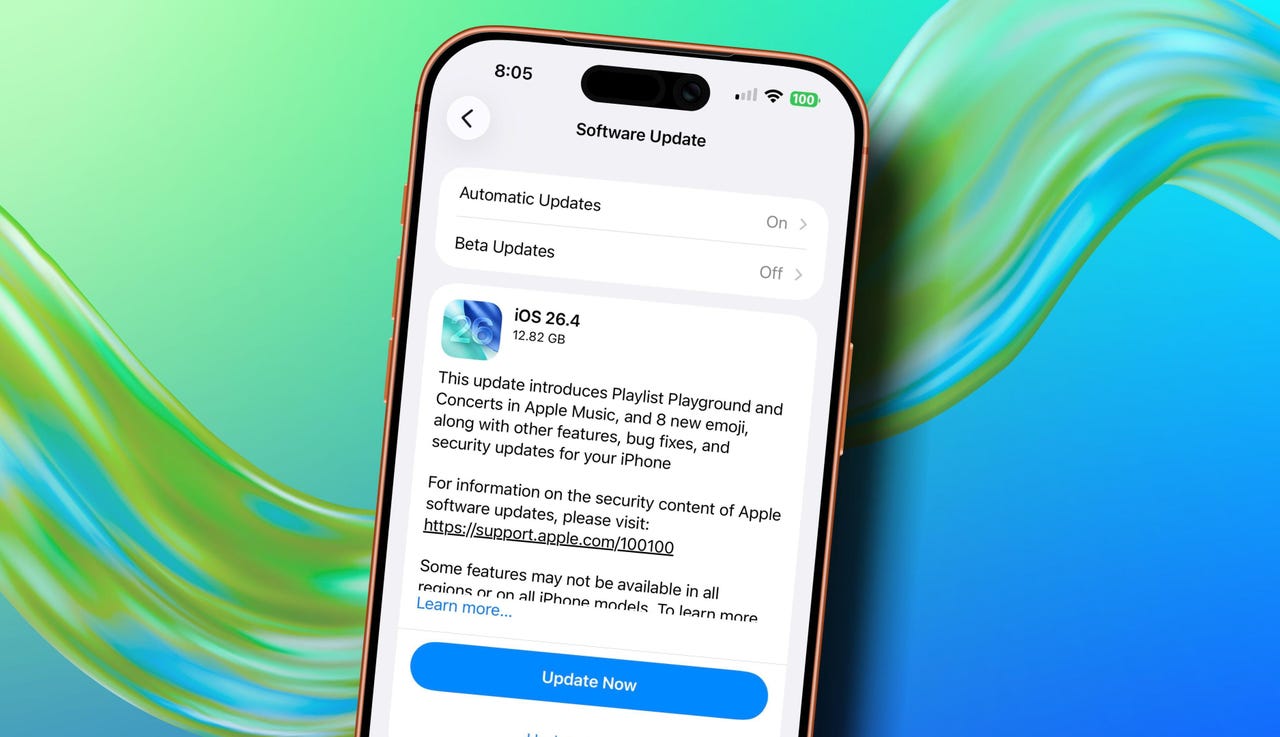
iPhone users can now officially download and install iOS 26.4, a new update that adds a variety of features. No one item by itself is earth-shaking. But collectively, they do offer several handy improvements, as well as the usual security patches.
Also: This one iPhone setting immediately stops all apps from tracking you – turn it off today
1. Apple Music
First up are some clever additions to the Apple Music app. With the new Playlist Playground, you can use AI to create the type of playlist you want. For example, tell the app that you want it to build a playlist of jazz tunes from the 1950s, and it should generate one based on your music library.
The new Concerts feature points you to nearby live shows by artists who appear in your library. You’ll also receive recommendations for new artists and shows based on your favorites.
Also: Spotify vs. Apple Music: I’ve subscribed to both streaming services, and prefer this one
The integrated Music Recognition feature can now work offline to identify a song that you hear and then show you the results when you’re back online. And as a neat visual effect, the Music app now displays full-screen background images for supported albums and playlists. For example, the screen for The Beatles’ famous White Album is painted entirely in white.
2. Apple Podcasts
The Apple Podcasts app can now display video feeds for supported podcasts. You can easily switch between the audio and video, based on whether you want to watch or just listen to an episode.
3. New emoji
Next up are eight new emoji. Want to spice up your text messages with some cool images? Tap into the Emoji keyboard, and you’ll find new ones for a ballet dancer, Bigfoot, a distorted face, a flight cloud, a landslide, an orca, a treasure chest, and a trombone.
4. Keyboard fix
That brings us to a long-awaited feature, or rather fix. Many iPhone users have been frustrated by keyboard accuracy issues, complaining that the wrong character sometimes appears when they tap a key on the on-screen keyboard. This problem has been more noticeable when you’re typing at a fast rate. With iOS 26.4, Apple has reportedly fixed this glitch, so hopefully you’ll bump into fewer typos when you’re typing or tapping away.
5. Accessibility improvements
The Accessibility options included in iOS can help you better work with your iPhone, especially if you have certain limitations or sensitivities. Here, iOS 26.4 adds a few new items. You can now minimize bright flashes when you tap on buttons and other elements. If you’re sensitive to screen motion, the setting to reduce motion can lessen the animations for Liquid Glass.
And you can more easily turn on subtitles and captions while watching a video.
6. Purchase sharing
With the Family Sharing feature, you can share purchases across your entire family. In the past, though, you had to use the family organizer’s payment method. With iOS 26.4, each member of the family can use their own payment method to fund their online purchases.
7. CarPlay additions
Want to chat with your favorite AI in the car? You’ll soon be able to do that. iOS 26.4 now supports voice-based conversational apps for CarPlay. This opens the door for such apps as ChatGPT, Google Gemini, and Claude AI to assist you as you wend your way to your next destination. The developers themselves first have to extend their apps to support CarPlay.
But once this is done, you should be able to carry on a full conversation with the AI of your choice.
8. Security patches
Aside from all the new and improved features, the latest iOS version delivers several security patches. With 34 fixes in total, the patches repair flaws in such features as Audio, iCloud, Mail, Printing, Siri, and the iOS kernel. The same fixes apply to iPadOS 26.4.
To install the latest update on your iPhone or iPad, head to Settings, select General, and then tap Software Update. Enter your passcode, and then allow the new version to download and install.
Also: How to clear your iPhone cache (and why it’s critical for faster performance)
Beyond the iPhone and iPad, Apple also updated its other respective operating systems. That means you’ll find new 26.4 versions for WatchOS, MacOS, TVOS, and VisionOS.
No new Siri
Though the new features and fixes are certainly welcome, there is one glaring omission, namely Siri. Earlier rumors had suggested that iOS 26.4 might bring the new and improved Siri to the forefront, at least for testing. But we’re stuck with the same old flawed and fallible voice assistant.
There’s still hope that iOS 26.5 may unveil a better Siri, one powered by Google’s Gemini AI on the backend. But this goal has been delayed so many times, as Apple has run into problems trying to improve its voice assistant. Even if we do see some key changes in the next version of iOS, we may have to wait until iOS 27 for Siri to fully bloom.
Also: Your iPhone has a secret button that’s seriously useful – here’s how to unlock it
In his latest Power On newsletter, Bloomberg reporter and Apple watcher Mark Gurman said that Apple is testing a dedicated Siri app similar to the ones for rival AIs. This Siri would also better integrate with the apps and settings on your device to help you control and manage it all. If true, then we should see the new Siri debut at Apple’s 2026 Worldwide Developers Conference, starting June 8.