Is Your Mower Deck Misaligned? Here’s How To Fix It


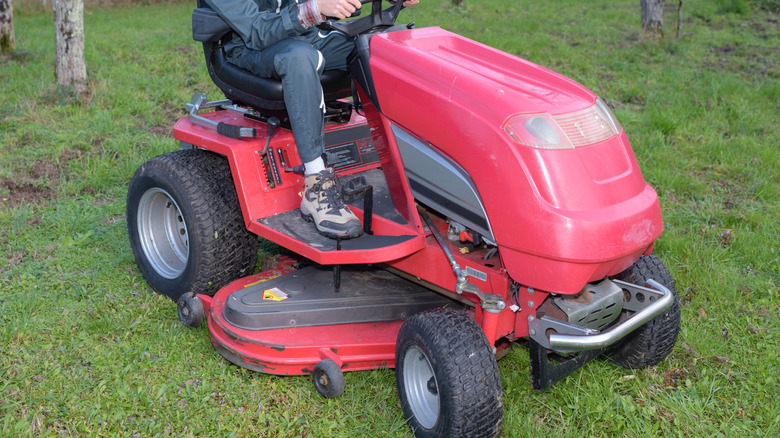
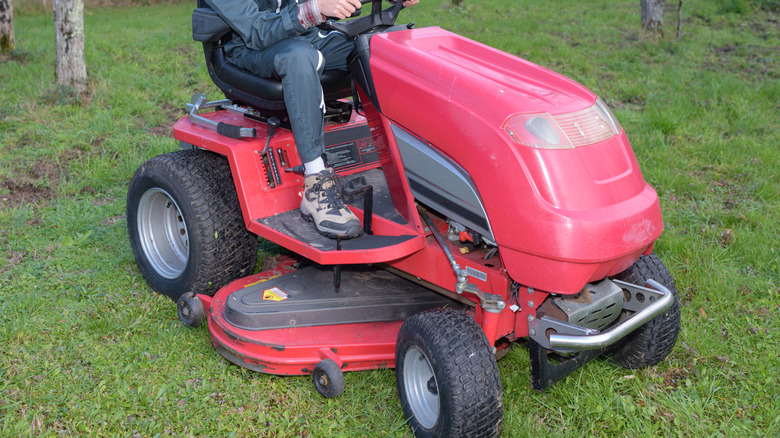
An even cut when mowing can mean the difference between a beautiful yard and a ragged mess. Even the most reliable gas riding mower brands can struggle with this problem, often because of a misaligned mower deck. Thankfully, it’s not hard to get the deck back into place yourself. To do so, you should always begin by parking the mower on a flat surface. Turn the mower off, engage the parking brake, remove the key, and, to guarantee your safety, disconnect the spark plug wire.

Set the deck to the middle position and use a measuring tool to check the distance between the blade tips and the ground. Do this on both sides, and then measure from front to back. If the measurements are off, adjust the deck using the mower’s leveling adjustment points. Use the front adjustment nut to change the front-to-back deck pitch, while you can adjust the side-to-side leveling using the lift adjustment system. This system may consist of rods, bolts, or a gear mechanism, depending on the mower. Make small adjustments until the blade heights match specifications.

Once you’re done, you can reconnect the spark plug wire and get back to work. But if you still notice uneven cutting after a couple of passes, you might need to make some more adjustments. Just stop and repeat the adjustment process — just keep in mind that the front of the deck should sit slightly lower than the rear for a cleaner cut. For more information on your specific model, refer to the owner’s manual.

What a misaligned lawn mower deck does to your lawn

An uneven cutting deck can actually cause more damage to your yard than you might realize. That’s because cutting grass too low in certain areas can take away too much healthy growth, exposing weaker layers of the turf. This is where the 1/3 rule of mowing comes into play, which suggests that you should never cut more than one-third of the grass blade at a time.

Cutting too low can stress the grass, impeding recovery and steady growth. Over time, those damaged areas can thin out and potentially become a breeding ground for weeds. When that happens, even more damage can occur, as weeds will vie for the same resources the healthy grass depends on. This includes water, nutrients, and sunlight. As the weeds spread, they can completely take over an otherwise healthy yard.

Your lawn can also struggle to properly absorb nutrients and water due to dull lawn mower blades. Sharp blades make a clean cut, while dull blades tend to tear the grass. This can damage your yard and cause long-term problems. Keeping the blades regularly sharpened can allow the lawn to grow, preventing thinning areas and preventing disease and pest issues over time.


Source link

Leave a Reply

Subscribe to Our Newsletter

Get our latest articles delivered straight to your inbox. No spam, we promise.

Recent Reviews


Google is experimenting with a new policy restricting the amount of free storage provided to some accounts. New Google accounts (including new Gmail accounts) created in certain regions will be limited to 5GB of free storage when they’re first set up. That’s only one-third of the amount of storage that has been typically offered. There is a way of increasing the amount of free storage you get when setting up a new account, though: you can unlock it by linking your phone number.

When approached for comment by Android Authority, a Google spokesperson confirmed that the new policy was being tested to “help us continue to provide a high-quality storage service to our users, while encouraging users to improve their account security and data recovery.” The statement didn’t clarify which regions the policy is being tested in, nor for how long the testing period will last.

Notably, a Google One Help support page about account storage has been updated to state that each Google account contains “up to 15 GB of storage”, as noted by 9to5Google. Previously, the page didn’t say “up to”; it simply stated that accounts come with 15 GB of storage. So far, the experiment doesn’t appear to stretch to pre-existing accounts.

Per a screenshot shared by Reddit user Sungusungu on R/DeGoogle (a subreddit dedicated to finding alternatives to Google services and products) Google is collecting phone numbers to make sure that the full 15 GB of storage is only redeemed once per person. Of course, that’s easily evaded by using a burner phone to set up multiple accounts, should you want to. The pop-up directs users to a webpage to learn more about storage management. However, at the time of writing, the link redirects to the help center landing page instead.

How to link your Google account with a phone number

If you’re in the process of setting up a new Google account in an impacted region, then you might be prompted with the option of unlocking an extra 10 GB of storage using your phone number via a simple pop-up menu. If so, you can go ahead and follow those steps. However, if you want to link your phone number with a pre-existing Google account, then here’s what you need to do. Using your computer, you need to:

  1. Open your browser and head to myaccount.google.com, then navigate to “Security and sign in” on the left-hand toolbar. This should open a list of security options.

  2. Select “Use your phone to sign in” and then “Set it up”. 

  3. Add a phone number using the “Recovery phone” option.

  4. Follow the on-screen steps to verify your number and finish linking it to your account.

Your options might look a little different if you already have a recovery number set up with your account.

Alternatively, you can connect a phone number to your Google account from your Android device, iPhone, or iPad. Much like on a computer, you connect your number by adding it as a recovery phone. First, head over to myaccount.google.com. Then select “Personal info”, followed by “Phone”. From there, you should be able to add or edit your phone number by navigating to the “Recovery phone” section.


Source link