Minneapolis Planning Commission OKs Fruen Mill redevelopment


MinnPost’s Twin Cities Documenters program trains and pays community members to take notes at local government meetings. Below are Documenter Amy Brugh’s summary and observations from the May 4 Minneapolis Planning Commission meeting, where the commission approved redevelopment plans for a decades-long abandoned site in Bryn Mawr. You can find Amy’s full notes here, which include links to the agenda and video.

Summary: 

  • The commission approved three items in North Minneapolis through the consent agenda, which means they didn’t have any discussion:
    • A project that expands housing for youth and young families by leasing a Minneapolis Public Schools property to The Link, a nonprofit organization.
    • A redevelopment of the Fruen Mill building, a long-abandoned site in Bryn Mawr. The commission granted permission to remodel the building for future build-outs – which the site plan describes as a potential spa, hotel and restaurant – and to establish a bar on the third floor. 
    • A party-wall split on a newly constructed duplex to allow for single-unit purchases. 
  • The commission denied a variance request – which is a request for an exception to the zoning code – for a housing development in Northeast Minneapolis at Marshall Ave NE and 10th Ave NE. The five-story, 89-unit building was approved, but a variance asking to adjust the setback was denied.
    • The members of the commission had a lengthy discussion regarding the project and an ordinance change in 2023, which was passed after this project’s initial approval in 2021. 
    • The commission members noted that this was a unique situation and could be an unintended consequence of the variance change. 

Observations and follow up questions: 

Accessibility: Did you face any challenges that made it harder to document the meeting or that may have made it difficult for others to attend? For example: trouble accessing the location, difficulty hearing the discussion, lack of nameplates for elected officials, or the agenda being unclear, disorganized, or incomplete.

  • The agenda wasn’t unclear, but because the Planning Commission members themselves were struggling with interpreting a change in city ordinance, that made it hard to discern some of what occurred in this meeting. 

Scene: About how many members of the public attended the meeting? If watching virtually, what was the livestream count (if applicable)? Was anyone protesting outside? 

  • There were 9 views of the YouTube livestream. 

Notable: Do you have any follow up questions or other observations to share? What stood out to you as interesting or confusing? Is there anything you’d like to see reporters look further into? Were there any particularly memorable quotes?

  • The Planning Commission members demonstrated some of the difficult decisions they have to make in order to be in compliance with Minneapolis 2040 and city ordinances, even if a project seems “good” on the surface. 

How to get involved:

When is the next meeting for this board/committee? Any upcoming public hearings? Online surveys? 

  • Next Minneapolis Planning Commission meeting is on Monday, May 18 at 4:30 p.m. 

More context:

Read Documenter Amy Brugh’s full notes here, which include links to the agenda and audio recording. View our full database of notes here.

Want to become a Documenter? You can start by making an account here.


Source link

Leave a Reply

Subscribe to Our Newsletter

Get our latest articles delivered straight to your inbox. No spam, we promise.

Recent Reviews


Gemini on Android Auto

Kerry Wan/ZDNET

Follow ZDNET: Add us as a preferred source on Google.


ZDNET’s key takeaways

  • Gemini is now widely available in Android Auto.
  • It can integrate with Google services and other apps.
  • The AI answered both simple and complex, multi-step questions. 

Despite Google’s insistence on packing artificial intelligence into nearly every conceivable product, I haven’t really found too much day-to-day use for it. That might change now. 

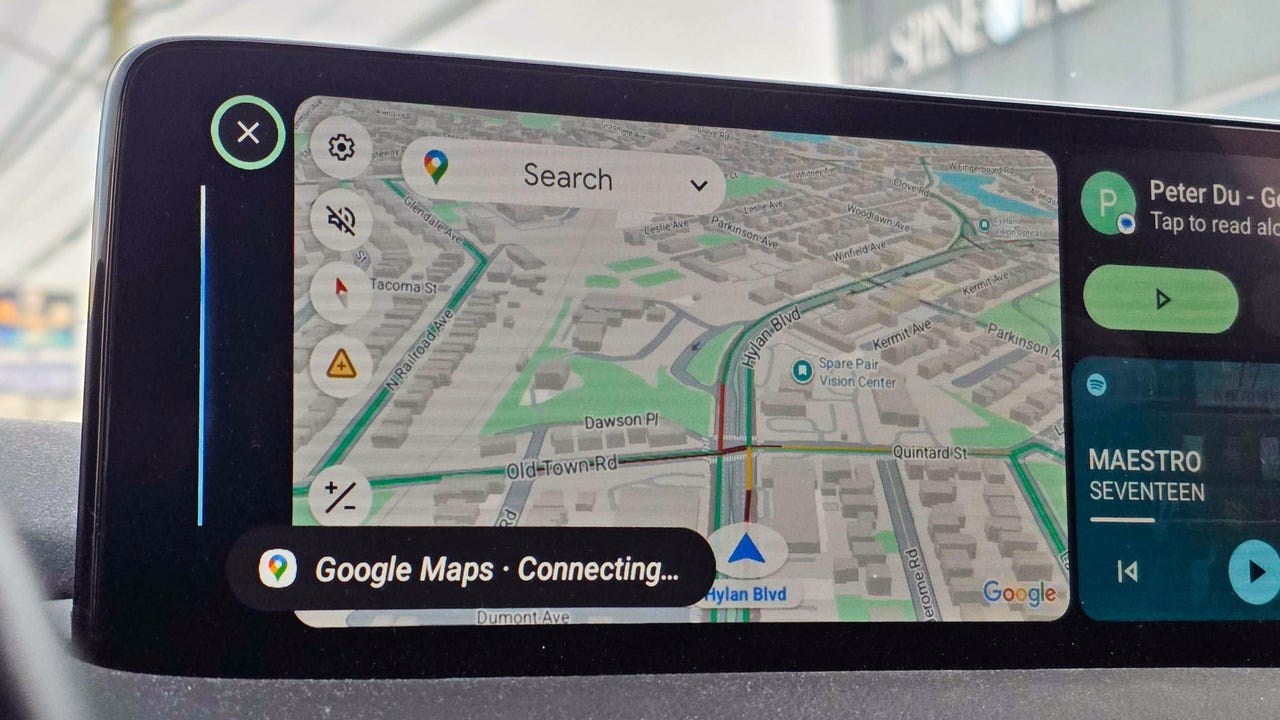
Over the weekend, I noticed my Android Auto had updated to include Gemini. I decided to give it a quick test, and it deftly answered my questions. When I started to dive deeper, though, I was surprised by just how much it could do and how easily it handled what I thought were more complex asks.

Also: Your Android Auto just got 5 useful upgrades for free – and Google isn’t done

Here are some of the best ways I’m using the new Gemini integration. To get started for yourself, you can either use the mic button on your steering wheel or say “Hey Google.” 

1. Finding hours or other information about local businesses

When using my phone in the car, most of the time I’m checking hours for a local business or researching nearby restaurants or stores. I found that Gemini is perfect for quick, simple questions like, “What time does Tony’s Ice Cream close?” But it’s also great for diving a little deeper.

I’m the type of person who likes to do a lot of investigating when I’m trying to find a new restaurant. I like to know what makes each one special and what people recommend — before I decide. Gemini does very well in situations like this. 

Also: Google just gave Android Auto its most significant update yet – and we tested it on the road

I asked for the best local spots to find ice cream. Instead of just showing a list, Gemini began detailing each spot, noting that the number one recommendation was “a legendary local spot with more than 100 years of history scooping up happiness.” It went down the list, offering up recommendations about each option, and then it even asked which one I wanted to navigate to.  

2. Tracking down info deep in your email

My wife and I had tickets to a show this weekend, and while I knew where I was going, I decided to see if Gemini would help. Without mentioning the theater or the show’s name, I just asked, “What’s the address for the show tonight?” Gemini thought for a few seconds and then replied that my confirmation email didn’t mention an address before asking, “Do you want me to find that information online?” When I said I did, it quickly found the address and offered to start navigation.  

I asked Gemini several other email-specific questions like “What’s coming in the mail today?” (thanks to USPS Informed Delivery) and even some vague ones like “When is that thing I ordered from the TikTok shop arriving?” or “I remember a coupon for a haircut in my email, when does that expire?” It handled each one perfectly.

Also: How to clear your Android phone cache – and why it greatly improves performance

Instead of opening my Gmail app, scrolling to find what I need or searching, and then opening the message, I can now get this info quickly with Gemini’s help.

3. Getting answers on the go, and keeping the conversation going

I’m the type of person who immediately looks up the answers to random questions that pop in my head — things like, “Where is the Australian Shepherd dog breed from,” “How do I make polymer clay earrings?” (my wife had seen some at a vendor fair), or “How do I make an electromagnet for an elementary school science project?”

Instead of Googling these queries, I asked Gemini. I wasn’t surprised to get a response, but I was surprised by how Gemini offered to keep things going. Every time Gemini offered an answer, it would ask if I wanted to talk more. I found myself having a conversation about my dog and why he doesn’t shed nearly as much as my other one, about the best way to present my son’s electromagnet, and even about different ways to make clay earrings and which option was best. 

4. Saving reminders and notes

I live by my Google Calendar, and if I don’t have something saved there, there’s a good chance I’ll forget it. The same goes for my reminder list in Google Keep. Quite often, while I’m driving, I’ll have a thought I want to remember later. Gemini, through Android Auto, was able to add things to my Keep lists and add things to my Calendar. It also gave me a rundown of what’s on my calendar and even asked if I wanted help getting ready for a meeting tomorrow (which was actually my wife’s event on our shared calendar). 

Also: The best AI chatbots: Expert tested and reviewed

5. Picking the perfect playlist

When it comes to the radio in my car, I’m constantly bouncing between podcasts, the song that got stuck in my head because it was viral on TikTok, whatever my kids request, or a huge variety of other songs. That means I’m often bouncing between Spotify, YouTube, and my XM radio. 

I often want to hear a specific song or album, and I was able to get Gemini to pull up specific songs using Spotify and YouTube and to stick to songs from that album. When I was in a more general mood, I got Gemini to tune to a specific XM station for me. 

I haven’t stumped AI yet

Overall, I’m finding that Gemini can handle at least 90% of tasks I’d otherwise pick up my phone for, from basic questions to more in-depth, multi-level questions. It was able to integrate with Google services like Gmail and apps, but also several other apps. 

Also: Google’s Gemma 4 model goes fully open-source and unlocks powerful local AI – even on phones

The basic questions are more common, but the ones that require research are where Gemini shines. I kept trying to think up new things to ask, and I had trouble finding something that would genuinely stump the AI. If, like me, you haven’t really embraced Gemini yet, Android Auto might just be your ticket in. 


Source link