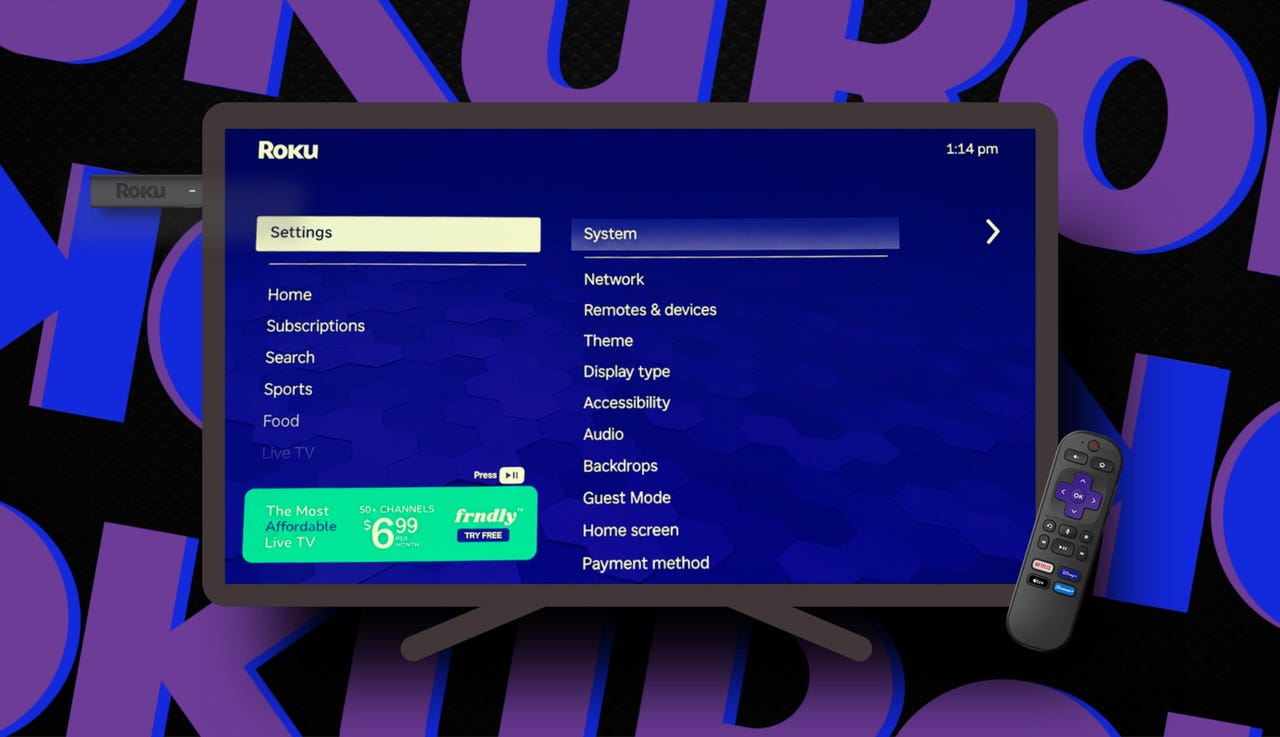
Roku apps loading slow? 9 quick fixes I try before blaming my Wi-Fi


Roku apps loading slow? 9 quick fixes I try before blaming my Wi-Fi

Elyse Betters Picaro / ZDNET

Follow ZDNET: Add us as a preferred source on Google.


ZDNET’s key takeaways

  • Restarting or power cycling a Roku can fix many lag issues.
  • Updating or reinstalling apps can solve glitches and slowdowns.
  • Test the network connection before blaming your Wi-Fi router.

I own several Roku TVs and devices, including Roku soundbars and speakers. I love the platform for many reasons. But even I’ll admit that, sometimes, my Roku acts up. I especially hate it when apps take a moment too long to load. Or a menu lags. When a screen hangs long enough that I start feeling like I want to chuck my remote at the TV, it’s time to fix the problem.

But first, what’s going on here? Is it my Roku or my Wi-Fi?

Also: Every Roku user should know these 15+ shortcuts

I know Roku devices can get bogged down by accumulating app data, glitchy apps, software updates, low memory, or the simple fact that they haven’t been restarted in a while. So, before I unplug my router and start blaming my internet, I try a few quick fixes.

1. Restart or reboot from settings

This is the first thing I try because, believe it or not, it solves a surprising number of weird Roku problems. A system restart fully reboots the device without deleting apps, sign-ins, or settings. It’s also different from just turning the device or TV off with a remote, because Roku has a quick-start mode that keeps parts of the system running in the background.

Also: I replaced my bedroom TV with this $170 Roku projector

To fully restart or reboot a Roku:

  1. Go to Settings.
  2. Select System.
  3. Select Power, if you see that option.
  4. Select System restart.
  5. Wait for Roku to reboot.

If you don’t see a Power menu, go to Settings > System > System restart instead.

Restart or reboot from settings

Elyse Betters Picaro / ZDNET

2. Unplug for a full power cycle

If a streaming app or my Roku is completely frozen and unusable, I skip the settings menu and just unplug my device or TV from power. This shuts it down completely and forces the Roku to go into what’s called a full power cycle.

To power cycle a Roku:

  1. Unplug the Roku device or Roku TV from power.
  2. Wait at least 30 seconds.
  3. Plug it back in and let it fully restart before opening an app.
Unplug for a full power cycle

3. Clear cache (soft reset)

When apps take too long to respond, or everything just feels a half-second behind, I’ll clear any built-up cache.

Also: How to clear your Roku TV cache (and why it’s critical)

Roku stores temporary data, called cache, to make apps load faster, improve performance, and reduce bandwidth usage. But too much built-up cache can create temporary system clutter that may actually slow things down. Roku doesn’t have a single “clear cache” button in the settings menu, but there is a remote shortcut that forces a soft reset and ultimately clears cache.

To clear cache on a Roku:

  1. Press the Home button five times.
  2. Press Up once.
  3. Press Rewind twice.
  4. Press Fast Forward twice.
  5. Wait. Your Roku may freeze briefly, then restart.

You can do this from the Roku app’s remote or your physical remote.

Clear cache (soft reset)

Elyse Betters Picaro / ZDNET

4. Check for a Roku OS update

Roku devices update automatically, but I still manually check whether my device or TV is out of date every now and then. That’s because a pending update can include bug fixes, app compatibility changes, security fixes, and performance fixes.

Also: Lost your Roku remote? Here are four ways you can still control your TV

To check for updates:

  1. Go to Settings.
  2. Select System.
  3. Select Software update.
  4. Select Check now.
  5. Install any available updates, then let Roku restart.
Check for a Roku OS update

Elyse Betters Picaro / ZDNET

5. Remove and reinstall glitchy apps

If only one app is slow, glitchy, crashing, or stuck on a loading screen, maybe it’s just that app and not the entire Roku system. Removing and reinstalling an app can clear bad app data, force a fresh install, and pull down the newest available version.

Also: Google TV or Roku: Which is actually worth your time?

To remove and reinstall an app:

  1. Highlight the app you want to remove.
  2. Press the Star button on the remote.
  3. Select Remove app and confirm.
  4. Now, go to the Streaming Store and search for the app.
  5. Select Add app once you’ve found it.
  6. Open the app and sign back into your account.
Remove and reinstall glitchy apps

Elyse Betters Picaro / ZDNET

6. Update apps

You might have noticed, while following the tip above, that apps also have an update option. Although removing and reinstalling an app will get you the latest version, you’ll have to sign back in to your streaming account afterward. So, if you want to avoid all that, just try updating the app. If it’s up to date and still struggling, however, you should try removing and reinstalling it.

To update an app:

  1. Highlight the app you want to update.
  2. Press the Star button on the remote.
  3. Select Update app or Check for updates.
Update apps

Elyse Betters Picaro / ZDNET

7. Delete old apps

Roku devices have limited storage and memory. If you’ve installed years’ worth of random streaming apps, free channels, and one-off trials, your Roku may be bogged down and running low on storage. If that’s the case, it’s time to clean house and get rid of apps.

Also: The best streaming deals: Paramount+, Roku sticks, more

To delete old apps:

  1. Go to any app you no longer use.
  2. Press the Star button.
  3. Select Remove app.
  4. Repeat for anything you haven’t opened in the past few months.
Delete old apps

Elyse Betters Picaro / ZDNET

8. Test and reset the network connection

OK, at this point, if apps are still loading slowly, it could actually be an internet issue. Still, before I unplug my Wi-Fi router, I’ll test my Roku’s network connection under Settings > Network > Check connection. This should be “successful” to verify internet access. I can also see my IP address and download speed under Settings > Network > About. A “good” or “excellent” signal is what I want.

Also: Slow Wi-Fi? I found 10 proven ways to fix your internet

If I don’t have a successful check or a good signal and I’ve tried all the above, I’ll reset the network connection. This clears my saved network details and forces my Roku to connect from scratch, but I’ll have to reconnect to my Wi-Fi, of course.

To reset Roku’s network connection:

  1. Go to Settings.
  2. Select System.
  3. Select Advanced system settings.
  4. Select Network connection reset.
  5. Select Reset connection.
  6. After Roku restarts, reconnect to your Wi-Fi network.
Test and reset the network connection

Elyse Betters Picaro / ZDNET

9. Last resort: Factory reset

I only factory reset a Roku when nothing else works.

This wipes the device entirely, removes all my apps and login information, resets my settings, and returns the Roku to its  factory settings. It’s useful if the device is truly unstable, but it’s annoying because I have to set everything up again.

To factory reset:

  1. Go to Settings.
  2. Select System.
  3. Select Advanced system settings.
  4. Select Factory reset.
  5. Follow the on-screen instructions.
Last resort: Factory reset

Elyse Betters Picaro / ZDNET

When it actually might be a Wi-Fi issue

So, let’s say I’ve restarted my Roku and cleared the cache, updated the software, updated and reinstalled apps, deleted old apps, and tested and reset the network connection. If I’m still experiencing any lag, then it’s time to unplug and reboot my router.

Also: How to turn your old Android phone into a Wi-Fi extender

I could also, God forbid, contact my ISP.


Source link

Leave a Reply

Subscribe to Our Newsletter

Get our latest articles delivered straight to your inbox. No spam, we promise.

Recent Reviews


Deer Valley’s new terrain expansion is one of the most ambitious projects in modern skiing. The resort plans to nearly double its skiable terrain while maintaining the industry-leading standards it’s known for. We spent an extended trip in early 2026 skiing the new footprint alongside Deer Valley representatives and Olympic skier Fuzz Feddersen to see how it all came together.

Construction is still ongoing, and this season marked the worst snow year in Deer Valley’s history. Even so, we found the new terrain diverse and distinct, yet seamlessly integrated into the legacy Deer Valley experience.

This guide introduces the terrain, lifts, and base-area amenities in Deer Valley’s East Village so you can make the most of the Expanded Excellence initiative.

East Village: A Second Front Door

Keetley Express Opening Day
Photo Credit: Deer Valley Resort.

Deer Valley East Village is seamlessly connected on the slopes, but geographically separate from the main resort, and that separation works in its favor. Accessed via US-189, it bypasses Park City traffic entirely.

Yes, it’s still a work in progress. You’ll see active construction throughout the base area. But the core infrastructure is already in place, and it functions like a fully supported ski base. What’s here now works and what’s coming will only enhance it.

The East Village base area delivers the Deer Valley essentials: free parking, rental shop, ski valet, and East Village Restaurant, where a bowl of the resort’s signature chili tastes especially good on a cold afternoon.

Where to Stay in East Village (25/26 Season)

High hot chocolate at Grand Hyatt Deer Valley Utah
Photo Credit: Jenn Coleman.

For the 25/26 season, the clear lodging choice is the newly completed Grand Hyatt. It offers a signature restaurant, on-site Ski Butlers rentals, a full spa, and shuttle service to Park City and Snow Park. There’s no ski-in/ski-out access yet, but a short shuttle brings you directly to the East Village base.

Additional hotels are expected to open for 26/27, which will further transform East Village into a true walkable ski hub.

We found the Grand Hyatt welcoming and highly functional, particularly with Ski Butlers on-site and a massive locker room that makes gearing up painless. Their High Hot Chocolate service, modeled after high tea but featuring locally processed cocoa, may become a new tradition for us. It’s indulgent enough to stand in for a light meal or serve as a sweet reset between Park City’s famously rich dinners.

The only logistical wrinkle is shuttle coverage. Service does not extend to Empire Canyon (Fireside Dining) or Silver Lake (Stein Eriksen Lodge, Mariposa), so a bit of planning is required. Still, between Snow Park (St. Regis, Cast & Cut) and downtown Park City, dining options are abundant. With new hotels opening next season, you may soon be able to walk to a different restaurant every night and still not try them all.

Snow Science: The Engine Behind the Expansion

Expanded Terrain snowmaking gun
Photo Credit: Deer Valley Resort.

Deer Valley’s reputation has always been built on snow quality, from immaculate corduroy to sophisticated snowmaking. The expansion continues that legacy in a serious way.

The new terrain draws most of its water from Jordanelle Reservoir. Roughly 80 miles of new snowmaking pipe now support more than 1,200 high-efficiency snow guns. The reservoir isn’t just scenic, it’s foundational.

What’s more impressive is the sustainability loop. Deer Valley is allocated just 1% of the reservoir’s available water. Through dedicated irrigation channels, approximately 80% of that allotment is returned by season’s end. Combined with an expanded grooming fleet, that system allowed the resort to open a record number of runs during a historically hot and dry winter.

If you’re wondering how the terrain skied so well in a lean year, this is your answer.

East Village Gondola: The Spine of the New Terrain

East Village Gondola
Photo Credit: Deer Valley Resort.

The 10-passenger high-speed East Village Gondola is one of the two primary lifts out of the base area. It’s a 15-minute, 3,000-vertical-foot ride to Park Peak (9,350’), with a mid-station at Big Dutch Peak (8,170’).

From Park Peak, you access some of Utah’s longest runs along with terrain served by Pinyon Express and the Vulcan Express / Revelator Express lifts.

Green Monster is the headline act: a 4.85-mile green descent between Park Peak and Baldy Mountain, nearly 40% longer than Park City Mountain’s Home Run. It weaves between two blues: Carbonite, which drops along the ridge, and Age of Reason, which follows the valley floor.

Deer Valley partnered with longtime Mountain Host Michael O’Malley to name the new terrain in ways that honor both local mining history and the resort’s evolving identity. “Green Monster” references a Wasatch County copper mine, though you’ll never convince me there isn’t a double entendre for the 37-foot-tall wall in Fenway Park that has foiled many home runs. Common sense tells us that “Age of Reason” is an homage to Thomas Paine, and I could imagine cruising down the exposed ridge would freeze you like the compound that imprisoned Han Solo. However, “Carbonite” is a nod to Park City’s silver mining legacy. 

Names aside, the terrain progression is smart. Carbonite offers a manageable ridge experience before committing to Redemption Ridge. And if confidence wavers, Green Monster provides a bailout.

Another thoughtful touch is Corduroy Lunch. Select freshly groomed terrain off the gondola’s mid-station remains roped until noon. Carving fresh tracks midday is a true afternoon delight. 

Keetley Express: The Connector

Keetley Express lift Deer Valley Ski Resort Utah
Photo Credit: Deer Valley Resort.

Keetley Express is the other primary East Village lift and likely the fastest gateway back to legacy Deer Valley terrain. After the 1.25-mile ride up, a short ski down Road to Sultan brings you to Sultan Express.

Of course, you have to take Sultan up the mountain before you get back to skiing. That sets you up for over 5 continuous miles of green runs if you combine Homeward Bound with McHenry, or take a run on the classic black Stein’s Way. You could also use connectors to access the lower half of Green Monster or McHenry directly, or try the plethora of intermediate runs off Keetley Point.

Advanced skiers should keep Keetley on their radar as well. When conditions align, it’s a sneaky access point to Mayflower Bowl and its quiet pocket of expert terrain.

Aurora: Small but Essential

McHenry / Aurora area Deer Valley Ski Resort Utah
Photo Credit: Jenn Coleman.

Aurora is easy to underestimate. It’s only about 700 feet long and takes two minutes to ride, but it plays a crucial role.

It’s the return lift from McHenry, which connects directly to Silver Lake Lodge, and it services Keetley Point terrain. There’s also a confusing sign near the top of Aurora on Green Monster directing skiers left toward East Village. If you follow it, you’ll earn a short Aurora ride, and remember to hang right next time if you want to return directly to Keetley and the gondola.

Tiny lift. Big utility.

Vulcan Express & Revelator Express: Commitment Terrain

Woman carving Ridgeline at Deer Valley
Photo Credit: Deer Valley Resort.

These lifts rise from one of the steepest valleys in the Deer Valley footprint, so steep that lift towers had to be installed by helicopter.

Redemption Ridge is the signature descent, often described as Stein’s Way on steroids. At roughly twice the length of Stein’s, it drops 2,700 vertical feet over 2.5 miles. Once you commit, you’re in it, with steeper, more technical lines breaking off the ridgeline into the valley.

If that feels ambitious, start on Stein’s to calibrate. Carbonite also offers a similar exposed-ridge experience that’s much more forgiving. But If the snow is right and you can hang, Redemption could be your saving grace from the Bambi Basin blues.

Pinyon Express: High-Alpine Access for Everyone

Pinyon Express Chairlift
Photo Credit: Deer Valley Resort.

Pinyon Express and Revelator both reach Park Peak, but their personalities diverge from there.

Pinyon serves a beginner-friendly zone on the north side of Park Peak, allowing newer skiers to experience high-mountain terrain without intimidation. Clipper stands out because it also connects the East Village Gondola back into legacy Deer Valley terrain, but there are multiple easy route options.

Because Pinyon sits right at the boundary between old and new terrain, it functions as a seamless crossover point. Novice skiers and ski classes can access this alpine playground from either side of the resort.

The Future of Deer Valley Is Already Underfoot

Fuzz_Ski_with_a_Champion
Photo Credit: Deer Valley Resort.

It would be easy to judge an expansion like this on acreage alone. Nearly doubling skiable terrain is headline material in any snow year, let alone the driest season in resort history. But what impressed us most wasn’t the scale; it was the intention.

Expanded Excellence doesn’t feel bolted on. It feels studied. Deliberate. The lift placements make sense. The terrain progression makes sense. Even the names tell a story. You can ski a 4.85-mile green down Green Monster, test your mettle on Redemption Ridge, duck into legacy terrain off Keetley, and end the day with corduroy that rivals anything Deer Valley has ever groomed, all without feeling like you’ve left the original footprint of the resort.

That’s no small feat.

Skiing with Olympic veteran Fuzz Feddersen gave us an insider’s lens, but even without that access, the throughline is obvious: Deer Valley isn’t chasing growth for growth’s sake. They’re building a second front door that will eventually feel as iconic as Snow Park or Silver Lake, and they’re doing it with the same snow science, guest service, and meticulous grooming that built their reputation in the first place.

East Village still hums with construction equipment. You’ll see cranes on the skyline and fresh dirt where hotels will soon rise. But beneath that temporary noise is something permanent: infrastructure that works, terrain that skis well in lean years, and a blueprint that positions Deer Valley for the next several decades.

If this was Expanded Excellence in the worst snow year on record, it’s hard to imagine what it will feel like in a banner winter.

One thing is certain: the future of Deer Valley isn’t coming. It’s already here!

Ready to Book Your Trip? These Links Will Make It Easy:

Airfare:

Insurance:

  • Protect your trip and yourself with Squaremouth and Medjet


  • Safeguard your digital information by using a VPN. We love NordVPN as it is superfast for streaming Netflix


  • Stay safe on the go and stay connected with an eSim card through AloSIM

Our Packing Favs:

  • We LOVE Matador Equipment for their innovative products and sustainability focus. Their SEG45 is a game changer when you need large capacity while packing light.
  • Travel in style with a suitcase, carry-on, backpack, or handbag from Knack Bags
  • Packing cubes make organized packing a breeze! We love these from Eagle Creek

Disclosure: A big thank you to Deer Valley Resort for hosting us, setting up a fantastic itinerary, and usage of some of the images throughout (image credit in hover text ).

For more travel inspiration, check out Deer Valley Resort’s InstagramFacebookTwitter, and YouTube accounts.

As always, the views and opinions expressed are entirely our own, and we only recommend brands and destinations that we 100% stand behind.

Like it? Pin it for later on Pinterest!


Hi! We are Jenn and Ed Coleman aka Coleman Concierge. In a nutshell, we are a Huntsville-based Gen X couple sharing our stories of amazing adventures through activity-driven transformational and experiential travel.


Source link