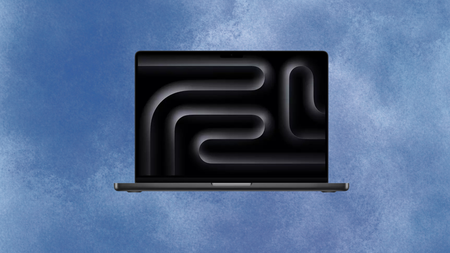
The MacBook Pro M5 has dropped to its lowest price at Argos


Apple rarely discounts its own hardware, so when a retailer cuts the price of a current-generation MacBook Pro by a meaningful amount, it tends to be worth stopping and paying proper attention to what is actually on offer.

That product is the 14-inch MacBook Pro with M5, now down from £1,599 to £1,279 at Argos, a saving of £320 on a laptop that launched only earlier this year and still sits at full price almost everywhere else.

Apple Macbook Pro on a white and blue background

The 14.2‑inch MacBook Pro has dropped to its best‑ever price at Argos, making it a stronger buy

This MacBook Pro suits users who want current-generation silicon without breaking the bank, and £1,279 is a tempting entry point indeed.

View Deal

The M5 chip is the engine that makes this generation worth buying over its predecessors, pairing a 10-core CPU with a 10-core GPU and a Neural Accelerator built into each GPU core for faster on-device AI performance across everyday and professional tasks.

In practical terms, that translates to large video exports, generative image tools, and complex audio sessions moving through considerably faster, without the fan noise that older Intel-based machines would produce under the same demand.

The 16GB of unified memory ensures that the processor is never waiting on data, and the 512GB SSD gives enough headroom for a working drive without relying entirely on cloud storage for everything that matters.

Advertisement

The Whatsapp Logo

Get Updates Straight to Your WhatsApp

Join Now

Battery life is rated at up to 24 hours during video playback, which in everyday use translates to a laptop that rarely needs its charger before the end of a long working day, even with demanding apps running throughout.

The 14.2-inch Liquid Retina XDR display runs at up to 120Hz with a peak brightness of 1,000 nits, making it genuinely comfortable for sustained editing work as well as the kind of sharp, colour-accurate output that creative professionals expect from this class of machine.

Connectivity covers three Thunderbolt 4 ports, HDMI, MagSafe 3, an SDXC slot, and a headphone jack, which removes the need for a dock in most desktop setups and keeps the machine genuinely useful when working away from a desk.

This MacBook Pro configuration suits professionals, students, and power users who want current-generation silicon without stretching to a higher-spec build, and £1,279 represents a compelling entry point into Apple’s most capable laptop line.

Advertisement

SQUIRREL_PLAYLIST_10148964


Source link

Leave a Reply

Subscribe to Our Newsletter

Get our latest articles delivered straight to your inbox. No spam, we promise.

Recent Reviews


Google is experimenting with a new policy restricting the amount of free storage provided to some accounts. New Google accounts (including new Gmail accounts) created in certain regions will be limited to 5GB of free storage when they’re first set up. That’s only one-third of the amount of storage that has been typically offered. There is a way of increasing the amount of free storage you get when setting up a new account, though: you can unlock it by linking your phone number.

When approached for comment by Android Authority, a Google spokesperson confirmed that the new policy was being tested to “help us continue to provide a high-quality storage service to our users, while encouraging users to improve their account security and data recovery.” The statement didn’t clarify which regions the policy is being tested in, nor for how long the testing period will last.

Notably, a Google One Help support page about account storage has been updated to state that each Google account contains “up to 15 GB of storage”, as noted by 9to5Google. Previously, the page didn’t say “up to”; it simply stated that accounts come with 15 GB of storage. So far, the experiment doesn’t appear to stretch to pre-existing accounts.

Per a screenshot shared by Reddit user Sungusungu on R/DeGoogle (a subreddit dedicated to finding alternatives to Google services and products) Google is collecting phone numbers to make sure that the full 15 GB of storage is only redeemed once per person. Of course, that’s easily evaded by using a burner phone to set up multiple accounts, should you want to. The pop-up directs users to a webpage to learn more about storage management. However, at the time of writing, the link redirects to the help center landing page instead.

How to link your Google account with a phone number

If you’re in the process of setting up a new Google account in an impacted region, then you might be prompted with the option of unlocking an extra 10 GB of storage using your phone number via a simple pop-up menu. If so, you can go ahead and follow those steps. However, if you want to link your phone number with a pre-existing Google account, then here’s what you need to do. Using your computer, you need to:

  1. Open your browser and head to myaccount.google.com, then navigate to “Security and sign in” on the left-hand toolbar. This should open a list of security options.

  2. Select “Use your phone to sign in” and then “Set it up”. 

  3. Add a phone number using the “Recovery phone” option.

  4. Follow the on-screen steps to verify your number and finish linking it to your account.

Your options might look a little different if you already have a recovery number set up with your account.

Alternatively, you can connect a phone number to your Google account from your Android device, iPhone, or iPad. Much like on a computer, you connect your number by adding it as a recovery phone. First, head over to myaccount.google.com. Then select “Personal info”, followed by “Phone”. From there, you should be able to add or edit your phone number by navigating to the “Recovery phone” section.


Source link