
Follow ZDNET: Add us as a preferred source on Google.
ZDNET’s key takeaways
- A new Linux desktop is in the works.
- This portable desktop can be run like an app.
- Orbitiny is free to use and runs on any Linux distribution.
Leave it to the Linux community to come up with something that no other operating system can do. It happens all the time, and the creativity and ingenuity of these developers never cease to amaze me.
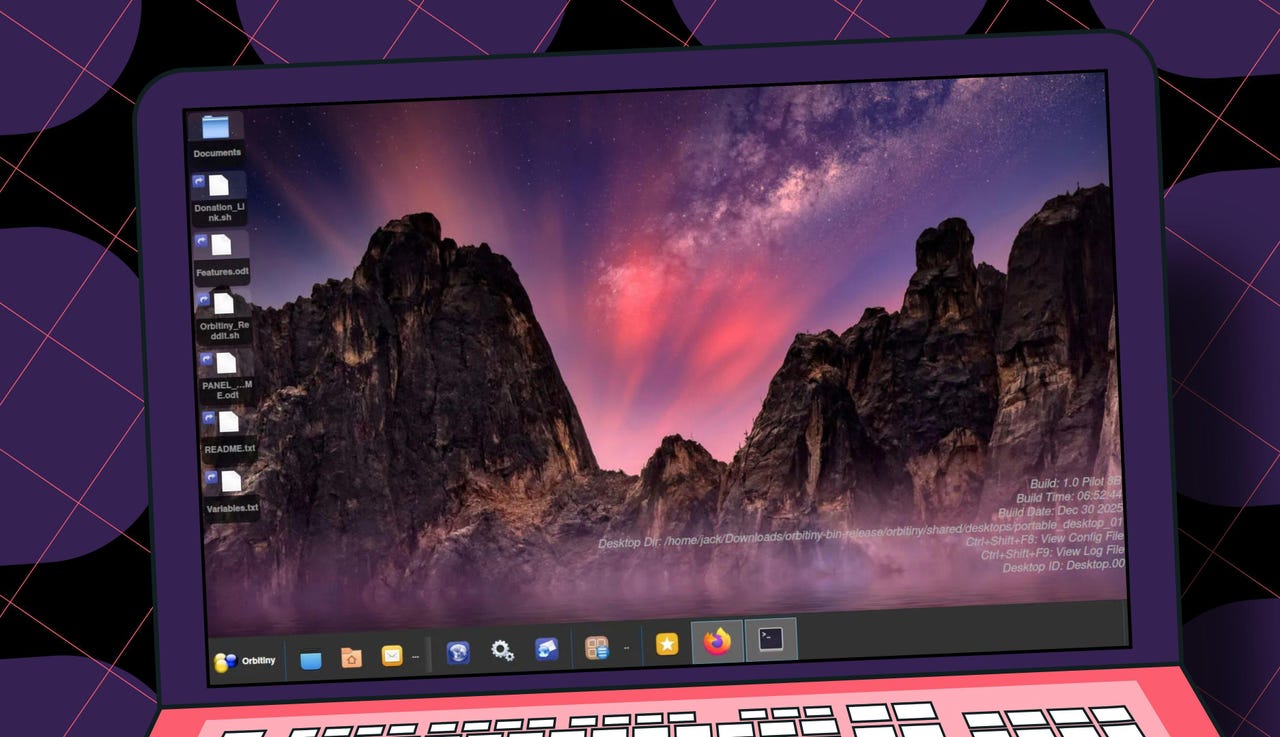
Such is the case with a new desktop environment called Orbitiny. The goal of this new desktop, which has been built from scratch using Qt and C++, is to be both familiar and unique.
Also: 5 Android browsers I prefer over Chrome – and why they’re worth trying
Orbitiny is also modular; if one part breaks, the whole will continue to function. Orbitiny doesn’t have its own window manager; instead, it runs on top of existing window managers.
Runs on top of your desktop
You read that right: Orbitiny runs on top of your existing desktop (such as KDE Plasma or GNOME), like a regular app. This unique desktop includes the following features:
- The default file manager can search for files and the contents of files. The search tool is accessible from the desktop.
- A desktop panel with plugins extends the feature set. It also includes full drag-and-drop support.
- A built-in clipboard manager.
- A device manager.
- A comprehensive start menu offers full drag-and-drop support, along with a sidebar.
- A dashboard displays running tasks and installed applications.
- Running apps can be accessed from the default desktop environment.
- Desktop gestures allow you to draw patterns on your desktop to launch actions such as starting a program.
- Icon folder emblems indicate if you’ve copied or cut a file or if items have been added to the folder.
- The ability to join two text files or paste text directly into a file.
Orbitiny can be used as a portable desktop. Copy the required files to a USB drive, plug it into a running Linux computer, and run the command to start it. The desktop will then appear for you to use.
Note that Orbitiny is very much a work in progress. At the moment, I suggest you only use this desktop to sate your curiosity. Once Orbitiny reaches 1.0 status, I suspect it’ll become quite popular.
How do you use Orbitiny?
Using Orbitiny is quite simple. Here’s how you do it.
- Download the compressed archive from the Orbitiny SourceForge page.
- Unpack the file with the command tar xvzf orbitiny-bin-release.tar.gz.
- Change into the newly created directory with cd orbitiny-bin-release/orbitiny.
- Launch Orbitiny with the command start-orbitiny.
Also: 3 ways to switch Linux distros without losing all your data
The Orbitiny desktop will open, presenting you with an entirely new environment from which to work.
My first impressions of Orbitiny
I was fully expecting to experience lots of issues and very slow performance. To my surprise, Orbitiny felt quite stable and performed well. Even running on top of another desktop environment, Orbitiny felt as if it were running natively. Everything was snappy and functioned as expected.
Opening the file manager surprised me because it accessed files and folders on the host desktop. This is great because it means you don’t have to keep track of two different folder hierarchies.
Also: The 6 Linux distros I expect to rule 2026 – as someone who’s tested hundreds of them
The Orbitiny file manager has plenty of cool features.
Screenshot by Jack Wallen/ZDNET
From within the Settings app (accessible by right-clicking anywhere on the desktop), you can manage features such as appearance, audio, context menus, empty area clicks, general configuration, keyboard shortcuts, left-button gestures, startup applications, and more.
Also: My 5 favorite Linux distros that are ready to use out of the box (no setup required)
Orbitiny impressed me. I can see numerous use cases for this portable desktop, and given its current stability and speed, I can only imagine how it will perform when it reaches 1.0 status.
If you’re looking for something that only the Linux operating system can do, I highly recommend trying Orbitiny. You might end up putting it on a USB drive, so you always have a familiar desktop to use, regardless of the available Linux distribution.