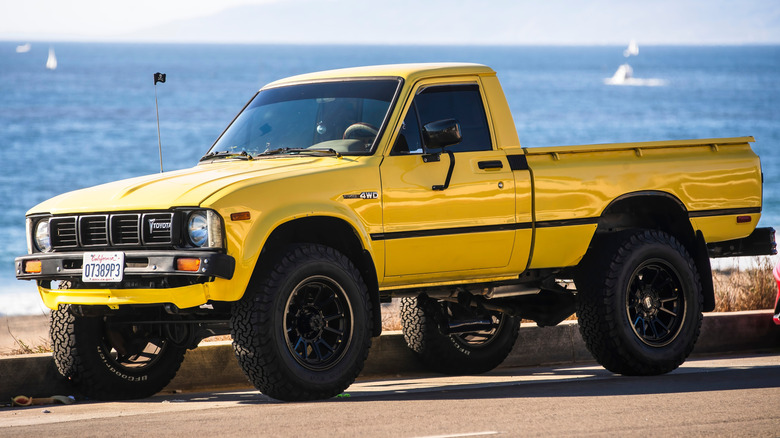

Today, with extremely capable off-road models like the latest Tacoma TRD Pro being the norm, it’s easy to overlook just how much Toyota’s light-duty pickup trucks have evolved — and how much they’ve expanded the boundaries of what a “compact” pickup can be. Yes, Toyota trucks have always had a large and loyal following, with their global reputation for reliability and durability reaching meme-like proportions, but there’s more to it than that.
In the broader scope of automotive history, the lineage and accomplishments of Toyota’s pickups are sometimes overshadowed by long-running, iconic models from other automakers — perhaps because of that aforementioned no-frills, hardworking image. But Toyota completely changed the pickup truck game in the late 1970s when it began offering four-wheel drive on its third-generation Hilux — which in North America was sold simply as the “Toyota Truck”.
Having a capable 4×4 system packed into a compact pickup platform not only added a new level of capability not previously seen in the small pickup segment, but it also created an off-road hero that would quickly become beloved by 4×4 enthusiasts around the world. Today, as its design nears 50 years old, the third-generation Hilux/Toyota Truck has unsurprisingly become a highly desirable classic, with clean 4×4 models commanding prices that would once have seemed unimaginable for a “cheap” old Toyota pickup truck.
Toyota revolutionized the compact pickup
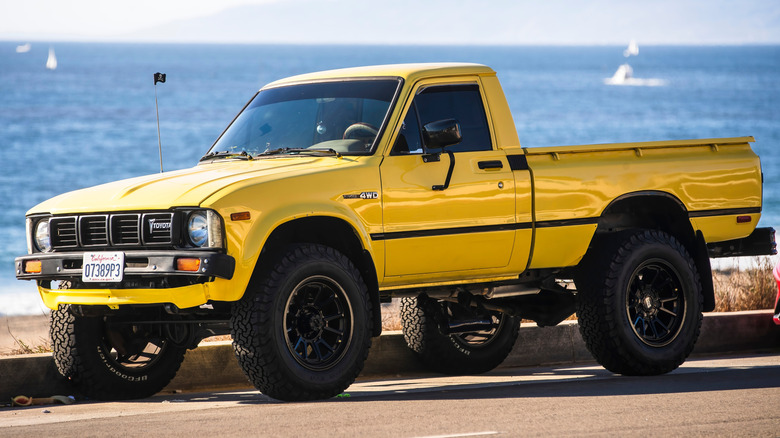
The history of Toyota’s U.S.-market pickups is a long one, but the lineage of the Hilux/Toyota Truck starts with the introduction of the first-generation model in 1968. For the first decade of its existence, the Hilux was simply a utilitarian, light-duty pickup truck with a basic two-wheel drive layout. In those early days, if you wanted a Toyota with four-wheel drive, you’d have to step up to a Land Cruiser.
That all changed for the 1979 model year, when Toyota introduced a four-wheel-drive option for the new third-generation Hilux/Toyota Truck. Opting for the 4×4 drivetrain transformed the pickup from a basic utility vehicle into an off-road wonder. Soon, these compact and capable 4×4 Toyota pickups began filling the trails and were giving Jeeps and Ford Broncos a run for their money — not just with their raw off-road capability, but with their excellent reliability as well.
Not surprisingly, Toyota’s competitors quickly responded with compact 4×4 pickups of their own. The rival Nissan/Datsun 720 pickup added a four-wheel-drive option beginning in 1980, while American automakers Ford and General Motors would introduce their new compact Ford Ranger and Chevy S-10 pickup trucks in the early ’80s — both with available 4×4. From this point on, smaller 4×4 pickups would become increasingly popular, even as they grew into the mid-size trucks of today’s market.
A certified Toyota classic
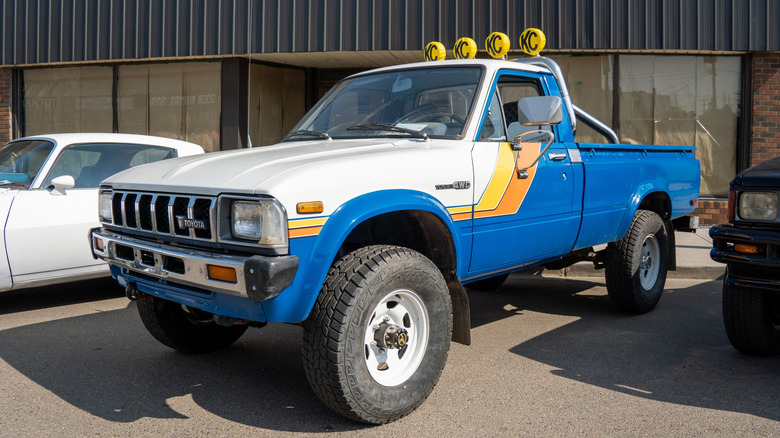
Another interesting historical note about this generation of Toyota pickup is that there was a short-lived, recreational version of the third-generation Toyota Truck 4×4 called the Trekker. It was modified by Winnebago, who replaced the truck’s open bed with an enclosed cabin, and was essentially a precursor to the 4Runner SUV, which shared a lot with the Toyota Truck and would debut in the mid-1980s.
Given all of this, it’s not surprising that the third-generation Hilux/Toyota Truck is now considered one of Toyota’s most popular 1980s-era classics and, depending on condition and options, can be quite expensive collector’s items, with 4×4 models by far the priciest. They can fetch $35,000 or more, and we’ve seen original-condition examples of the 4×4 Toyota Truck with asking prices nearing $60,000, which probably seems unbelievable to the generations who grew up with these trucks as cheap, disposable trail rigs.
The 4×4 Toyota Truck is many things, depending on who you ask. It could be considered a legendary off-road rig, a generational classic, or even just an important milestone in Toyota’s truck-building history. Either way, the impact of the third-generation Toyota Hilux on both the pickup market and the 4×4 hobby is hard to overstate.

Stephan is the sports journalist for the Maple Grove Report.