What Is The 4-Gallon Minimum ‘Law’ And Which Fuel Type Does It Apply To?


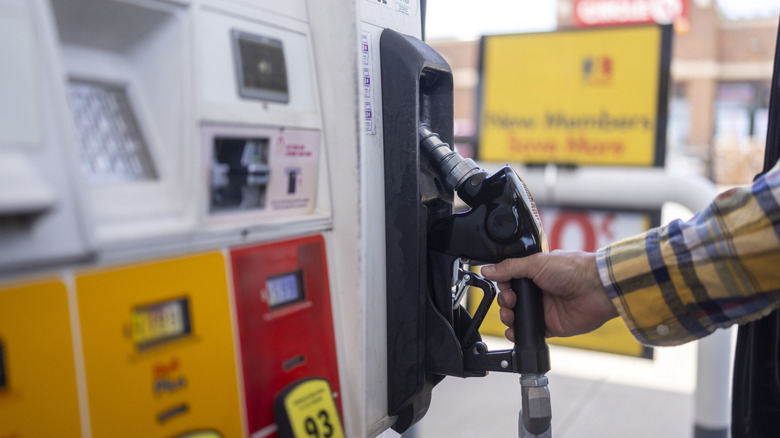
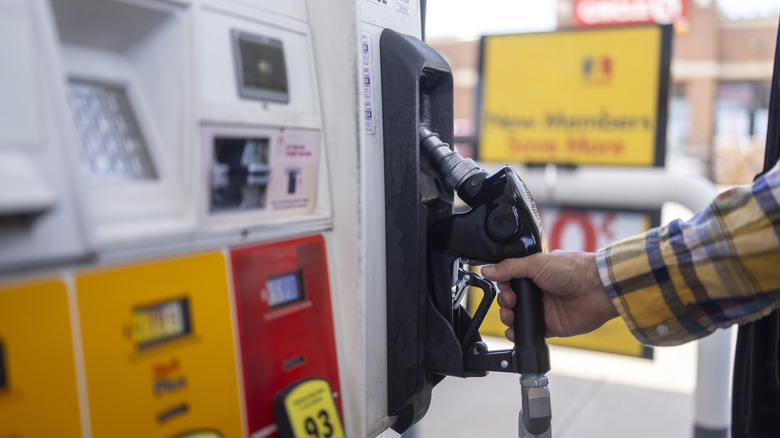
Federal law usually concerns itself with the big stuff, like how much you can earn before the IRS takes notice to where you can build. Then there’s this: Some gas pumps have a sticker warning about the minimum amount of fuel you can fill, which is four gallons. It’s a federal law, too — although it applies to a specific fuel pulled from one specific kind of pump.

That fuel is E10, the standard that blends 90% gasoline and 10% ethanol. While this basically flows through almost every car on U.S. roads, the rule isn’t specifically made for the type of fuel. Rather, it only kicks in when the same pump also dispenses E15, which is a higher-ethanol blend sitting at 15% ethanol and 85% gasoline, through the same hose and nozzle. These pumps are referred to as blender pumps. If you use a nozzle dedicated to just E10, the limits disappear.

This is actually to protect consumers themselves, specifically those who own older cars that do not support E15 fuel. After someone fills up on E15, about a third of a gallon of fuel actually remains inside the hose. If you’re next in line and want to fill up E10, what lands in your tank first is actually closer to 33% E15. Even that much E15 with its limited ethanol can damage older vehicles. To offset any chances of that happening, the EPA has set the floor at four gallons. This helps dilute any leftover E15 to safe levels.

How common is it, and what if your tank is too small?

When the rule was first announced back in 2012, it generated a lot of push back. Wisconsin Republican Jim Sensenbrenner actually went on the record calling it an unacceptable intrusion into drivers’ lives even though, at the time, the actual footprint of this rule at gas stations was tiny since very few dispensed E15 via blender pumps. Today, their numbers have grown significantly, with over 5,000 stations across the US doing so. Of course, this is still a small fraction of the 150,000+ stations in total across the States.

When the rule first arrived, the American Motorcyclist Association flagged an obvious problem with the small gas tanks of motorcycles and lawn mowers. The average yard-equipment gas tank tops out at just one or two gallons. As a result, in February 2013, the EPA signed off on a third configuration proposed by the Renewable Fuels Association, which said that stations that dispense E15 must also offer at least one nozzle exclusively dispensing fuel with 10% ethanol or less. These pumps will be labeled “Passenger Vehicles Only,” and gas stations should also post signage pointing customers toward them.

One other thing to note is that this only applies to E15, excluding gasoline with higher blends of ethanol. It’s because E15 is actually the legal limit for standard cars. Anything higher than that can only be handled by flex-fuel vehicles, which can run just fine even on an E85 blend. These higher blends also use dedicated hoses, thereby eliminating any chances of cross-contamination.


Source link

Leave a Reply

Subscribe to Our Newsletter

Get our latest articles delivered straight to your inbox. No spam, we promise.

Recent Reviews


Google Gemini

Lance Whitney/ZDNET

Follow ZDNET: Add us as a preferred source on Google.


ZDNET’s key takeaways

  • Google is downloading a 4GB file to the PCs of many Chrome users.
  • The file is harmless and is used for the Gemini Nano on-device LLM.
  • You’ll see it if you’ve opted into the on-device AI setting in Chrome.

Google is silently saving a Chrome-related file to many computers. That’s nothing earth-shaking. But this file is a hefty 4GB in size, which has caught the attention of some Google watchers. What is the file, why is it being installed, and how can you check for it?

Also: I let Chrome’s AI agent shop, research, and email for me – here’s how it went

In a new blog post, computer scientist Alexander Hanff, aka the Privacy Guy, pulled back the curtain on this mysterious file. Named weights.bin, the file is being downloaded deep within the user data folder of many Chrome users. The file itself is related to Gemini Nano, which Google is using as the on-device AI model for Chrome users.

If you delete the file, it comes back

Though there’s nothing risky or dangerous about the file, Hanff and others have expressed concerns that it’s being downloaded without users’ knowledge or permission. And if you delete the file, it eventually comes back, Hanff said. That by itself is hardly alarming; that’s part of any software update. Rather, some of the criticism centers on the file’s size. If you have ample hard disk space, then 4GB is likely not a big deal. But if you’re running low, that big a file might chew up space you can’t spare.

Traditionally, AI models like Gemini use the cloud to interact with you. Submit a request, ask a question, or kick off a conversation, and the AI taps into its online data and resources to respond. But that method can be slow and naturally requires that you be connected. By traveling between your device and the cloud, your data can also be exposed.

A trend has emerged in which companies are experimenting with locally stored LLMs (large language models). That not only speeds up the process, but it also means you can use the AI offline and more securely. Gemini Nano has already been in play on Google’s own Pixel phones.

That explains why the file is so large; it has to pack in a lot of data. In this case, a weights file contains numbers that measure the level of importance an AI model assigns to your input. The AI uses these values to determine what should come next. For example, let’s say you start typing the phrase “Why did my new phone cost me an arm and a…” at the prompt. The AI assigns weights to your input to help it predict that the next word would be “leg.”

Also: This powerful Gemini setting made my AI results way more personal and accurate

How can you tell if the file has been downloaded to your PC? First, open Chrome, go to Settings, and select System. On the System screen, check whether the On-device AI option is turned on. If so, then you probably have the file or will soon get it.

To double-check, you’ll have to navigate to the user folder on your PC. That location varies based on your operating system. On my Windows 11 PC, I ran a search in File Explorer for weights.bin. The search took a long journey through the following path: C:\Users\lance\AppData\Local\Google\Chrome\User Data\OptGuideOnDeviceModel\2025.8.8.1141. At that final location, the weights.bin file appeared, measuring 4GB.

Since the file is downloaded again if you simply delete it, you’ll have to take an extra step to get rid of it permanently. After you delete the file, go back to Settings in Chrome and select System. Then  turn off the switch for On-device AI.

But as long as you have enough disk space (and if you can’t spare 4GB, then it’s time to clean up your drive), the file is little cause for concern. Just forget about it, especially if you’re keen to try on-device AI, and we’ll see what the future holds for Gemini Nano.


Source link