

What’s The Difference Between Yellow And White Speed Limit Signs?


Various types of road signs are different colors, and the same is true for speed limit signs. Most speed limit signs you see on the road have a plain white background with black numbers, but you may spot a yellow one instead in certain circumstances. Different colors on speed limit signs mean different things. White speed limit signs indicate the number displayed is maximum legal speed you can reach on that road. There’s plenty of thought that goes into picking that number based on factors like how fast drivers already move, the shape of the road, and how many folks walk nearby. Most of the time, this figure lands on a multiple of five, though very rarely you may spot something oddly specific, like a speed limit sign with a decimal point on it.

Like other yellow signs, such as curve-ahead or pedestrian-crossing signs, yellow speed limit signs are meant to be taken as a warning rather than a legal mandate. On the white speed limit signs, you’ll see “Speed Limit,” typically in all caps, above the number. If you see that, then know that the speed is legally enforceable. Meanwhile, yellow speed limit signs typically have “MPH” under the advisory number. Technically, you cannot “violate” a yellow speed sign because those are designed to simply advise drivers on an appropriate speed. Still, they tie into what most states call the basic speed law, which is why it is important to follow them.

The costs of not following yellow and white speed limit signs
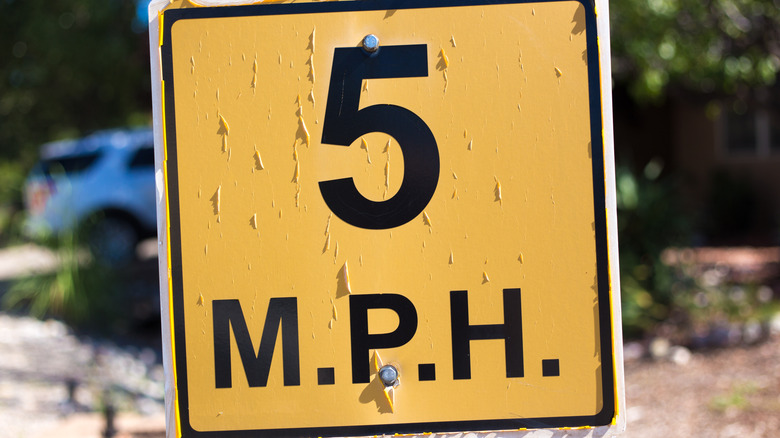
Basic speed laws say that drivers must operate at speeds that are reasonable for the conditions. California’s Vehicle Code 22350, for instance, states that it’s illegal to drive faster than is reasonable or prudent given the weather, visibility, traffic, and the road’s surface and width. When you take that into account and tie it back to a yellow sign, the picture sharpens. Suppose there’s a blind bend with a yellow sign that reads 35. You choose to take that at 50 and end up losing control, crashing, and maybe taking another car with you. That may make it to the crash report as proof you were moving too fast for the spot, and the blame then lands on you.

Meanwhile, violating a white speed limit sign is flat-out against the law. Depending on the state and how far over you push it, the fallout can run from a small fine to points on your record, higher insurance, or even a criminal charge. Other times, white speed limit signs can be paired up with yellow advisory signs as well. In school zones, for example, a yellow banner reading “SCHOOL” or an image of children crossing the street is often paired with a white speed limit sign. The white sign remains the enforceable limit, but the yellow sign provides an additional advisory. A lot of states also wrap a higher fines zone around schools.


Source link

Leave a Reply

Subscribe to Our Newsletter

Get our latest articles delivered straight to your inbox. No spam, we promise.

Recent Reviews


Google is experimenting with a new policy restricting the amount of free storage provided to some accounts. New Google accounts (including new Gmail accounts) created in certain regions will be limited to 5GB of free storage when they’re first set up. That’s only one-third of the amount of storage that has been typically offered. There is a way of increasing the amount of free storage you get when setting up a new account, though: you can unlock it by linking your phone number.

When approached for comment by Android Authority, a Google spokesperson confirmed that the new policy was being tested to “help us continue to provide a high-quality storage service to our users, while encouraging users to improve their account security and data recovery.” The statement didn’t clarify which regions the policy is being tested in, nor for how long the testing period will last.

Notably, a Google One Help support page about account storage has been updated to state that each Google account contains “up to 15 GB of storage”, as noted by 9to5Google. Previously, the page didn’t say “up to”; it simply stated that accounts come with 15 GB of storage. So far, the experiment doesn’t appear to stretch to pre-existing accounts.

Per a screenshot shared by Reddit user Sungusungu on R/DeGoogle (a subreddit dedicated to finding alternatives to Google services and products) Google is collecting phone numbers to make sure that the full 15 GB of storage is only redeemed once per person. Of course, that’s easily evaded by using a burner phone to set up multiple accounts, should you want to. The pop-up directs users to a webpage to learn more about storage management. However, at the time of writing, the link redirects to the help center landing page instead.

How to link your Google account with a phone number

If you’re in the process of setting up a new Google account in an impacted region, then you might be prompted with the option of unlocking an extra 10 GB of storage using your phone number via a simple pop-up menu. If so, you can go ahead and follow those steps. However, if you want to link your phone number with a pre-existing Google account, then here’s what you need to do. Using your computer, you need to:

  1. Open your browser and head to myaccount.google.com, then navigate to “Security and sign in” on the left-hand toolbar. This should open a list of security options.

  2. Select “Use your phone to sign in” and then “Set it up”. 

  3. Add a phone number using the “Recovery phone” option.

  4. Follow the on-screen steps to verify your number and finish linking it to your account.

Your options might look a little different if you already have a recovery number set up with your account.

Alternatively, you can connect a phone number to your Google account from your Android device, iPhone, or iPad. Much like on a computer, you connect your number by adding it as a recovery phone. First, head over to myaccount.google.com. Then select “Personal info”, followed by “Phone”. From there, you should be able to add or edit your phone number by navigating to the “Recovery phone” section.


Source link







