What’s The Line Below The Battery Icon On Your iPhone Lock Screen For?


It was only a few years ago that the iPhone was ridiculed for offering next to zero customization features, barring the ability to change the wallpaper. Soon came widgets, the ability to move app icons around on the home screen freely, and recently, more lock screen customization. You can use a different font for the clock, add widgets to the lock screen, or even use wallpapers that cleverly overlap a portion of the clock for a neat depth effect. Apple’s Liquid Glass design system also added a layer of transparency effects across the whole user interface.

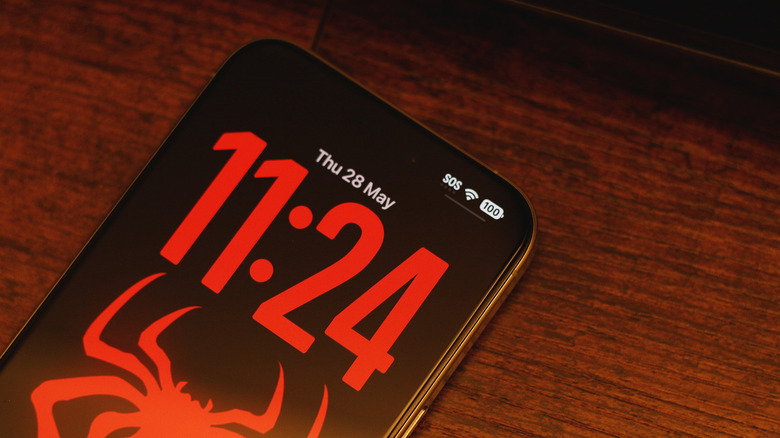
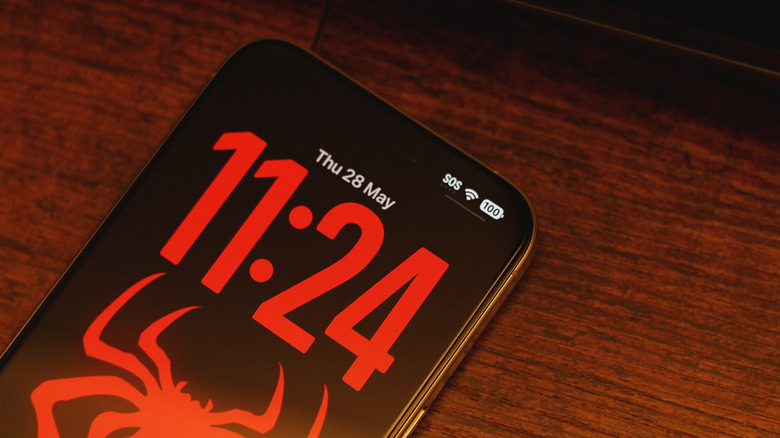
Even with widgets and a busy wallpaper, it’s pretty difficult to conjure a lock screen on the iPhone that looks bad. Those going for a minimalist look will likely stick to solid colors or subtle gradients with a widget-free layout and a bold, spacious font for the clock. Even then, you might have noticed a small UI element that manages to stand out on an otherwise clean lock screen — the tiny horizontal line below the battery icon. If you’ve interacted with it before, you’ll realize that it is actually an indicator for the Control Center.

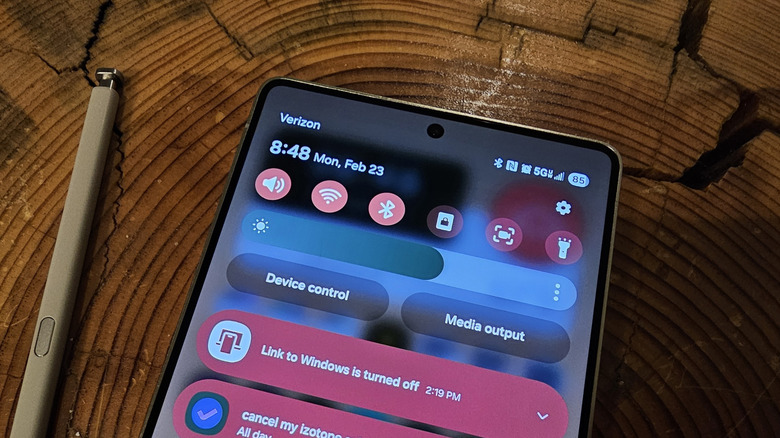
Just like you can swipe down from the top-right corner of your iPhone’s screen inside any app, doing so on the lock screen will also bring up the Control Center. This is where you can access device controls like Wi-Fi or Bluetooth. The line simply lets you know that the gesture is available from the lock screen too.

How to get rid of the Control Center indicator
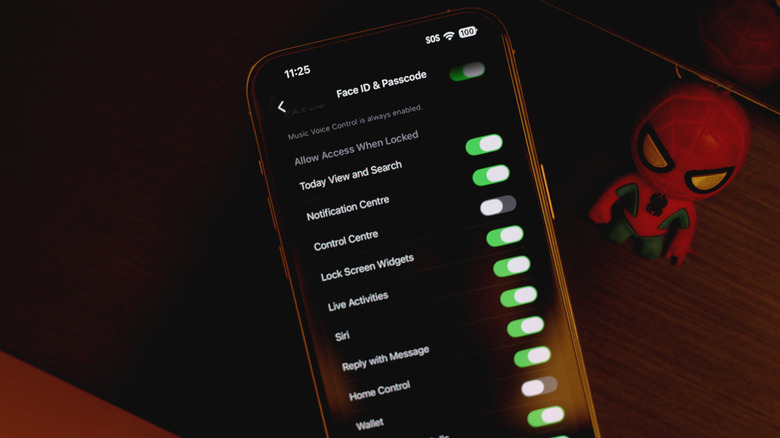
If the line below the battery indicator is ruining your lock screen aesthetic, you’ll be glad to know that there is a way to remove it — though it requires disabling the Control Center when your device is locked. On your iPhone, navigate to Settings > Face ID & Passcode, scroll down, and under the “Allow Access When Locked” section, tap to disable the “Control Center” toggle. Now, the Control Center indicator will only show up when your iPhone is unlocked. 

Unfortunately, this means that the indicator pops back up when your iPhone recognizes your face and unlocks the device. In practice, this would basically mean the line would only stay hidden for a split second before you pick up your iPhone and it authenticates you using Face ID. If you’re still rocking an iPhone with a Touch ID sensor, though, you get to flaunt your clean lock screen for a bit longer.

That said, disabling Control Center on the lock screen is a great way to boost your iPhone’s security since it only allows access to device controls when it is unlocked. In case your iPhone is stolen, the thief won’t be able to toggle on Airplane Mode in hopes of preventing you from tracking it. Stolen Device Protection on iOS also strengthens things further by requiring Face ID or Touch ID authentication before major account changes or payments can be made at unfamiliar locations.


Source link

Leave a Reply

Subscribe to Our Newsletter

Get our latest articles delivered straight to your inbox. No spam, we promise.

Recent Reviews


Need Extra Funds, Fast? Now You Can Get Up to P50,000 with Maya Easy Credit

Sometimes, you need extra funds quickly. This isn’t always due to errors or issues, but because life’s circumstances can be unpredictable: bills may accumulate and overlap, expenses might come sooner than expected, or your paycheck might not have been deposited yet. These common situations can catch you off guard.

Borrow Up to P50,000 with Maya Easy Credit

Borrow Up to P50,000 with Maya Easy Credit

That’s precisely where Maya Easy Credit[1], from Maya, the nation’s top Digital Bank and leading all-in-one fintech platform, fits in.

Now with an increased limit of up to P50,000, Maya Easy Credit offers quick access to additional funds during urgent times. Whether you need to cover overlapping bills, manage expenses before your next paycheck, or just create more breathing room, it’s designed to support you through those moments—without adding complexity.

The reality is that many traditional options are created for larger, long-term commitments, which are often more than what’s necessary for a short-term gap.

Maya Easy Credit offers flexibility without long-term commitment. You can use it as a revolving credit line: borrow only what you need, repay within 30 days, and pay a service fee starting at 3.99%, calculated only on the used amount. It’s straightforward, transparent, and easy to manage.

Honestly, this change has been inevitable for a while. For years, credit was stigmatized — seen as something to avoid and only used when problems arose. However, daily financial management no longer operates that way.

Lately, the focus is less on major emergencies and more on timing. Your expenses (gastos) don’t always align with your salary (sweldo), and often, the real challenge isn’t about affording something but having the funds available at the moment.

That’s why credit is beginning to seem different. No longer a last resort, but a useful instrument—something you can rely on when appropriate: short-term, adaptable, and straightforward to handle, providing just enough to keep progress steady.

Since Maya Easy Credit is integrated into the app you already use for payments and savings, it offers a seamless experience. You can check your available credit and make repayments directly within the app—no paperwork, no collateral, no additional steps. It provides instant access whenever you need it.

Having that option alters your perspective on managing money. What’s truly changing isn’t only how people utilize credit, but also how it integrates into daily life. It’s no longer just a resource for emergencies; it’s increasingly a part of everyday financial handling.

And sometimes, that’s all it takes—just a little extra to keep things moving.

To know more, visit maya.ph or mayabank.ph, and follow @mayaiseverything on Facebook, Instagram, YouTube, and TikTok to stay updated. Approval and offer are subject to credit evaluation. Maya Philippines, Inc. and Maya Bank, Inc. are regulated by the Bangko Sentral ng Pilipinas. www.bsp.gov.ph. For 24/7 assistance, visit the Help Center in the Maya app or call us from 8 AM to 7 PM daily at +632 8845-7788.

Follow and subscribe to OutofTownBlog.com  on  Facebook Twitter Instagram, Pinterest, and YouTube  for more Travel-related updates.

Read: Get Summer-Ready: Boost Your Travel Fund with Maya


Source link