Which Is Best If You Don’t Want A Windows Laptop?


We may receive a commission on purchases made from links.

If you need a device to get your school work done, or you just want something you can use to browse the web and answer emails, a Windows laptop might not be your best bet. For some, the affordability of a Chromebook is the perfect answer. For others, the polish and portability of an iPad is the better choice.

The best choice for you comes down to a few key distinctions. What are you planning to do with the device? You also have to think about how much you’re planning to spend on the purchase. If you have other Apple products, like an iPhone and AirPods, you may want to build on the Apple ecosystem with an iPad. On the other hand, if you prefer the look and feel of Android over iOS (which iPadOS is very closely related to), a Chromebook is likely going to serve you better.

Here’s a closer look at these factors for both devices so you can determine if a Chromebook or iPad is the right choice for you and your needs.

Chromebook: Price, design, and use cases
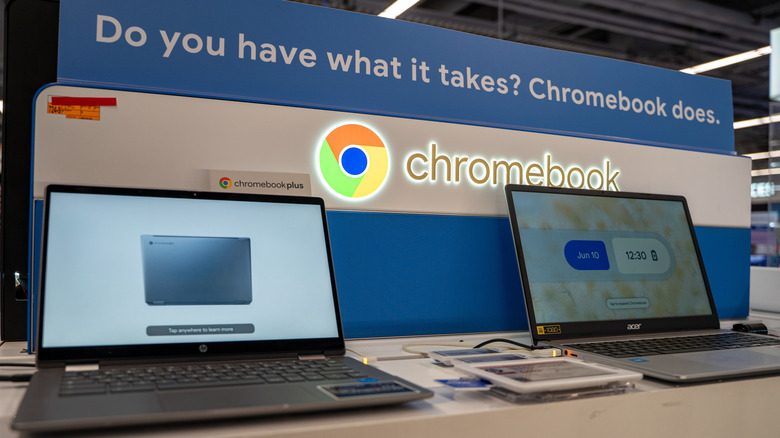
Chromebooks are, without a doubt, the cheaper of the two options. You can even find a handful of Chromebooks for under $100, though most fall into the $150 to $500 range on major electronics retailers like Best Buy and Amazon. Apple’s budget iPad model (the 11-inch A16 iPad) does meet that price range, though the more powerful options are far more expensive. As for portability, it’s a tie. Both Chromebooks and iPads are slim and lightweight enough to toss in a backpack, tote, or carrying case and take on the go.

Chromebooks also offer a wider variety of options. Several different brands like Lenovo, HP, and ASUS all manufacture Chromebooks, whereas Apple only features a few distinct iPad models. For Chromebooks, this means you can fine tune feature sets, price tags, and performance to your liking. If you need a bigger screen or more storage, simply find a model that offers it – Chromebook Plus models are a good place to start.

When it comes to use cases, Chromebooks are best used in light, web-based operations. This is because ChromeOS –- the operating system that makes a Chromebook a Chromebook –- is purpose-built for web apps. Think checking email and Google Drive, watching YouTube or Netflix, writing papers, and general web browsing. If you’re planning to do more resource-intensive tasks, like video editing or light gaming, the vast majority of Chromebooks (outside of the most expensive models) aren’t going to perform very well. So, if you’re looking for affordability, a computer that gets the job done without all the bells and whistles of expensive Windows laptops, and a greater number of options, Chromebooks like the Acer Chromebook Plus 514 and Lenovo IdeaPad 3i are a great choice over iPads.

iPad: Price, design, and use cases
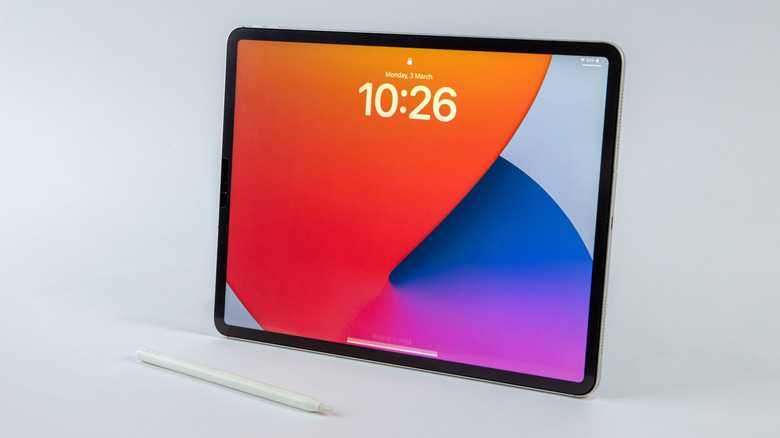
Starting with price, Apple’s iPad lineup ranges from $349 at the cheapest (11-inch A16 iPad) to $2,299 at its most expensive (11-inch M5 iPad Pro) -– so, on average, they’re quite a bit costlier than Chromebooks. The most expensive model does give you a greater feature set and quality of life than Chromebooks, though, without a doubt. Even the budget iPad has some distinct advantages over similarly-priced Chromebooks (and probably some features you didn’t know about). A16 iPads come with both front- and back-facing cameras, Apple’s signature Liquid Retina Display, Touch ID biometrics, multiple color finishes, and the ability to use cellular data for texting and web browsing –- none of which you’re likely to find on Chromebooks. The A16 chip and iPadOS are also surprisingly powerful, allowing for more resource-hungry tasks over ChromeOS.

So if you plan to take pictures or video for projects, live translations, or AI-powered apps, that back-facing camera will come in handy. And if you’re thinking of using your device for media enjoyment in your downtime, the Liquid Retina display is a major boon over the typically lackluster displays you’ll find on affordable Chromebooks. The downsides of Apple’s tablet come into play when you consider upgrade costs. 

Continuing with the cheapest iPad as an example, if you want to bump your storage up from 128GB to 256GB, it’s a $100 increase. If you want to use cellular data, it’s an extra $150 on top of the usual price. And if you type often — taking notes, writing reports, etc. — you’re going to want a physical keyboard, which will run you an extra $249 for the Apple Magic Keyboard Folio (though you can find much cheaper third-party options for this accessory). Even Apple’s budget iPad quickly becomes a significant investment when you consider these addons.


Source link

Leave a Reply

Subscribe to Our Newsletter

Get our latest articles delivered straight to your inbox. No spam, we promise.

Recent Reviews


Digital Evidence Has Reshaped Criminal Defense – and the Defense Bar Is Still Catching Up

A decade ago, a felony case file might have run to a few hundred pages of police reports, witness statements, and lab results. Today, that same case can include a full cell phone extraction, hours of body-worn camera footage, surveillance video from multiple cameras, social media exports, license-plate-reader hits, and digital forensic reports running thousands of pages. The substantive law has not changed nearly as fast as the evidence it operates on.

For criminal defense practitioners, the shift is not just about volume. It is about how cases are investigated, how discovery is reviewed, how plea calculations are made, and how trials are tried. A defense lawyer who treats digital evidence as an afterthought — to be skimmed close to trial, with the cell phone dump opened only if something obvious surfaces — is no longer providing competent representation in most serious cases.

The Volume Problem

Modern law enforcement investigations generate digital evidence at a scale that traditional defense workflows were never designed to handle.

A single cell phone extraction using forensic tools commonly used by prosecutors can produce a report tens of thousands of pages long. Multiply that across co-defendants. Add cloud account data subpoenaed from providers. Add body-cam footage from every responding officer, often running an hour or more per officer per incident. Add interview recordings, surveillance video, ALPR records, and any wiretap or pen register data.

The defense lawyer’s obligation is to review all of it — or at least to review it competently enough to identify what matters. Doing that without a workflow is impossible. Cases get lost not because the exonerating evidence was hidden, but because it was buried in the third week of message history nobody had time to read.

The practical response involves a combination of technology and process: e-discovery review platforms scaled for criminal cases, paralegal-level review with defined search protocols, and clear allocation of which categories of evidence the attorney personally reviews versus which are screened first. Firms that handle digital-evidence-heavy cases without that infrastructure tend to discover, late in the process, that something important was missed.

Authentication and Chain of Custody Have Become Central

Volume is half the problem. The other half is that digital evidence is harder to authenticate than the physical evidence it has displaced.

A surveillance video recovered from a business has to be tied to a specific camera, on a specific system, with verified timestamps, with continuous custody from the moment of seizure to the moment of presentation. A cell phone extraction has to be tied to a specific device, performed using a documented forensic process, with hash values demonstrating that the data has not been altered. A social media export has to be authenticated either through the provider’s certification or through circumstantial evidence connecting the account to the defendant.

Each of these chains has potential breaks. Cameras get the wrong time. Forensic extractions get performed with outdated software. Social media accounts get used by people other than the registered user. Defense counsel who understands the technical underpinnings of how evidence was collected can identify gaps that opposing counsel may have assumed were settled.

Federal procedure in particular has evolved around these issues. Practitioners working in federal court should be familiar with the Federal Rules of Evidence governing authentication and the best-evidence rule, both of which apply to electronic records in ways that often surprise lawyers more accustomed to paper-era practice.

Discovery Obligations and the Brady Problem

The growth of digital evidence has also complicated the prosecution’s obligations under Brady and its progeny, which require disclosure of material exculpatory and impeachment evidence to the defense.

When the relevant evidence universe was a few hundred pages, prosecutors could reasonably review the file and identify Brady material. When the universe is a hundred thousand pages of cell phone data and dozens of hours of video, identifying what is exculpatory becomes a much harder problem — and not always a problem prosecutors solve well. Defense counsel cannot rely on the prosecution to flag what the defense will find useful. The defense has to find it themselves, which loops back to the volume problem.

Courts have been inconsistent in how they handle Brady obligations in the digital age. Some jurisdictions require prosecutors to provide searchable, organized productions; others permit document dumps that effectively shift the search burden to the defense. The practical implication is that defense lawyers in serious cases must budget significantly more time for discovery review than would have been required even a few years ago, and must do so on schedules that prosecutors and courts often have not adjusted to reflect the new reality.

How Digital Evidence Changes Plea Negotiations

Plea negotiations have always been driven by each side’s assessment of trial risk. Digital evidence has changed both sides of that calculation.

For the prosecution, video and digital records often appear to lock in factual elements that previously turned on witness credibility. A clear video of an alleged assault, or a series of incriminating messages, can shift a case from a battle of testimony into a battle of interpretation. Prosecutors evaluating cases with strong digital evidence often offer less, because they perceive their trial position as stronger.

For the defense, the same evidence frequently contains nuance that changes how a jury would actually receive it. Body-cam footage that the prosecution thinks is damning often shows context that supports the defense theory. Cell phone messages read in full rather than excerpted often tell a different story. The defense lawyer who has actually watched the video and read the messages — rather than relying on the prosecution’s characterization — is often in a meaningfully stronger negotiating position than the case file would initially suggest.

This is part of why pretrial preparation has become more decisive. The cases that resolve favorably are usually the cases where the defense did the digital evidence work early enough to see what was actually there, rather than what the police reports said was there. Resources from the California Courts and the State Bar of California outline the procedural framework within which this work has to happen, but the framework alone does not produce results — sustained attention to the evidence does.

What Effective Defense Looks Like Now

Competent criminal defense in 2026 looks different than it did even five years ago. The lawyers who get the best outcomes for clients tend to share a few characteristics: they take digital evidence seriously from intake forward, they have the infrastructure to review it at scale, they understand the technical questions well enough to challenge authentication where appropriate, and they treat plea calculations as something to be made after the evidence has been examined rather than after the police reports have been read.

For people facing serious charges in California, the practical implication is that the choice of counsel matters more, not less, in the digital evidence era. A firm like Angelo Reyes Law, built around trial-ready preparation rather than volume-driven plea processing, reflects what effective representation tends to look like in cases where the evidence record is large and where the difference between a good and a poor outcome turns on what defense counsel actually finds in the file.

The volume of evidence will keep growing. Defense practice has to keep up.


Source link