Follow ZDNET: Add us as a preferred source on Google.
There are many ways to make the most of old devices we no longer use. For example, I have a couple of old Fire tablets that I turned into Echo Shows for my home use. However, one of the best uses for an old tablet is to become a smart home control panel. In fact, it’s one of the easiest and cheapest upgrades you can make in your home.
Also: I tested every ‘allergy-friendly’ smart home gadget – these 6 actually keep the pollen out
If you have a lot of smart lights, plugs, switches, and other devices, you’ll likely benefit from adding a control panel to manage them all from one spot. Setting up an old tablet as a central control center not only breathes new life into the device but also gives you a hub that anyone at home can access.
How to use an old tablet as a smart home display
What you need: an old tablet, a charging cord, a wall mount (optional), or a stand (optional).
The smart home automation system you choose will act as the brain that controls your devices. It’ll also be the platform you use on your tablet-turned-control panel to manage your smart home.
You probably already have a preferred smart home automation system, especially if you already have a smart home set up, but here’s how the most popular options compare:
- Home Assistant: This open-source option offers the most control over your dashboard, devices, and automations. It’s the top option for power users and smart home enthusiasts who enjoy tinkering to make the system work the way they want. It works locally and is very fast, so your devices are reliably responsive to Home Assistant. This is also one of the most compatible smart home automation systems available, so you can combine devices from different brands under a single controller, even if they don’t all support Matter.
- Amazon Alexa: A top pick for beginners and smart home users who enjoy voice control, Alexa is one of the most reliable and responsive voice assistants. It works with the Alexa app, Echo devices, and, most recently, online on Alexa.com. With the recent release of Alexa+, it’s also a generative AI-powered voice assistant, so you can give it more complex commands, like turning off multiple types of devices in a single request.
- Apple Home: This is the preferred platform for many iPhone users. If you are big into the Apple ecosystem, it’s a great option. It’s also a top choice for people who appreciate privacy. Apple Home is renowned for its clean user interface, but its strong focus on privacy also makes it a walled garden. However, you can use Matter devices with Apple Home, which opens up compatibility that was once very limited.
- Google Home: A great choice for Android ecosystems, it offers simple controls that are easy to find and use, and a clean interface. Google Home also has Gemini for Home, its generative AI-powered voice assistant. However, you do need a subscription to use all of the best features. Google Home is a great option if you use a lot of Nest devices, but it’s also compatible with Matter, so you don’t have to limit yourself to “Works with Google” devices.
You can set your tablet screen to never timeout or set it to the longest possible time before going to sleep. Android developer options let you set your tablet to stay awake while charging.
Keep in mind that if this device is permanently in a single spot, you will have to leave it plugged in.
If you want to keep your tablet locked to a single app, like Google Home or Apple Home, you can turn on Guided Access on iPad, or use an Android app like Fully Kiosk Browser or WallPanel. Using these prevents other users from exiting the home automation app or browser of your choosing. They also automatically launch the smart home app so you can view your dashboard when the tablet wakes.
After you reset your device and add the smart home animation systems application, it’s time to set up your home view. Note that, if you are using an iPad, then Apple Home is already installed, and, if you’re using an Android tablet, you probably already have Google Home installed after formatting your tablet.
Also: The latest Google Home update brings Gemini fixes that I’m actually excited to try again
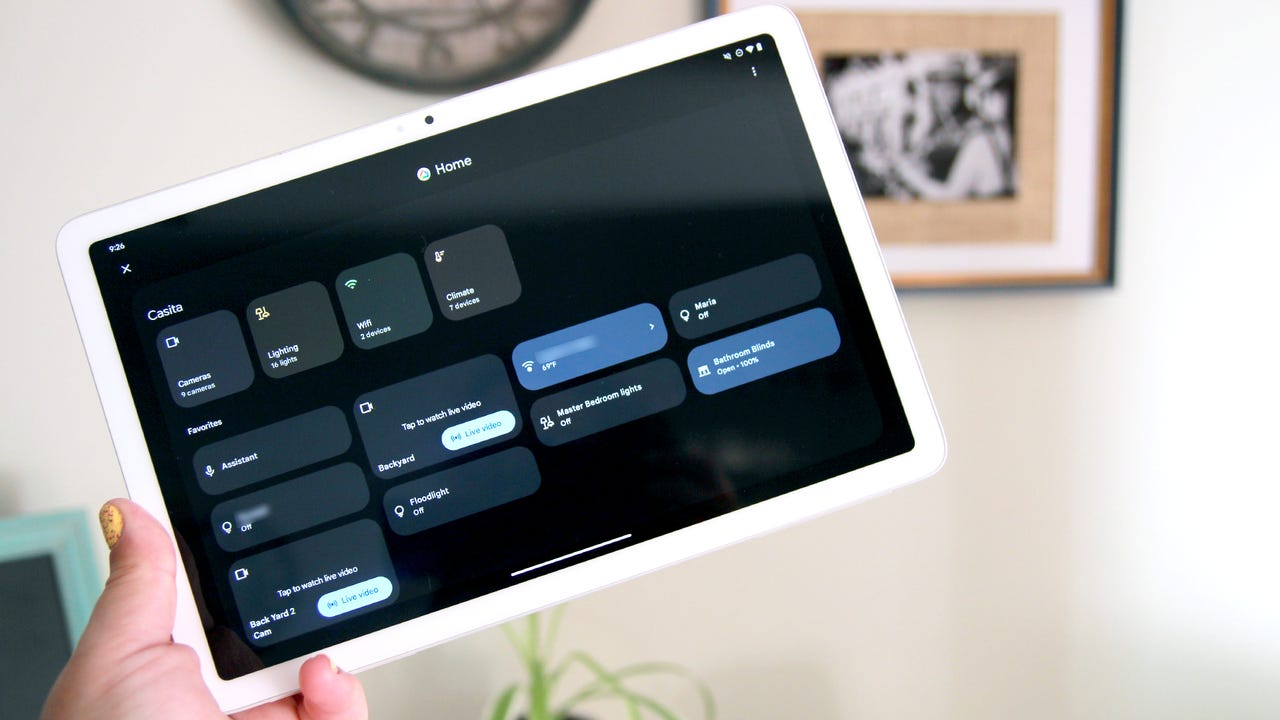
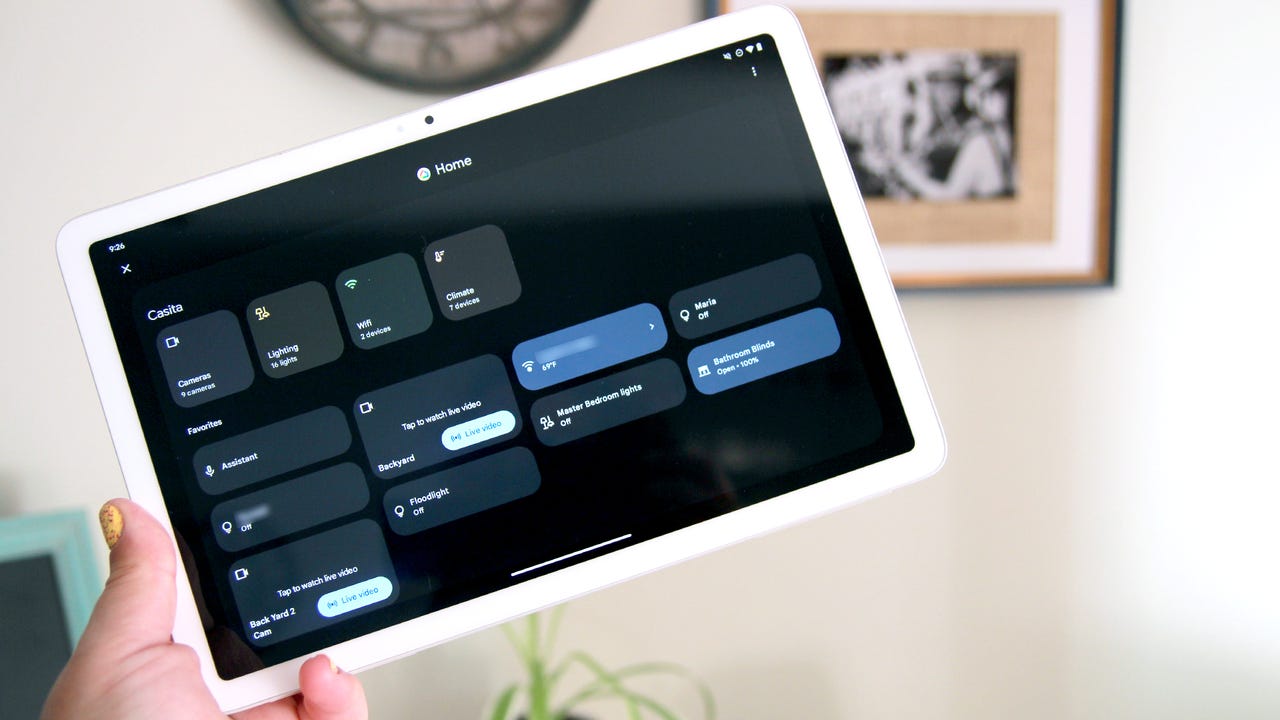
Open your smart home automation app and set up your landing page or dashboard. This is what you will see when you approach your tablet. Add your favorite devices to the landing page so you can control them easily as you approach. For example, this can include smart lights, a smart thermostat, security cameras, and smart locks. You can also add shortcuts to scenes and routines.
If you plan to mount your tablet on the wall, you can choose from flush wall-mount options, magnetic mounts, or any compatible option for your specific tablet. For an even more seamless look, you can run a hidden charging cable into the wall.
You can also put it on a simple stand on the kitchen counter, for example, or on an entryway table, so you can grab it as needed.
Can I use Home Assistant on a tablet?
Yes, you can set up a Home Assistant dashboard on a tablet to work as your control panel. Home Assistant lets you customize dashboards and organize your devices almost any way you want, which is very helpful for getting a quick visual of your smart home.
Can my smart panel tablet be the only control method for my home?
I’d strongly discourage making your tablet the only control method for your smart home, as this can cause issues if the tablet ever goes down (for whatever reason). Keep your smart home automation system’s app on your phone for control.
Also, a tablet isn’t a hub, so leave any smart speakers and hubs running while you use the tablet as a way to quickly control favorite devices.
Where should I put my smart home panel?
Place your smart home panel wherever you will use it most to control your devices. This may be in your kitchen to work as a main panel for everyone at home, or by your entryway to run quick scenes and control locks.
I keep one on the wall of our home’s staircase so I or anyone else at home can easily control lights and other devices as they’re coming downstairs or going up for the nights.