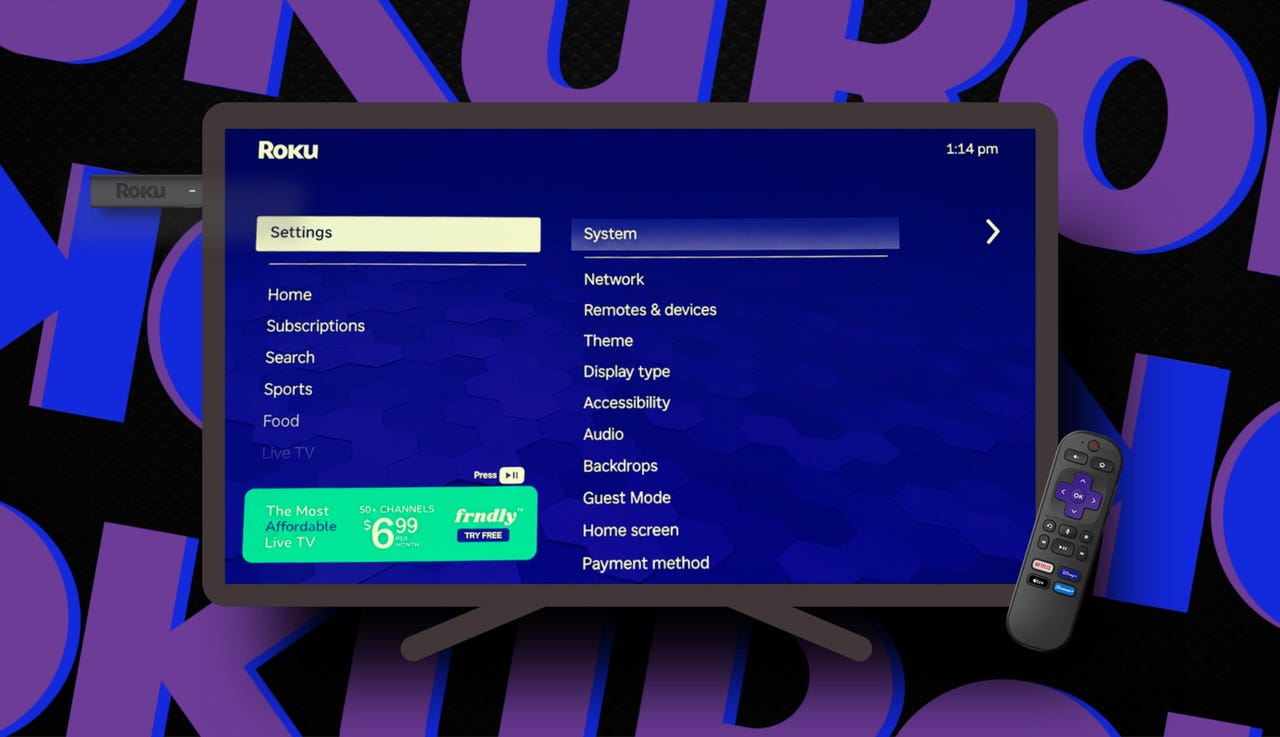
Roku apps loading slow? 9 quick fixes I try before blaming my Wi-Fi


Roku apps loading slow? 9 quick fixes I try before blaming my Wi-Fi

Elyse Betters Picaro / ZDNET

Follow ZDNET: Add us as a preferred source on Google.


ZDNET’s key takeaways

  • Restarting or power cycling a Roku can fix many lag issues.
  • Updating or reinstalling apps can solve glitches and slowdowns.
  • Test the network connection before blaming your Wi-Fi router.

I own several Roku TVs and devices, including Roku soundbars and speakers. I love the platform for many reasons. But even I’ll admit that, sometimes, my Roku acts up. I especially hate it when apps take a moment too long to load. Or a menu lags. When a screen hangs long enough that I start feeling like I want to chuck my remote at the TV, it’s time to fix the problem.

But first, what’s going on here? Is it my Roku or my Wi-Fi?

Also: Every Roku user should know these 15+ shortcuts

I know Roku devices can get bogged down by accumulating app data, glitchy apps, software updates, low memory, or the simple fact that they haven’t been restarted in a while. So, before I unplug my router and start blaming my internet, I try a few quick fixes.

1. Restart or reboot from settings

This is the first thing I try because, believe it or not, it solves a surprising number of weird Roku problems. A system restart fully reboots the device without deleting apps, sign-ins, or settings. It’s also different from just turning the device or TV off with a remote, because Roku has a quick-start mode that keeps parts of the system running in the background.

Also: I replaced my bedroom TV with this $170 Roku projector

To fully restart or reboot a Roku:

  1. Go to Settings.
  2. Select System.
  3. Select Power, if you see that option.
  4. Select System restart.
  5. Wait for Roku to reboot.

If you don’t see a Power menu, go to Settings > System > System restart instead.

Restart or reboot from settings

Elyse Betters Picaro / ZDNET

2. Unplug for a full power cycle

If a streaming app or my Roku is completely frozen and unusable, I skip the settings menu and just unplug my device or TV from power. This shuts it down completely and forces the Roku to go into what’s called a full power cycle.

To power cycle a Roku:

  1. Unplug the Roku device or Roku TV from power.
  2. Wait at least 30 seconds.
  3. Plug it back in and let it fully restart before opening an app.
Unplug for a full power cycle

3. Clear cache (soft reset)

When apps take too long to respond, or everything just feels a half-second behind, I’ll clear any built-up cache.

Also: How to clear your Roku TV cache (and why it’s critical)

Roku stores temporary data, called cache, to make apps load faster, improve performance, and reduce bandwidth usage. But too much built-up cache can create temporary system clutter that may actually slow things down. Roku doesn’t have a single “clear cache” button in the settings menu, but there is a remote shortcut that forces a soft reset and ultimately clears cache.

To clear cache on a Roku:

  1. Press the Home button five times.
  2. Press Up once.
  3. Press Rewind twice.
  4. Press Fast Forward twice.
  5. Wait. Your Roku may freeze briefly, then restart.

You can do this from the Roku app’s remote or your physical remote.

Clear cache (soft reset)

Elyse Betters Picaro / ZDNET

4. Check for a Roku OS update

Roku devices update automatically, but I still manually check whether my device or TV is out of date every now and then. That’s because a pending update can include bug fixes, app compatibility changes, security fixes, and performance fixes.

Also: Lost your Roku remote? Here are four ways you can still control your TV

To check for updates:

  1. Go to Settings.
  2. Select System.
  3. Select Software update.
  4. Select Check now.
  5. Install any available updates, then let Roku restart.
Check for a Roku OS update

Elyse Betters Picaro / ZDNET

5. Remove and reinstall glitchy apps

If only one app is slow, glitchy, crashing, or stuck on a loading screen, maybe it’s just that app and not the entire Roku system. Removing and reinstalling an app can clear bad app data, force a fresh install, and pull down the newest available version.

Also: Google TV or Roku: Which is actually worth your time?

To remove and reinstall an app:

  1. Highlight the app you want to remove.
  2. Press the Star button on the remote.
  3. Select Remove app and confirm.
  4. Now, go to the Streaming Store and search for the app.
  5. Select Add app once you’ve found it.
  6. Open the app and sign back into your account.
Remove and reinstall glitchy apps

Elyse Betters Picaro / ZDNET

6. Update apps

You might have noticed, while following the tip above, that apps also have an update option. Although removing and reinstalling an app will get you the latest version, you’ll have to sign back in to your streaming account afterward. So, if you want to avoid all that, just try updating the app. If it’s up to date and still struggling, however, you should try removing and reinstalling it.

To update an app:

  1. Highlight the app you want to update.
  2. Press the Star button on the remote.
  3. Select Update app or Check for updates.
Update apps

Elyse Betters Picaro / ZDNET

7. Delete old apps

Roku devices have limited storage and memory. If you’ve installed years’ worth of random streaming apps, free channels, and one-off trials, your Roku may be bogged down and running low on storage. If that’s the case, it’s time to clean house and get rid of apps.

Also: The best streaming deals: Paramount+, Roku sticks, more

To delete old apps:

  1. Go to any app you no longer use.
  2. Press the Star button.
  3. Select Remove app.
  4. Repeat for anything you haven’t opened in the past few months.
Delete old apps

Elyse Betters Picaro / ZDNET

8. Test and reset the network connection

OK, at this point, if apps are still loading slowly, it could actually be an internet issue. Still, before I unplug my Wi-Fi router, I’ll test my Roku’s network connection under Settings > Network > Check connection. This should be “successful” to verify internet access. I can also see my IP address and download speed under Settings > Network > About. A “good” or “excellent” signal is what I want.

Also: Slow Wi-Fi? I found 10 proven ways to fix your internet

If I don’t have a successful check or a good signal and I’ve tried all the above, I’ll reset the network connection. This clears my saved network details and forces my Roku to connect from scratch, but I’ll have to reconnect to my Wi-Fi, of course.

To reset Roku’s network connection:

  1. Go to Settings.
  2. Select System.
  3. Select Advanced system settings.
  4. Select Network connection reset.
  5. Select Reset connection.
  6. After Roku restarts, reconnect to your Wi-Fi network.
Test and reset the network connection

Elyse Betters Picaro / ZDNET

9. Last resort: Factory reset

I only factory reset a Roku when nothing else works.

This wipes the device entirely, removes all my apps and login information, resets my settings, and returns the Roku to its  factory settings. It’s useful if the device is truly unstable, but it’s annoying because I have to set everything up again.

To factory reset:

  1. Go to Settings.
  2. Select System.
  3. Select Advanced system settings.
  4. Select Factory reset.
  5. Follow the on-screen instructions.
Last resort: Factory reset

Elyse Betters Picaro / ZDNET

When it actually might be a Wi-Fi issue

So, let’s say I’ve restarted my Roku and cleared the cache, updated the software, updated and reinstalled apps, deleted old apps, and tested and reset the network connection. If I’m still experiencing any lag, then it’s time to unplug and reboot my router.

Also: How to turn your old Android phone into a Wi-Fi extender

I could also, God forbid, contact my ISP.


Source link

Leave a Reply

Subscribe to Our Newsletter

Get our latest articles delivered straight to your inbox. No spam, we promise.

Recent Reviews


When you envision a tropical getaway in the Philippines, Bohol is often associated with the Chocolate Hills and the large, lively beaches of Panglao Island. For most tourists, the adventure begins the moment they step off the Cebu to Bohol ferry, eager to immerse themselves in the island’s legendary beach lifestyle. 

However, there is a secret that only experienced island-hoppers and natives know: the best beach in Bohol is actually not where all the action is.

Have you ever been to Bohol and found yourself dodging selfie sticks or competing for a square inch of sand? Then you know that the magic doesn’t happen where the crowds are, but when you get off the beaten path. But what is it about these less-visited shores that are stealing the hearts of those who know where to look? Let’s find out. 

The Psychology of Paradise: Why Less is Truly More?

There is a particular type of peace that can only be achieved when the loudest sound you can hear is the retreat of the tide over broken coral. In the more popular areas of the island, the beach experience is almost like a show with music from bars, street vendors selling sunglasses, and the ever-present sound of motorized boats. While this is exciting for a night out, it does not have the heart of a real island vacation.

The best beach is more than just the brightness of the sand and the clarity of the water; it is about the sense of being a part of something small and special. 

When you discover a beach that is not on every Top 10 list, you are not just a visitor; you are a guest of the land. You get to witness the local fishermen unloading their morning catch instead of a jet ski line. You get to witness the stars without the neon lights of a bar. 

This is the main reason why travelers are now beginning to seek out something new, something different from the popular Alona Beach.

The Problem with Popularity

Let’s not forget that beaches like Alona are popular for a reason. They are stunning. However, with popularity comes development, and development can lead to the degradation of the very thing that drew visitors in the first place. Overcrowded beaches deal with problems like light pollution (which affects sea turtles), noise that chases away native birds, and the inevitable tourist tax on everything from coconuts to cocktails.

On the other hand, quiet and secluded beaches boast of finer sand and more vibrant reefs because they have not faced the same level of foot traffic and boat anchors. 

So, Where are These Hidden Gems?

If you’re ready to trade the crowds for a bit of solitude, here are the beaches that truly define the beauty of Bohol:

1. Dumaluan Beach

Technically still on Panglao Island but lightyears away from the hustle and bustle of Alona, Dumaluan has a much wider shoreline and shallower waters. It’s a favorite among locals, which makes it have a much more down-to-earth and authentic feel. The resorts are also not as packed, which means you get to breathe.

2. Anda White Beach (Quinale Beach)

Anda is situated on the eastern tip of the island and is also known as the next Boracay, minus the high-rise buildings. The beach is famous for its white and fine sand, which stretches for kilometers. It is also a peaceful haven since it is a few hours away from the nearest port. It is one of those places where you can walk for twenty minutes without seeing anyone.

3. Doljo Beach

Hidden away in the northwest corner of Panglao, Doljo is the best spot to watch the sunset. It is renowned for its untouched coral reefs and historic coconut trees that stretch towards the water. There are hardly any commercial developments in this area, which makes it ideal for a long walk while the sun sets.

4. Pamilacan Island

Although you have to take a short boat ride to get there, the beaches of Pamilacan are famous. This small island used to be a whaling ground but is now a protected marine sanctuary. The water is so clear that it is like glass, and the sand is soft white sand and sun-bleached shells. It is the epitome of an off-the-beaten-path paradise.

5. Momo Beach

If you are looking for a rustic experience, Momo is the place to be. It is a shallow beach that is largely occupied by locals, so it is a peaceful and unpretentious destination that is free from all the usual tourist trappings. It is a good place to sit back and watch the colors of the sky change or to read a book under a palm tree.

How to Get to Your Slice of Quiet?

Does it require more work to reach these destinations? A little bit. But that is the filter that makes these destinations unique. The majority of tourists go with the flow. They alight from the ferry, ride a tricycle to the closest resort, and stay there.

If you want a better experience, you have to plan ahead. Come to Bohol via the Cebu to Bohol ferry, which docks in Tagbilaran City. From there, instead of going with the majority to the southwest, you can rent a scooter or a private car to go east to Anda or north to the less crowded areas of Panglao.

The Verdict: Is it Worth the Journey?

Ask anyone who has ever spent a morning alone on the deserted shores of Anda or a sunset alone at Doljo, and the answer is always a resounding yes.

The best beach in Bohol is not a destination where you go to be noticed. It’s a destination where you go to be forgotten for a little while. It’s all about the indulgence of emptiness, the richness of local culture, and the possibility of reconnecting with nature without the filter. When you move away from the masses, you’re not just viewing a beach; you’re living the essence of the island.

The next time you find yourself planning a trip to the Visayas, remember that the most beautiful sights are sometimes only a few miles beyond where everyone else stops. Are you ready to discover your own hidden shore?

Hi! We are Jenn and Ed Coleman aka Coleman Concierge. In a nutshell, we are a Huntsville-based Gen X couple sharing our stories of amazing adventures through activity-driven transformational and experiential travel.


Source link