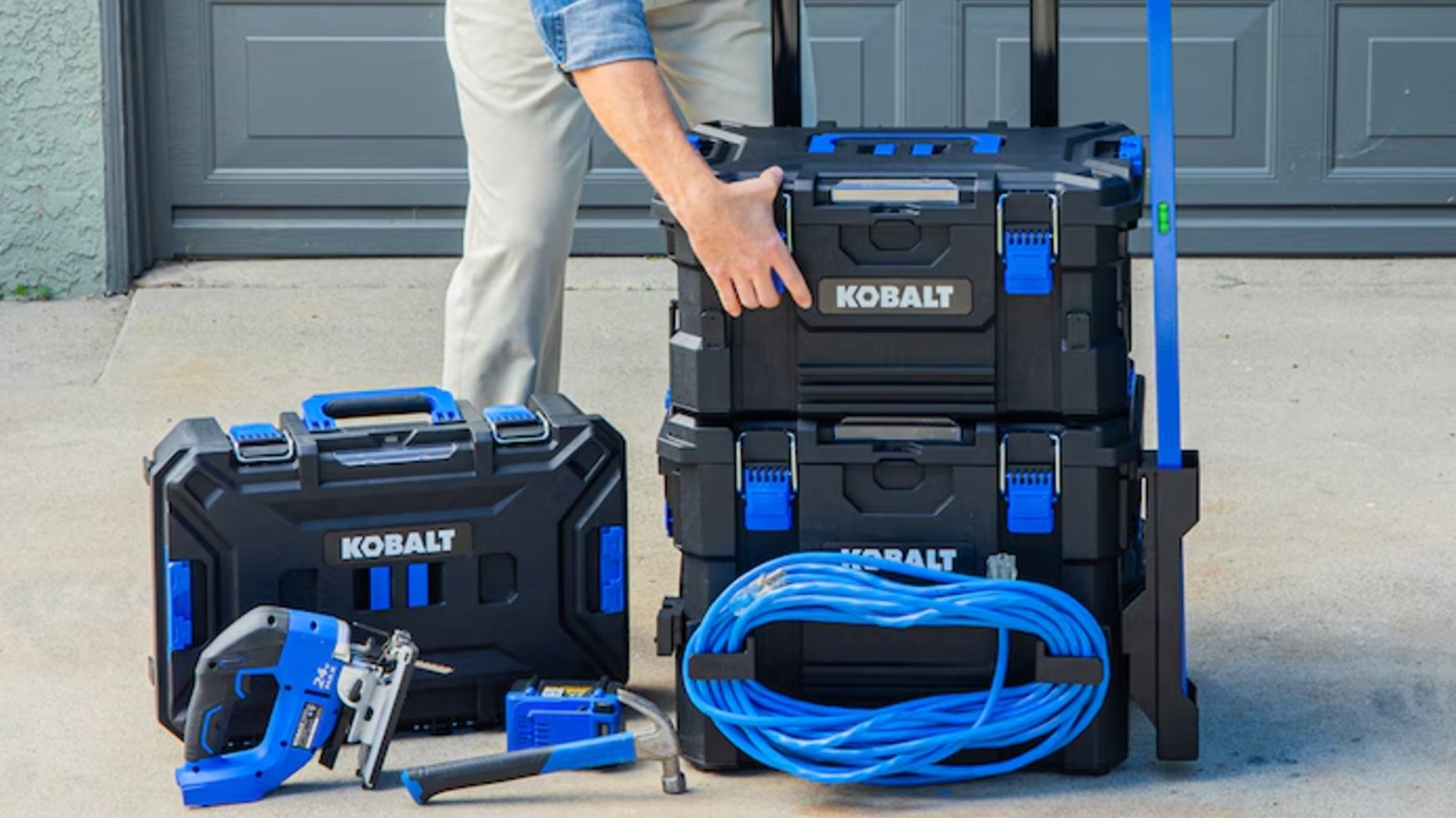

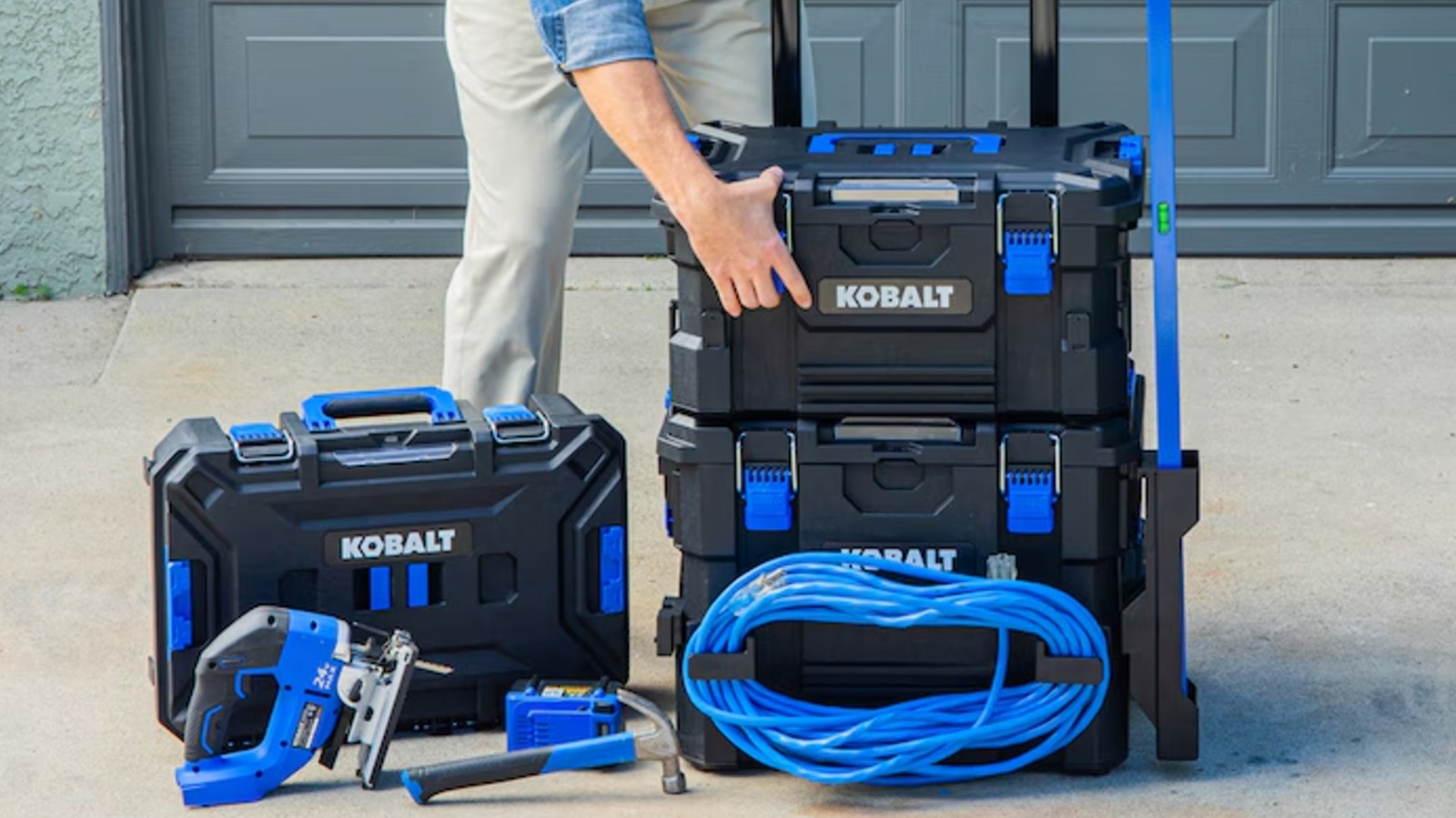
Modular storage systems have become increasingly popular in recent years, with product lines like Milwaukee’s Packout and DeWalt’s ToughSystem letting users combine storage products and accessories to suit their needs. Customizable tool storage has become so popular that even retailers are getting in on the action, with chains like Walmart selling their own modular tool storage options. Lowe’s has its own system, too, with its house brand Kobalt offering a range of CaseStack products.
Lowe’s first introduced its CaseStack system in 2022, although a seeming shift in priorities led several products in the line to go out of stock or be discontinued as of mid-2026. However, the second generation of CaseStack products, announced in early 2026, is set to revive the system with several new cases and accessories. So it’s as good a time as any to start building out a CaseStack setup.
CaseStack 2.0 is backward-compatible with the older gear, so you don’t have to worry about any new products rendering old ones obsolete. Spanning both generations, here are eight CaseStack products from Lowe’s to organize your tool setup. More information on how we selected these products is available at the end of this list.
Two-drawer toolbox
The best modular tool boxes with drawers, which offer something in between a portable toolbox and a more traditional pull-out chest, come in a range of sizes (and prices). Lowe’s offers a mid-size option that might hit the Goldilocks zone for many tool users: the Kobalt CaseStack two-drawer black plastic tool box. The case is 14.16x21x13.5 inches, and its heavy-duty polymer construction allows for a 50-pound load capacity.
Its two front-facing drawers mean it works well in the lower or middle sections of a tool stack, since you can retrieve gear without removing anything that’s on top of it. The drawers are 4.5 inches deep, which is enough room for many power tools, and have durable metal drawer slides for repeated use. It has a total interior capacity of 1,600 cubic inches, or a little less than one cubic foot.
The toolbox comes with dividers that can split the two drawers into nine separate compartments, allowing you to micromanage its contents. Label pockets are also included, so you can easily keep track of everything. It can be used with a padlock for security, and its sliding lock latch keeps drawers from opening as you move the box around. It’s fully compatible with other CaseStack modular products and sports multiple CaseStack connection points. Availability is a bit spotty, but you should be able to get the Kobalt CaseStack two-drawer black plastic toolbox (model #KCSA-2DRW1-03) from Lowe’s for $129.
Modular storage box
Whether or not stacking tool boxes are worth it for you may come down to how well you organize them. Modular tool storage systems aren’t built just to hold a bunch of stuff, but also to make it easier and more efficient for users to access necessary items without disrupting their workflow. The Kobalt CaseStack toolbox full organizer allows users to keep small items, like screws, washers, and drill bits, neatly organised in their CaseStack. It contains 15 individual bins in a hard case that’s 14x 21×5.1 inches.
Heavy-duty latches keep the lid secure and prevent the contents from spilling out, while an integrated handle makes it easier to carry around or remove from your stack. The transparent lid allows users to see what’s inside at a glance. Kobalt’s CaseStack Tool Box Full Organizer can hold up to 35 pounds of gear and is IP65 dust- and water-resistant. In addition to all-weather protection, it’s also built to be impact-resistant.
The organizer is compatible with all CaseStack modular products and has multiple attachment points for connecting to your setup. It also includes larger bins for longer tools like screwdrivers, which are designed to hang off the discontinued CaseStack Tool Rack Rail attachment if you have one. The Kobalt CaseStack toolbox full organizer (model #KCSA-FORG1-03) is currently available from Lowe’s for $55 to $60 depending on the store, although availability is somewhat inconsistent.
Small storage toolbox
The Kobalt CaseStack small toolbox doesn’t have all the bells and whistles the best portable toolbox brands may offer, but sometimes keeping it simple is exactly the right call. The straightforward design means it works almost anywhere, whether you’re traveling for a job or just heading up to make repairs in the attic. It also balances well with larger cases when used in the same stack.
Lowe’s may consider this a small box, but it still offers a decent 922 cubic inches of space, which is more than half of what the Kobalt CaseStack two-drawer toolbox offers. It measures 21.25x7x14 inches and can carry up to 50 pounds of hardware. Two interior bins with transparent lids and dividers are included to provide some organization within the case as well.
Like other hard storage options in the CaseStack line, this small toolbox is equipped with heavy-duty steel latches and quick-connect sliding locks. Multiple connection points are available for CaseStack accessories. The case is also rated IP65 dust- and water-resistant and has a foldable handle for portability and to help load and unload the box on and off your stack. The Kobalt CaseStack Small Storage Tool Box (model KCS-SSBOX1-03) is currently available from Lowe’s for $60.
Kobalt CaseStack starter kit
For those interested in the CaseStack system but don’t want to build a stack up piece by piece, there’s the Kobalt CaseStack starter kit. The bundle includes the Kobalt CaseStack rolling toolbox, which is currently unavailable to buy separately. The rolling toolbox measures 21.5×26.7×17.2 inches and has a load capacity of 110 pounds, making it a solid base for the rest of your CaseStack.
In addition to the rolling toolbox, the kit comes with another discontinued storage option — the CaseStack medium toolbox, which can carry 38 pounds more than its smaller sibling. Together, the included storage solutions offer a nearly 200-pound load capacity and provide a great basis for other CaseStack products.
The CaseStack starter kit doesn’t just include toolboxes, either — it also comes with three power tools from Lowe’s in-house tool brand. These cordless tools include the Kobalt 24V 6 ½-inch cordless circular saw, a ½-inch drill/driver, and a ¼-inch impact driver. You also get a 2Ah battery and charger to power the brushless devices (though you may want a larger battery for the circular saw). Everything you need to store, transport, and use the tools is provided in the Kobalt CaseStack Starter Kit. Lowe’s sells the Kobalt CaseStack Starter Kit for $328, though you can find it for as low as $238.
New CaseStack accessories
For fans of the original system, the second-gen CaseStack pieces are some of the most exciting new Lowe’s products coming out in 2026 that aren’t power tools. These include upgraded storage cases with auto-locking mechanisms and other new features, but perhaps more interesting are new attachments that offer previously unavailable functions. For example, there’s a rotating cord wrap holder, which is especially helpful for those working with extension cables.
Other storage accessories can be added to the sides of tool chests and cases as well, offering additional storage space. These include a molded tool tray, a bin with a transparent lid, and a magnetic bar that holds metal items like screwdrivers and scissors. Another new attachment leans more toward convenience than anything else: a side-mounted cup holder for storing your coffee or ice water. The seven CaseStack 2.0 accessories are backward-compatible and can be used with both the old and new toolboxes. They connect via the attachment points built into the cases.
How we selected these CaseStack products
Most of the products included on this list are from the first-generation Kobalt CaseStack system. As the next-generation lineup of CaseStack products isn’t available at the time of this writing, with no official product pages on the Lowe’s website, we relied on video footage from popular hardware YouTube channels, such as The Den of Tools, for information on these upcoming (as of May 2026) items.
With Lowe’s focusing on CaseStack 2.0, several original CaseStack products still listed on its website have been out of stock for some time. Thus, we limited our selection to CaseStack 1.0 products that are still available from the retailer. Discontinued products may still be available from third-party sellers or as pre-owned items, but were not considered for this list regardless.

Stephan is the sports journalist for the Maple Grove Report.