7 ways AI can help with your Linux system management


Linux AI terminal

Jack Wallen/ZDNET

Follow ZDNET: Add us as a preferred source on Google.


ZDNET’s key takeaways

  • AI has its place in the world of Linux.
  • If you’re new or über busy, AI can be a big help.
  • Employ AI in one of these areas to ease your burden.

I’m not a big fan of employing AI for everything. I strongly believe that it should have no place in creative endeavors (with some exceptions — such as DaVinci Resolve’s incredible AI voice isolation), but it does make sense to employ AI in certain areas.

For example: Linux system management. 

Before anyone gets up in arms, I’m not saying that system administrators should be replaced by machines. What I am saying is that AI can help those who are new to Linux learn how to manage (or better manage) their systems. And in cases where a single admin has to manage more machines than they have time for, AI can make for a great assistant.

But in what areas?

I’ve cobbled together seven uses where AI could really make a difference for those who are either very busy or who are just now learning the ins and outs of Linux.

1. Bash scripts

Although bash scripts aren’t a necessity for basic desktop Linux use, anyone who’s ever managed a Linux server or wanted to simply create a custom backup task for their desktops, bash scripts are essential.

For those who are just learning Linux, these scripts can be daunting, which is where AI can be handy. Using AI, you could type a prompt like, “Create a Linux bash script that backs up my ~/Documents directory to an external drive mounted at /backups on a daily basis and retains only the most recent five backups.”

Also: 5 factors steadily fueling Linux’s desktop rise

Your AI will create the bash script for you, which you can then test. If it works, cron that baby (another instance where you might need to use AI), and trust that your backups are going to be successful. Do make sure to check that they are not only working, but that the backups contain the files you want backed up. Because… you never know.

2. Parsing log files

Log files are key to understanding what’s going on with your system or what’s happened to your system. Most Linux log files are contained within /var/log, and some of them can be a bit challenging to understand. Here’s a good example. I recently ran into a syslog entry that I’d never seen before. Each entry contained “cause font doesn’t have a family name.” I did some DuckDuckGo’ing and found nothing. I then opened Opera’s Aria and queried it about the error. Turns out the error relates to font handling or rendering, and that the fonts in question do not have an essential attribute (in this case, a family name). Clearly, that’s not an error I need to worry about, so I decided to suppress those errors by creating a blacklist file in /etc/rsyslog.d/ with the contents:

:msg, contains, “cause font doesn’t have a family name” stop

I then restarted rsyslog with:

sudo systemctl restart rsyslog

Also: 5 surprisingly productive things you can do with the Linux terminal

The error was no more.

3. Understanding journalctrl output

Systemd can be a bit confusing at times, especially when it comes to errors. When you wind up with errors, you’ll be pointed to the journalctl tool, which can contain some really cryptic output. Most of the time, I can understand what it’s saying, but every so often, the journalctl output makes me go, “Huh?” When that happens, AI can be of assistance. 

Keep in mind that you shouldn’t just tell AI, “What does this output mean?” You should also include the app or service you are troubleshooting, as in, “What does this openssh-server journalctl output mean XXX” (where XXX is the actual journalctl output. 

AI is pretty good at helping you understand what you’re looking at.

4. Generating iptables firewall rules

Iptables is the foundation for all Linux firewalls, and man, can it be complex. It’s not often you have to bother with iptables, because you’d mostly be interacting with simpler counterparts, such as UFW. But if there is an occasion where you have to use iptables, you’ll very quickly realize how complicated it is.

Also: The first 5 Linux commands every new user should learn

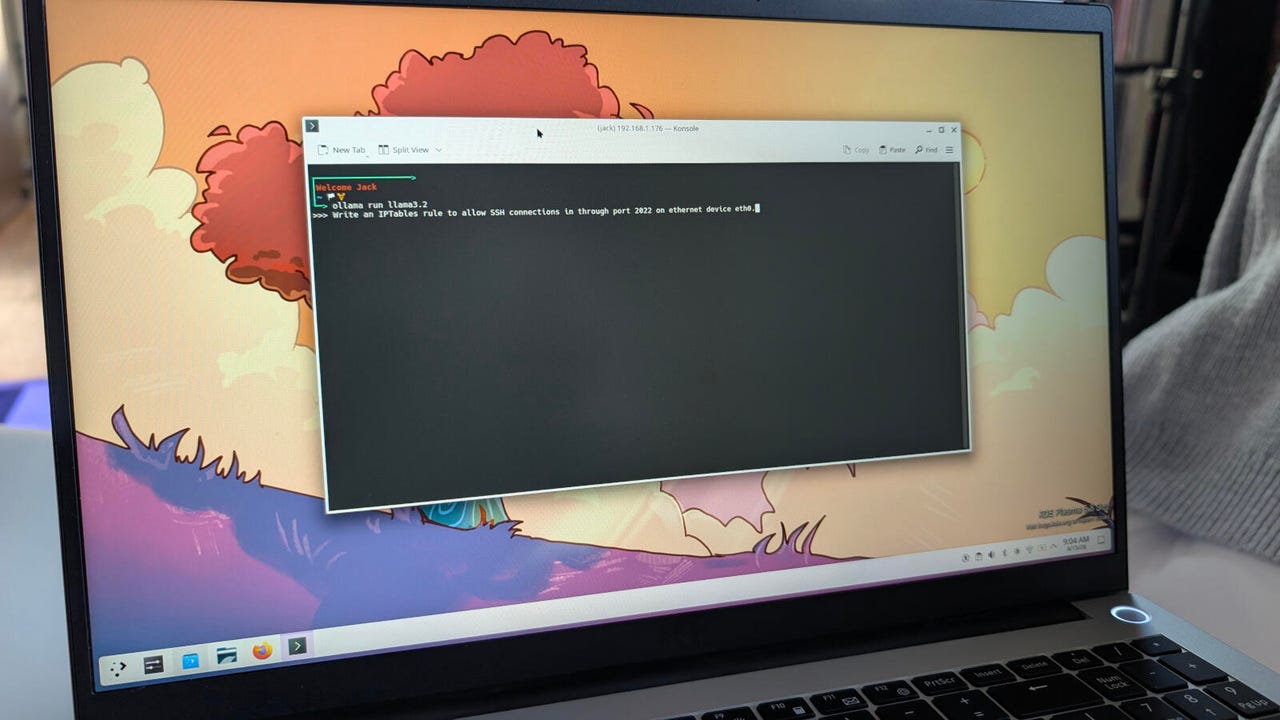
I remember the first time I had to use iptables (back in the late 1990s), and I thought, “I’m never going to understand this!” Had I had AI to help me unravel the complexity of iptables, things would have been as easy as querying:

Write an IPtables rule to allow SSH connections in through port 2022 on the Ethernet device eth0.

Yeah, that’s so much easier.

5. Process monitoring

Although there are plenty of tools to help you monitor your Linux processes (especially some of the amazing and user-friendly GUIs), you might run into the rare occasion that you have to figure it out with nothing more than the command line. If you understand the ps command, you should be good to go; otherwise, consider querying your favorite AI:

How do I find out which process on a Linux system is using the most system resources, and how do I stop it?

The answer should get you started on your journey of keeping Linux system processes in check.

6. Managing user accounts and permissions

What if you needed to lock a user out of their account on a Linux system that includes agentic AI? You could always query:

Lock Mary out of her account for one week.

If the AI is configured with the proper permissions, you’ll most likely be asked to type your sudo password so the process can continue. After typing your sudo password, most likely your AI is going to run the command:

sudo chage -E $(date -d “+7 days” +%Y-%m-%d) Mary

Also: The best Linux distros for beginners

Because file/folder permissions can be a bit complicated to learn, you might use AI to help you out. This is especially easy on a system that includes agentic AI. With that, you could do something like:

Change the folder ownership and permissions of /data such that the group editors have full access to it.

7. Virtualization

Although you may never have to deal with virtual machines, there may come a time when you want to run a virtual machine in the background, so you have access to a particular server on your LAN, without having to have a GUI running 24/7. 

For example, you might have a virtual machine that runs Nextcloud to serve as your in-home solution for Google Workspace. Instead of running the VirtualBox GUI and then having the server GUI up and running (both GUIs take up valuable system resources), you could run it headless (which means without a GUI) so you can still access it from anywhere on your LAN. 

To that end, you could query:

How do I run a headless instance of a VirtualBox virtual machine named Nextcloud?

You’ll probably see the following in the output:

VBoxManage startvm “Nextcloud” –type headless

There are plenty of other ways you can use AI to help with Linux system management, and the above will easily get you started on that journey.





Source link

Leave a Reply

Subscribe to Our Newsletter

Get our latest articles delivered straight to your inbox. No spam, we promise.

Recent Reviews


2026 has shaped up to be a big year for Milwaukee, and the company shows no signs of slowing down as it expands its product line. For example, it has announced that some solid new Milwaukee hand tools and organizers will be arriving throughout the summer, but that’s not all. At the end of the day, you need somewhere to put all of this stuff, and while the Milwaukee Packout storage system is deep and varied as is, the company will expand the line in the summer months.

More methods for organizing your tools are on the way, too, with the Milwaukee Packout line set to introduce some new entries this summer. They vary in size, purpose, and price point, but they’re all compatible with the wider Packout line. That means they can connect to each other, making transportation easier. In some cases, they’ll be able to help keep tools and other items secure and organized while on the move. Additionally, all of these new Packout products are covered by Milwaukee’s Limited Lifetime Warranty.

So, what new products does Milwaukee have to offer from its Packout line this summer? Here are the drops you can look forward to throughout June and July 2026.

Milwaukee compact crate

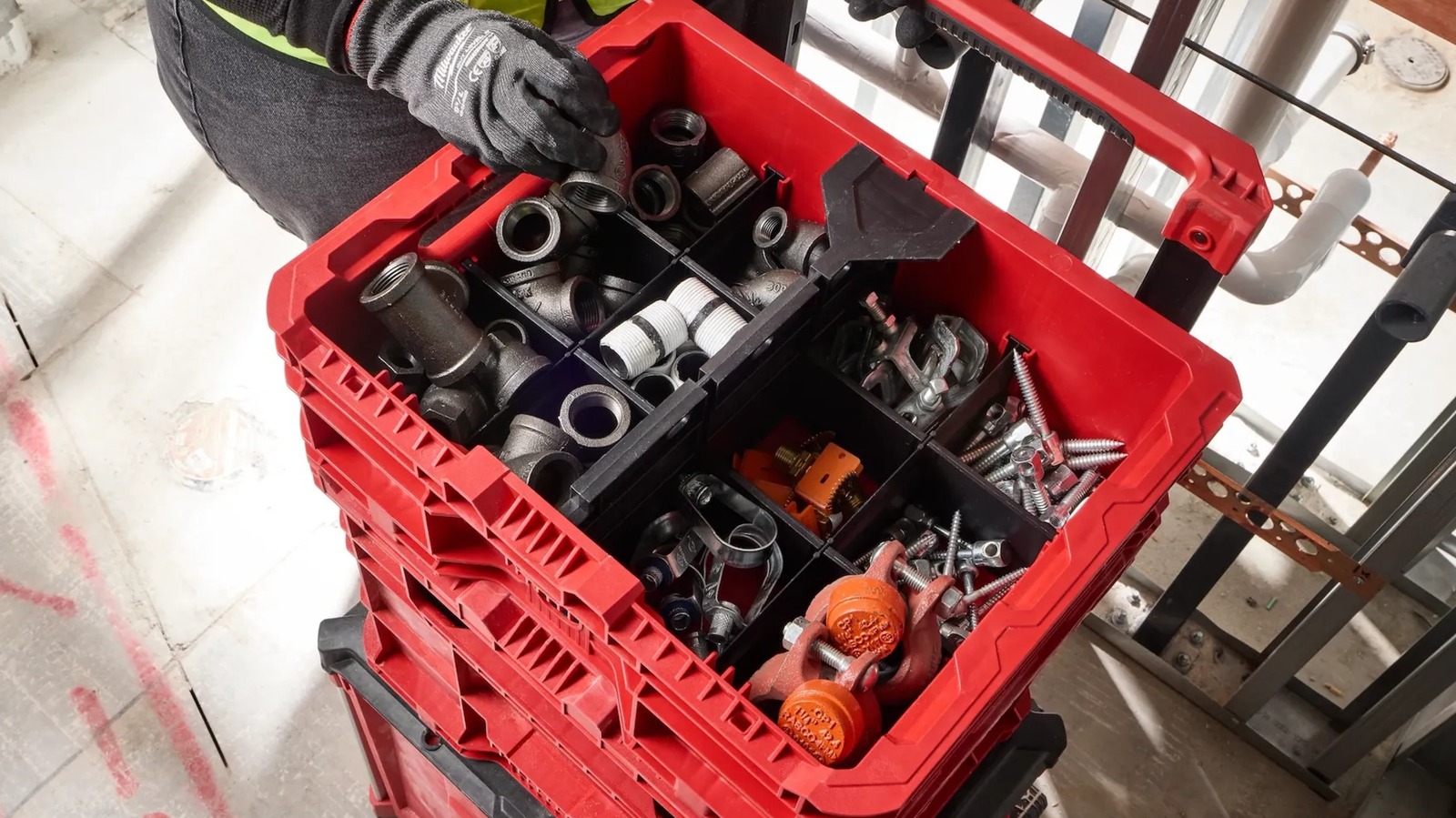
Sometimes, a massive Packout crate isn’t a necessity, which is why the line has its share of smaller options. Yet another will be coming to the Milwaukee catalog in the form of the Milwaukee Packout compact crate, which is set for a June 2026 release and will cost $39.97. It has a 30-pound weight capacity, comes in at 8.75 inches tall, 9.5 inches wide, 15.5 inches long, and 3.75 pounds, and includes two removable dividers to create up to three sections within the crate. The dividers can also be customized by cutting them to size along the pre-made score lines.

This compact crate features a wide front opening for easy access to its contents while on the job, as well as a metal top handle to carry it around on its own. Should you want to add it to your current Packout stack, you can use the connection points at the top and bottom of the crate. Speaking of durability, Milwaukee notes that it has an impact-resistant body along with weep holes to prevent water collection. At the same time, there is some nuance regarding the waterproof nature of Milwaukee Packout products, so keep that in mind before letting this crate get soaked.

Milwaukee Packout low-profile crate

A shorter but equally mighty Milwaukee Packout container is also on its way to customers this summer. The Milwaukee Packout low-profile crate is the shortest of the new releases at just 6.625 inches tall, though it makes up for what it lacks in height with a 15-inch length and an 18.625-inch width. Even though it’s slightly heavier than the compact crate at 4.85 pounds, it wins out in weight capacity with a 50-pound limit. It will be released in June 2026 and will cost $44.97.

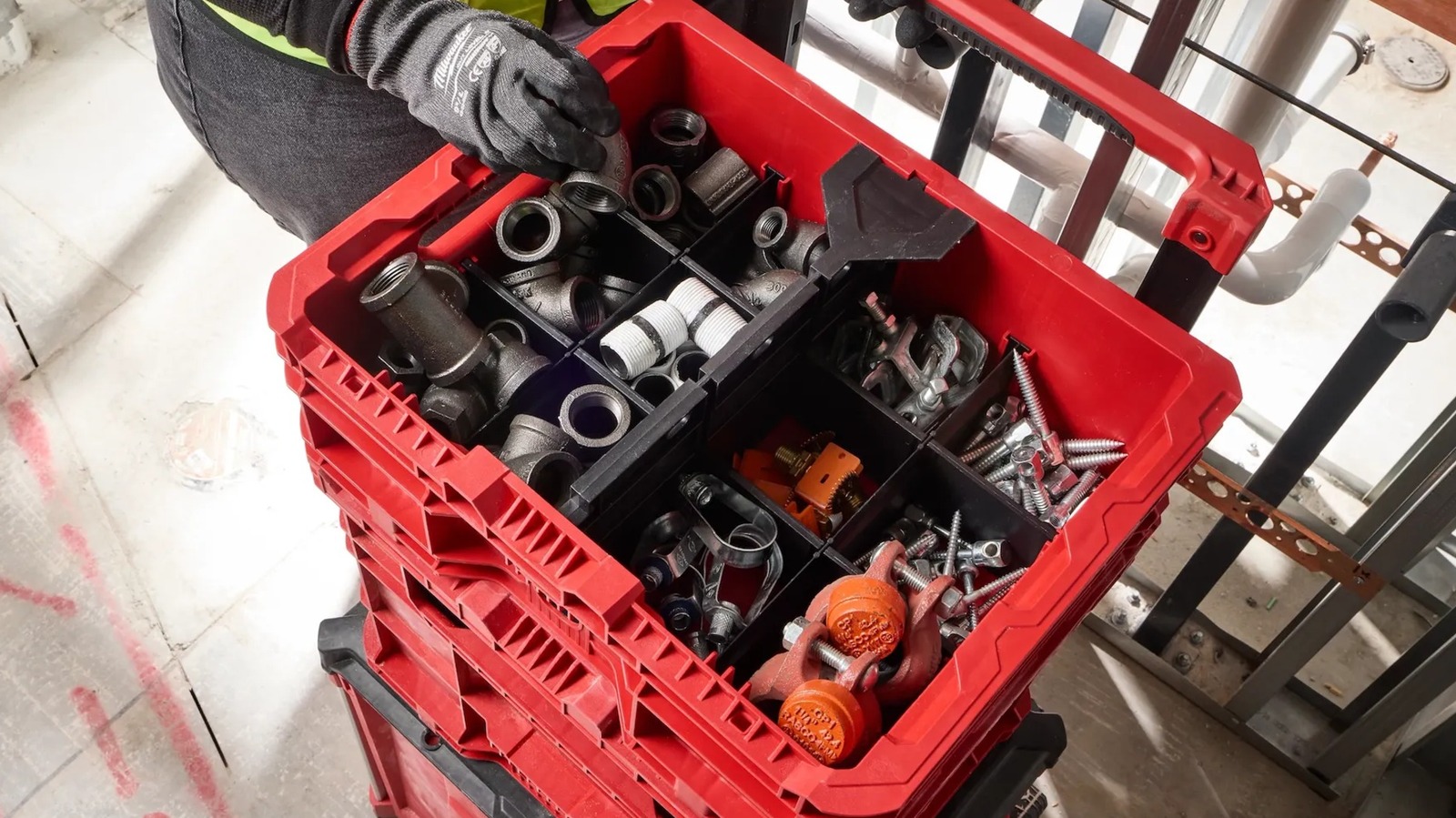
For added modularity, the low-profile crate includes three different divider types: eight short, two long, and one for the middle of the container. When combined, they form up to 12 individual sections for tool and accessory organization. In terms of connecting to other Packout containers, it can do so from the top and bottom. Alternatively, built-in side handles are integrated into the design to make it easier to carry the crate on its own. The crate has weep holes for water drainage and an impact-resistant body.

Milwaukee Packout XL crate

Moving on to one of the larger upcoming Milwaukee Packout releases — even if it ultimately lands somewhere in the middle of the smallest and largest Packout containers for sale — there’s the aptly-named Milwaukee Packout XL crate. This release will hit shelves in June 2026 and comes with a $69.97 price tag. The 8.03-pound crate can take on some serious tools with its 75-pound weight capacity. It measures 15 inches tall, 15.75 inches long, and 18.625 inches wide. Despite its size, it can be hung up on a wall like most other Packout containers.

While some may hang this crate in their workshop, many will use it as part of their mobile Packout stack. You can connect it to your existing setup via the top and bottom connection points. It can also be used with Milwaukee toolbox attachments to hold smaller tools and batteries with connection points on the sides. Alternatively, you can move the crate around using its built-in side handles. It’s advertised as having an impact-resistant body along with anti-water collection weep holes. Suffice to say, there’s more to this seemingly simple crate than initially meets the eye.

Milwaukee Packout Wire Pulling XL Crate

For the most part, the Milwaukee Packout line is so popular because of its versatility. While most entries can be used for just about anything, there are those that come with a specialized function. Case in point, the forthcoming Milwaukee Packout Wire Pulling XL crate, which is designed for dispensing wire. This involves inserting and locking in spools of the user’s needed material, threading the wire through the wire retention slots, and using the fold-down panel to keep the end of the wire from rolling back into the box.

Overall, this crate has the same dimensions and weight capacity as the previously covered Packout XL crate, though it is the heavier of the two at 9.85 pounds. It can accommodate up to six spools, can be stacked onto other Packout containers or hung up, and has an impact-resistant body. This is the most expensive of the new Packout releases at a hefty $119.97, and it’s set to release during July 2026. Alongside the best Milwaukee power tools for electrical work, this crate seems like a vital piece for any Milwaukee-enthusiast electrician’s kit.

New Milwaukee Packout inserts are coming, too

That’s it for the new Milwaukee Packout containers set to debut this summer, but there are more new releases yet to cover. To pair with some of these containers and improve their levels of organization and function, come two new insert sets. First is the divider for the Milwaukee Packout XL crate, which splits the container into two sections. It simply slides down the middle of the crate and fits snugly into place, while retaining its ability to connect with smaller Packout attachments. It will be released in July 2026 for $29.97.

Alongside the Packout XL crate divider is the set of Packout wire pulling inserts for the XL crate. You’ll need these if you end up buying an XL crate and later want to use it as a wire-pulling crate. These inserts allow you to convert it instead of having to buy a new designated wire pulling crate. They attach to two of the inner sides of the crate via T-25 screws and include wire puller guards as well. The Milwaukee product listing says these inserts are meant for 1/2-inch EMT conduit. This insert set also comes out in July and will cost $49.97. 


Source link