Verdict

Overall, this is one of the best cordless lawn mowers you can get at this price. Lightweight, powerful, and easy to handle, it’s a solid addition to a small or medium-sized garden. However, it lacks a mulching plug and charges quite slowly. Even with these drawbacks, the quality of the cut and powerful motor makes this a great choice.

  • Good range of cut heights from 25mm to 75 mm

  • Excellent balance and mowing performance

  • Comfortable ambidextrous handle

  • Grass collection box lacks a “full” indicator

  • No mulching plug

  • Sluggish battery charging time

Key Features

  • Trusted Reviews Icon

    Review Price:
    £269

  • Adjustable cutting heights

    Cuts from 25mm to 75mm, adjustable via the side handle.

  • Battery powered

    Runs on dual 20V power for 40V in total.

Introduction

European lawncare experts STIGA produce a dizzying array of cordless lawn mowers, ride on lawn tractors, and robots too. One of their entry level offerings, the Collector 140e kit boasts excellent value mowing in a handsome package that comes with a pair of batteries.

Design and Features

  • Comfortable and well balanced
  • Three working heights
  • No charge level indicator

Advertisement

The standout design feature of this compact, lightweight cordless mower is its obvious nod to car design. Where some cordless lawnmowers are boxy and boring, STIGA has called on its Italian credentials to design something a bit more desirable.

The Collector 140e kit is definitely easy on the eye, with plenty of curves and aerodynamic lines as well as a height adjustment lever straight out of a sports car. Providing a 38cm cut width, it’s well-designed for small to medium-sized gardens.

Stiga Collector 140e Kit close up showing it design features and car-inspired height adjustment lever.
Image Credit (Trusted Reviews)

The handsome lever changes the cut height from 25 mm to 75 mm in six useful steps. The sprung cutting deck takes no effort to change either. It means you can go from an almost bowling-green low to a longer meadow-like lawn easily.

The handlebar is wrapped in foam which makes it pleasingly comfortable to use. And the wide safety lever makes this cordless lawn mower useful for right- and left-handed gardeners too. The handle gives you three working heights to choose from, and folds in half for easy storage.

Stiga Collector 140e Kit showing its comfortable and ambidextrous handle
Image Credit (Trusted Reviews)

Advertisement

Power comes from a pair of 20V 4.0Ah batteries, connected in series, producing an impressive 40V. Combined with a brushless motor, this means the 140e can cut through just about anything without getting bogged down.

The batteries live side by side in a compartment on the mower chassis. It’s good to see a safety key included keep the mower safe when not in use. The only thing missing is a charge level indicator on the outside of the compartment.

Stiga Collector 140e Kit cordless mower battery compartment with two 20 Volt batteries and a safety key
Image Credit (Trusted Reviews)

Recharging the batteries is simple too, as it comes with a handy dual charger. The only problem with a dual charger is that it splits the power between both batteries, slowing down charging times.

On the back of the mower is a 40 litre grass collection box. It’s plastic on top with a large handle made from fabric underneath. It folds down nicely for storage; however, it lacks a “full” indicator that I find useful on other cordless lawnmowers.

Performance

  • Needs a little bit of assembly
  • Very powerful
  • Comfortble to use

Advertisement

Before taking the collector 140e kit out for its first mow, I needed to assemble the handle section. Fortunately, it took five minutes to attach both handle sections to the chassis and secure them with big yellow cam levers.

When compared with some budget cordless lawn mowers, the quality of the fittings is excellent and feel like they’re built to last. A mark of a good mower, in my opinion, is all in the balance. The Collector 140e is easy to adjust to a comfortable working height and feels very well balanced.

The short overall length makes it easy to push around and even over little steps, even if the 140e isn’t quite as dinky as the Gtech SLM50. And even though the 38cm cut width isn’t ideal for huge lawns, it’s easy to manoeuvre around shrubs and get into tight corners.

Stiga Collector 140e on the grass full size side on shot
Image Credit (Trusted Reviews)

Weighing just over 11 kg with the batteries in place, this mower is easy to carry around the garden. Picking it up to carry over a low garden wall was easy thanks to the handle on the top. The plastic wheels aren’t huge and scratch up easily, but work fine on a reasonably flat lawn.

Something that impressed me about this compact cordless lawnmower is the power. The dual batteries produce 40V of power that can chop through long, damp grass without missing a beat. And the cut quality is great: the lawn mower doesn’t leave tufts, and it’s easy to mow in straight lines.

Advertisement

Stiga Collector 140e Kit closeup on quality of cut
Image Credit (Trusted Reviews)

The 4.0Ah batteries can power this mower for up to 25 minutes. I managed about 20 minutes of mowing in a test garden, but I pushed through quite a lot of long grass along the way. The 140e is rated to cut up to 450m², but that would only work for a maintenance cut if done once a week.

The only annoying thing about this mower is the lack of a mulching plug. I personally prefer cutting my lawn often during the growing season with the plug installed. It results in a healthier lawn, and I don’t need to dispose of grass cuttings.

The 40litre collection box is fine for a small garden. I needed to empty it twice in my roughly 250 m² test garden, which is fine, but it would be simpler with a full-level indicator. Without one, I needed to stop a few times to check the grass collection box.

When it was time to recharge, the dual charger splits the power coming in by half. It results in a slow recharge time of 140 minutes, so make sure you don’t have a lawn bigger than this mower can cope with.

Advertisement

Should you buy it?

You have a small lawn with lots of obstacles

Nimble but powerful, this is a great cordless lawn mower for small- to mid-sized gardens.

You have a large lawn or you want to mulch

For larger lawns, a bigger lawn mower with a wider cut is best. If you want to mulch, look for a mower with a mulching plug

Final Thoughts

There are a few minor downsides: there’s no “full” indicator on the grass box, there’s no mulching plug, and charging is slow. However, the light body, excellent manoeuvrability, quality cut and powerful motor make this a great choice for small- to mid-sized gardens. What something for a larger garden or with more features? Read the guide to the best cordless lawn mowers.

How We Test

We test every lawn mower we review thoroughly over an extended period of time. We use standard tests to compare features properly. We’ll always tell you what we find. We never, ever, accept money to review a product.

Find out more about how we test in our ethics policy.

  • Used as our main lawn mower for the review period
  • Used on a variety of grass lengths to see how well the mower cuts
  • Tested to see how easy the mower is to push, turn and store

FAQs

Can you use one battery in the STIGA Collector 140e Kit?

No, it needs both batteries at once for the 40V motor.

Test Data

  STIGA Collector 140e Kit
Sound (normal) 89 dB

Full Specs

  STIGA Collector 140e Kit Review
UK RRP £269
Manufacturer
Size (Dimensions) 44 x 137 x 122 CM
Weight 11.4 KG
Release Date 2026
First Reviewed Date 29/06/2026
Model Number Stiga Collector 140e Kit
Lawn Mower Type Cordless
Adjustable height Yes
Blade Type Rotary
Cutting width 38 cm
Grass catcher box size 40 litres

Advertisement


Source link

Leave a Reply

Subscribe to Our Newsletter

Get our latest articles delivered straight to your inbox. No spam, we promise.

Recent Reviews


Google Drive Organize My Files

Elyse Betters Picaro / ZDNET

Follow ZDNET: Add us as a preferred source on Google.


ZDNET’s key takeaways

  • Gemini can suggest Drive file moves and new folders.
  • Organize My Files requires Workspace or Google AI access.
  • The tool is useful but still feels limited and unfinished.

I’m an Apple person. I’ve owned an iPhone since 2007 and a Mac since before that, so of course I’m also a longtime user of iCloud Photos and iCloud Drive. I pay $10 a month for the 2TB iCloud+ plan because I have 488GB of data sitting there, including nearly 40,000 photos. Don’t judge me. The real problem is that I’m also a heavy Google user, specifically Workspace apps.

Also: I tested ChatGPT Plus vs. Gemini Pro to see which is better

After 14 years of using Google Drive, I have 340GB of data stored there from all the Google Docs, Sheets, Slides, and Gmail messages I’ve created, not to mention file uploads. So I pay $20 a month for Google AI Pro, which gives me 5TB of storage and access to Gemini AI. And because, apparently, I need all the subscriptions, I also pay $20 a month for ChatGPT Plus.

I need to cut subscriptions

I know… I need to cut subscription costs somewhere. I’ve wondered whether I should cancel ChatGPT or somehow, some way, reduce my Google usage enough to stop paying for extra Drive storage. Realistically, I do not think I could ever get my data down to the 15GB Google gives me for free. My Drive has become so daunting that I’ve mostly stopped trying to manage it.

The funny part is that I am hyper-organized. My pantry has coordinated glass jars with labels. My daughter’s toy room has a place for everything. My Google Drive, though? A dumping ground. What can I say? Pre-parenthood Elyse was not so organized.

Also: Tired of AI Overviews? I found 9 Google Search alternatives

Because my Drive has never been in a good place, I have let files, photos, screenshots, PDFs, tax documents, drafts, downloads, and random digital debris accumulate with no real oversight for years. I keep putting off cleaning it.

Recently, I had the idea that some AI service could connect to my Drive and help me quickly organize it with a few clicks. Then I remembered my Drive includes things like my house deed, a copy of my will, and my LLC business details, and suddenly giving a random third-party company broad access to my personal data felt like too much to bear.

So here we are. My Drive is still messy, and my subscriptions are still multiplying. Joy. I sure do love that in this economy.

Can ‘Organize My Files’ declutter my Drive?

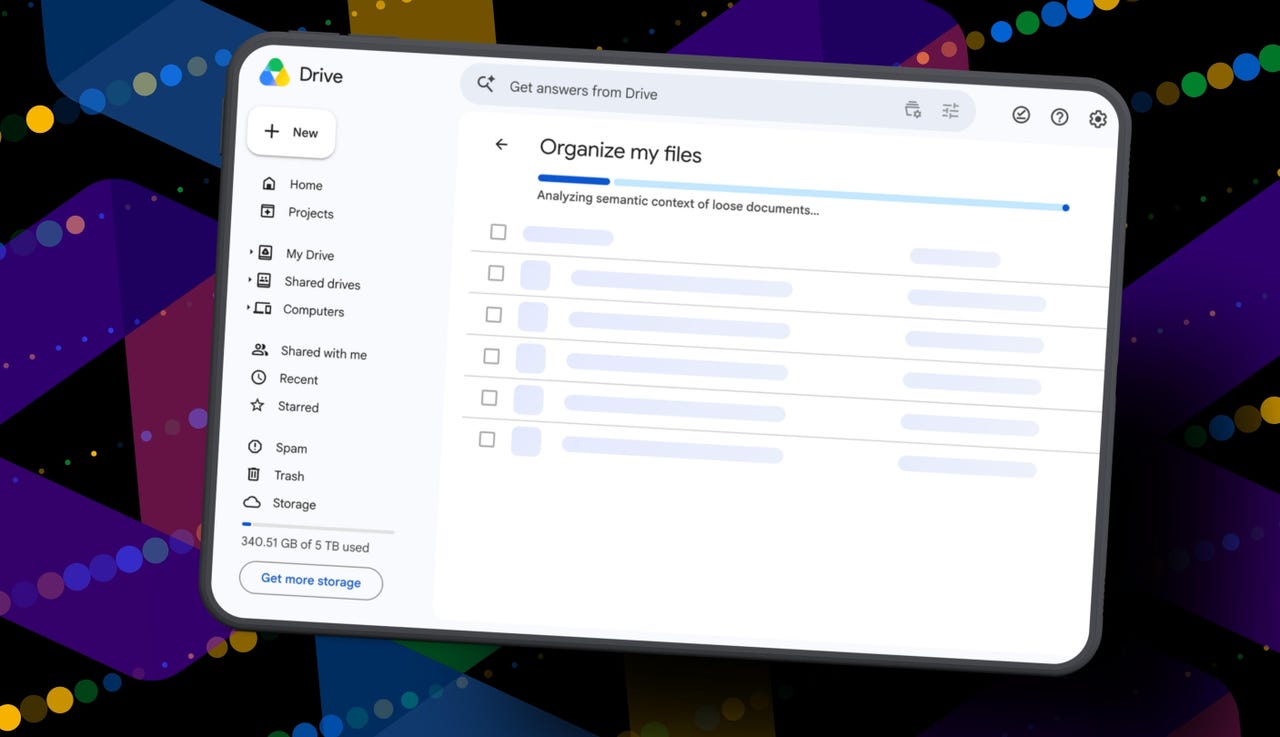
But today I spotted a quiet little launch from Google: its “Organize My Files” feature is now available. Can Gemini actually, truly help me declutter, organize, and simplify my Drive now? Apparently, it uses Gemini AI to suggest moving loose files in Drive into existing folders or creating new folders for related files. And I get to review everything before anything moves.

Also: I tried Gmail’s new Gemini AI features, and I want to unsubscribe

If this works, maybe one day I can move my data out of Drive and cancel my Google AI Pro plan for good. Maybe. One day.

How Organize My Files works

What you’ll need: A Google account with a messy-as-hell Drive. Oh, and Google’s “Organize My Files” feature is currently limited to Google Workspace and Google AI subscribers. Workspace smart features must also be enabled for it to appear in Drive.

Open Google Drive

Elyse Betters Picaro / ZDNET

Look toward the top of the file and folder list in My Drive for a new button called “Suggest File Moves.” Google said it will appear in My Drive as well as in parent folders in Drive. 

Clicking Suggest File Moves opens a new Organize My Files window, where Gemini will begin analyzing loose files and suggesting ways to clean them up.

Also: This Gemini setting made my AI results way more personal


Show more

Click Suggest File Moves

Elyse Betters Picaro / ZDNET

After a minute or so, Gemini serves up recommendations to review. They’re divided into two main types:

  • Gemini may suggest moving files into existing folders in Drive.
  • Gemini may suggest creating new folders for related groups of files.

All files and folders can be previewed through hovercards or opened in a new tab for a closer look.

Also: Is Google’s AI Ultra plan worth $100/month?


Show more

Review Gemini's suggestions

Elyse Betters Picaro / ZDNET

It’s time to use the checkboxes to select or deselect any file or folder that Gemini served up. 

Also, if a suggested folder name is weird, just rename it. Check destinations for folders, too. If they aren’t right, change the target. Once the suggestions do look right and you’re happy, approve the changes.

Gemini will then perform the file or folder moves in one batch and return to My Drive.

Also: I used Nano Banana 2 to make perfect sketchnotes: 5 lessons


Show more

Approve the changes

Elyse Betters Picaro / ZDNET

My result

After all that, Gemini suggested 19 moves for me. Nineteen. And it mostly surfaced recent files I had created or uploaded.

Some of the suggestions made sense. Gemini wanted to move my resume and a couple of resumes I had helped family members create into an existing resume folder. It also suggested creating a new Family and Real Estate folder for house deed documents, plus a Travel Planning folder for upcoming summer trip itineraries I have stored in Drive. But one of the files it grouped under Travel Planning was literally called “Delete,” because it’s a doc I want to delete. Gemini did not realize that, nor did it suggest deleting it.

To be clear, I have hundreds of gigabytes of data and years of clutter sitting in Google Drive.

Also: How I unlocked another 15GB of Gmail storage for free

Still, I approved the changes Gemini recommended. For the heck of it, I ran the tool again. In about 30 seconds, it suggested the same thing: the same file moves, the same new folders, and the same changes it had just made. This feels half-baked.

It’s not at all the sweeping cleanup assistant for Drive that I was hoping for and need. Maybe it will get better over time. It did just come out of beta, and it’s possible Google will improve how Gemini scans Drive, prioritizes older files, recognizes obvious trash, and surfaces deeper organization suggestions. I just don’t want to have to click it 500 times, hoping it finds something new each time.

Looks like I’m still stuck with a messy Drive and a $20 AI Pro subscription… for now.


Source link