What’s on Paramount Plus in July 2026? Star Trek, Big Brother and More


When Paramount Plus first arrived on the scene, the streaming service made a name for itself as the destination for fans of Paramount-owned brands. You could watch CBS shows such as Survivor and The Amazing Race alongside nostalgic favorites from MTV and Comedy Central, including The Challenge, South Park, Paramount films and more. Paramount Plus has expanded even more since then, becoming the home of UFC fights, Taylor Sheridan‘s Yellowstone universe and his standalone series such as Mayor of Kingstown, Tulsa King and The Madison.

This month, a new season of Star Trek: Strange New Worlds premieres on the platform, along with a new season of Big Brother (you’ll be able to watch the CBS simulcast live every week with a Paramount Plus Premium subscription, or next day with a Paramount Plus Essential plan). Also arriving exclusively on Paramount Plus this month is the new crime thriller Wardriver, which stars Dane DeHaan, Sasha Calle and Mamoudou Athie. Several favorite series also have big finales this month; catch Dutton Ranch, the RuPaul’s Drag Race All Stars finale and the series finale of The Chi.

Here are the new releases we’re most excited to see on Paramount Plus this July. 

July 8

Paramount

In Wardriver, Dane DeHaan stars as Cole, a hacker who used his tech savvy to steal from banks. When Cole’s skills catch the eye of a black-market tech predator named Oscar (Mamoudou Athie), he’s roped in to a million-dollar cyber heist that might have deadly consequences if he fails. Wardriver makes its post-theatrical debut exclusively on Paramount Plus on July 8. 

July 9

CBS

CBS’s long-running hit Big Brother, hosted by Julie Chen Moonves, returns this month, and the 28th season will kick off with a special 90‑minute premiere on Thursday, July 9 (8-9:30 p.m. ET). It will simulcast on CBS and Paramount Plus Premium. Throughout the season, fans can tune in for weekly episodes on Wednesdays at 8 p.m. ET, followed by hourlong shows on Thursdays and Sundays at 8 p.m. ET.  Paramount Plus and Pluto TV viewers will also be able to watch alternate feeds from inside the Big Brother House throughout the week. (Every episode is available to watch live on Paramount Plus Premium, and streams the next day with a Paramount Plus Essential Plan.)

July 14

Paramount Plus

The Real Wolf of Wall Street

The Wolf of Wall Street is a modern classic directed by Martin Scorsese and starring Leonardo DiCaprio as Jordan Belfort, a 1980s-era stockbroker who was eventually convicted of fraud and stock market manipulation. Belfort wrote the book that the film was based on, and now, members of his inner circle, his ex-wife Nadine and the law enforcement officers that brought him to justice are part of a new three-part docuseries, The Real Wolf of Wall Street. The show features interviews and never-before-seen footage that depict the wild and debauched nature of Belfort’s exploits, providing even more context for the situation. All three episodes arrive on July 14.

July 23

Paramount Plus

Star Trek: Strange New Worlds (Season 4)

Season 4 of the Paramount Plus original series, Star Trek: Strange New Worlds, features Captain Christopher Pike (Anson Mount) and the crew of the U.S.S. Enterprise as they journey to, well, strange new worlds. The series is a prequel to the original Star Trek series, which ran from 1966-69, and features new characters as well as familiar ones like Spock (played by Ethan Peck) and Number One (Rebecca Romijn). 

The 10-episode season premieres on Thursday, July 23 on Paramount Plus. New episodes will drop weekly on Thursdays through Sept. 24.

July 29

Paramount Plus

Diarra From Detroit (Season 2)

Creator, writer, and producer Diarra Kilpatrick also stars in the detective series Diarra From Detroit as a divorcee who gets pulled into the Detroit underworld when she starts investigating the whereabouts of her missing Tinder date. The series, now a Paramount Plus original, first debuted on BET Plus in 2024. The show features an impressive cast that includes Phylicia Rashad, DomiNque Perry, Claudia Logan and Bryan Terrell Clark, and this season features guest stars like Cliff “Method Man” Smith, Morris Chestnut, Glynn Turman, Bokeem Woodbine, Amber Riley and Lil Rel Howery. Catch the first two episodes on Wednesday, July 29, followed by one new episode every Wednesday through Sept. 9. 


Source link

Leave a Reply

Subscribe to Our Newsletter

Get our latest articles delivered straight to your inbox. No spam, we promise.

Recent Reviews


Google Drive Organize My Files

Elyse Betters Picaro / ZDNET

Follow ZDNET: Add us as a preferred source on Google.


ZDNET’s key takeaways

  • Gemini can suggest Drive file moves and new folders.
  • Organize My Files requires Workspace or Google AI access.
  • The tool is useful but still feels limited and unfinished.

I’m an Apple person. I’ve owned an iPhone since 2007 and a Mac since before that, so of course I’m also a longtime user of iCloud Photos and iCloud Drive. I pay $10 a month for the 2TB iCloud+ plan because I have 488GB of data sitting there, including nearly 40,000 photos. Don’t judge me. The real problem is that I’m also a heavy Google user, specifically Workspace apps.

Also: I tested ChatGPT Plus vs. Gemini Pro to see which is better

After 14 years of using Google Drive, I have 340GB of data stored there from all the Google Docs, Sheets, Slides, and Gmail messages I’ve created, not to mention file uploads. So I pay $20 a month for Google AI Pro, which gives me 5TB of storage and access to Gemini AI. And because, apparently, I need all the subscriptions, I also pay $20 a month for ChatGPT Plus.

I need to cut subscriptions

I know… I need to cut subscription costs somewhere. I’ve wondered whether I should cancel ChatGPT or somehow, some way, reduce my Google usage enough to stop paying for extra Drive storage. Realistically, I do not think I could ever get my data down to the 15GB Google gives me for free. My Drive has become so daunting that I’ve mostly stopped trying to manage it.

The funny part is that I am hyper-organized. My pantry has coordinated glass jars with labels. My daughter’s toy room has a place for everything. My Google Drive, though? A dumping ground. What can I say? Pre-parenthood Elyse was not so organized.

Also: Tired of AI Overviews? I found 9 Google Search alternatives

Because my Drive has never been in a good place, I have let files, photos, screenshots, PDFs, tax documents, drafts, downloads, and random digital debris accumulate with no real oversight for years. I keep putting off cleaning it.

Recently, I had the idea that some AI service could connect to my Drive and help me quickly organize it with a few clicks. Then I remembered my Drive includes things like my house deed, a copy of my will, and my LLC business details, and suddenly giving a random third-party company broad access to my personal data felt like too much to bear.

So here we are. My Drive is still messy, and my subscriptions are still multiplying. Joy. I sure do love that in this economy.

Can ‘Organize My Files’ declutter my Drive?

But today I spotted a quiet little launch from Google: its “Organize My Files” feature is now available. Can Gemini actually, truly help me declutter, organize, and simplify my Drive now? Apparently, it uses Gemini AI to suggest moving loose files in Drive into existing folders or creating new folders for related files. And I get to review everything before anything moves.

Also: I tried Gmail’s new Gemini AI features, and I want to unsubscribe

If this works, maybe one day I can move my data out of Drive and cancel my Google AI Pro plan for good. Maybe. One day.

How Organize My Files works

What you’ll need: A Google account with a messy-as-hell Drive. Oh, and Google’s “Organize My Files” feature is currently limited to Google Workspace and Google AI subscribers. Workspace smart features must also be enabled for it to appear in Drive.

Open Google Drive

Elyse Betters Picaro / ZDNET

Look toward the top of the file and folder list in My Drive for a new button called “Suggest File Moves.” Google said it will appear in My Drive as well as in parent folders in Drive. 

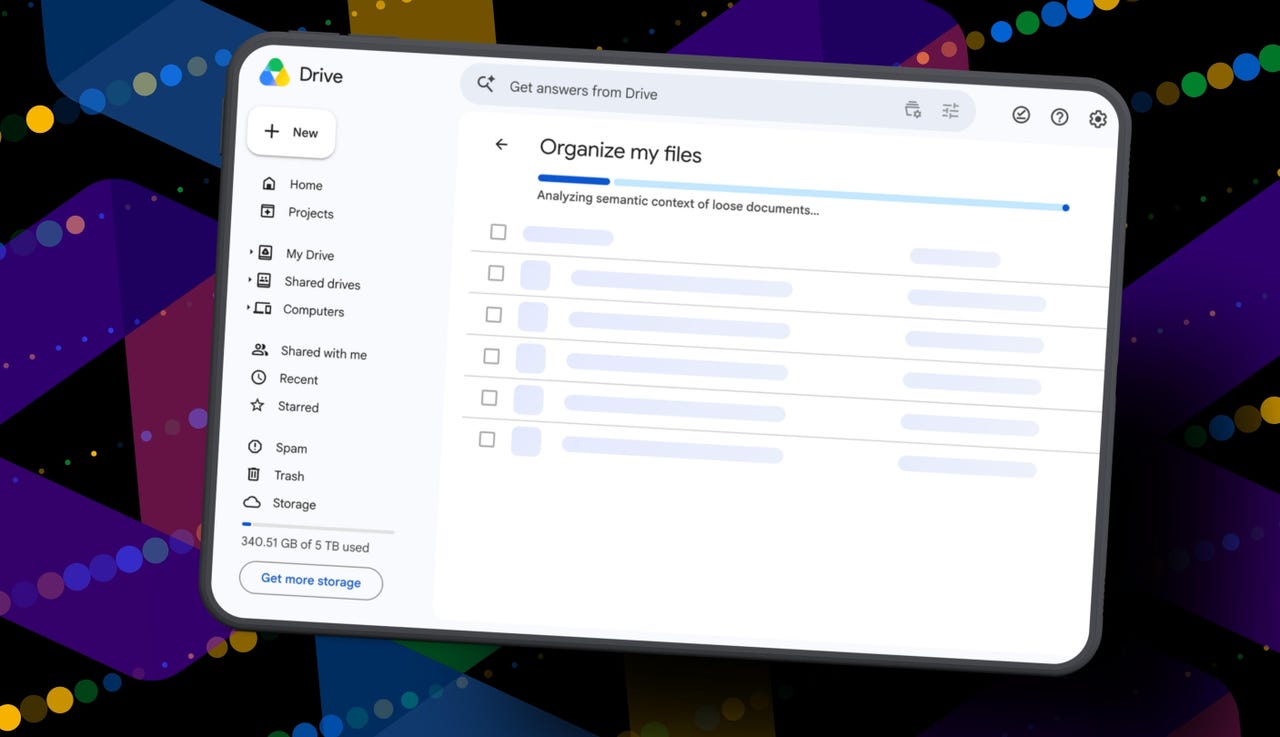
Clicking Suggest File Moves opens a new Organize My Files window, where Gemini will begin analyzing loose files and suggesting ways to clean them up.

Also: This Gemini setting made my AI results way more personal


Show more

Click Suggest File Moves

Elyse Betters Picaro / ZDNET

After a minute or so, Gemini serves up recommendations to review. They’re divided into two main types:

  • Gemini may suggest moving files into existing folders in Drive.
  • Gemini may suggest creating new folders for related groups of files.

All files and folders can be previewed through hovercards or opened in a new tab for a closer look.

Also: Is Google’s AI Ultra plan worth $100/month?


Show more

Review Gemini's suggestions

Elyse Betters Picaro / ZDNET

It’s time to use the checkboxes to select or deselect any file or folder that Gemini served up. 

Also, if a suggested folder name is weird, just rename it. Check destinations for folders, too. If they aren’t right, change the target. Once the suggestions do look right and you’re happy, approve the changes.

Gemini will then perform the file or folder moves in one batch and return to My Drive.

Also: I used Nano Banana 2 to make perfect sketchnotes: 5 lessons


Show more

Approve the changes

Elyse Betters Picaro / ZDNET

My result

After all that, Gemini suggested 19 moves for me. Nineteen. And it mostly surfaced recent files I had created or uploaded.

Some of the suggestions made sense. Gemini wanted to move my resume and a couple of resumes I had helped family members create into an existing resume folder. It also suggested creating a new Family and Real Estate folder for house deed documents, plus a Travel Planning folder for upcoming summer trip itineraries I have stored in Drive. But one of the files it grouped under Travel Planning was literally called “Delete,” because it’s a doc I want to delete. Gemini did not realize that, nor did it suggest deleting it.

To be clear, I have hundreds of gigabytes of data and years of clutter sitting in Google Drive.

Also: How I unlocked another 15GB of Gmail storage for free

Still, I approved the changes Gemini recommended. For the heck of it, I ran the tool again. In about 30 seconds, it suggested the same thing: the same file moves, the same new folders, and the same changes it had just made. This feels half-baked.

It’s not at all the sweeping cleanup assistant for Drive that I was hoping for and need. Maybe it will get better over time. It did just come out of beta, and it’s possible Google will improve how Gemini scans Drive, prioritizes older files, recognizes obvious trash, and surfaces deeper organization suggestions. I just don’t want to have to click it 500 times, hoping it finds something new each time.

Looks like I’m still stuck with a messy Drive and a $20 AI Pro subscription… for now.


Source link