Is A 30 Amp RV Plug The Same As A Dryer Plug? Here’s What You Need To Know


While there are a variety of different RVs and campers, most of them in the U.S. run on a hybrid 12V DC/120V AC electrical system, and they require a 30 amp or 50 amp service when plugging into grid power (or shore power, as some call it). Smaller RVs are usually 30A models, while bigger RVs with multiple AC units require a 50A service. Most modern RV parks will accommodate both, but it’s relatively common to use adapters –- such as a 50A to 30A 125V adapter, or vice versa –- if a receptacle is damaged or the appropriate one isn’t available, and provided you exercise safety and caution. 

A common question regarding 30A RVs is whether they can be plugged into a dryer outlet – the answer is always no. The confusion stems from older homes that may still use a 3-wire dryer plug. The NEC began requiring a 4-wire dryer receptacle in 1996, but that only applies to new construction. For the uninitiated, a 30A RV receptacle and a 30A dryer receptacle may seem the same, but you wouldn’t have to spend long looking through forums to find out what would happen should you make that assumption. But I’ll save you some time: the voltage overload would kill the converter/charger, and likely a number of 120V appliances, like microwaves and ACs.

Attempting to power your RV from a 30A/240V plug would at best ruin the RV, and at worst start a fire. This is because a dryer always runs at 240V, and a 3-wire plug doesn’t change that, but means the ground and neutral paths are combined. Here’s what you need to know.

Understanding the difference between 30A/125V and 30A/240V

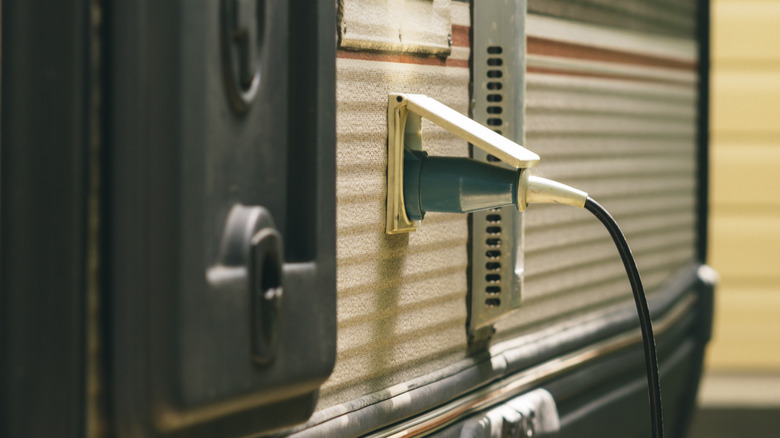
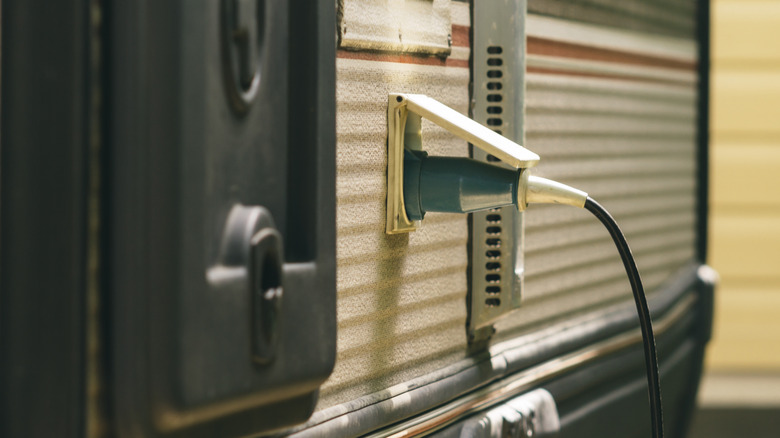
As mentioned earlier, homes existing before 1996 – and there’s a lot of those – are going to be using a 3-wire cable to supply the dryer, which means there will be a 3-wire dryer receptacle in the form of a 30A/240V, also known as a NEMA 10-30R. The exception to this would be if the home has been updated to include a 4-wire cable and the appropriate 4-wire receptacle (NEMA 14-30R). A 30A/240V receptacle will usually have an L-shaped ground pin, while the 125V variants have a U-shaped ground pin.

For a 30A RV or trailer, the receptacle you want will always be a NEMA TT-30R. This configuration provides a hot, neutral, and ground. While 30A/240V to 30A/125V cord adapters do exist, I would not recommend them –- they are of dubious quality and function. I even hesitate to recommend the more common adapters that I mentioned previously, even though I have seen them widely used. I have also seen them melt if they are not used carefully.

An adapter should never be used in place of a permanently installed 30A/125V circuit, but should you have to use one, it needs to be temporary. You also need to be conscientious about the loads you are running while using an adapter and limit high wattage loads as much as possible. There’s no shortage of electrical mistakes you don’t want to make in your home, and this too, is one of them.


Source link

Leave a Reply

Subscribe to Our Newsletter

Get our latest articles delivered straight to your inbox. No spam, we promise.

Recent Reviews


Google Pixel 10a

Kerry Wan/ZDNET

Follow ZDNET: Add us as a preferred source on Google.


ZDNET’s key takeaways

  • Android 17 is here, along with the June Pixel Drop.
  • The OS is rolling out to Pixel devices first.
  • Users are getting upgraded productivity, security, and more.

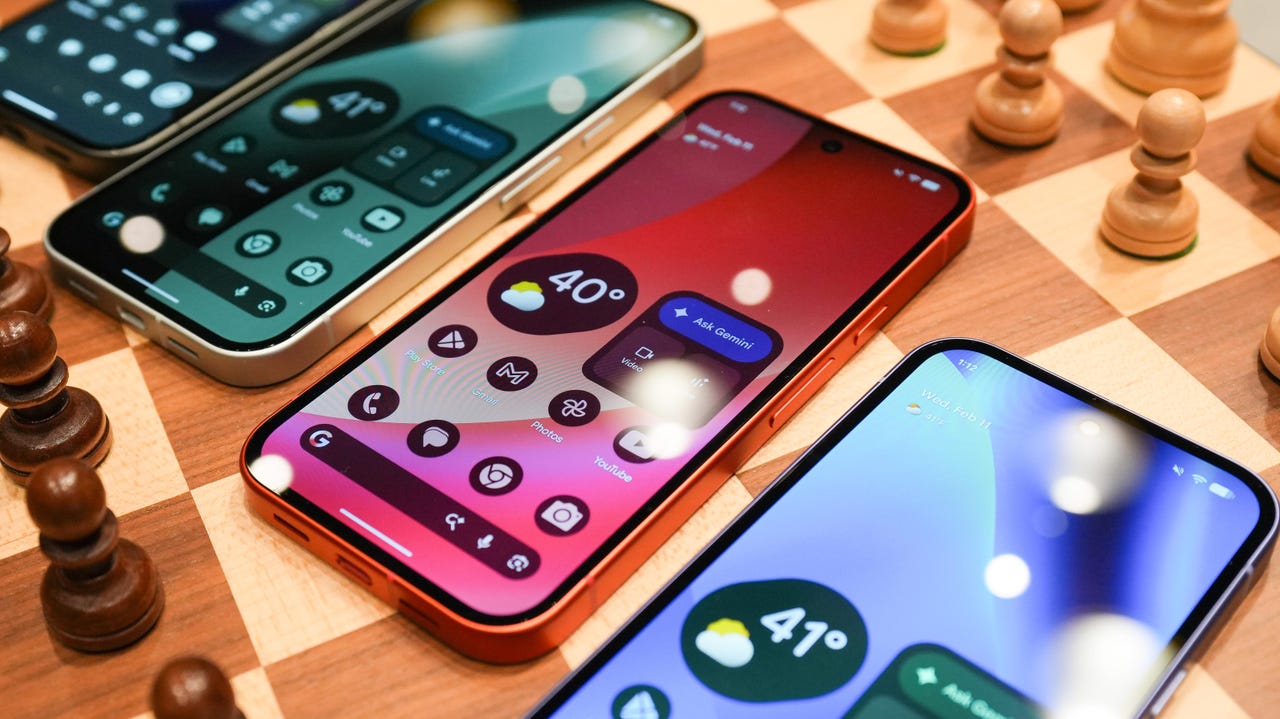
Android 17 is officially here, and it’s a doubly good day for Pixel users, as it’s bringing the June Pixel Drop with it.

Google has rolled out its annual OS update and its latest collection of Pixel-exclusive features at the same time, and the updates pack not only some practical features that will make an impact on how you use your phone daily, but also security protections, some new translation tricks, and more. Pixel Watches — the 2 and later — are included, too, with a potentially life-saving feature addition.

Also: I’m a devoted iPhone user but Android 17 is tempting me with its new video and social features

Here’s a look at what’s new in Android 17, which starts rolling out today to Pixel phones first and then to other devices “throughout 2026,” along with what’s new in the June 2026 Pixel Drop.

What’s new in Android 17?

Since many manufacturers now offer longer update windows, usually 4 to 7 years, a wide range of devices are eligible. The updated OS starts rolling out today to Pixel 6 phones and newer. Samsung’s Galaxy S23 series and newer will get it as One UI 9, along with the Flip 5 and newer, Galaxy A24 and newer, and Tab S9 series. OnePlus will bring Android 17 to the OnePlus 11 and newer.

1. App Bubbles

Perhaps the most useful feature is Bubbles, which lets you turn any app into a floating bubble on your main screen. All you have to do is long-press an app, and it becomes an easy-to-access bubble. If you consistently switch back and forth between apps or need to access a certain app often, like a map or airline app while you’re on a trip, you can now find what you need more quickly.

Pixel Folds are getting a special Bubble Bar at the bottom of the screen that lets you organize, move, and access your recent bubbles from one dedicated space.

2. Additional security

Android 17 is also bringing boosted security. 

To start, you can now grant an app temporary access to your exact location and share only specific contacts. 

Additionally, an enhanced “Mark as lost” feature, located in Find Hub, lets you lock a missing phone with your biometrics, so even if a thief has your passcode, they can’t access anything on your device or turn off tracking. 

Improvements to Live Threat Detection block more suspicious apps and scams, Google explained, and enhanced Advanced Protection mode helps keep you safe from sophisticated threats. Lastly, Google is reducing the number of times someone can attempt to guess your PIN and adding longer wait times between failed attempts.

Also: How to clear your Android phone cache – the 30-second routine every user should be doing

3. Screen reactions and more

Also new is Screen Reactions, which lets you take a selfie video overlaid on a screen recording in lieu of a green screen; a 50/50 gaming mode with a dynamic pad for foldables; and built-in parental controls beyond Pixel devices, so you can set screen time limits and content filtering with a PIN, even if you don’t link your Google Account.

What’s in the June Pixel Drop?

Beyond Android 17, Pixel users are getting several Pixel-specific upgrades in the June Pixel Drop.

1. Custom greetings for Take a Message

Introduced in 2025, Take a Message expands on the Pixel call screening feature and gives you a real-time transcript of what the caller is saying, along with AI-generated follow-up steps. Now, Take a Message has custom greetings, letting you record a personalized outgoing message instead of the default voice.

2. New AI models

Two new AI models are making their way to Android phones. The first is Gemini Omni, a new way to create and edit videos. Gemini Omni lets you type in a prompt and get a custom, high-quality video. This is available on all devices with the Gemini app for Gemini Pro users only.

Also: Everything we saw at Google I/O: Gemini 3.5, Android XR glasses, Spark, and more

Also on the way is Lyria 3, which lets you create original tracks using text prompts or images as inspiration. You can prompt Gemini with the style, vocals, and tempo you want. This is coming to all Android 17 Pixel phones and Folds.

3. Voice Translate for the Pixel 10a

One of the Pixel 10 series’ exclusive features is Voice Translate, which provides a real-time translation on phone calls in the speaker’s voice. ZDNET’s Sabrina Ortiz tried the feature last fall, noting how quickly the feature worked and how well it copied her voice. Voice Translate is getting a small expansion, coming to the Pixel 10a.

Also: iOS 27 envy? 4 features you can already use on an Android phone (including Samsung models)

4. Android Quick Share expansion and more

Pixel users are also getting an expansion of Android Quick Share compatibility with AirDrop, coming to the Pixel 9a and Pixel 8a, and an expansion of Magic Cue to more apps, coming to the Pixel 10 series.

What’s new for Pixel Watches?

Pixel Watches are only getting one new feature, but it’s a potentially big one. Core detection features, including Car Crash Detection, Fall Detection, and Loss of Pulse Detection, are getting emergency sharing. If a severe event is detected, Google explains, your Pixel will call emergency services and notify your chosen contacts. You can toggle emergency contacts on or off for each type of event.

Also: This silent Android feature scans your photos for ‘sensitive content’ – how to uninstall it

Fall Detection is coming to the Pixel Watch, plus the 2, 3, and 4, while Car Crash Detection is coming to the Pixel Watch 2, 3, and 4. Loss of Pulse Detection is only coming to the last two generations, the Pixel Watch 3 and 4.


Source link