
Makita, recognized by many for its signature turquoise and black color scheme, is a power tool brand founded in 1915 that currently operates in more than 40 countries worldwide. It offers a range of hand and cordless power tools that can expand the toolkits of mechanics, electricians, plumbers, and even homeowners. While everyone might be familiar with the usual tools, such as impact drivers, saws, and drills offered by Makita, we are going to specifically introduce you to the Makita products you didn’t even realize existed.
Before that, you should know that the brand offers three major lines of tools: the XGT System, the most powerful; the LXT System, which offers maximum performance; and the CXT System, which provides precise handling and accuracy. Here, we have sorted the list to focus specifically on the 12V max CXT line of tools, which includes over 70 products.
12V max CXT Fan
Handy for outdoor use, the 12V max CXT Fan is designed for workers who must work on-site in direct summer heat, such as painters and construction workers. You can choose among three speed settings and tilt the fan to adjust the airflow direction toward yourself, or use the oscillation selector to switch the fan to a different mode.
Pairing the fan with a 12V max CXT 4.0Ah battery gives you about 630 minutes of nonstop operation at the lowest speed and around 275 minutes at the highest speed, which is significant. Once the battery runs out, you can switch to corded mode if an electrical outlet is nearby to enjoy uninterrupted cooling.
Furthermore, there’s a battery protection circuit to keep the machine safe against overloading, over-discharging, and overheating, therefore ensuring longevity. It weighs just 3 pounds, making it easy to carry to job sites, while the adjustable hook handle on top lets you lift it conveniently and also mounts the fan for stable placement.
12V max CXT Red Laser Kit
The 12V max CXT Red Laser Kit is useful in designing layouts and alignments before finalizing the construction design and models. It projects three 360-degree laser planes — two vertical and one horizontal — to help you figure out the reference points for plumb, align, level, and square. This comes in handy when you are remodeling your house or building new projects, such as kitchen cabinets, floor tiles, and more. With the 360-degree rotating base controlled by the adjustment knob, you can move the lines without repositioning the entire tool.
Additionally, it has a self-leveling mechanism that automatically levels the lines on slopes up to 4 degrees out of level, making it effective on uneven surfaces. The tool is rated IP54 for protection against dust and water, and when used with a 12V max CXT 4.0Ah battery, it can deliver up to 22 hours of continuous work. The laser produces sharp red lines with an accuracy of +/-1/16 inch at a distance of 33 feet, with a maximum working range of 82 feet from the source.
18V LXT / 12V max CXT Job Site Speaker
Say goodbye to getting bored on the job because Makita has a solution for that – the 18V LXT / 12V max CXT Job Site Speaker. Pair the speaker with your smartphone via Bluetooth and play your favorite music, delivered by one 4-inch woofer and one 1.4-inch tweeter built into the design. You can even connect ten of these speakers to create a full stereo sound experience. The product has easy-to-use controls on top that let you adjust volume and music playback, while the LCD screen displays EQ settings, music details, and power status.
For connectivity, there’s an auxiliary port for MP3 compatibility and an additional USB port for charging devices. The speaker comes with IP65 protection to keep it safe from water and dust damage; hence, you can carry it along without any worries to tough jobsite environments. With protective bumpers on the edges, it remains safe against light-to-medium impacts. Consequently, this Makita product can also come in handy during summer vacation by filling the air with some fun music.
18V LXT / 12V max CXT Coffee Maker
A coffee maker is something you wouldn’t expect from a brand that specializes in hand and power tools. Nonetheless, Makita offers an 18V LXT/12V max CXT Coffee Maker. It is designed to be compact and lightweight for jobsite use, so you can enjoy a fresh, hot cup of coffee wherever you are. It has a permanent drip filter that allows coffee grounds to be poured directly into the machine, eliminating the need for paper filters. In addition, the machine has a built-in boil-dry protection that automatically shuts down the operation once the water has emptied.
With this unique Makita product, you can brew a 5-ounce cup of coffee in about 5 minutes when powered by an 18V LXT battery, though it is also compatible with 12V max CXT batteries. In the kit, you also get a coffee cup with a lid and a measuring spoon for adding coffee grounds and sugar.
12V max CXT LED Lantern/Flashlight
The 12V max CXT LED Lantern/Flashlight delivers 360-degree illumination at 710 lumens, powered by 20 LED bulbs, to light the surrounding area and improve visibility in low-light environments. However, you can select one of three LED modes: 360-degree, 90-degree, or flashlight mode for targeted illumination. Consequently, there are multiple use cases for this product. The light can run for about 5.5 hours in 360-degree mode, while the flashlight mode can run for up to 19 hours when paired with a 4.0Ah 12V max CXT battery from Makita.
Additionally, there is a USB port for charging compatible devices if you can’t find a nearby power outlet. On top of the product, you will see a metal hook that swivels 360 degrees for convenient hanging and folds inwards when not in use. Also, it weighs just 1.4 pounds, so you can handle it comfortably for longer periods. This Makita tool can help upgrade your garage by providing ample illumination for repair and maintenance tasks.
12V max Threaded Rod Cutter
Useful for electricians, plumbers, and HVAC technicians, the 12V max Threaded Rod Cutter is designed to make clean overhead cuts in threaded rods, with a minimum cutting capacity of 1/4 inches and a maximum of 3/8 inches. The tool comes with an ergonomic handle for a comfortable grip and an LED light that illuminates the workspace. With the addition of a two-position rod guide, you can stabilize the material to make more accurate cuts. At the same time, the automatic blade mechanism enables the blade to return to its original open position once you are done with the cutting.
The tool creates spark-free cuts that are neat in appearance and are free of any rough or imperfect edges for a clean finish. It can make up to 700 cuts of 3/8-inch mild steel and 550 cuts of 3/8-inch stainless steel threaded rod in a single charge when powered by a 12V max CXT 4.0Ah battery. The lightweight and compact design further makes it useful for overhead repairs and installations.
12V max CXT Tile/Glass Saw
Built with a powerful motor, the 12V max CXT Tile/Glass Saw delivers 1,600 RPM for quick, efficient cuts at a depth of 1 inch at 90 degrees and 5/8 inch at 45 degrees with the 3-3/8-inch blade. The nickel-plated base protects it from rust and corrosion and can tilt from 0 to 45 degrees to create bevel cuts. There is a large water supply tank with a 16.9-ounce capacity that keeps the blade wet, which ultimately helps in making clean and dust-free cuts, as well as keeps the blade cool for longer usage.
Moreover, the ergonomic handle has a soft rubberized grip for comfortable handling. It is 12-3/8 inches long and weighs just 4.2 pounds, so you can use it conveniently for a range of applications, such as cutting tiles made of glass, porcelain, or ceramic, or creating bevel cuts for decorated edges.
12V max CXT Hedge Trimmer
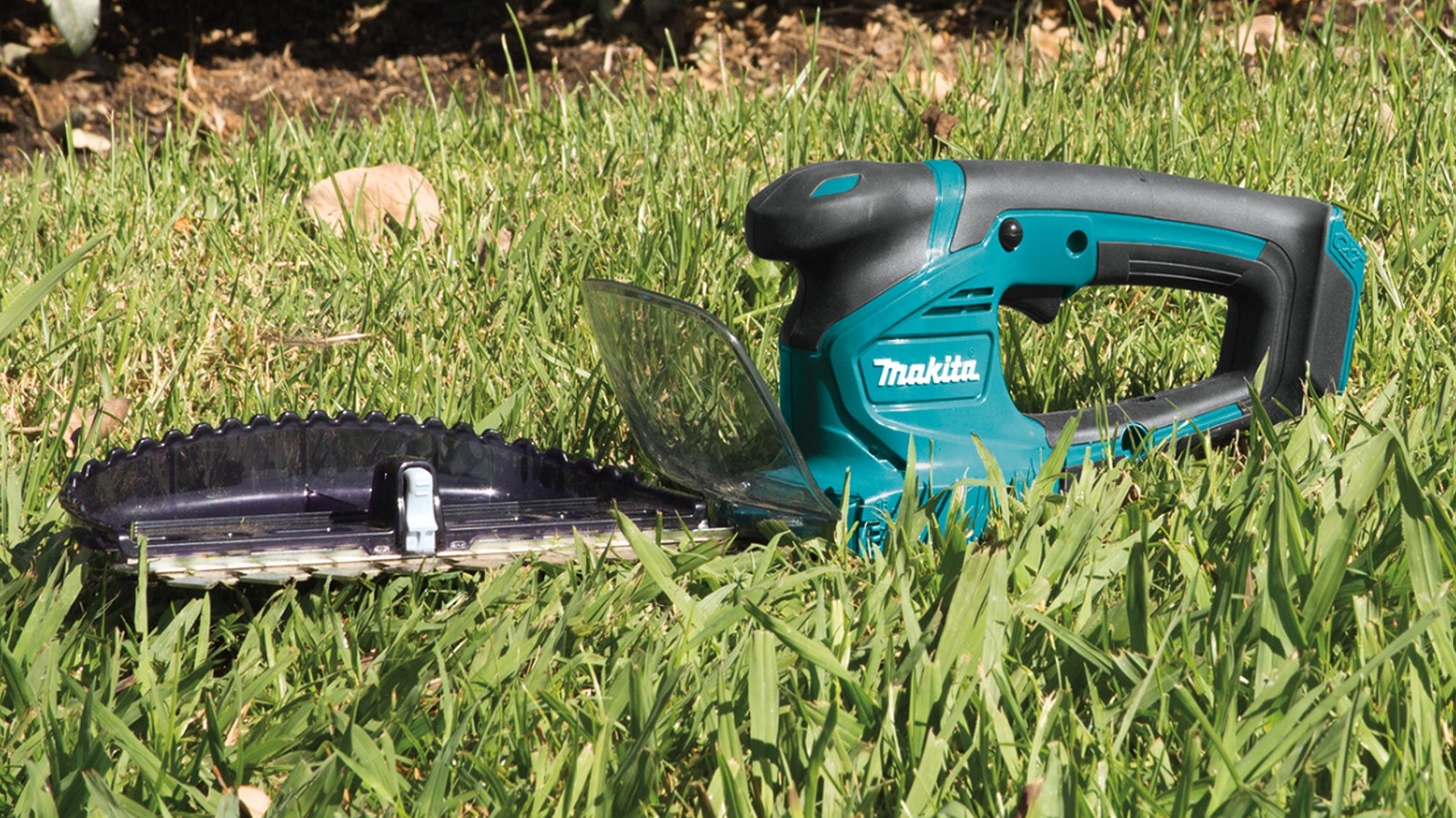
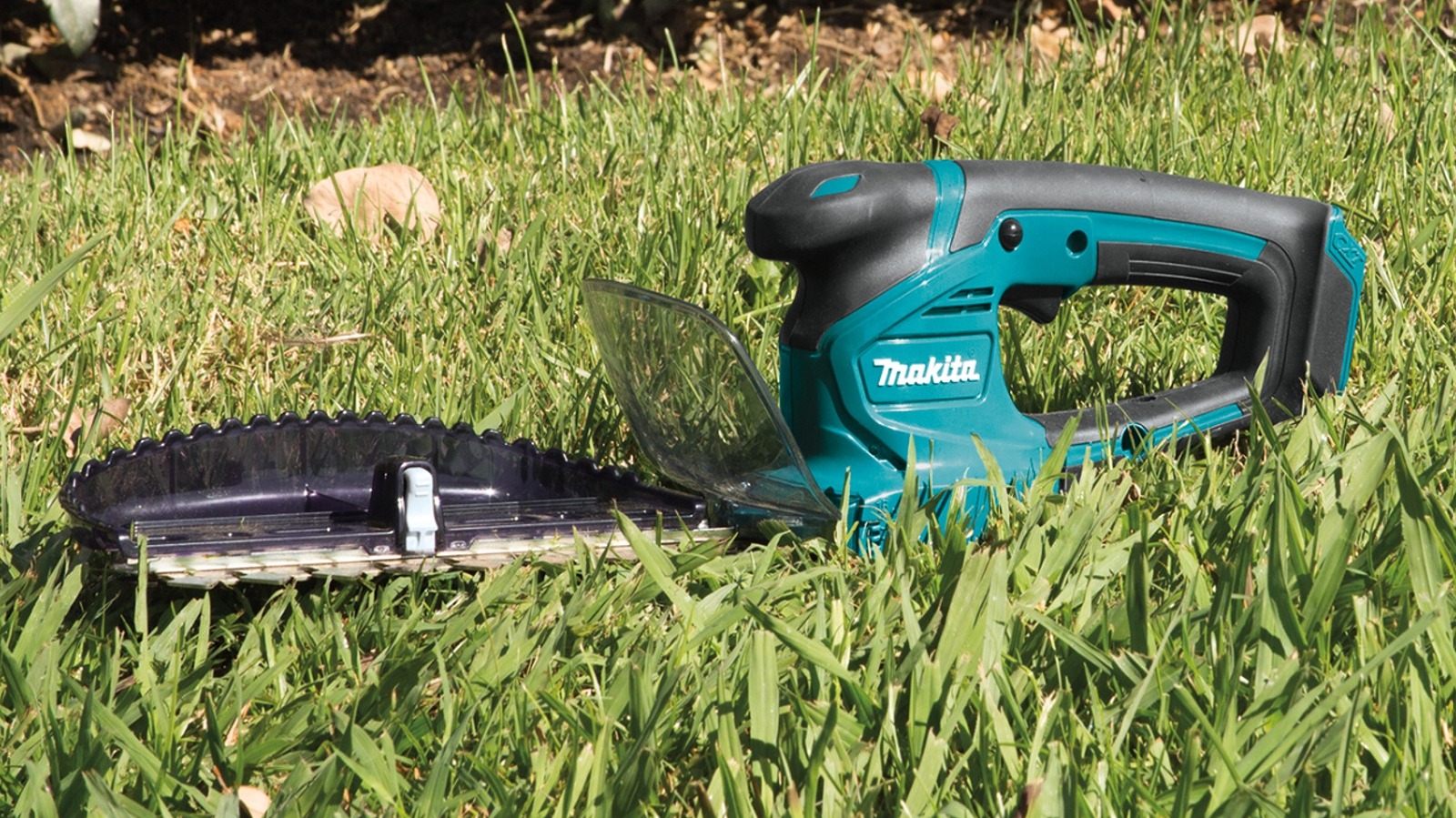
Designed mainly for residential use, the 12V Max CXT Hedge Trimmer performs light-duty trimming of shrubs, hedges, and bushes at 2,500 strokes per minute for fast cutting. The dual-sided blade can cut up to 7-7/8 inches wide, and you can easily switch between blades without extra tools. You can get around 90 minutes of runtime when paired with a 4.0Ah battery. The tool connects to a chip receiver in just one simple touch to store hedge trimmings, thereby making cleanup much easier.
Furthermore, there are lock-off buttons on the left and right sides for added convenience, and the rubberized grip reduces the transfer of vibrations and shocks to your hand, minimizing hand fatigue. There’s a light indicator that comes on when the battery is low and automatically shuts off when the battery is at its lowest to prevent damage to the motor. Before purchasing, do note that this tool may not be the best fit if you are looking to cut thicker grass and branches.
12V Max CXT String Trimmer
The 12V max CXT String Trimmer is another Makita power tool that might not be known to most customers. This cordless tool is used for maintaining grass around trees, fences, lawn edges, and more—basically anywhere that requires a very precise cut with little room for mess-ups. It is built with a 180-degree rotating head that lets you select between five different positions to switch to the desired cutting angle. The same feature also helps convert the trimmer into an edger when needed, giving it dual functionality.
There is a telescoping shaft that extends from 32-7/8 to 46-3/4 inches, so you can find the optimal cutting position based on the area’s requirements. This tool is built with a robust Makita motor that delivers 10,000 RPM for quick job completion and 38 minutes of uninterrupted performance with the 12V CXT 4.0Ah battery. In addition, it is protected against dust and water with the integration of Extreme Protection Technology.

Stephan is the sports journalist for the Maple Grove Report.