Why More NGOs Choose Section 8 Company Registration


India’s entrepreneurial spirit is not only centered on earning a profit. Founders are building institutions for the greater good. Take the example of climate startups in Bengaluru to education non-profits in a small town in Uttar Pradesh. But good intentions alone don’t hold up before a donor; the business’s structure and legal authority do. Two early decisions shape that foundation: how you register your organization and how you protect its identity. 

For most NGOs, Section 8 Company Registration online is the preferred structure due to the myriad advantages it provides.

Reasons Expensive Law Firms are Better Options

Why is a Section 8 Company the NGO Structure of Choice?

Section 8 company under the Companies Act, 2013, is considered to be the most credible form of legal entity where the mission is charitable (education, healthcare, environment, art, or social welfare). Rather than trusts or society, a Section 8 structure is governed by the Ministry of Corporate Affairs (MCA) and is audited each year, with the filings available to the public. That transparency is what donors, CSR partners, and even government grant agencies want to see. 

The practical benefits fit most NGO needs. There’s no minimum capital requirement, and members enjoy limited liability. Plus, once you secure 12A and 80G registrations, both your organization and your donors receive valuable income-tax benefits. Add CSR-1 registration, and you become eligible to receive corporate CSR funding.

The best part for busy founders is that Section 8 company registration is now straightforward. Since the MCA rolled out the integrated SPICe+ form, the Section 8 licence is issued right at the time of incorporation — no separate licence application. Directors will require Digital Signature Certificates (DSC), Director Identification Number (DIN), name approval, and properly drafted MOA and AOA, which should clearly restrict any kind of profit sharing. 

Two or more directors are required, one of whom should be an Indian citizen. The entire incorporation process takes approximately 10-15 business days.

Why is Trademark Registration Crucial for a Section 8 Company?

Registering your entity gives you a legal identity. A trademark gives you brand ownership — and in India, the two are not the same thing. Your company name being approved by the MCA does not stop someone else from using a similar brand, logo, or tagline in the market.

The numbers show just how seriously Indian businesses now take this. In 2024, India registered nearly 5.4 lakh (about 5,39,000) trademarks, marking a staggering 94.5% increase in trademark applications during that year. 

Trademark registration in India has become a digital-first process with more than 95% of Indian trademark registrations taking place online via the IP India portal. You select the appropriate class for your product or service, submit the application, and the mark undergoes review. If accepted, it is published in the Trade Marks Journal and is open to opposition for four months before the certificate is granted. 

After registration, your mark can be used for 10 years and indefinitely thereafter. Sometimes, founders are unaware that they can use the ™ symbol as soon as they file, and the ® symbol can only be used for registered marks. 

So, if you are a social enterprise that has secured its Section 8 licence and is planning to launch a beautiful campaign & build goodwill, then it’s crucial to protect your organization’s brand name. As India follows a “first-to-file” rule, the one who files for trademark registration first will get priority with the authority during objections and oppositions. 

The smart way is to consider incorporation and brand protection as a single step instead of two. Register the entity and then apply for the trademark for the name and logo of your company. When combined, they provide your mission with legal substance and defensible identity, while also scaling, securing funding, and being able to withstand imitation.

Get it Right the First Time

Documentation errors, the wrong trademark class, and vague objects in the MOA are the usual reasons applications get delayed or rejected. This is where professional help pays for itself. At RegisterKaro, we help founders across India handle both incorporation and IP protection end to end, so you can spend less time chasing forms and more time building the change you set out to make.


Source link

Leave a Reply

Subscribe to Our Newsletter

Get our latest articles delivered straight to your inbox. No spam, we promise.

Recent Reviews


Google Pixel 10a

Kerry Wan/ZDNET

Follow ZDNET: Add us as a preferred source on Google.


ZDNET’s key takeaways

  • Android 17 is here, along with the June Pixel Drop.
  • The OS is rolling out to Pixel devices first.
  • Users are getting upgraded productivity, security, and more.

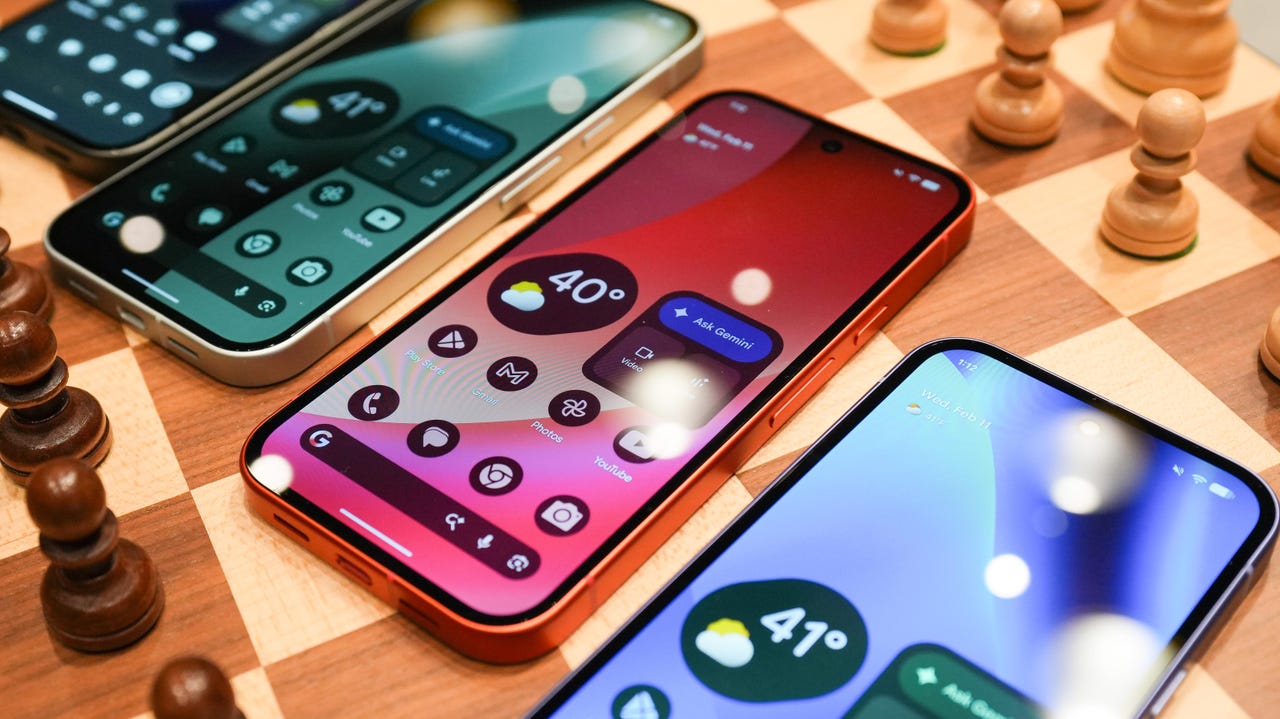
Android 17 is officially here, and it’s a doubly good day for Pixel users, as it’s bringing the June Pixel Drop with it.

Google has rolled out its annual OS update and its latest collection of Pixel-exclusive features at the same time, and the updates pack not only some practical features that will make an impact on how you use your phone daily, but also security protections, some new translation tricks, and more. Pixel Watches — the 2 and later — are included, too, with a potentially life-saving feature addition.

Also: I’m a devoted iPhone user but Android 17 is tempting me with its new video and social features

Here’s a look at what’s new in Android 17, which starts rolling out today to Pixel phones first and then to other devices “throughout 2026,” along with what’s new in the June 2026 Pixel Drop.

What’s new in Android 17?

Since many manufacturers now offer longer update windows, usually 4 to 7 years, a wide range of devices are eligible. The updated OS starts rolling out today to Pixel 6 phones and newer. Samsung’s Galaxy S23 series and newer will get it as One UI 9, along with the Flip 5 and newer, Galaxy A24 and newer, and Tab S9 series. OnePlus will bring Android 17 to the OnePlus 11 and newer.

1. App Bubbles

Perhaps the most useful feature is Bubbles, which lets you turn any app into a floating bubble on your main screen. All you have to do is long-press an app, and it becomes an easy-to-access bubble. If you consistently switch back and forth between apps or need to access a certain app often, like a map or airline app while you’re on a trip, you can now find what you need more quickly.

Pixel Folds are getting a special Bubble Bar at the bottom of the screen that lets you organize, move, and access your recent bubbles from one dedicated space.

2. Additional security

Android 17 is also bringing boosted security. 

To start, you can now grant an app temporary access to your exact location and share only specific contacts. 

Additionally, an enhanced “Mark as lost” feature, located in Find Hub, lets you lock a missing phone with your biometrics, so even if a thief has your passcode, they can’t access anything on your device or turn off tracking. 

Improvements to Live Threat Detection block more suspicious apps and scams, Google explained, and enhanced Advanced Protection mode helps keep you safe from sophisticated threats. Lastly, Google is reducing the number of times someone can attempt to guess your PIN and adding longer wait times between failed attempts.

Also: How to clear your Android phone cache – the 30-second routine every user should be doing

3. Screen reactions and more

Also new is Screen Reactions, which lets you take a selfie video overlaid on a screen recording in lieu of a green screen; a 50/50 gaming mode with a dynamic pad for foldables; and built-in parental controls beyond Pixel devices, so you can set screen time limits and content filtering with a PIN, even if you don’t link your Google Account.

What’s in the June Pixel Drop?

Beyond Android 17, Pixel users are getting several Pixel-specific upgrades in the June Pixel Drop.

1. Custom greetings for Take a Message

Introduced in 2025, Take a Message expands on the Pixel call screening feature and gives you a real-time transcript of what the caller is saying, along with AI-generated follow-up steps. Now, Take a Message has custom greetings, letting you record a personalized outgoing message instead of the default voice.

2. New AI models

Two new AI models are making their way to Android phones. The first is Gemini Omni, a new way to create and edit videos. Gemini Omni lets you type in a prompt and get a custom, high-quality video. This is available on all devices with the Gemini app for Gemini Pro users only.

Also: Everything we saw at Google I/O: Gemini 3.5, Android XR glasses, Spark, and more

Also on the way is Lyria 3, which lets you create original tracks using text prompts or images as inspiration. You can prompt Gemini with the style, vocals, and tempo you want. This is coming to all Android 17 Pixel phones and Folds.

3. Voice Translate for the Pixel 10a

One of the Pixel 10 series’ exclusive features is Voice Translate, which provides a real-time translation on phone calls in the speaker’s voice. ZDNET’s Sabrina Ortiz tried the feature last fall, noting how quickly the feature worked and how well it copied her voice. Voice Translate is getting a small expansion, coming to the Pixel 10a.

Also: iOS 27 envy? 4 features you can already use on an Android phone (including Samsung models)

4. Android Quick Share expansion and more

Pixel users are also getting an expansion of Android Quick Share compatibility with AirDrop, coming to the Pixel 9a and Pixel 8a, and an expansion of Magic Cue to more apps, coming to the Pixel 10 series.

What’s new for Pixel Watches?

Pixel Watches are only getting one new feature, but it’s a potentially big one. Core detection features, including Car Crash Detection, Fall Detection, and Loss of Pulse Detection, are getting emergency sharing. If a severe event is detected, Google explains, your Pixel will call emergency services and notify your chosen contacts. You can toggle emergency contacts on or off for each type of event.

Also: This silent Android feature scans your photos for ‘sensitive content’ – how to uninstall it

Fall Detection is coming to the Pixel Watch, plus the 2, 3, and 4, while Car Crash Detection is coming to the Pixel Watch 2, 3, and 4. Loss of Pulse Detection is only coming to the last two generations, the Pixel Watch 3 and 4.


Source link