How Japan’s Expensive Melons Can Cost $36,000.


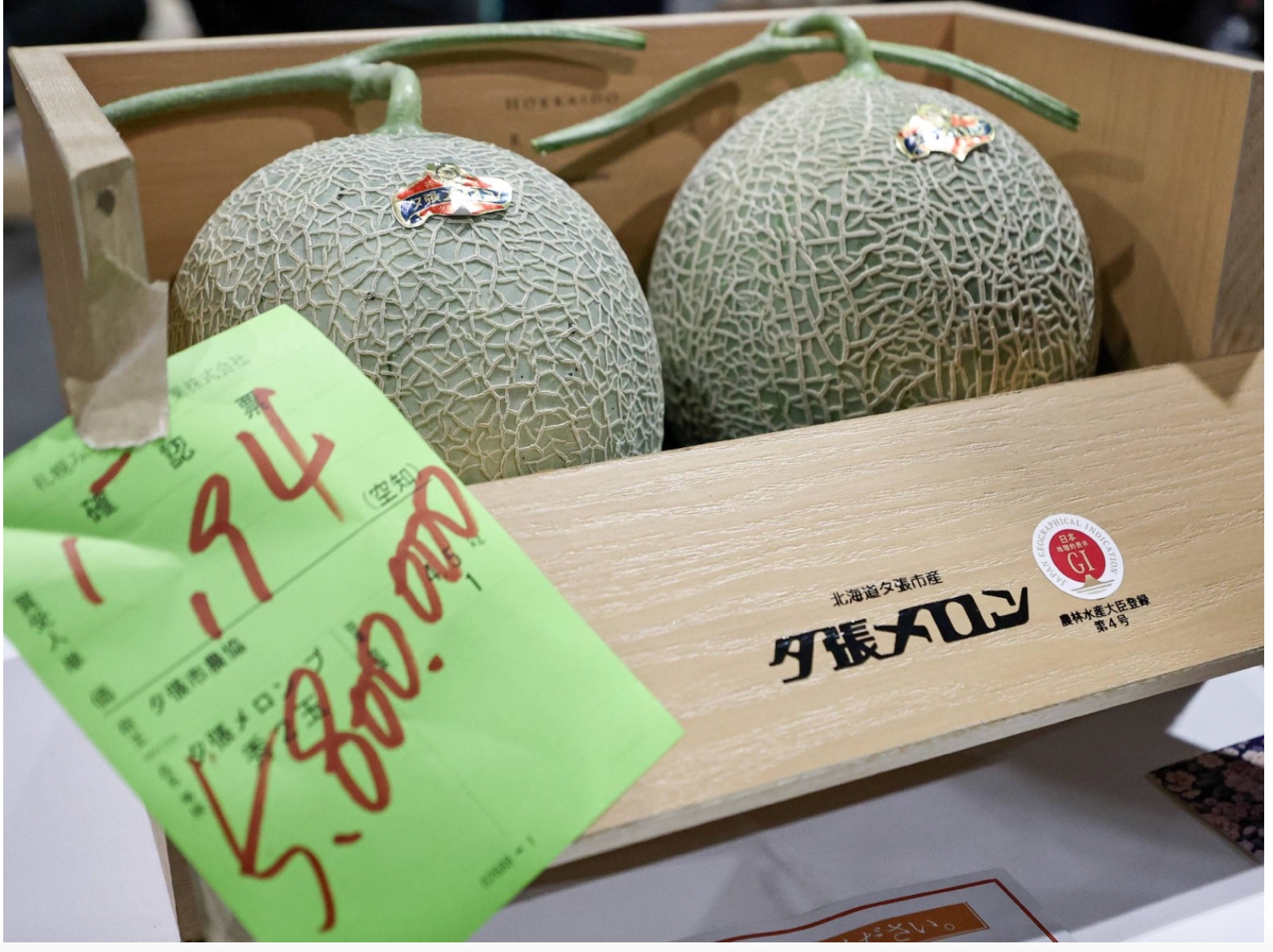
Last week in Japan, a fruit and vegetable wholesaler paid a record ¥5.8 million (USD$36,487.28) for two of the 912 Yubari melons that bidders hoped to purchase at the Sapporo Central Wholesale Market’s auction:
Yubari melons

Japan’s Expensive Melons

Explaining the daily attention he gives to growing his melons, one farmer says he never takes a vacation. To be sure that they won’t share nutrients, he plucks multiple melons from the vine until just one remains. Then, in greenhouses that guarantee ideal growing conditions, he massages his melons to create perfect spheres and optimal netting. The criteria for the relatively few melons that make it to market are their roundness, netting intricacy, sweetness, and scent.

As a hybrid originally from two kinds of cantaloupe, the Yubari requires large differences between night and day temperatures:

Yubari melons

Perhaps showing a farmer giving a “melon massage,” this image displays the care each one receives:

melon massage

Our Bottom Line: Price Information

A buyer of a single Yubari King Melon could pay $300. Probably not for their own household, the purchase is most likely a gift, perhaps to a client or as an expression of gratitude. According to the Times of India, “Its sky-high prices are due to its insane sweetness, juicy orange flesh, and finely netted green rind.”

Hearing the $300 price tag, an economist would have an explanation. When supply and demand together determine a price through a free market, buyers find out what they need to know. On the demand side, price signals quality and can also indicate popularity. Meanwhile, for suppliers, price provides messages about land, labor, capital, and potential profits.

Through the price of a Yubari King Melon, the gift giver is able to say, “You are very special.”

So yes, price is a handy way to convey information.

My sources and more: Thanks to the BBC’s World Business Report podcast for alerting me to Japan’s melon auctions. That takes us to Reader’s Digest, Times of India, and UChicagoBite.

Our featured image is from Ikigai Fruits.


Source link

Leave a Reply

Subscribe to Our Newsletter

Get our latest articles delivered straight to your inbox. No spam, we promise.

Recent Reviews


Google is experimenting with a new policy restricting the amount of free storage provided to some accounts. New Google accounts (including new Gmail accounts) created in certain regions will be limited to 5GB of free storage when they’re first set up. That’s only one-third of the amount of storage that has been typically offered. There is a way of increasing the amount of free storage you get when setting up a new account, though: you can unlock it by linking your phone number.

When approached for comment by Android Authority, a Google spokesperson confirmed that the new policy was being tested to “help us continue to provide a high-quality storage service to our users, while encouraging users to improve their account security and data recovery.” The statement didn’t clarify which regions the policy is being tested in, nor for how long the testing period will last.

Notably, a Google One Help support page about account storage has been updated to state that each Google account contains “up to 15 GB of storage”, as noted by 9to5Google. Previously, the page didn’t say “up to”; it simply stated that accounts come with 15 GB of storage. So far, the experiment doesn’t appear to stretch to pre-existing accounts.

Per a screenshot shared by Reddit user Sungusungu on R/DeGoogle (a subreddit dedicated to finding alternatives to Google services and products) Google is collecting phone numbers to make sure that the full 15 GB of storage is only redeemed once per person. Of course, that’s easily evaded by using a burner phone to set up multiple accounts, should you want to. The pop-up directs users to a webpage to learn more about storage management. However, at the time of writing, the link redirects to the help center landing page instead.

How to link your Google account with a phone number

If you’re in the process of setting up a new Google account in an impacted region, then you might be prompted with the option of unlocking an extra 10 GB of storage using your phone number via a simple pop-up menu. If so, you can go ahead and follow those steps. However, if you want to link your phone number with a pre-existing Google account, then here’s what you need to do. Using your computer, you need to:

  1. Open your browser and head to myaccount.google.com, then navigate to “Security and sign in” on the left-hand toolbar. This should open a list of security options.

  2. Select “Use your phone to sign in” and then “Set it up”. 

  3. Add a phone number using the “Recovery phone” option.

  4. Follow the on-screen steps to verify your number and finish linking it to your account.

Your options might look a little different if you already have a recovery number set up with your account.

Alternatively, you can connect a phone number to your Google account from your Android device, iPhone, or iPad. Much like on a computer, you connect your number by adding it as a recovery phone. First, head over to myaccount.google.com. Then select “Personal info”, followed by “Phone”. From there, you should be able to add or edit your phone number by navigating to the “Recovery phone” section.


Source link