I sideloaded 3 apps into my Android Auto, and they’ve made my drives so much easier


carstream-android-auto

Artie Beaty/ZDNET

Follow ZDNET: Add us as a preferred source on Google.


ZDNET’s key takeaways

  • You can sideload Android Auto apps to add functionality.
  • There are apps for watching YouTube, browsing the web, and more.
  • You’ll need to enable developer mode to install the apps.

Android Auto does a lot of things well, but it’s a little limited. Scrolling through the Android Auto section of the Google Play Store, I find a decent, but not huge, catalog of apps. Google places hard limits on what it wants your car’s screen to do, yet Android Auto is capable of so much more.  

This is where sideloading comes in, or installing unofficial apps from sources outside of the official Play Store. These apps significantly expand what Android Auto can do (you can sideload apps to your phone, too), and the process isn’t difficult.

Also: How I customized my Android Auto in 7 ways to make it more useful when I’m driving

My car is a 2018 model, so the infotainment screen isn’t as huge as in more modern cars. But even on a smaller screen, apps can change how I use Android Auto, including watching videos, browsing the web, and more. 

Here’s how to sideload apps, plus three of my favorite apps I’ve added to Android Auto. 

How to sideload apps on Android Auto

To set up these apps for the first time, you will need to go through several steps. Once you’re set up, though, you’ll use the tools the same as any other Android Auto software.

First, you’ll need to unlock developer mode on your phone. To do this, open your Settings app and find the About Phone section. Look for Build Number and tap it seven times. 

Also: 6 Android Auto apps I wish I found sooner, because they make every drive easier

Second, you’ll need to unlock developer mode for Android Auto. This step is much the same — go to Settings, search for Android Auto, tap it, and choose “Additional settings in the app.” Scroll down until you see Version, then tap it 10 times. From there, scroll down in your settings until you see “Unknown sources.” Check that box. 

Once both developer modes are unlocked, you’ll need to install Android Auto Apps Downloader (AAAD). Halfway down that page, tap on “Go to Download.” When the .apk file downloads, install it to access the AAAD app, which is essentially the unofficial Play Store where you can find apps. The free version of this app allows one download every 30 days, so you’ll probably want to pay for Pro, which is $4. 

My favorite sideloaded Android Auto apps

carstream-android-auto

Artie Beaty/ZDNET

1. CarStream

An official YouTube app for Android Auto is on the way, but it’s coming “later this year” to supported cars from BMW, Ford, Genesis, Hyundai, Kia, Mercedes-Benz, Renault, and Volvo. 

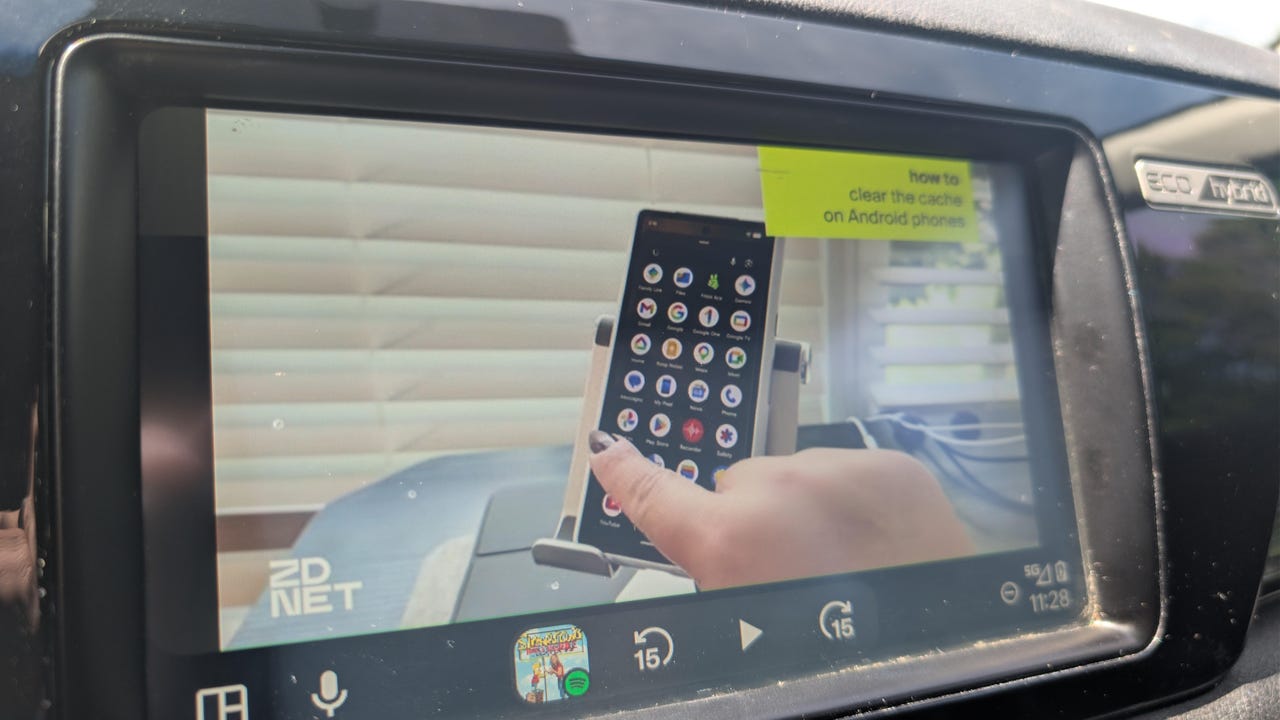
If you want YouTube on Android Auto today, CarStream is your best bet. The app functions just like the normal YouTube app on your phone — you can search for videos, access your subscriptions, and watch vertically filmed Shorts. The interface is polished and easy to use, and you can use your phone’s keyboard to type your searches.

Also: I’ve used Android Auto with Gemini for 2 months now – it’s transformed my drives in 4 ways

The app even works while the car is in motion (of course, you should never watch videos while driving). This capability allows you to put on a video for passengers. This is one app where I prefer the Android Auto to my phone’s version while I’m in the car. 

android-auto-browser

Artie Beaty/ZDNET

2. AA Browser

Android Auto doesn’t have a web browser by default, so if you want direct internet access on your car’s screen, this app is your best option. At first glance, you might wonder why you wouldn’t just use your phone’s browser, but AA Browser does have a few advantages. 

Primarily, the app is nice to use for services that don’t have official (or unofficial) Android Auto support. For example, I’ve pulled up Netflix for my kids before and used it for portals where the web is better than the mobile version. 

Also: Android Auto runs faster and smoother now, thanks to my 4 easy tweaks

Beyond those uses, the app is good for “just let me look that up” moments. Instead of unlocking your phone, opening your browser, and dealing with a small interface, you have a larger screen that’s ready and always open.  

fermata-auto

Artie Beaty/ZDNET

3. Fermata Auto

If you only install one unofficial Android Auto app, make it this one. Fermata Auto is an all-in-one media toolkit that lets you play locally stored videos and music, screen mirror, watch live TV via IPTV links, and more. 

Also: 4 Android Auto developer settings that make driving so much easier – how to enable them

The app has dedicated tabs for YouTube and web browsing, both of which work just as well as (or even a little better than) the apps I mentioned above, and it’s easy to access videos and songs on your device. I was even able to get an IPTV link working with little trouble. Instead of switching between multiple apps, Fermata handles just about everything in one place. 


Source link

Leave a Reply

Subscribe to Our Newsletter

Get our latest articles delivered straight to your inbox. No spam, we promise.

Recent Reviews


What Is Invoice Factoring in Plain English?

At its core, invoice factoring (also known as accounts receivable financing) is about selling your invoices to a factoring company in exchange for immediate cash. You’ll usually get 70–90% upfront, then the remainder (minus fees) once your customer pays.

This is not a loan. You’re not creating new debt or taking on monthly repayments. You’re simply trading tomorrow’s receivables for today’s working capital.

👉 Forbes Advisor explains invoice factoring as one of the most practical ways small businesses improve liquidity.


How Does Invoice Factoring Work?

Here’s the play-by-play:

  1. You invoice your customer for goods or services.

  2. Instead of waiting for them to pay, you sell that invoice to a factoring company.

  3. The factoring company advances you 70–90% of the invoice value.

  4. They collect directly from your customer.

  5. When the customer pays, you receive the remaining balance, minus factoring fees.

Example: You invoice a client for $50,000. A factor gives you 85% upfront ($42,500). Your client pays in 45 days. After collecting their fee (say 2%), the factor pays you the rest ($6,500). End result: You didn’t wait 45 days to get paid.

💡 Pro Tip: Pair invoice factoring with a revolving line of credit for maximum flexibility in managing cash flow gaps.


Invoice Factoring vs. Invoice Financing

They sound similar, but there’s a big difference:

Invoice Factoring Invoice Financing
Sell invoices outright Borrow against invoices
Factor collects payment You still collect
Not treated as debt Loan repayment required
Transparent but higher cost Often cheaper but more responsibility

👉 If you prefer to stay in control of collections, invoice financing might work better. But if you just want fast cash and less admin, factoring is the way to go.


Pros and Cons of Invoice Factoring

Pros Cons
✅ Immediate access to working capital ❌ More expensive than bank loans
✅ Based on customer creditworthiness ❌ Customers know factoring is in place
✅ No new debt or repayments ❌ Limited to B2B invoices
✅ Supports cash flow management ❌ Recourse factoring = you take the risk

💡 Pro Tip: If you’re worried about non-paying customers, look for non-recourse factoring. It costs more, but the factor—not you—takes the hit if your client defaults.


Who Uses Invoice Factoring?

Certain industries rely heavily on factoring because slow-paying customers are the norm. Top sectors include:

  • Trucking & logistics: Carriers often wait 30–90 days for brokers or shippers to pay. Factoring ensures they cover fuel and payroll immediately.

  • Staffing agencies: Weekly payroll but client invoices that pay monthly? Factoring bridges that gap.

  • Construction & subcontracting: Payment delays are common due to project milestones. Receivables financing through construction business loans keep crews running.

  • Wholesale & manufacturing: Large-volume orders often come with long terms. Factoring maintains liquidity.

  • Marketing & creative agencies: Agencies billing retainers or project-based fees often use factoring to smooth out revenue cycles.

👉 Fun fact: Staffing and trucking together account for the majority of factoring volume in the U.S.


How to Choose the Right Factoring Company

Not all factoring companies are created equal. Before signing a deal, compare:

  • Fees & transparency: Is it a flat fee or tiered by days outstanding?

  • Advance rates: Some offer 70%, others 95%.

  • Contract length: Month-to-month is flexible; year-long contracts can trap you.

  • Industry expertise: A factor that knows trucking ≠ one that specializes in creative agencies.

  • Non-recourse vs. recourse: Decide how much risk you want to carry.

For a deeper look, read Wolters Kluwer’s guide on factoring and cash flow.


Costs & Fees of Factoring Receivables

Typical fees run 1–5% per month depending on invoice size, industry, and risk. The longer your client takes to pay, the higher the fee.

Two key costs to look for:

  1. Factoring Fee (Discount Rate): Percentage of the invoice charged.

  2. Reserve Hold: Portion of the invoice held back until payment clears.

💡 Pro Tip: Always check if the factor files a UCC-1 lien. This filing can block you from getting other types of financing until the lien is released.


Real Case: Startup Scales With Invoice Factoring

A small tech startup wanted to grow but didn’t want to take on venture capital or debt. By factoring their invoices, they accessed quick cash, hired aggressively, and scaled operations. Within three years, they sold for $35 million—without giving up equity.

That’s the power of cash flow management through factoring.


Alternatives to Invoice Factoring

Invoice factoring is great—but it’s not the only way to fund your business. Alternatives include:

  • SBA 7a loans: Lower cost, but longer approval timelines. 

  • Business credit cards: Fast but can carry high interest.

  • Lines of credit: Flexible but harder to qualify for.

  • Revenue-based financing: Funding based on your sales.

💡 Pro Tip: Use factoring for short-term cash flow gaps, but consider long-term financing for expansion projects.


Source link