Wireless charging on a power bank has always meant accepting a speed penalty, and for most people that trade-off is invisible right up until the moment they actually need to charge in a hurry.
Qi2.2 certification pushes wireless output to 25W, which is how the SnapGo Air gets an iPhone 17 Pro from flat to 50% in 33 minutes compared with 63 minutes on a standard 7.5W wireless pad.
That half-hour gap compounds fast when you are in an airport, a meeting room, or anywhere else where five minutes of charging has to stretch into something that actually moves the needle on your battery percentage.
When wireless is not fast enough, the attached USB-C GoCord delivers 45W wired output and takes an iPhone 17 Pro from 20% to 78% in 25 minutes, without needing a separate cable retrieved from anywhere.
Recharging the SnapGo Air itself through the same GoCord takes 1.8 hours, which means plugging in before bed gives you a full 10,000mAh bank by morning rather than a partial one that runs out by early afternoon.
Advertisement
The 13N magnetic grip holds it locked flush against any iPhone 12 through 17 series device, and at 0.5 inches thick the SnapGo Air adds no meaningful bulk to a phone sitting in a jacket or front pocket.
A side-mounted digital display gives an exact percentage readout of remaining charge, and TempGuard 3.0 monitors temperature 3.2 million times per day to keep output stable as the battery drains toward empty.
For iPhone owners who have settled for slow wireless charging because nothing thinner existed at a sensible price, the INIU SnapGo Air at $49.49 through June 26th on Amazon is the answer that has been missing.
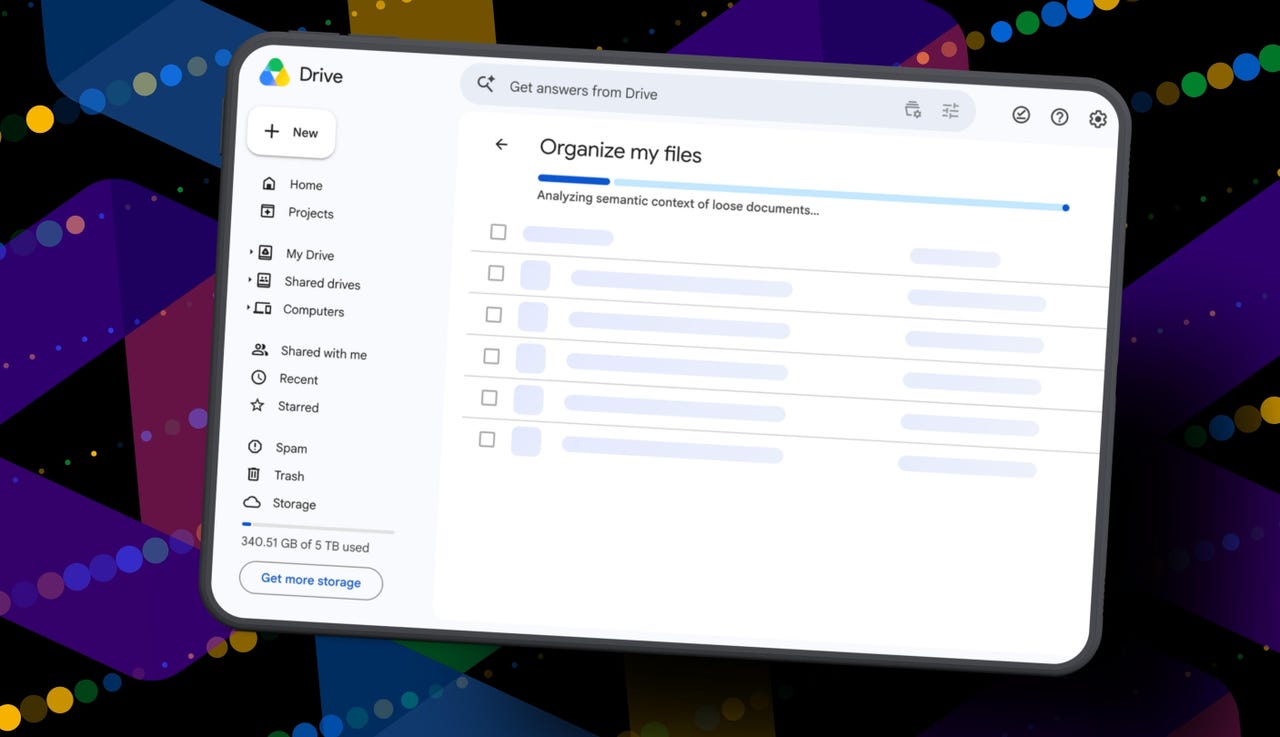
Gemini can suggest Drive file moves and new folders.
Organize My Files requires Workspace or Google AI access.
The tool is useful but still feels limited and unfinished.
I’m an Apple person. I’ve owned an iPhone since 2007 and a Mac since before that, so of course I’m also a longtime user of iCloud Photos and iCloud Drive. I pay $10 a month for the 2TB iCloud+ plan because I have 488GB of data sitting there, including nearly 40,000 photos. Don’t judge me. The real problem is that I’m also a heavy Google user, specifically Workspace apps.
After 14 years of using Google Drive, I have 340GB of data stored there from all the Google Docs, Sheets, Slides, and Gmail messages I’ve created, not to mention file uploads. So I pay $20 a month for Google AI Pro, which gives me 5TB of storage and access to Gemini AI. And because, apparently, I need all the subscriptions, I also pay $20 a month for ChatGPT Plus.
I need to cut subscriptions
I know… I need to cut subscription costs somewhere. I’ve wondered whether I should cancel ChatGPT or somehow, some way, reduce my Google usage enough to stop paying for extra Drive storage. Realistically, I do not think I could ever get my data down to the 15GB Google gives me for free. My Drive has become so daunting that I’ve mostly stopped trying to manage it.
The funny part is that I am hyper-organized. My pantry has coordinated glass jars with labels. My daughter’s toy room has a place for everything. My Google Drive, though? A dumping ground. What can I say? Pre-parenthood Elyse was not so organized.
Because my Drive has never been in a good place, I have let files, photos, screenshots, PDFs, tax documents, drafts, downloads, and random digital debris accumulate with no real oversight for years. I keep putting off cleaning it.
Recently, I had the idea that some AI service could connect to my Drive and help me quickly organize it with a few clicks. Then I remembered my Drive includes things like my house deed, a copy of my will, and my LLC business details, and suddenly giving a random third-party company broad access to my personal data felt like too much to bear.
So here we are. My Drive is still messy, and my subscriptions are still multiplying. Joy. I sure do love that in this economy.
Can ‘Organize My Files’ declutter my Drive?
But today I spotted a quiet little launch from Google: its “Organize My Files” feature is now available. Can Gemini actually, truly help me declutter, organize, and simplify my Drive now? Apparently, it uses Gemini AI to suggest moving loose files in Drive into existing folders or creating new folders for related files. And I get to review everything before anything moves.
If this works, maybe one day I can move my data out of Drive and cancel my Google AI Pro plan for good. Maybe. One day.
How Organize My Files works
What you’ll need: A Google account with a messy-as-hell Drive. Oh, and Google’s “Organize My Files” feature is currently limited to Google Workspace and Google AI subscribers. Workspace smart features must also be enabled for it to appear in Drive.
Elyse Betters Picaro / ZDNET
Look toward the top of the file and folder list in My Drive for a new button called “Suggest File Moves.” Google said it will appear in My Drive as well as in parent folders in Drive.
Clicking Suggest File Moves opens a new Organize My Files window, where Gemini will begin analyzing loose files and suggesting ways to clean them up.
It’s time to use the checkboxes to select or deselect any file or folder that Gemini served up.
Also, if a suggested folder name is weird, just rename it. Check destinations for folders, too. If they aren’t right, change the target. Once the suggestions do look right and you’re happy, approve the changes.
Gemini will then perform the file or folder moves in one batch and return to My Drive.
After all that, Gemini suggested 19 moves for me. Nineteen. And it mostly surfaced recent files I had created or uploaded.
Some of the suggestions made sense. Gemini wanted to move my resume and a couple of resumes I had helped family members create into an existing resume folder. It also suggested creating a new Family and Real Estate folder for house deed documents, plus a Travel Planning folder for upcoming summer trip itineraries I have stored in Drive. But one of the files it grouped under Travel Planning was literally called “Delete,” because it’s a doc I want to delete. Gemini did not realize that, nor did it suggest deleting it.
To be clear, I have hundreds of gigabytes of data and years of clutter sitting in Google Drive.
Still, I approved the changes Gemini recommended. For the heck of it, I ran the tool again. In about 30 seconds, it suggested the same thing: the same file moves, the same new folders, and the same changes it had just made. This feels half-baked.
It’s not at all the sweeping cleanup assistant for Drive that I was hoping for and need. Maybe it will get better over time. It did just come out of beta, and it’s possible Google will improve how Gemini scans Drive, prioritizes older files, recognizes obvious trash, and surfaces deeper organization suggestions. I just don’t want to have to click it 500 times, hoping it finds something new each time.
Looks like I’m still stuck with a messy Drive and a $20 AI Pro subscription… for now.
To provide the best experiences, we use technologies like cookies to store and/or access device information. Consenting to these technologies will allow us to process data such as browsing behavior or unique IDs on this site. Not consenting or withdrawing consent, may adversely affect certain features and functions.
Functional
Always active
The technical storage or access is strictly necessary for the legitimate purpose of enabling the use of a specific service explicitly requested by the subscriber or user, or for the sole purpose of carrying out the transmission of a communication over an electronic communications network.
Preferences
The technical storage or access is necessary for the legitimate purpose of storing preferences that are not requested by the subscriber or user.
Statistics
The technical storage or access that is used exclusively for statistical purposes.The technical storage or access that is used exclusively for anonymous statistical purposes. Without a subpoena, voluntary compliance on the part of your Internet Service Provider, or additional records from a third party, information stored or retrieved for this purpose alone cannot usually be used to identify you.
Marketing
The technical storage or access is required to create user profiles to send advertising, or to track the user on a website or across several websites for similar marketing purposes.