
Follow ZDNET: Add us as a preferred source on Google.
ZDNET’s key takeaways
- Microsoft’s June update patches a record 198 security flaws.
- Some 32 are rated critical, while three are zero-day flaws.
- The update also adds several helpful new features to Windows 11.
Microsoft’s monthly Patch Tuesday updates typically fix a number of security bugs, which is why Windows users should almost always install them. But this month boasts a new record with 198 vulnerabilities being patched, the largest in recent history. And with many of the flaws rated critical and three already publicly disclosed, you’ll definitely want to grab this one.
Also: My 5-step security checklist for every new Windows PC
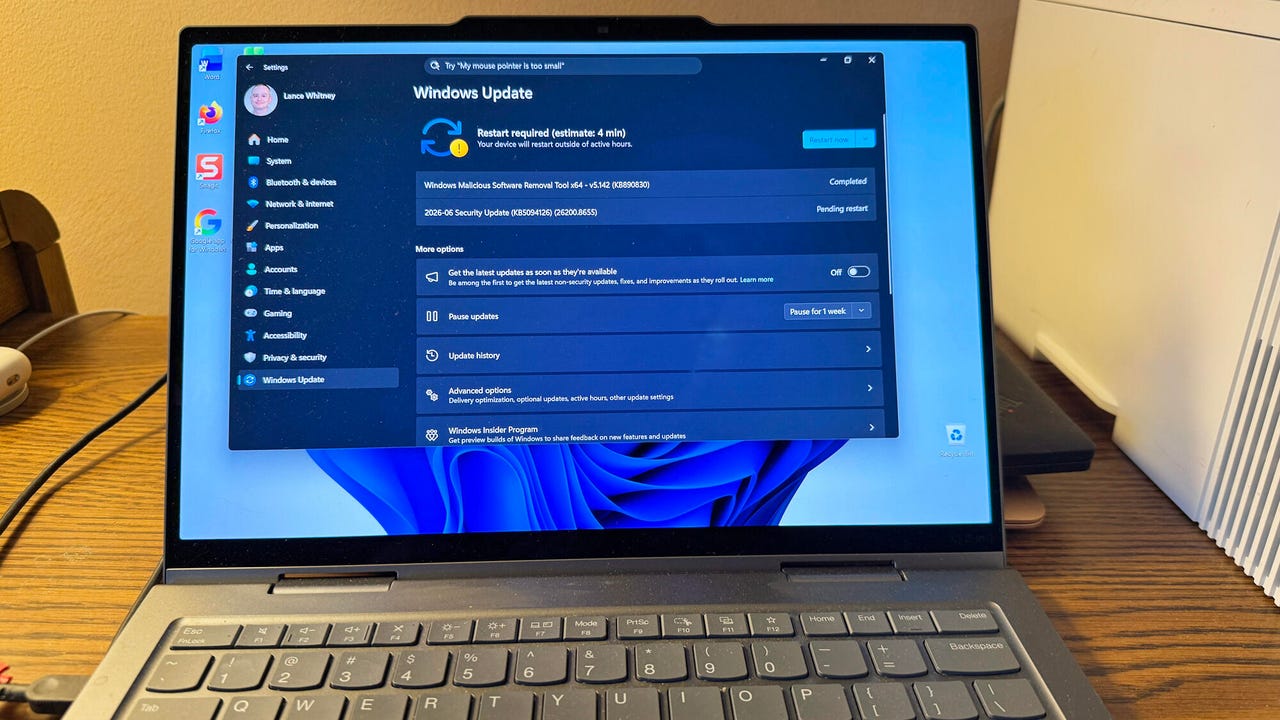
As usual, this month’s updates are described in three separate KB articles — KB5094126 for Windows 11 24H2 and 25H2, KB5093998 for Windows 11 23H2, and KB5094127 for Windows 10. Since these are mandatory updates, they will automatically download and install. But you should still double-check, especially since you have to reboot your PC for them to take effect.
Bugs squashed with AI’s help
In Windows 11, head to Settings and select Windows Update. If the status indicates a pending restart, then just reboot your computer. Otherwise, click the button to check for updates and allow them to run. For Windows 10, you need to be enrolled in the Extended Security Updates (ESU) program. In that case, go to Settings and select Update & Security. If necessary, click the button to check for updates and let them download and install.
Why and how did Microsoft squash a record number of bugs this month? The answer is AI. Tech companies are increasingly using models like Anthropic’s Claude Mythos to help find and fix more vulnerabilities, much more quickly than in the past. In April, Mozilla patched 271 security flaws in Firefox, assisted by an early version of Claude Mythos Preview.
“The unusually high volume of disclosures reflects a broader trend in vulnerability research, where advances in AI-assisted analysis and initiatives such as Mythos are helping researchers uncover flaws at a much faster pace than before,” patch management provider Action1 said in an advisory.
As for the bugs themselves, the patches for the 32 critical ones offer reason enough to install the update. But the three zero-days amp up the severity because they’re publicly disclosed. That means they haven’t yet been actively exploited in the wild. But details on them were publicly available before Microsoft resolved them, so attackers could exploit them on PCs that haven’t been patched.
Also: How to upgrade your ‘incompatible’ Windows 10 PC to Windows 11 – for free
With one zero-day, an attacker could gain Windows System privileges by exploiting a flaw that improperly resolves a link to a file. With the second one — of greater concern to organizations — an HTTP vulnerability could allow someone to stage a denial-of-service attack. And with the third one, a flaw in Windows BitLocker could let an attacker with physical access to an unpatched PC capture the encrypted data on the hard drive.
Update includes these new Windows 11 features
June’s Patch Tuesday updates also bring a few new and improved features to Windows 11, as noted by Windows Latest.
With older Secure Boot certificates set to expire this month, Microsoft continues to issue new certificates to supported PCs. A new feature called Low Latency Profile promises to speed up certain actions on your PC by sending a quick jolt to the processor.
Windows 11 will now support shared audio devices, so you can connect more than one Bluetooth device to your computer at the same time. That means you and others can all watch the same TV show or listen to the same music on your PC via your own earbuds or headsets.
Also: Build 2026: Microsoft’s MDASH exits preview with 100+ specialized threat-hunting AI agents
Another helpful enhancement: Your webcam can now handle multiple apps at the same time. You can then automatically use your camera for Zoom meetings, Google Meet video calls, Snapchat filters, and more without having to turn one off and turn another on.
Finally, you can now choose a custom name for your user folder when you set up Windows 11. Previously, Windows would automatically create a folder name based on your username with no easy way for you to change it.