My favorite MagSafe car charger easily handles bumpy roads (and it’s on sale)


img-2268.jpg

Scosche MagicMount Charge Pro

ZDNET’s key takeaways

  • Scosche’s MagicMount Charge Pro is available now for $39.
  • It’s a versatile mount that can be permanent or temporary, with Qi2 15W wireless charging.
  • The magnetic mount is perfect for even the bumpiest road.

more buying choices

Follow ZDNET: Add us as a preferred source on Google.


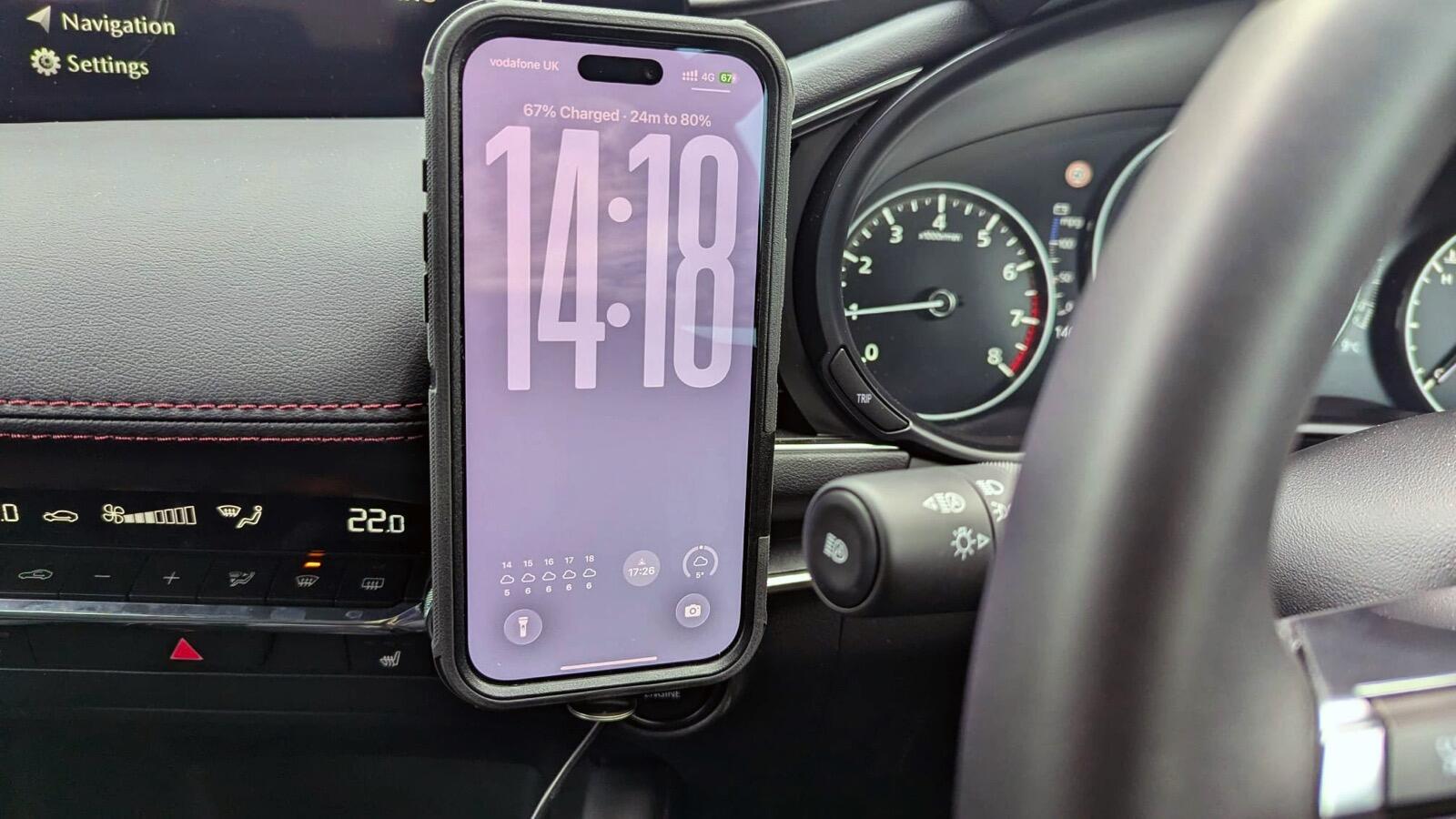
For the past couple of weeks, I’ve been driving around in a rental. The Mazda 3 is a nice machine, packed with all the latest gadgetry. But I’ve come across a few issues. The built-in wireless charging pad is unreliable, and when it does work, it is one of the slowest wireless chargers I’ve ever used (I think it might not like my iPhone case). 

Also, CarPlay has been unreliable, cutting out randomly and not even coming back when I rebooted the car. 

Also: Want off-grid Starlink Mini? This power bank kept mine online for hours

These issues meant that I needed a reliable way to both charge my iPhone and keep it in view for navigation when on the move. I’d been sent a Scosche MagicMount Charge Pro magnetic mount for review, and now seemed like a great time to test it. 

The MagicMount is a Qi2-compatible charger that can output up to 15W wirelessly — something it had no problem doing with my iPhone 17 Pro Max, even in the Otterbox case. A lot of chargers promise fast charging speeds, but I’m surprised by how many don’t deliver that speed or can only sustain it for a few minutes. 

Also: My search for the ultimate car charger is finally over: This one can do it all

The charger comes with a built-in two-foot USB-C cable, and there’s a 20W USB-C car charger in the box — in short, everything you need is included.

The Scosche MagicMount Charge Pro hits that Goldilocks zone for magnet strength.

Adrian Kingsley-Hughes/ZDNET

The MagicMount uses neodymium magnets to keep the handset secured — strong enough to handle the bumpiest roads (and here in Wales, we have a lot of those), but not so strong that I tear the holder off each time I detach the iPhone. There’s a fine line here, and while I used to think that stronger was better, I’ve since discovered this isn’t the case. There’s a Goldilocks zone, and the MagicMount hits it. 

Also: I ignored Apple’s battery tips and charged my iPhone in all the wrong ways – here’s how it’s fared

The MagicMount comes with two mounting options. For temporary use, there’s a rubber vent clip that’s compatible with most car vents. This setup is what I’ve been using in the rental, and it is superbly secure, and I’ve had no issues. The MagicMount is a great solution for people who need to use a rental, a work vehicle, or don’t want to stick something permanently to their car.

The Scosche MagicMount Charge Pro comes with everything you need -- even a 12V USB-C car charger.

The Scosche MagicMount Charge Pro comes with everything you need, including a 12V USB-C car charger.

Adrian Kingsley-Hughes/ZDNET

There’s also an adhesive mount that uses a super-strong automotive-grade adhesive pad to keep the holder in place (it’s very secure). You stick the holder on the dash (use the included alcohol wipe to remove any polish or dirt from the fitting location first), clip it on, use the ball-mount with its 360-degree rotation to adjust for the best view, and you’re ready to do some miles.

Also: My old car just survived a 500-mile cross-country road trip – I have this gadget to thank for that

There’s even a spare adhesive pad for moving vehicles (if you need more adhesive, I suggest 3M VHD double-sided tape). 

ZDNET’s buying advice

Having used the Scosche MagicMount Charge Pro for well over a thousand miles over quite a few journeys, I have to say that this is one of the best in-car magnetic wireless chargers I’ve used. 

The mount is easy to fit, has two mounting options, is super secure, and delivers the 15W maximum output that it promises. For $40, this charger fully delivers on everything it promises. This magnetic car charger gets two thumbs-up from me.



Source link

Leave a Reply

Subscribe to Our Newsletter

Get our latest articles delivered straight to your inbox. No spam, we promise.

Recent Reviews


Gemini on Android Auto

Kerry Wan/ZDNET

Follow ZDNET: Add us as a preferred source on Google.


ZDNET’s key takeaways

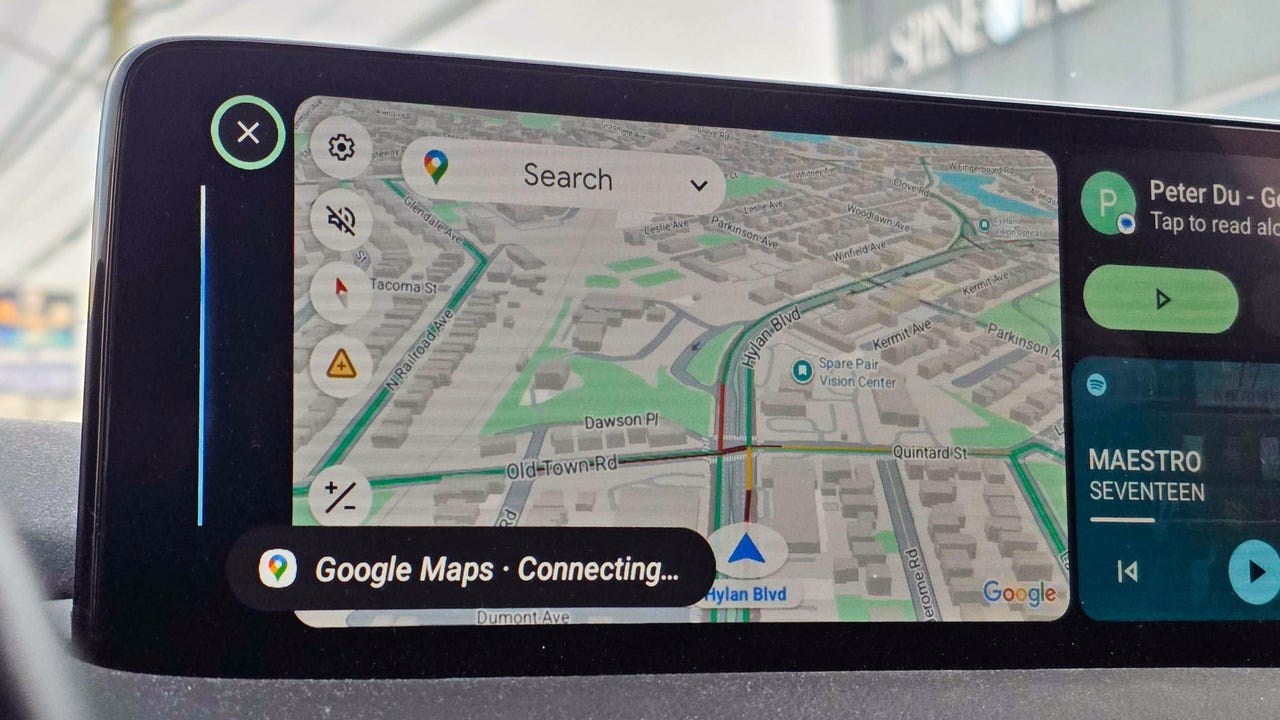
  • Gemini is now widely available in Android Auto.
  • It can integrate with Google services and other apps.
  • The AI answered both simple and complex, multi-step questions. 

Despite Google’s insistence on packing artificial intelligence into nearly every conceivable product, I haven’t really found too much day-to-day use for it. That might change now. 

Over the weekend, I noticed my Android Auto had updated to include Gemini. I decided to give it a quick test, and it deftly answered my questions. When I started to dive deeper, though, I was surprised by just how much it could do and how easily it handled what I thought were more complex asks.

Also: Your Android Auto just got 5 useful upgrades for free – and Google isn’t done

Here are some of the best ways I’m using the new Gemini integration. To get started for yourself, you can either use the mic button on your steering wheel or say “Hey Google.” 

1. Finding hours or other information about local businesses

When using my phone in the car, most of the time I’m checking hours for a local business or researching nearby restaurants or stores. I found that Gemini is perfect for quick, simple questions like, “What time does Tony’s Ice Cream close?” But it’s also great for diving a little deeper.

I’m the type of person who likes to do a lot of investigating when I’m trying to find a new restaurant. I like to know what makes each one special and what people recommend — before I decide. Gemini does very well in situations like this. 

Also: Google just gave Android Auto its most significant update yet – and we tested it on the road

I asked for the best local spots to find ice cream. Instead of just showing a list, Gemini began detailing each spot, noting that the number one recommendation was “a legendary local spot with more than 100 years of history scooping up happiness.” It went down the list, offering up recommendations about each option, and then it even asked which one I wanted to navigate to.  

2. Tracking down info deep in your email

My wife and I had tickets to a show this weekend, and while I knew where I was going, I decided to see if Gemini would help. Without mentioning the theater or the show’s name, I just asked, “What’s the address for the show tonight?” Gemini thought for a few seconds and then replied that my confirmation email didn’t mention an address before asking, “Do you want me to find that information online?” When I said I did, it quickly found the address and offered to start navigation.  

I asked Gemini several other email-specific questions like “What’s coming in the mail today?” (thanks to USPS Informed Delivery) and even some vague ones like “When is that thing I ordered from the TikTok shop arriving?” or “I remember a coupon for a haircut in my email, when does that expire?” It handled each one perfectly.

Also: How to clear your Android phone cache – and why it greatly improves performance

Instead of opening my Gmail app, scrolling to find what I need or searching, and then opening the message, I can now get this info quickly with Gemini’s help.

3. Getting answers on the go, and keeping the conversation going

I’m the type of person who immediately looks up the answers to random questions that pop in my head — things like, “Where is the Australian Shepherd dog breed from,” “How do I make polymer clay earrings?” (my wife had seen some at a vendor fair), or “How do I make an electromagnet for an elementary school science project?”

Instead of Googling these queries, I asked Gemini. I wasn’t surprised to get a response, but I was surprised by how Gemini offered to keep things going. Every time Gemini offered an answer, it would ask if I wanted to talk more. I found myself having a conversation about my dog and why he doesn’t shed nearly as much as my other one, about the best way to present my son’s electromagnet, and even about different ways to make clay earrings and which option was best. 

4. Saving reminders and notes

I live by my Google Calendar, and if I don’t have something saved there, there’s a good chance I’ll forget it. The same goes for my reminder list in Google Keep. Quite often, while I’m driving, I’ll have a thought I want to remember later. Gemini, through Android Auto, was able to add things to my Keep lists and add things to my Calendar. It also gave me a rundown of what’s on my calendar and even asked if I wanted help getting ready for a meeting tomorrow (which was actually my wife’s event on our shared calendar). 

Also: The best AI chatbots: Expert tested and reviewed

5. Picking the perfect playlist

When it comes to the radio in my car, I’m constantly bouncing between podcasts, the song that got stuck in my head because it was viral on TikTok, whatever my kids request, or a huge variety of other songs. That means I’m often bouncing between Spotify, YouTube, and my XM radio. 

I often want to hear a specific song or album, and I was able to get Gemini to pull up specific songs using Spotify and YouTube and to stick to songs from that album. When I was in a more general mood, I got Gemini to tune to a specific XM station for me. 

I haven’t stumped AI yet

Overall, I’m finding that Gemini can handle at least 90% of tasks I’d otherwise pick up my phone for, from basic questions to more in-depth, multi-level questions. It was able to integrate with Google services like Gmail and apps, but also several other apps. 

Also: Google’s Gemma 4 model goes fully open-source and unlocks powerful local AI – even on phones

The basic questions are more common, but the ones that require research are where Gemini shines. I kept trying to think up new things to ask, and I had trouble finding something that would genuinely stump the AI. If, like me, you haven’t really embraced Gemini yet, Android Auto might just be your ticket in. 


Source link

