
It is official: the golden era of low-bureaucracy travel, where you could simply grab your passport, throw some swimsuits in a carry-on bag, and board a flight for a tropical getaway, is rapidly coming to an end.
Across the globe, incredible destinations are completely tightening up their borders and introducing brand new digital hoops for travelers to jump through before they can even set foot on the plane.
We have seen this massive shift happening recently with major global countries rolling out electronic travel authorizations.
Now, the typically relaxed, laid-back islands of the Caribbean are hopping on the digital trend in full force.

If you are planning a massive family getaway or a much-needed romantic retreat to the Caribbean this year, you need to pay incredibly close attention to the new entry requirements.
Showing up to the airport terminal with nothing but a valid passport and a smile will absolutely not cut it anymore for several major vacation hotspots.
The dreaded digital entry permits are officially here, forcing travelers to handle all of their official paperwork online well before their departure date.
From paying new sustainability fees to downloading specific mobile platforms, the entire arrival process is completely different from what it was just a few short years ago.

Here are the specific Caribbean islands that now require you to complete a mandatory digital entry permit before your vacation begins.
1. Aruba: Digital Embarkation And Disembarkation Card Plus A Sustainability Fee

Aruba has completely revamped how visitors enter the island, and they are not messing around with the new rules.
Every single incoming traveler must now complete a mandatory digital Embarkation and Disembarkation Card online before their arrival. You are strictly required to submit this online form within seven days of your trip.
Do not leave this important step until you are sitting in the taxi on the way to the airport terminal.
Failing to complete the digital card means you can and will be denied boarding by your airline gate agent, ruining your trip before it even starts.

On top of the digital form, most visitors are now required to pay a twenty-dollar Aruba Sustainability Fee.
This fee applies to all travelers aged eight and older. If you happen to be a lucky repeat visitor who has already paid the fee within the same calendar year, a legal resident, or a cruise ship passenger, you are completely exempt from this charge.
The absolute most important thing to remember is that this fee must be paid online using a major credit card like Visa, Mastercard, or Discover.
You cannot pay this fee in cash when you finally land. Once you finish the digital form and pay the fee, you will receive a digital confirmation that you must present to border officials upon your arrival.
2. Antigua And Barbuda: The Mandatory Arrive Antigua Portal

Antigua and Barbuda has officially said goodbye to the days of filling out annoying paper immigration and customs forms on the airplane while begging the flight attendant for a borrowed pen.
The stunning island nation has fully abolished paper forms in favor of their brand new, strictly mandatory online Arrive Antigua portal.
Every single traveler heading to the island must complete their official declaration online within seventy-two hours of their scheduled arrival.

Once you fill out all of your personal information, the online system will generate a custom QR code just for you.
You need to save this code directly to your phone or print it out on paper, as it will be scanned by border officials the absolute second you enter the country.
There is one extremely important detail you need to know before you try to fill this out at home.
The portal is specifically designed to work on mobile phones and tablets. It is notoriously buggy and not reliably compatible with standard desktop computers.
Save yourself a massive headache and plan to complete your declaration on a mobile device to ensure the entire process goes smoothly.
3. Trinidad And Tobago: The Online Arrival And Departure Card

Following a highly successful pilot program, Trinidad and Tobago officially went completely paperless for all passenger processing in March of 2026.
This means their new online Arrival and Departure Card is now strictly mandatory for anyone visiting the beautiful twin-island nation.
You have a window of up to seventy-two hours before your travel time to jump onto their official government portal to declare your goods and state the specific purpose of your travel.

Just like the process in Antigua, completing the online form will get you a confirmation QR code that you must present to authorities when you land.
This entirely online system is just one part of a massive modernization effort happening at Piarco International Airport.
They have even introduced brand-new automated biometric kiosks that use facial and fingerprint scanning to speed up identity checks and significantly reduce wait times for exhausted travelers. However, do not expect a completely automated experience just yet.
Travelers still have to present their QR-code receipt to a human immigration officer upon arrival, so the overall process is not fully personless.
4. Dominica: The Online Immigration And Customs Card

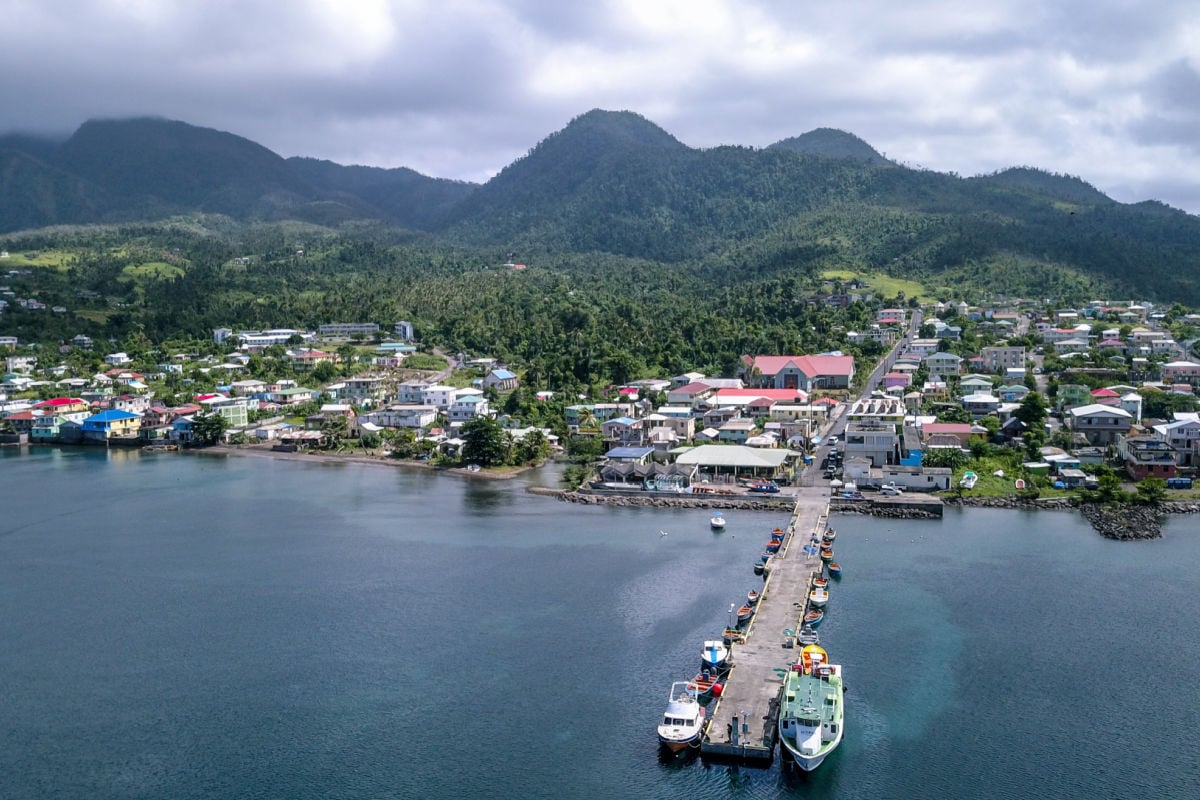
Dominica, famously known across the globe as the Nature Island, has officially centralized all of its immigration and customs processing into a single, mandatory web-based portal.
If you do not hold a Dominican passport, you are now legally required to complete the Online Immigration and Customs Declaration Card.
Travelers must submit their passport data, customs information, and a health declaration directly at the official government website.
A massive word of warning for anyone planning a trip: you should only use the official government site to fill out this digital form.
There are already unauthorized, third-party lookalike websites popping up trying to take your money, and using them could cause serious issues for your trip.
While the form can technically be submitted any time before your arrival, the local government highly recommends getting it done within seventy-two hours of your trip. Once you hit submit, a unique QR code is emailed directly to you.
Make sure you save it to your phone or print it out to present to the immigration and customs officers on arrival.
This completely replaces the old paper forms and drastically speeds up the entire processing time so you can get to the beach faster.
5. Bahamas: Digital Arrival Card Coming Very Soon

The Bahamas is currently in the process of rolling out its brand new Bahamas Digital Arrival Card, which is a completely free online form intended to eventually replace the traditional paper immigration and customs card entirely.
As of right now, it is being introduced through a phased pilot program that officially launched in May 2026.

Because the entire system is still in the pilot phase, it currently applies only to visitors arriving on select participating flights.
This means it is not yet mandatory for every single traveler, and the old-school paper card is still very much in use during this transition period. If you are heading to the Bahamas anytime soon, you should absolutely check with your airline to see whether your specific flight is part of the initial rollout.
If your flight is participating, you can complete the free digital card online before your departure and breeze right through the arrival process ahead of everyone else.
Smarter Travel Made Simple
While the days of simply grabbing your passport and heading to the airport might be behind us, that does not mean planning your next vacation has to be stressful.
We are dedicated to making it simple for you to travel smarter by keeping everything you need to know in one easy, centralized spot. Instead of bouncing between a dozen confusing government websites, you can instantly search your specific destination right here on our proprietary Traveler Dashboard to verify exactly what paperwork you need before you pack your bags.

Stacie Harris is a local resident and reporter of the Maple Grove area. Stacie reports on medicine and science for the Maple Grove Report.