This Unknown Island Is The “Maldives” Of Croatia


Share The Article

Dubrovnik has the timeless walls. Split has Diocletian’s Palace. Hvar has the mega-yachts.

But tucked away in the Adriatic is a tightly-lipped island that locals and longtime vacationers have kept entirely to themselves.

Travel + Leisure just revealed perhaps Croatia’s most tight-lipped destination that locals and longtime vacationers have kept to themselves while others gawk at Dubrovnik’s timeless walls and Split’s Diocletian’s Palace.

Aerial view of yacht on vibrant blue waters of Losinj, Croatia

Dubbed the “Maldives” of Croatia, little-known Lošinj (pronounced LOH-sheen) is ready to steal some tourists from other vacation magnets.

Let me guess: seeing the word “Maldives” gave you an instant snapshot of what to expect, except you don’t have to fly into what feels like uncharted territory on multiple long-haul flights just for bragging rights.

Instead, you can enjoy your own slice of paradise in the heart of Europe, saving yourself hours of jet lag without sacrificing the postcard image already conjured in your mind.

No Bungalows, But No 20-Hour Flight Either

Aerial shot of Losinj, Croatia

Overwater bungalows might justify such a far-flung escape in the middle of the Indian Ocean, but there’s simply no need unless you’re counting countries, collecting passport stamps.

Since Croatia now has seasonal nonstop routes from the U.S. to both Split and Dubrovnik, you can spend a couple of days in either city before venturing off to less-crowded shores with some of the “clearest, cleanest, most beautiful water in Europe”, as quoted by Travel + Leisure.

Welcoming you with see-straight-to-the-seafloor waters, vibrant marinas, and immaculate beaches, no, you can’t walk out of your bedroom for a morning dip the way you would on one of the Maldives’ atolls.

Boutique Hotel Alhambra — Losinj, Croatia

But you can enjoy a more authentic stay in a cozy boutique hotel for a fraction of the nightly rate — unless you opt for Hilton’s Boutique Hotel Alhambra, an SLH Hotel.

Your best move to save some serious cash is to book inland at such places this summer, but looking at the photo above, it’s a hard pass not to splurge on prime coastal real estate.

Make sure you double-check travel alerts and tourist fees before your trip.

Experience Some Of Croatia’s Most Delightful Villages

Mali Losinj, Croatia's vibrant marina
  • Mali Lošinj, the island’s colorful harbor town, may be the island’s headliner, but the real treat is seeing how many ridiculously charming villages you can squeeze into one trip as most stick to the script of Croatia’s household names, if we’re being honest…
  • Veli Lošinj boasts a colorful harbor, bygone seafaring soul, and the kind of waterfront cafes that make “just one drink” feel like a lie you’re okay with telling yourself.
  • Nerezine keeps things quieter with scenic trails and a more local vibe, while more notable Osor offers visitors the sights of ancient-stone churches, ruins, and centuries of tangible history packed into a tiny town you can stroll without needing a tour guide.
Veli Losinj harbor in Croatia

To Yacht, Or Not To Yacht

Maybe it’s just me, but seeing the name “Croatia” has me firing up “Dancing in the Moonlight”, which we all know is the best yacht rock song of all time…

Whether it be your regular yacht for normies like me or superyachts for the rich and famous — definitely not like me — Croatia has long been the place in Europe.

But is it part of the culture of Lošinj?

Absolutely, it is!

This isn’t some random island pretending to be nautical because a few shiny boats are on display for summer.

romantic lunch on motor yacht at sunset, Table setting at a luxury yacht.

Mali Lošinj was once a renowned shipbuilding hub. Today, you’ll still find that seafaring identity baked into the island, from its gleaming marina to the restored Nerezinac lugger, a storied sailboat now used to showcase Lošinj’s long maritime history.

So yes, yachting fits the bill here — just don’t expect every visitor to be sipping champagne on a deck triple the size of my apartment.

Hey, I live in California…

How Safe Is Croatia?

Don’t expect any concerning travel advisories in the near future for Croatia.

Scenic Cikat Bay In Losinj, Croatia

It’s long been considered a safe haven, no matter if you’re making your base in the city or a hideaway island like this.

According to our real-time Safety Index, travelers feel the same way. The current safety score is an impressive 81/100, with tourist scams being the main concern:


Source link

Leave a Reply

Subscribe to Our Newsletter

Get our latest articles delivered straight to your inbox. No spam, we promise.

Recent Reviews


Google Drive Organize My Files

Elyse Betters Picaro / ZDNET

Follow ZDNET: Add us as a preferred source on Google.


ZDNET’s key takeaways

  • Gemini can suggest Drive file moves and new folders.
  • Organize My Files requires Workspace or Google AI access.
  • The tool is useful but still feels limited and unfinished.

I’m an Apple person. I’ve owned an iPhone since 2007 and a Mac since before that, so of course I’m also a longtime user of iCloud Photos and iCloud Drive. I pay $10 a month for the 2TB iCloud+ plan because I have 488GB of data sitting there, including nearly 40,000 photos. Don’t judge me. The real problem is that I’m also a heavy Google user, specifically Workspace apps.

Also: I tested ChatGPT Plus vs. Gemini Pro to see which is better

After 14 years of using Google Drive, I have 340GB of data stored there from all the Google Docs, Sheets, Slides, and Gmail messages I’ve created, not to mention file uploads. So I pay $20 a month for Google AI Pro, which gives me 5TB of storage and access to Gemini AI. And because, apparently, I need all the subscriptions, I also pay $20 a month for ChatGPT Plus.

I need to cut subscriptions

I know… I need to cut subscription costs somewhere. I’ve wondered whether I should cancel ChatGPT or somehow, some way, reduce my Google usage enough to stop paying for extra Drive storage. Realistically, I do not think I could ever get my data down to the 15GB Google gives me for free. My Drive has become so daunting that I’ve mostly stopped trying to manage it.

The funny part is that I am hyper-organized. My pantry has coordinated glass jars with labels. My daughter’s toy room has a place for everything. My Google Drive, though? A dumping ground. What can I say? Pre-parenthood Elyse was not so organized.

Also: Tired of AI Overviews? I found 9 Google Search alternatives

Because my Drive has never been in a good place, I have let files, photos, screenshots, PDFs, tax documents, drafts, downloads, and random digital debris accumulate with no real oversight for years. I keep putting off cleaning it.

Recently, I had the idea that some AI service could connect to my Drive and help me quickly organize it with a few clicks. Then I remembered my Drive includes things like my house deed, a copy of my will, and my LLC business details, and suddenly giving a random third-party company broad access to my personal data felt like too much to bear.

So here we are. My Drive is still messy, and my subscriptions are still multiplying. Joy. I sure do love that in this economy.

Can ‘Organize My Files’ declutter my Drive?

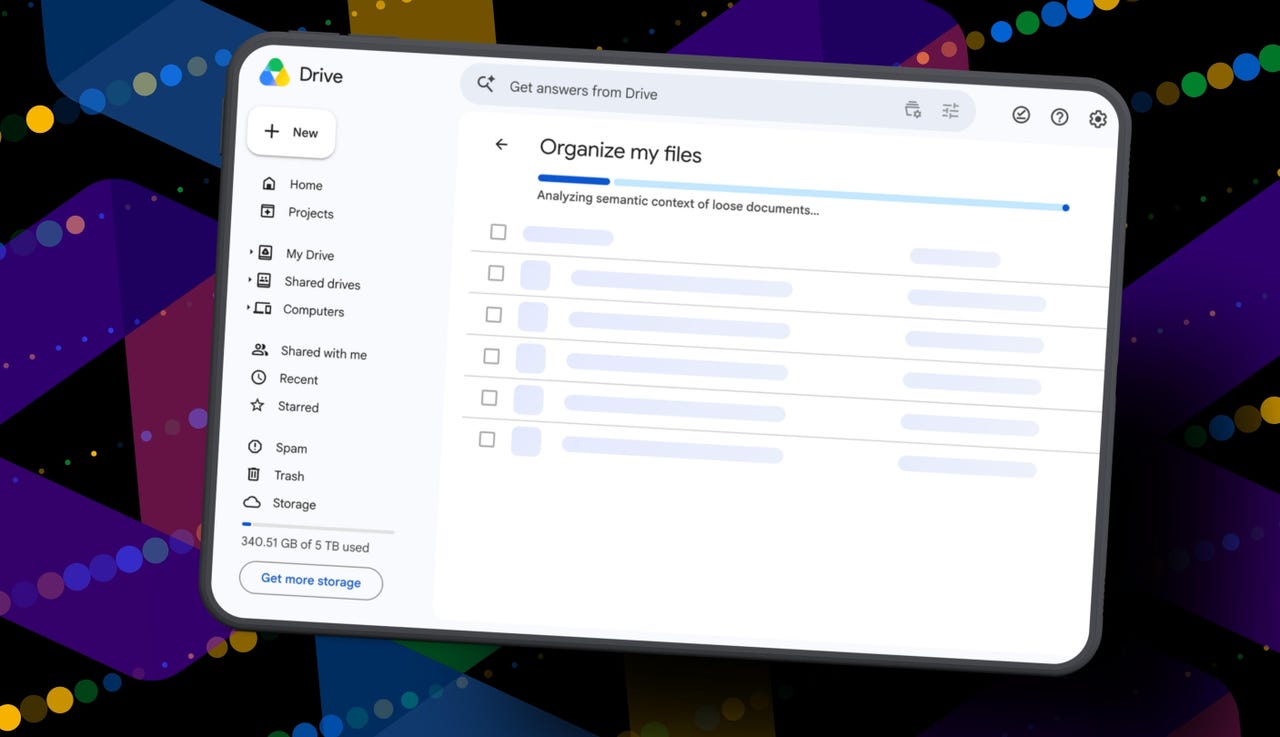
But today I spotted a quiet little launch from Google: its “Organize My Files” feature is now available. Can Gemini actually, truly help me declutter, organize, and simplify my Drive now? Apparently, it uses Gemini AI to suggest moving loose files in Drive into existing folders or creating new folders for related files. And I get to review everything before anything moves.

Also: I tried Gmail’s new Gemini AI features, and I want to unsubscribe

If this works, maybe one day I can move my data out of Drive and cancel my Google AI Pro plan for good. Maybe. One day.

How Organize My Files works

What you’ll need: A Google account with a messy-as-hell Drive. Oh, and Google’s “Organize My Files” feature is currently limited to Google Workspace and Google AI subscribers. Workspace smart features must also be enabled for it to appear in Drive.

Open Google Drive

Elyse Betters Picaro / ZDNET

Look toward the top of the file and folder list in My Drive for a new button called “Suggest File Moves.” Google said it will appear in My Drive as well as in parent folders in Drive. 

Clicking Suggest File Moves opens a new Organize My Files window, where Gemini will begin analyzing loose files and suggesting ways to clean them up.

Also: This Gemini setting made my AI results way more personal


Show more

Click Suggest File Moves

Elyse Betters Picaro / ZDNET

After a minute or so, Gemini serves up recommendations to review. They’re divided into two main types:

  • Gemini may suggest moving files into existing folders in Drive.
  • Gemini may suggest creating new folders for related groups of files.

All files and folders can be previewed through hovercards or opened in a new tab for a closer look.

Also: Is Google’s AI Ultra plan worth $100/month?


Show more

Review Gemini's suggestions

Elyse Betters Picaro / ZDNET

It’s time to use the checkboxes to select or deselect any file or folder that Gemini served up. 

Also, if a suggested folder name is weird, just rename it. Check destinations for folders, too. If they aren’t right, change the target. Once the suggestions do look right and you’re happy, approve the changes.

Gemini will then perform the file or folder moves in one batch and return to My Drive.

Also: I used Nano Banana 2 to make perfect sketchnotes: 5 lessons


Show more

Approve the changes

Elyse Betters Picaro / ZDNET

My result

After all that, Gemini suggested 19 moves for me. Nineteen. And it mostly surfaced recent files I had created or uploaded.

Some of the suggestions made sense. Gemini wanted to move my resume and a couple of resumes I had helped family members create into an existing resume folder. It also suggested creating a new Family and Real Estate folder for house deed documents, plus a Travel Planning folder for upcoming summer trip itineraries I have stored in Drive. But one of the files it grouped under Travel Planning was literally called “Delete,” because it’s a doc I want to delete. Gemini did not realize that, nor did it suggest deleting it.

To be clear, I have hundreds of gigabytes of data and years of clutter sitting in Google Drive.

Also: How I unlocked another 15GB of Gmail storage for free

Still, I approved the changes Gemini recommended. For the heck of it, I ran the tool again. In about 30 seconds, it suggested the same thing: the same file moves, the same new folders, and the same changes it had just made. This feels half-baked.

It’s not at all the sweeping cleanup assistant for Drive that I was hoping for and need. Maybe it will get better over time. It did just come out of beta, and it’s possible Google will improve how Gemini scans Drive, prioritizes older files, recognizes obvious trash, and surfaces deeper organization suggestions. I just don’t want to have to click it 500 times, hoping it finds something new each time.

Looks like I’m still stuck with a messy Drive and a $20 AI Pro subscription… for now.


Source link