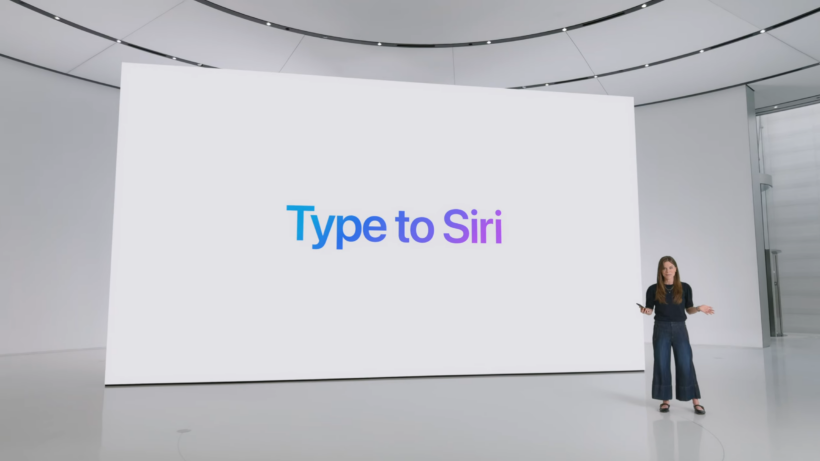

WWDC 2026 is Tim Cook’s final Swan Song ahead of him leaving the firm later this year, and it gives him one opportunity to scrub clean one of the biggest blemishes on his time at Apple: the botched launch of the redesigned, smarter Siri.
Now don’t misunderstand me; Tim Cook has been a force to be reckoned with during his time at the helm, guiding the company through successive iconic product launches like the Apple Watch, AirPods, Apple Silicon and much more – but I’m sure that the botched Apple Intelligence rollout still haunts his dreams.
Announced at WWDC 2024 and scheduled for release sometime during the iOS 18 era, the redesigned Siri was the star feature of Apple Intelligence and was supposed to be much smarter, essentially putting it on par with competing LLM-based assistants like Google Gemini.
Well, that didn’t happen, and it didn’t appear the following year in iOS 26 either, with plenty of leaks suggesting that it just wasn’t up to Apple’s standards.
However, with Apple officially partnering with Google to use Gemini smarts to power Siri earlier this year, and plenty of leaks suggesting that Siri will be the true star of next week’s WWDC 2026, it looks like Tim Cook could finally right that wrong just before he hands the keys over to John Ternus.
The long-awaited launch of the improved Siri
If the leaks are correct – and given that we’ve seen multiple reports from multiple sources, some with screenshots, it seems that it’s pretty much on the money – the real star of WWDC 2026 won’t be iOS 27, macOS Big Bear (or whatever it’s called), iPadOS 27 or watchOS 27.
No, it’ll be the long-awaited reveal of the smarter, more contextual Siri that Apple has been talking about for years at this point – and it might be the game-changer in AI that Apple has desperately needed to stay competitive in the space.

While Apple Intelligence has been available in some form since late 2024, it’s, on the whole, pretty lacklustre – both in its feature set and in how it actually performs – compared to Android alternatives. That’s true not only of writing tools and transcription but also of Apple’s performance in image-editing tech.
Really, it needed something smarter to reach the performance level of Android counterparts, and, well, it looks like the redesigned (and Gemini-powered) Siri could finally do that. Now, it’s not clear how much is from Apple and how much is from Google, but leaks suggest that the new Siri is going to be very capable indeed.

You should expect all the staples of a modern AI assistant, including a much greater understanding of both you and what you want, by accessing things like emails, messages, files, photos, and more. That should allow Siri to help you find recent files, messages or general queries about files on your phone, all without knowing the exact specifics of what you’re looking for.

It’ll also be able to ‘look’ at your screen and complete actions on your behalf, like asking Siri to add an address to a contact card, or send a photo you’re looking at in the Photos app to someone in iMessage.
It’s not just locked down to first-party apps either; it’s said to be able to perform actions across third-party apps, and while we don’t yet have a full picture of what that could entail exactly, Apple has suggested in the past that it’ll be able to move files from one app to another, edit a photo and then share it to someone, or get directions home and send the ETA to someone in WhatsApp.
It’ll also mark the first time that Siri has had an actual app; rumours suggest it’ll work in a similar way to the ChatGPT app, allowing for both text- and voice-based conversations, and just like the competition, you’ll be able to integrate services and apps into the chatbot to expand its feature set.
Siri’s ambitions go way further than answering queries
That already sounds like a massive improvement over the underwhelming Siri experience Apple is offering right now, but Siri’s ambitions go far beyond a new chatbot experience.
According to a bunch of leaked screenshots that have been doing the rounds on the web over the past few weeks, Siri is going to be deeply integrated into other Apple apps.
That starts with the Camera app, which, in addition to offering photo and video modes, will supposedly offer a dedicated Siri mode. This would essentially replace the Visual Intelligence feature currently baked into the Camera Control button on iPhones, and would allow Siri to analyse the world and answer questions about what you’re seeing.

More interesting is the Photos app; it’s rumoured to not only get two new Siri-powered features in Reframe and Extend – the former allows users to change the perspective of shots, while the latter would use generative image tech to expand the borders of the image – but also natural language photo editing, which would let users tell Siri what edits to make, either via voice or text.
Elsewhere, the Shortcuts app is said to be getting a significant Siri-powered overhaul that’ll allow users to create more complex shortcuts by simply describing what they want it to do, while Apple has also been dabbling in AI-generated wallpapers and a much-improved version of Image Playground for higher-quality images.
Apple’s also said to be integrating Siri into the Health app to provide something closer to the AI-powered experience in the new Google Health app – though likely without the added subscription.
And, there’s no single doubt in my mind that it’s only possible thanks to Siri’s upgraded capabilities – though we’ll have to wait and see how it actually performs in users’ hands because, well, Apple Intelligence hasn’t exactly convinced me of its premiership so far.
Apple’s on-device hook
Now I’m not going to pretend that these are entirely new AI features – they’re not. We’ve seen pretty much all of this on the Android side of things in one form or another (okay, bar the Shortcuts app – I still wish Google had an alternative to that app!), and it’d be easy to say that this is simple Apple playing catch-up to the competition.
But there’s a core difference here: Apple’s laser focus on privacy.

Most Android-based AI tools, especially image-based tools, rely on cloud processing – and that means sending your private data to a cloud-based server somewhere, before the result is sent back to you via the web. Depending on what you’re doing, that could be a privacy nightmare.
But Apple has always had a particular focus on privacy that stands in direct opposition to how Google does things with Android – and it seems that’ll continue with the new Siri experience.
It’s said that Apple is aiming to keep as much processing on-device as possible to limit the amount of data that leaves the user’s device, and, where necessary, it’ll lean on Apple’s Private Cloud Compute systems that even Apple doesn’t have internal access to.
It’s also said that Apple will limit Siri’s memory, including restrictions on the information it can ‘remember’ and how long it’s kept, with users able to auto-delete chats and requests after set periods.
And it’s that focus on privacy that’ll really help Apple sell the upgraded Siri experience, even in the face of much more established options from Google, OpenAI, Anthropic and the like. I just hope that it actually works as well as it sounds, because Apple can’t mess this up. Not again.

Stephan is the sports journalist for the Maple Grove Report.