What is an iGPU? Integrated graphics explained


If you’ve been shopping around for a new laptop, then you’ll likely have come across the term iGPU.

But what actually is an iGPU and how does it differ from a GPU or even a CPU? Do you really need to factor in a computer’s iGPU when making the purchase?

We explain everything you need to know about iGPUs below. Once you’re finished here, make sure you visit our best laptops roundup where we’ve listed the top PCs we’ve reviewed in the past year.

For more information on PC components, our GPU and CPU explainers have you covered.

What is an iGPU?

iGPU stands for integrated graphics processing unit, and refers to a graphics chip that is built within a processor alongside the CPU, rather than being an independent component.

Advertisement

The vast majority of processors, from the likes of AMD and Intel, will have an iGPU, as it is required for your PC to be able to display any kind of image (even your Windows home screen) in the case your system does not have a discrete GPU.

You might be wondering what a discrete GPU is and how it differs from an iGPU. Unlike an iGPU, a dGPU is a dedicated graphics chip that can be found inside powerful laptops (such as gaming laptops) and graphics cards. A dGPU is generally significantly more powerful than an iGPU, because there’s more space for additional cores and transistors to enhance the frequency, while also drawing more power.

How does an iGPU work?

Rather than having its own, an iGPU will share system memory with the CPU and will handle tasks such as displaying images and running basic tasks too. iGPUs generally tend to consume less power than a standalone GPU would, which makes it more of an efficient but also cost-effective alternative. That’s why you’ll typically see iGPUs in more affordable devices.

iGPU vs dGPU: What’s the difference?

DGPU, which stands for discrete graphics processing unit, is a standalone component that’s found inside the graphics card. Unlike an iGPU which shares its memory with the CPU, a dGPU has its own built-in memory and cooling system. Computers with a dGPU will, generally speaking, boast a superior graphics performance to one with just an iGPU present. That’s why many of the best gaming laptops are equipped with a dGPU rather than an iGPU.

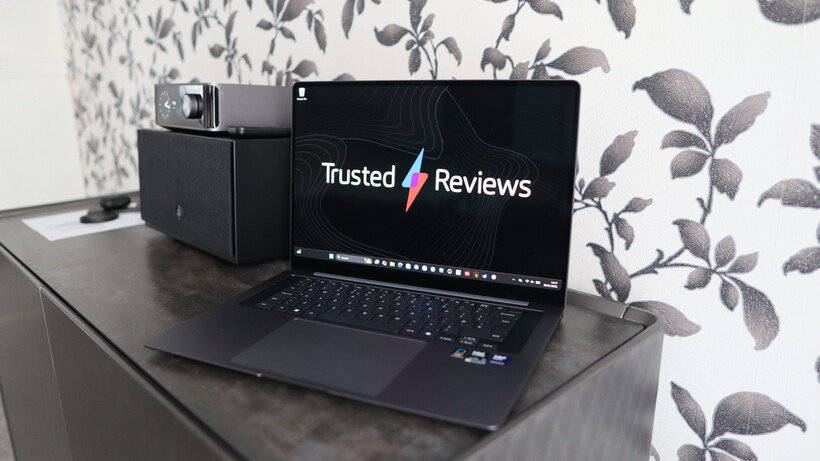
Of course, many new iGPUs are much more capable than before, and can even handle gaming. For example, the recently announced Acer Predator Atlas will run on Intel’s G3 and G3 Extreme chips which support Intel’s Arc B390 iGPU. That’s the same beefy iGPU that’s found in the Samsung Book 6 Pro which saw a Geekbench single core score of 2876 and a multi-core score of a whopping 16934. 

Profile - Samsung Galaxy Book6 Pro
Samsung Galaxy Book 6 Pro. Image Credit (Trusted Reviews)

Advertisement

What can you do with an iGPU?

An iGPU isn’t designed to provide raw power or fast speeds. Instead, an iGPU handles more basic tasks such as visual processing, video playback and controlling applications. Doing so will free up your GPU resources to handle more intense tasks. 

Should you disable your iGPU?

You may feel that an iGPU isn’t necessary, especially if you have other dedicated components like a dGPU. However, we’d advise that keeping your iGPU enabled is a good idea. Not only does keeping your iGPU enabled keep things running smoothly and power-efficient, but it also acts as a backup in case your dGPU fails. 

Summary

An iGPU is built-in to processors like the Intel Core Ultra 200H/HX series and helps keep your PC running efficiently and smoothly, while handling basic yet important tasks such as displaying images and running certain applications. It also works as a backup, should your GPU fail.


Source link

Leave a Reply

Subscribe to Our Newsletter

Get our latest articles delivered straight to your inbox. No spam, we promise.

Recent Reviews


Google Pixel 10a

Kerry Wan/ZDNET

Follow ZDNET: Add us as a preferred source on Google.


ZDNET’s key takeaways

  • Android 17 is here, along with the June Pixel Drop.
  • The OS is rolling out to Pixel devices first.
  • Users are getting upgraded productivity, security, and more.

Android 17 is officially here, and it’s a doubly good day for Pixel users, as it’s bringing the June Pixel Drop with it.

Google has rolled out its annual OS update and its latest collection of Pixel-exclusive features at the same time, and the updates pack not only some practical features that will make an impact on how you use your phone daily, but also security protections, some new translation tricks, and more. Pixel Watches — the 2 and later — are included, too, with a potentially life-saving feature addition.

Also: I’m a devoted iPhone user but Android 17 is tempting me with its new video and social features

Here’s a look at what’s new in Android 17, which starts rolling out today to Pixel phones first and then to other devices “throughout 2026,” along with what’s new in the June 2026 Pixel Drop.

What’s new in Android 17?

Since many manufacturers now offer longer update windows, usually 4 to 7 years, a wide range of devices are eligible. The updated OS starts rolling out today to Pixel 6 phones and newer. Samsung’s Galaxy S23 series and newer will get it as One UI 9, along with the Flip 5 and newer, Galaxy A24 and newer, and Tab S9 series. OnePlus will bring Android 17 to the OnePlus 11 and newer.

1. App Bubbles

Perhaps the most useful feature is Bubbles, which lets you turn any app into a floating bubble on your main screen. All you have to do is long-press an app, and it becomes an easy-to-access bubble. If you consistently switch back and forth between apps or need to access a certain app often, like a map or airline app while you’re on a trip, you can now find what you need more quickly.

Pixel Folds are getting a special Bubble Bar at the bottom of the screen that lets you organize, move, and access your recent bubbles from one dedicated space.

2. Additional security

Android 17 is also bringing boosted security. 

To start, you can now grant an app temporary access to your exact location and share only specific contacts. 

Additionally, an enhanced “Mark as lost” feature, located in Find Hub, lets you lock a missing phone with your biometrics, so even if a thief has your passcode, they can’t access anything on your device or turn off tracking. 

Improvements to Live Threat Detection block more suspicious apps and scams, Google explained, and enhanced Advanced Protection mode helps keep you safe from sophisticated threats. Lastly, Google is reducing the number of times someone can attempt to guess your PIN and adding longer wait times between failed attempts.

Also: How to clear your Android phone cache – the 30-second routine every user should be doing

3. Screen reactions and more

Also new is Screen Reactions, which lets you take a selfie video overlaid on a screen recording in lieu of a green screen; a 50/50 gaming mode with a dynamic pad for foldables; and built-in parental controls beyond Pixel devices, so you can set screen time limits and content filtering with a PIN, even if you don’t link your Google Account.

What’s in the June Pixel Drop?

Beyond Android 17, Pixel users are getting several Pixel-specific upgrades in the June Pixel Drop.

1. Custom greetings for Take a Message

Introduced in 2025, Take a Message expands on the Pixel call screening feature and gives you a real-time transcript of what the caller is saying, along with AI-generated follow-up steps. Now, Take a Message has custom greetings, letting you record a personalized outgoing message instead of the default voice.

2. New AI models

Two new AI models are making their way to Android phones. The first is Gemini Omni, a new way to create and edit videos. Gemini Omni lets you type in a prompt and get a custom, high-quality video. This is available on all devices with the Gemini app for Gemini Pro users only.

Also: Everything we saw at Google I/O: Gemini 3.5, Android XR glasses, Spark, and more

Also on the way is Lyria 3, which lets you create original tracks using text prompts or images as inspiration. You can prompt Gemini with the style, vocals, and tempo you want. This is coming to all Android 17 Pixel phones and Folds.

3. Voice Translate for the Pixel 10a

One of the Pixel 10 series’ exclusive features is Voice Translate, which provides a real-time translation on phone calls in the speaker’s voice. ZDNET’s Sabrina Ortiz tried the feature last fall, noting how quickly the feature worked and how well it copied her voice. Voice Translate is getting a small expansion, coming to the Pixel 10a.

Also: iOS 27 envy? 4 features you can already use on an Android phone (including Samsung models)

4. Android Quick Share expansion and more

Pixel users are also getting an expansion of Android Quick Share compatibility with AirDrop, coming to the Pixel 9a and Pixel 8a, and an expansion of Magic Cue to more apps, coming to the Pixel 10 series.

What’s new for Pixel Watches?

Pixel Watches are only getting one new feature, but it’s a potentially big one. Core detection features, including Car Crash Detection, Fall Detection, and Loss of Pulse Detection, are getting emergency sharing. If a severe event is detected, Google explains, your Pixel will call emergency services and notify your chosen contacts. You can toggle emergency contacts on or off for each type of event.

Also: This silent Android feature scans your photos for ‘sensitive content’ – how to uninstall it

Fall Detection is coming to the Pixel Watch, plus the 2, 3, and 4, while Car Crash Detection is coming to the Pixel Watch 2, 3, and 4. Loss of Pulse Detection is only coming to the last two generations, the Pixel Watch 3 and 4.


Source link