
Follow ZDNET: Add us as a preferred source on Google.
ZDNET’s key takeaways
- OpenAI API spend can rise fast if agents run wild.
- Hard limits help stop surprise API bills.
- Alerts and rate limits add another layer of protection.
The other night, I woke up in a damp sweat from a strange nightmare. This wasn’t my typical nightmares where I’m chased by villagers with pitchforks and torches or flaming skulls (or a combination of both).
No, this was a nightmare in which my AI app decided to spawn hundreds of agents, all of whom were making API calls, racking up an ever-climbing API-usage bill. Rogue AIs overspending on my credit card is a notch better than being eaten by flaming skulls, but it’s still not pleasant.
While OpenAI can’t help with the flaming skulls, it can help reduce the risk of a nightmare of an inflated API bill. All you need to do is set usage limits on your account. In this article, I’m going to show you how.
Getting started
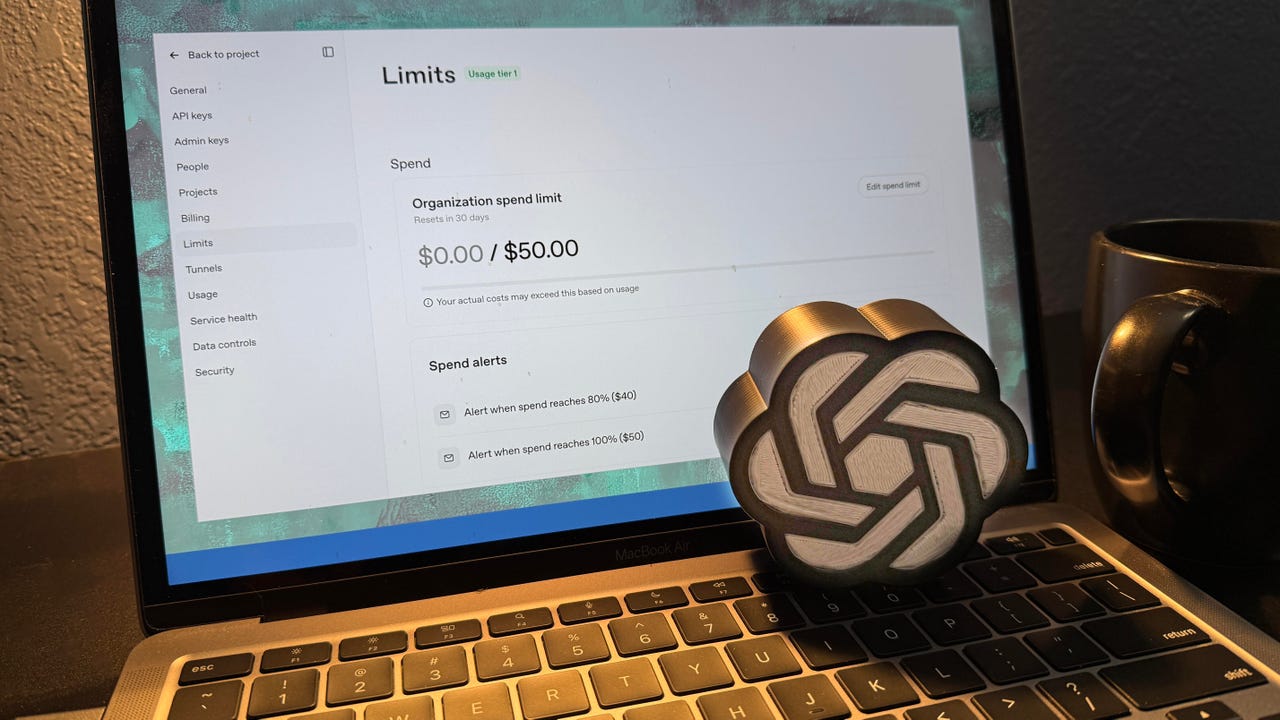
Log in to your OpenAI account and browse to the spending limits page. Lots is happening here. We’re going to look at spending limits, spending alerts, rate limits, and usage tiers, each of which contributes to how much your card gets dinged.
Understanding usage tiers
I’m going to start with usage tiers, as they are a break against overspending early in your API journey.
For example, until you’ve spent a total of $50 on API calls, you’re locked into Tier 1. That setup means that even if you don’t set any usage limits, OpenAI won’t let you spend more than $100/month. I’m in Tier 1 because even though I have the API connected to my Karakeep Docker server for keyword analysis, I still haven’t broken $50 in over a year of use.
Once you’ve spent $50, you jump to Tier 2, where you’re allowed to spend $500/month. Spending a total of $100 gets you into Tier 3, where you can spend up to $1,000/month. Spending a total of $250 on API usage jumps you into Tier 4, where you’re allowed to spend up to $5,000/month.
Also: I had Gemini and Claude write my email replies – but only one sounds like me
These are fairly large top-end limits, but once you hit $1,000 paid to OpenAI, the floodgates open. OpenAI will let you spend up to $200,000 per month.
Think about this scenario. You hook up OpenClaw to your OpenAI API account, and within a few months, you’ve spent $1,000 in API calls. Then one day, OpenClaw decides it wants to launch an army of agents to do some task, and off it goes. That unruly beast could slam your account for hundreds of thousands of dollars before you get a chance to shut it off.
And that’s why you also need to set specific spending limits.
Understanding spending limits
Let’s get back to the spending limits page. As you can see (at 1), I’m at Tier 1.
A lot is going on here. At (2), note that the page says, “Your actual costs may exceed this based on usage.” This note is because, unless you tell it to, OpenAI doesn’t place a hard limit on your spending. The idea is that without hard limits, your infrastructure won’t break. But, of course, you can spend more. I’ll show you how to fix this issue in a minute.
Also: I got 4 years of product development done in 4 days for $200, and I’m still stunned
At (3), you can see that the account allows automatic refill. Clicking the pencil icon lets you control how much the refill can charge.
You can turn off Auto Recharge by clicking the toggle button. If you do, the limits page will update, and you will no longer be able to turn Auto Recharge back on from this page. Instead, click Billing from the left-side menu.
As you can see, my credit balance is $7.77 from the last time I topped up my account. Hitting the Auto Recharge Settings button opens the Auto Recharge dialog, where you can toggle it back to on.
Finally, going back to the Limits screen shown at the beginning of this section, you can specify Spend Alerts at (4) and receive an email alert once you reach a percentage of your budget.
You can set the percentage of your spend when you want the alert to trigger. You can also specify where you’d like the email alert notification to be sent.
Setting a hard limit
If you don’t like the idea of your actual costs potentially exceeding the spend limit you set, you can set a hard limit. On the Limits screen, click the Edit Spend Limit button.
Notice the Enforce Hard Limit toggle. I recommend turning this on, especially if you’re in one of the higher usage tiers. This step will cause your API calls to be rejected with a 429 error, but you won’t spend more than you should.
Just make sure your code checks for the error condition when it makes a call to the AI.
Understanding rate limits
OpenAI also has rate limits, which limit how many requests per minute, requests per day, tokens per minute, tokens per day, and images per minute you’re allowed to use, based on the model you’re using.
OpenAI says it has rate limits to “help protect against abuse or misuse of the API”, “help ensure that everyone has fair access to the API,” and “help OpenAI manage the aggregate load on its infrastructure.”
Also: Treat your AI agents like eager but misguided human interns – before you lose control
OpenAI has a guide for how to code to rate limits. One recommendation they have is to use exponential backoff, where you automatically retry after a short sleep, and do this a few times until either the request goes through or you exceed a retry threshold of your choice.
The bottom line
The bottom line here is simple. Set up spend limits so rogue AIs don’t exceed your budget. Rate limits are very easy to configure, making them a no-brainer for protecting your account.
They won’t keep the angry villagers at bay, but they will help you manage your AI API spend. And that’s something, at least.
You can follow my day-to-day project updates on social media. Be sure to subscribe to my weekly update newsletter, and follow me on Twitter/X at @DavidGewirtz, on Facebook at Facebook.com/DavidGewirtz, on Instagram at Instagram.com/DavidGewirtz, on Bluesky at @DavidGewirtz.com, and on YouTube at YouTube.com/DavidGewirtzTV.