
Is Adding A Nitrous Kit To Your Daily Driver Legal? Here’s What You Need To Know


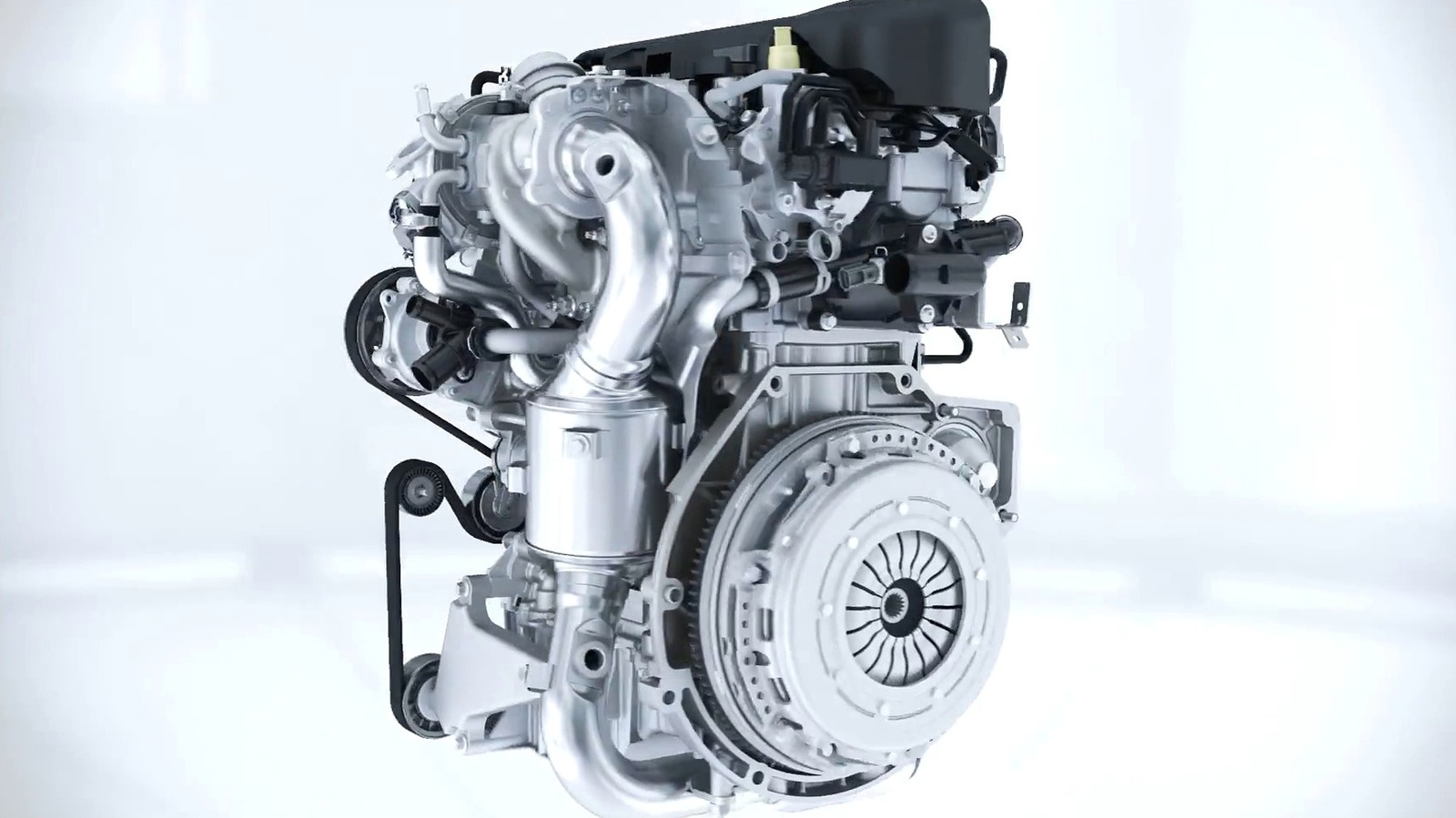
It’s not uncommon for race cars and other high performance sports cars to use a nitrous oxide system. After all, nitrous gives an instant burst of energy that can put drivers ahead of the pack on any given track. Nitrous can even be utilized in everyday vehicles as well, and it’s not illegal to do so on a U.S. federal level. When it comes to the state level, however, the issue gets a bit more nuanced than you might think.

For example, California does not specifically regulate nitrous oxide systems in the state’s vehicle code. Yet any emissions-related aftermarket modification on a street-driven vehicle must adhere to California Air Resources Board (CARB) standards. Most nitrous systems are not CARB-compliant, so they fall into that category. In contrast, drivers in the state of Virginia are allowed to own nitrous systems, but they must be disabled before a vehicle is driven on a public highway.

These types of restrictions exist in states throughout the country, making it tough to know where the use of nitrous beyond ownership is allowed and where it’s not. Nitrous systems make any car a police magnet, so drivers that want to install nitrous in a registered street-legal vehicle should take the time to understand their state’s law first. Otherwise, they could end up with a system they’re not legally allowed to use.

Nitrous use in street cars vs race cars

Though nitrous systems are used in vehicles across the U.S., there are some things you should know before installing one. Nitrous oxide, though it can deliver a noticeable increase in engine performance, also requires the engine to work harder. The system supplies additional oxygen to allow a higher fuel burn, which means engine components must suddenly keep up in conditions outside of the norm. Even the engine block itself is affected, as it can endure stress almost immediately.

However, if your engine is in good shape and all the systems are functioning correctly, then your vehicle should be able to handle the occasional burst of nitrous. The problems begin when the nitrous shot is too heavy, the fuel mix is off-balance, or the timing control is ineffective. In fact, if the air-fuel mix is too “lean” or thin, engine temperatures can increase and things can get dangerous. Ironically, it’s not the nitrous itself that causes the failure, but how the engine responds to its presence.

Race cars and high-performance sports cars use nitrous more safely and more consistently because the engines are designed around the added power and stress. The engines themselves are typically built using upgraded fuel systems, adjusted ignition timing, colder spark plugs, and other optimized components. These parts and systems work to help control combustion under higher cylinder pressures, which occur during heavy nitrous use.


Source link

Leave a Reply

Subscribe to Our Newsletter

Get our latest articles delivered straight to your inbox. No spam, we promise.

Recent Reviews


Google Gemini

Lance Whitney/ZDNET

Follow ZDNET: Add us as a preferred source on Google.


ZDNET’s key takeaways

  • Google is downloading a 4GB file to the PCs of many Chrome users.
  • The file is harmless and is used for the Gemini Nano on-device LLM.
  • You’ll see it if you’ve opted into the on-device AI setting in Chrome.

Google is silently saving a Chrome-related file to many computers. That’s nothing earth-shaking. But this file is a hefty 4GB in size, which has caught the attention of some Google watchers. What is the file, why is it being installed, and how can you check for it?

Also: I let Chrome’s AI agent shop, research, and email for me – here’s how it went

In a new blog post, computer scientist Alexander Hanff, aka the Privacy Guy, pulled back the curtain on this mysterious file. Named weights.bin, the file is being downloaded deep within the user data folder of many Chrome users. The file itself is related to Gemini Nano, which Google is using as the on-device AI model for Chrome users.

If you delete the file, it comes back

Though there’s nothing risky or dangerous about the file, Hanff and others have expressed concerns that it’s being downloaded without users’ knowledge or permission. And if you delete the file, it eventually comes back, Hanff said. That by itself is hardly alarming; that’s part of any software update. Rather, some of the criticism centers on the file’s size. If you have ample hard disk space, then 4GB is likely not a big deal. But if you’re running low, that big a file might chew up space you can’t spare.

Traditionally, AI models like Gemini use the cloud to interact with you. Submit a request, ask a question, or kick off a conversation, and the AI taps into its online data and resources to respond. But that method can be slow and naturally requires that you be connected. By traveling between your device and the cloud, your data can also be exposed.

A trend has emerged in which companies are experimenting with locally stored LLMs (large language models). That not only speeds up the process, but it also means you can use the AI offline and more securely. Gemini Nano has already been in play on Google’s own Pixel phones.

That explains why the file is so large; it has to pack in a lot of data. In this case, a weights file contains numbers that measure the level of importance an AI model assigns to your input. The AI uses these values to determine what should come next. For example, let’s say you start typing the phrase “Why did my new phone cost me an arm and a…” at the prompt. The AI assigns weights to your input to help it predict that the next word would be “leg.”

Also: This powerful Gemini setting made my AI results way more personal and accurate

How can you tell if the file has been downloaded to your PC? First, open Chrome, go to Settings, and select System. On the System screen, check whether the On-device AI option is turned on. If so, then you probably have the file or will soon get it.

To double-check, you’ll have to navigate to the user folder on your PC. That location varies based on your operating system. On my Windows 11 PC, I ran a search in File Explorer for weights.bin. The search took a long journey through the following path: C:\Users\lance\AppData\Local\Google\Chrome\User Data\OptGuideOnDeviceModel\2025.8.8.1141. At that final location, the weights.bin file appeared, measuring 4GB.

Since the file is downloaded again if you simply delete it, you’ll have to take an extra step to get rid of it permanently. After you delete the file, go back to Settings in Chrome and select System. Then  turn off the switch for On-device AI.

But as long as you have enough disk space (and if you can’t spare 4GB, then it’s time to clean up your drive), the file is little cause for concern. Just forget about it, especially if you’re keen to try on-device AI, and we’ll see what the future holds for Gemini Nano.


Source link