LG is giving away free soundbars with this projector – how to get one


evergreen-deals-imagery

Kerry Wan/ZDNET

Follow ZDNET: Add us as a preferred source on Google.


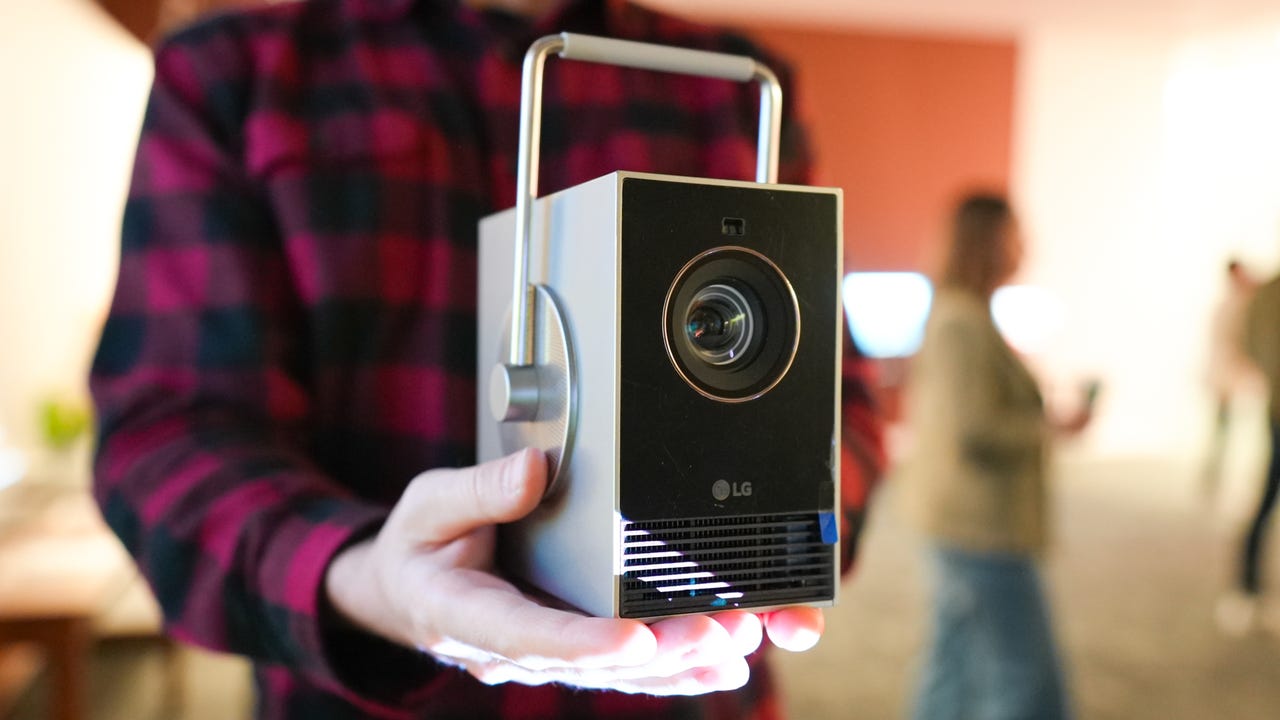
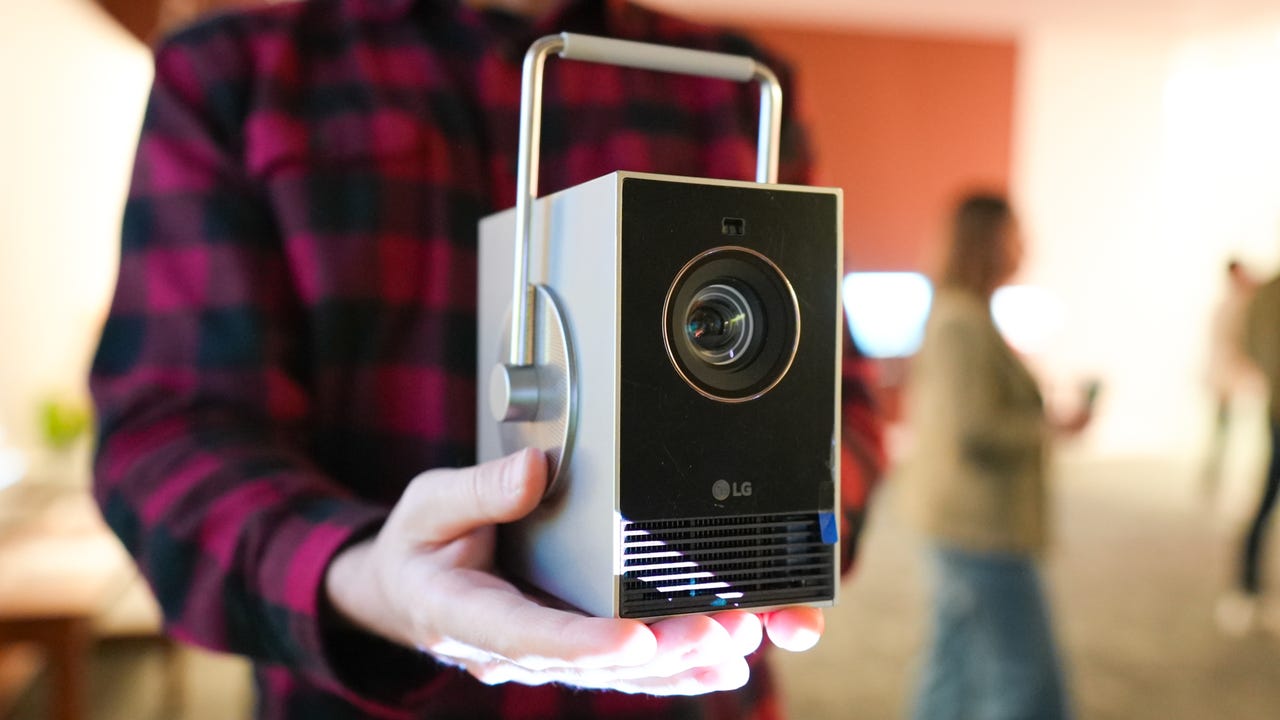
The LG CineBeam Q is a compact, lightweight projector that is as at home in your living room as it is on the go. With a max screen size of 120 inches, you can set up a custom cinema experience in your house or backyard. And right now, when you order directly from LG, you can save $500, bringing the price to just $800. Plus, you can get a free S40T soundbar (a $170 value) to round out your home theater ahead of the FIFA World Cup 2026 quarterfinals.

Also: This tiny projector turned our movie nights into a cinematic event

The CineBeam Q weighs in at just 3 pounds and measures 3.1 x 5.3 x 5.3 inches, making it small and lightweight enough to take with you anywhere you can plug it in. With 4K resolution, HDR10 support, and Dolby Atmos, you’ll get a great picture and sound. The CineBeam Q uses LG’s webOS platform to give you access to hundreds of streaming apps like Netflix and HBO Max, as well as the ability to screenshare from your iOS and Android devices.

ZDNET editor Kyle Kucharski tested out the CineBeam Q, noting that it’s “a premium device that looks and feels high-end.” In terms of usability, “it couldn’t be easier: anyone who’s navigated a smart TV menu will be able to fire it up, and the auto-adjustment technology makes focus and image arrangement seamless,” he wrote.

Also: LG G6 vs. LG G5

The three-channel laser covers over 150% of the DCI-P3 color gamut, delivering incredibly lifelike images and bolder, brighter colors. The laser system is also able to produce a 450,000:1 contrast ratio for deep, inky blacks that help brighter whites and RGB colors pop. Setup is a breeze as well with HDMI and USB-C ports for connecting to TVs, laptops, and more. You can even use the CineBeam Q to create personalized mood lighting for a chill atmosphere after work or to help keep your party energized.

The LG S40T is a solid entry-level soundbar with 2.1CH audio that enhances your TV or projector’s audio without overwhelming your space. The included wireless subwoofer helps provide deep, responsive bass while the soundbar itself uses adaptive sound to optimize output for music, movies, and live news or sports. And with the LG ThinQ app, you can create custom EQ settings for audio that is tailored to your space.

How I rated this deal 

The LG CineBeam Q is an excellent portable projector that can find a permanent home in your living room as well. And when paired with a free S40T soundbar and subwoofer, you can upgrade your entire home theater in one fell swoop. That’s why I gave this deal a 5/5 Editor’s rating.

LG is offering a free S40T soundbar with the purchase of a CineBeam Q portable projector until May 3, 2026.

Deals are subject to sell out or expire anytime, though ZDNET remains committed to finding, sharing, and updating the best product deals for you to score the best savings. Our team of experts regularly checks in on the deals we share to ensure they are still live and obtainable. We’re sorry if you’ve missed out on this deal, but don’t fret — we’re constantly finding new chances to save and sharing them with you at ZDNET.com


Show more

We aim to deliver the most accurate advice to help you shop smarter. ZDNET offers 33 years of experience, 30 hands-on product reviewers, and 10,000 square feet of lab space to ensure we bring you the best of tech. 

In 2025, we refined our approach to deals, developing a measurable system for sharing savings with readers like you. Our editor’s deal rating badges are affixed to most of our deal content, making it easy to interpret our expertise to help you make the best purchase decision.

At the core of this approach is a percentage-off-based system to classify savings offered on top-tech products, combined with a sliding-scale system based on our team members’ expertise and several factors like frequency, brand or product recognition, and more. The result? Hand-crafted deals chosen specifically for ZDNET readers like you, fully backed by our experts. 

Also: How we rate deals at ZDNET


Show more


Source link

Leave a Reply

Subscribe to Our Newsletter

Get our latest articles delivered straight to your inbox. No spam, we promise.

Recent Reviews


Apple CarPlay wasn’t center stage at the WWDC 2026 keynote on Monday, which leaned heavily on the new Siri AI, Apple Intelligence expansions and upgraded parental controls

But buried in a dense list of changes and the developer-facing sessions, iOS 27 delivers a meaningful set of CarPlay updates. None of them is earth-shattering on its own, but collectively they’re a genuine quality-of-life improvement for daily drivers.

I scrubbed through the patch notes and poked around the developer beta to see what’s new and coming soon.

Better audio controls

The Now Playing interface is at last getting audio scrubbing. Touch and drag the progress bar to skip the boring part of a podcast, find the next chapter of an audiobook or get to the beat-drop faster. It’s the kind of thing you’d assume was already there. Previously, you’d have to tap and hold the skip-forward or skip-backward button to achieve a similar result, which I always found unintuitive.

More useful still is the new Audio MiniPlayer: a pill-shaped floating control in the upper right corner (in left-hand-drive vehicles) that keeps play/pause and skip controls accessible even when you’re running the map fullscreen. It’s a small change, but anything that reduces the need to tap around while driving is a win in my book.

Darkened iOS screenshot highlighting the new MiniPlayer

The new MiniPlayer (upper right) keeps play/pause and skip controls available wherever you are.

Apple/Screenshot by CNET

Android Auto also recently introduced floating audio controls to its navigation display, though the widget Google presents is much larger.

CarPlay can collaborate with your car

CarPlay and CarPlay Ultra navigation apps running on iOS 27 will soon be able to share route data with and receive data and waypoints from the host vehicle’s onboard software. This unlocks some interesting possibilities for driver assistance and autonomy down the road, but could also improve EV route planning more immediately.

It works like this: The navigation app — Apple Maps or even third-party apps like Waze or Google Maps — generates a route and passes that info to the host car. The EV looks at the proposed route, compares it against the available range, finds a compatible charging station and passes a waypoint back to the app, maybe with an estimated charge time to complete the trip. The navigation app sees the updated route, and you get a more accurate ETA and a charging stop you didn’t have to search for yourself.

All of this passing waypoints back and forth may sound convoluted, but I can see how this method protects driver privacy and data: The app only gets the information it needs when necessary. 

Whether route or location data flows from the app to the host vehicle, vice versa or neither at all will depend on the developer, the automaker and, ultimately, the driver’s chosen privacy settings.

iOS 27 Route sharing demo

In iOS 27, your car and CarPlay apps will be able to exchange information while giving you control over your data privacy.

Apple/Screenshot by CNET

New Siri hits the road

Siri AI is coming to CarPlay as part of iOS 27, bringing the new conversational, context-aware version of Siri from the phone to the dashboard. The new Siri visuals use the Liquid Glass design language introduced in iOS 26 and further evolved in iOS 27. 

Apple Maps is getting natural language route search, coming — eventually — as part of the Siri AI rollout. Soon you’ll be able to ask Apple Maps, for example, to “navigate to that sushi place that Nicole recommended last week,” and have Siri pull the relevant information from text messages, emails or notes on your phone. 

While we wait for the new Siri to arrive, Apple Maps will also see an enhanced Flyover mode using aerial imagery and 3D scans for a more realistic look, improved Visited Places accuracy with broader market availability, and more Local Guides coverage. Offline Maps improvements are in the mix too, though specifics are thin.

Demonstration video app in apple carplay

Developers will be able to build video apps for CarPlay that seamlessly transition to audio-only when it’s time to hit the road.

Apple/Screenshot by CNET

Video apps with sensible guardrails

Apple is letting developers build CarPlay apps with video browsing capabilities for vehicles that support the feature. Think about catching up on a show while waiting at the airport or during an EV charging session. Additionally, any iPhone app that supports AirPlay video streaming will also automatically be able to cast to a compatible CarPlay display. 

With either method, video via CarPlay will feature an automatic audio-only fallback mode: If a car doesn’t support video, or conditions change (say, you unplug and start driving again), playback will transition seamlessly to audio-only, so you can keep your eyes on the road while you listen to the rest of that podcast you started.

Developer tools and widgets

On the developer side, iOS 27 adds new app templates across categories, plus support for Live Activities and widgets from any app — so you could have a live sports score widget running on your CarPlay display without the app being open. 

Meanwhile, developers will gain access to new APIs for building conversational voice apps, including AI chatbot integrations, into CarPlay. There’s also a new CarPlay simulator built into Xcode 27’s Device Hub, letting devs test across different aspect ratios and configurations without needing hardware.

Apple CarPlay Simulator running in MacOS

With the new CarPlay Simulator, developers can test their apps across a variety of aspect ratios without buying a bunch of cars.

Apple/Screenshot by CNET

Reliability, accuracy fixes and other automotive bits

Improved wireless CarPlay reliability and better GPS heading accuracy at the start of navigation round out the lower-profile but welcome fixes. The former promises fewer dropped connections while driving, while the latter should mean less of that awkward spin-the-car-around-the-block moment while the app figures out which direction you’re pointed.

Outside of CarPlay, Proactive Car Key setup is listed in the iOS 27 patch notes — Apple hasn’t fully detailed it, but the likely scenario is a simplified pairing flow for phone-as-key, similar to how easy it is to pair AirPods. Improved Bluetooth power management is also on the list. It’s not a CarPlay feature per se, but relevant for anyone relying on wireless CarPlay, hands-free calling or audio streaming.

iOS 27 is now in developer beta, with a public beta to follow in July and general availability expected in September.


Source link