

Follow ZDNET: Add us as a preferred source on Google.
ZDNET’s key takeaways
- Meta’s new Muse Image can create AI images from Instagram posts.
- Any Meta user could reuse your own posts and Reels for AI.
- You can opt out easily enough by disabling this type of access.
Do you have a public profile on Instagram? If so, a new AI-powered feature may be able to reuse your posts and Reels to generate images without your knowledge.
Released on Tuesday, Meta’s new Muse Image option can concoct AI-based images (and eventually videos) based on your requests and descriptions. Meta promises that this “first image generation model from Meta Superintelligence Labs” uses advanced reasoning to better understand complex prompts and blend multiple photos into single images.
The free feature will now automatically kick in when you request an image through the Meta AI website and mobile apps for iOS and Android, as well as through your chats in Instagram and WhatsApp. And it’s coming soon to Facebook and Messenger. You’re then able to share any images you generate in Instagram to your own story, feed, or chats.
Also: Chrome vs. Edge vs. Firefox: I tested each browser’s AI, but I’m only sticking with one
If you’re stumped for ideas, you can choose from among several suggested prompts, aka presets. In Instagram, you’re able to tap into more than 30 new AI-powered effects for Instagram Stories.
Beyond creating images based on your text descriptions, Muse Image can also generate them based on existing photos and other content. Just upload a photo from your device and describe the type of image you want Meta AI to create from it.
From a social media perspective, you’re able to reuse your Instagram posts and reels to create images, not just from your own account, but from public accounts. For now, the process is clumsy as there’s no direct integration, but it’s doable if you know the right steps.
Also: Chrome vs. Edge vs. Firefox: I tested each browser’s AI, but I’m only sticking with one
To grab content from an Instagram account to use with Muse Image, you’d have to download or take a screenshot of the specific post or Reel. Then, at the Meta AI prompt, you’d upload the image and ask the AI to generate a new image based on it.
“Whether you’re starting from scratch or working with an existing photo, you can describe what you want in simple, conversational language, and Meta AI handles the rest thanks to Muse Image,” Meta said in its news post. “Ask it to mock up an image of you in front of a historical landmark, cleanly erase a photobomber from the background of a shot, or write a custom prompt to build a functional QR code.”
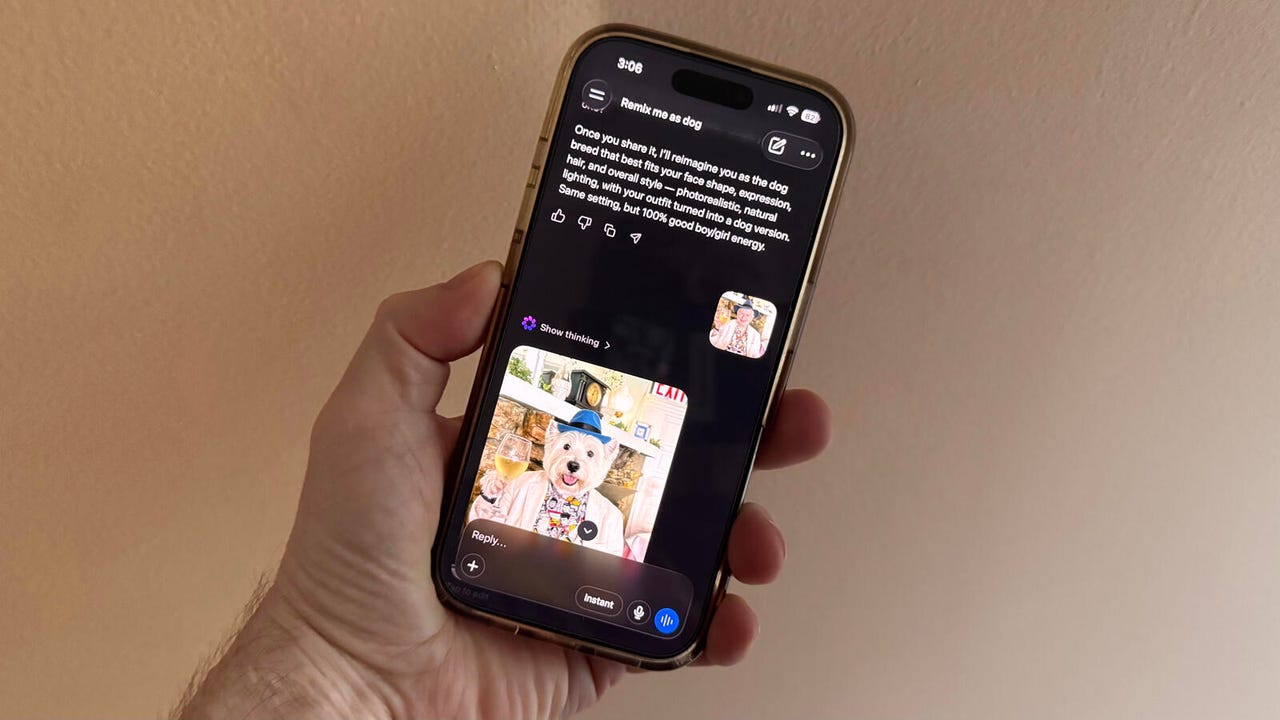
Sounds intriguing? Sure, if you want to play around with your own photos. For instance, I asked Meta to remix a portrait photo of me as a dog, and the resulting image certainly made me chuckle. But as is often the case with AI, there are downsides.
The biggest drawback? If your account is public, any Meta user can reuse your own Instagram posts and reels to generate an image. And that new image can be flattering or unflattering. Either way, you might not want your posts and reels to be used this way. Short of making your account private, what can you do?
Check your account
First, check your Instagram account to see if it’s public or private. Open the app, tap your profile icon at the bottom, and select the three-lined Settings icon at the top. Swipe down the Settings screen to the section on “Who can see your account,” and the Account privacy setting will indicate whether your account is public or private.
Disable AI-based access
To disable access to your Instagram content from Meta AI, swipe down further to the section on “How others can interact with you,” and select the setting for “Sharing and reuse.” At the section for “Allow people to reuse your content on Instagram and with AI features at Meta,” turn off the switches for both Posts and Reels. At the next section for “Allow people to create with and reuse your original audio on Meta AI,” turn off the switch for Reels. Now you can keep your account public without worrying about someone reusing your Instagram posts and reels for potentially unflattering AI images.





