SR-71 Blackbird Crews Prepared For Flight Like Astronauts, Not Pilots


The SR-71 Blackbird is one of the best-known aircraft the United States has ever produced, and it has a long list of record-breaking achievements to explain why. Lockheed’s Skunk Works developed the legendary strategic reconnaissance plane in the 1960s, and it continued to operate, on and off, for the U.S. Air Force until 1990. It, however, continued to fly for NASA before finally being retired in 1999. Since then, SR-71 displays at museums have allowed more people to get up close to the iconic plane.

While the SR-71’s incredible speed is probably its best-known feature, few likely consider the pilots who flew the plane. The SR-71 was unlike anything else in the Air Force’s inventory, and its makeup and capabilities made it unique, requiring specialized equipment to get it into the air. SR-71 pilots were more like astronauts than their predecessors who flew the McDonnell Douglas F-4 Phantom II, one of the most iconic fighters of the ’60s.

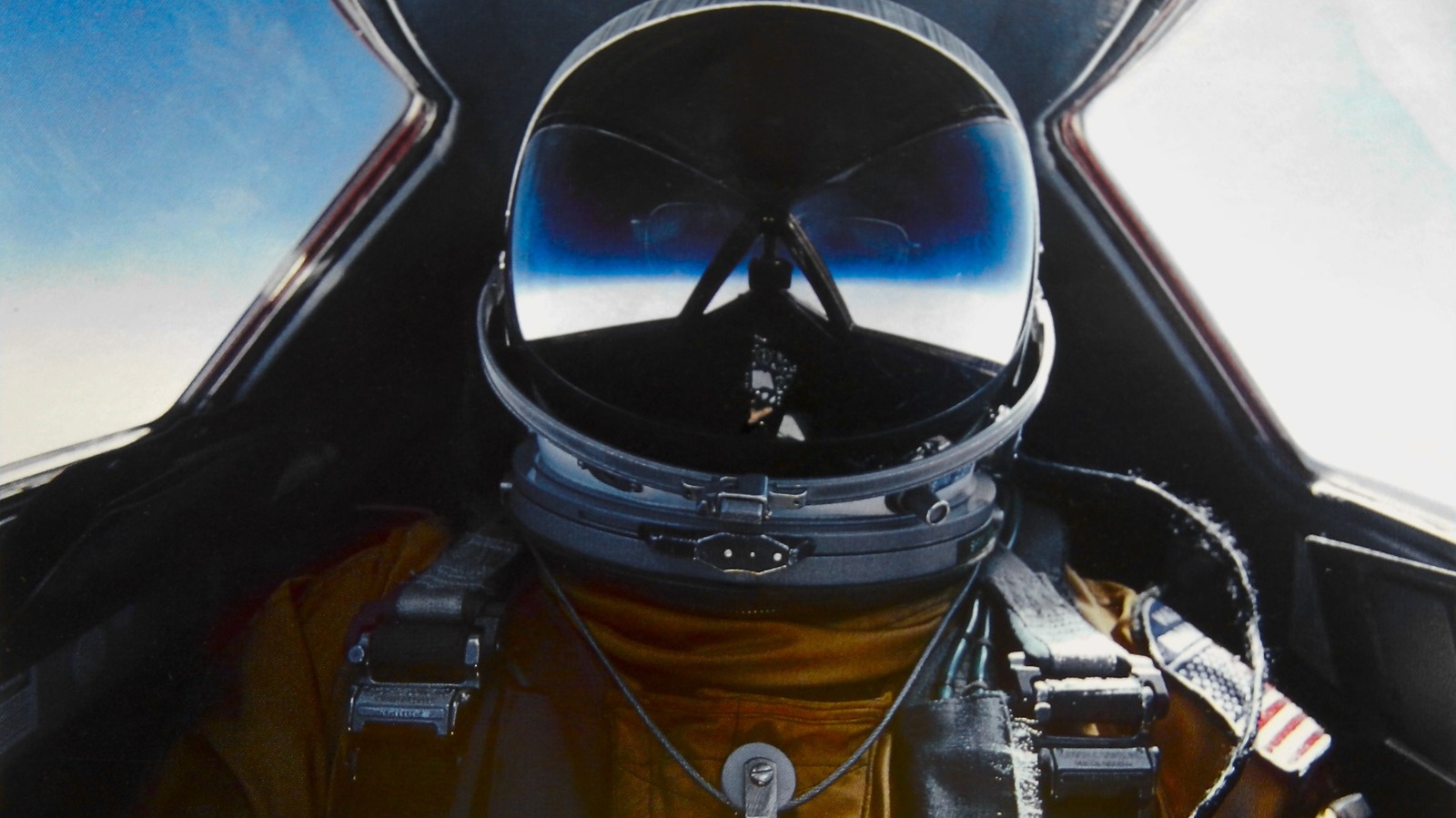
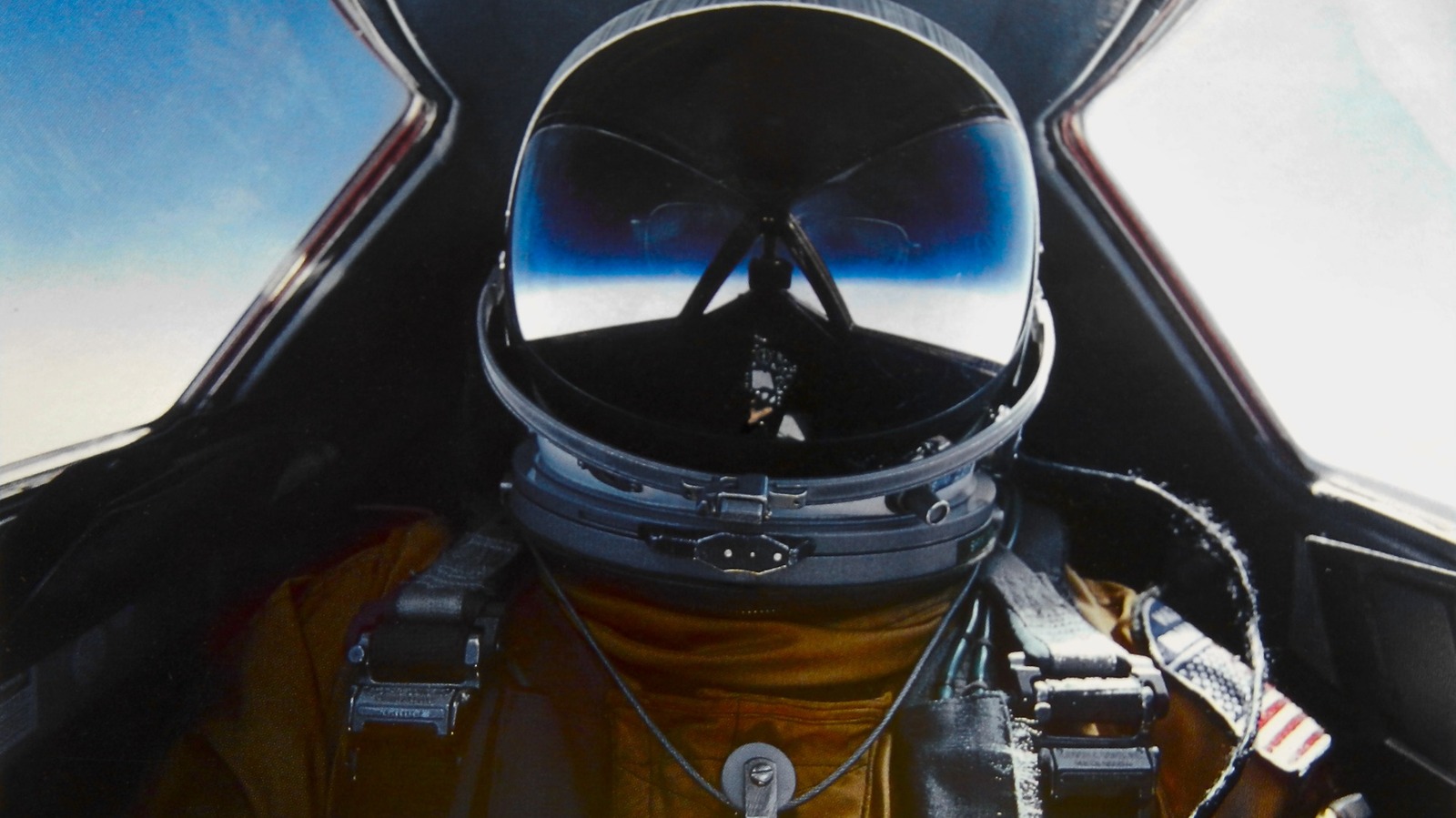
SR-71 pilots didn’t wear flight suits, for one; instead, they donned pressurized suits that evolved over the years, as new tech and capabilities were introduced. One such model, the David Clark-produced S1030 Full Pressure suit, used first in 1970, looked very much like what a NASA astronaut might don while boarding a Space Shuttle. The suit included multiple layers, oxygen hoses, leather flight boots, and a couple of pockets below the knee, and was the culmination of years’ worth of development.

Pilots and flight preparation

Prospective SR-71 pilots had to volunteer for the program before being allowed to fly the highly secretive reconnaissance aircraft. New pilots had to go through an astronaut’s physical, interviews, and test flights before they could be considered. Once accepted, new pilots would still need to undergo more training before they were allowed to fly an SR-71. Before every mission, pilots had to eat a specific high-protein diet, served by a dedicated dining facility that catered only to SR-71 and U-2 Dragon Lady pilots, who wore similar suits.

Actual flight preparation also involved procedures that pilots of other jets didn’t have to go through. These included a lengthy suit inspection process due to the pressure suit’s numerous layers, including a comfort liner, a thermal layer, and more. Pilots had to put on a parachute harness and boots alongside their sealed helmet, all of which were heavy and unwieldy. A brief physical followed, and pilots then switched to breathing pure oxygen before takeoff. The SR-71 itself required careful preparation, too, including heating its oil so the engines could start.

Because of the high heat endured throughout flight, pilots carried a portable cooling unit to prevent overheating. Because the missions were often long, pilots would wear a urine-collection device; to eat, they placed their food against the cockpit window. It heated quickly because friction outside the aircraft was so high that the SR-71’s unique quartz windshield reached 580 degrees Fahrenheit.


Source link

Leave a Reply

Subscribe to Our Newsletter

Get our latest articles delivered straight to your inbox. No spam, we promise.

Recent Reviews


Google Pixel 10a

Kerry Wan/ZDNET

Follow ZDNET: Add us as a preferred source on Google.


ZDNET’s key takeaways

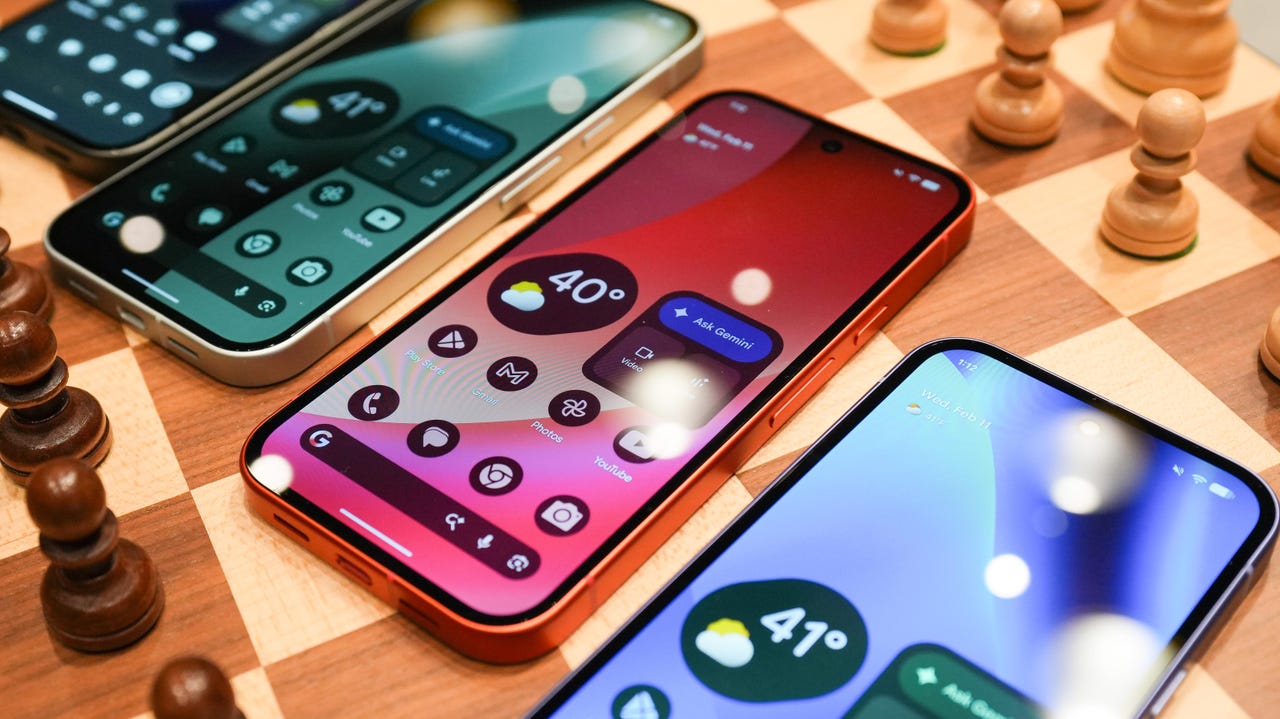
  • Android 17 is here, along with the June Pixel Drop.
  • The OS is rolling out to Pixel devices first.
  • Users are getting upgraded productivity, security, and more.

Android 17 is officially here, and it’s a doubly good day for Pixel users, as it’s bringing the June Pixel Drop with it.

Google has rolled out its annual OS update and its latest collection of Pixel-exclusive features at the same time, and the updates pack not only some practical features that will make an impact on how you use your phone daily, but also security protections, some new translation tricks, and more. Pixel Watches — the 2 and later — are included, too, with a potentially life-saving feature addition.

Also: I’m a devoted iPhone user but Android 17 is tempting me with its new video and social features

Here’s a look at what’s new in Android 17, which starts rolling out today to Pixel phones first and then to other devices “throughout 2026,” along with what’s new in the June 2026 Pixel Drop.

What’s new in Android 17?

Since many manufacturers now offer longer update windows, usually 4 to 7 years, a wide range of devices are eligible. The updated OS starts rolling out today to Pixel 6 phones and newer. Samsung’s Galaxy S23 series and newer will get it as One UI 9, along with the Flip 5 and newer, Galaxy A24 and newer, and Tab S9 series. OnePlus will bring Android 17 to the OnePlus 11 and newer.

1. App Bubbles

Perhaps the most useful feature is Bubbles, which lets you turn any app into a floating bubble on your main screen. All you have to do is long-press an app, and it becomes an easy-to-access bubble. If you consistently switch back and forth between apps or need to access a certain app often, like a map or airline app while you’re on a trip, you can now find what you need more quickly.

Pixel Folds are getting a special Bubble Bar at the bottom of the screen that lets you organize, move, and access your recent bubbles from one dedicated space.

2. Additional security

Android 17 is also bringing boosted security. 

To start, you can now grant an app temporary access to your exact location and share only specific contacts. 

Additionally, an enhanced “Mark as lost” feature, located in Find Hub, lets you lock a missing phone with your biometrics, so even if a thief has your passcode, they can’t access anything on your device or turn off tracking. 

Improvements to Live Threat Detection block more suspicious apps and scams, Google explained, and enhanced Advanced Protection mode helps keep you safe from sophisticated threats. Lastly, Google is reducing the number of times someone can attempt to guess your PIN and adding longer wait times between failed attempts.

Also: How to clear your Android phone cache – the 30-second routine every user should be doing

3. Screen reactions and more

Also new is Screen Reactions, which lets you take a selfie video overlaid on a screen recording in lieu of a green screen; a 50/50 gaming mode with a dynamic pad for foldables; and built-in parental controls beyond Pixel devices, so you can set screen time limits and content filtering with a PIN, even if you don’t link your Google Account.

What’s in the June Pixel Drop?

Beyond Android 17, Pixel users are getting several Pixel-specific upgrades in the June Pixel Drop.

1. Custom greetings for Take a Message

Introduced in 2025, Take a Message expands on the Pixel call screening feature and gives you a real-time transcript of what the caller is saying, along with AI-generated follow-up steps. Now, Take a Message has custom greetings, letting you record a personalized outgoing message instead of the default voice.

2. New AI models

Two new AI models are making their way to Android phones. The first is Gemini Omni, a new way to create and edit videos. Gemini Omni lets you type in a prompt and get a custom, high-quality video. This is available on all devices with the Gemini app for Gemini Pro users only.

Also: Everything we saw at Google I/O: Gemini 3.5, Android XR glasses, Spark, and more

Also on the way is Lyria 3, which lets you create original tracks using text prompts or images as inspiration. You can prompt Gemini with the style, vocals, and tempo you want. This is coming to all Android 17 Pixel phones and Folds.

3. Voice Translate for the Pixel 10a

One of the Pixel 10 series’ exclusive features is Voice Translate, which provides a real-time translation on phone calls in the speaker’s voice. ZDNET’s Sabrina Ortiz tried the feature last fall, noting how quickly the feature worked and how well it copied her voice. Voice Translate is getting a small expansion, coming to the Pixel 10a.

Also: iOS 27 envy? 4 features you can already use on an Android phone (including Samsung models)

4. Android Quick Share expansion and more

Pixel users are also getting an expansion of Android Quick Share compatibility with AirDrop, coming to the Pixel 9a and Pixel 8a, and an expansion of Magic Cue to more apps, coming to the Pixel 10 series.

What’s new for Pixel Watches?

Pixel Watches are only getting one new feature, but it’s a potentially big one. Core detection features, including Car Crash Detection, Fall Detection, and Loss of Pulse Detection, are getting emergency sharing. If a severe event is detected, Google explains, your Pixel will call emergency services and notify your chosen contacts. You can toggle emergency contacts on or off for each type of event.

Also: This silent Android feature scans your photos for ‘sensitive content’ – how to uninstall it

Fall Detection is coming to the Pixel Watch, plus the 2, 3, and 4, while Car Crash Detection is coming to the Pixel Watch 2, 3, and 4. Loss of Pulse Detection is only coming to the last two generations, the Pixel Watch 3 and 4.


Source link