Stihl’s Tiniest Chainsaw Is Battery-Operated (And Fits On Your Keyring)


We may receive a commission on purchases made from links.

Stihl is one of the foremost names in the world of chainsaws, thanks to the quality of the brand’s products. While Stihl chainsaws do have some common problems, for the most part, these large, loud, and powerful appliances get the job done for those who need to cut up branches or bring down whole trees. There is, however, one Stihl chainsaw model that isn’t particularly helpful in that regard, but which makes up for it by being far and away the most adorable product the brand has released up to this point. 

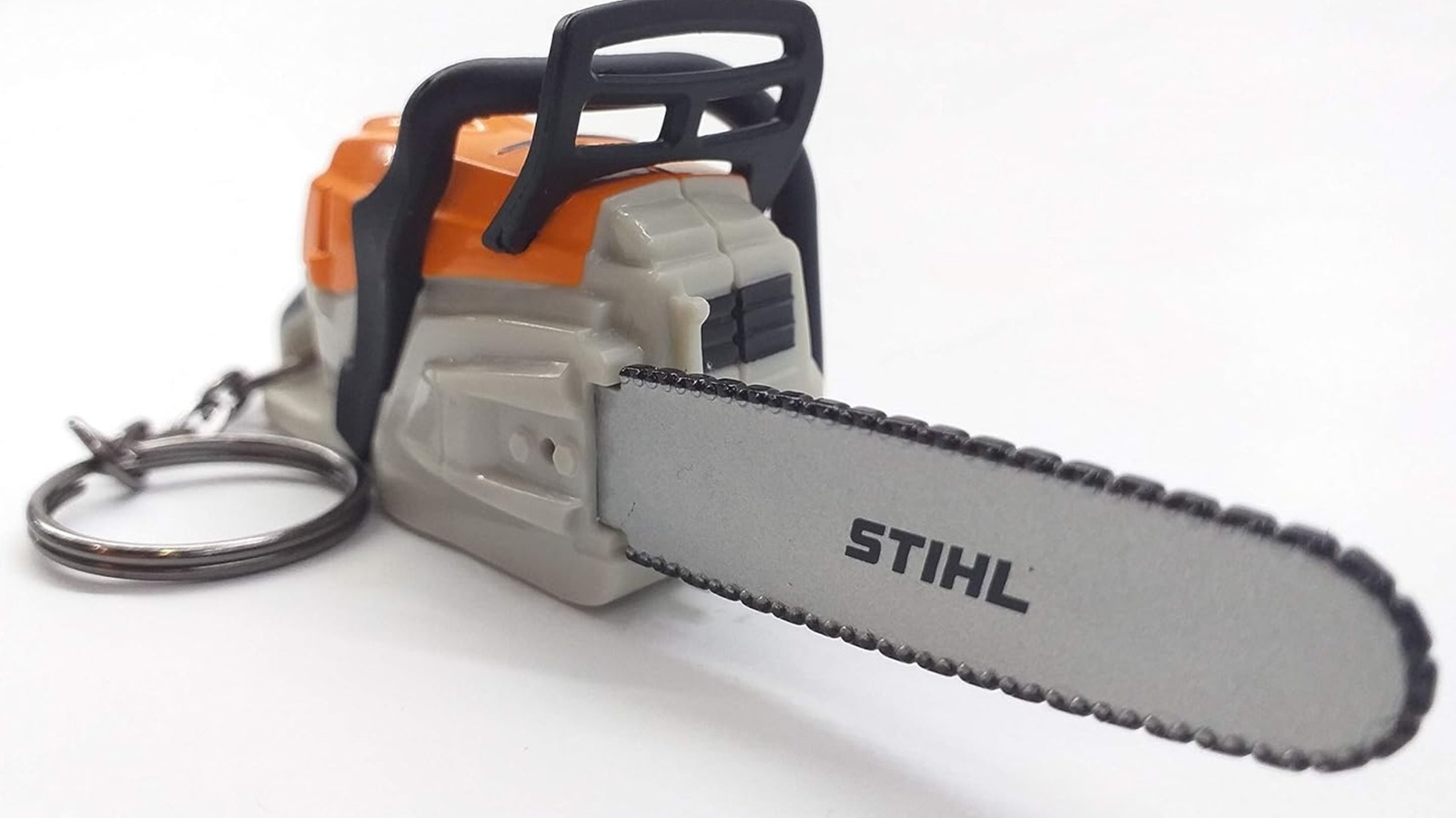
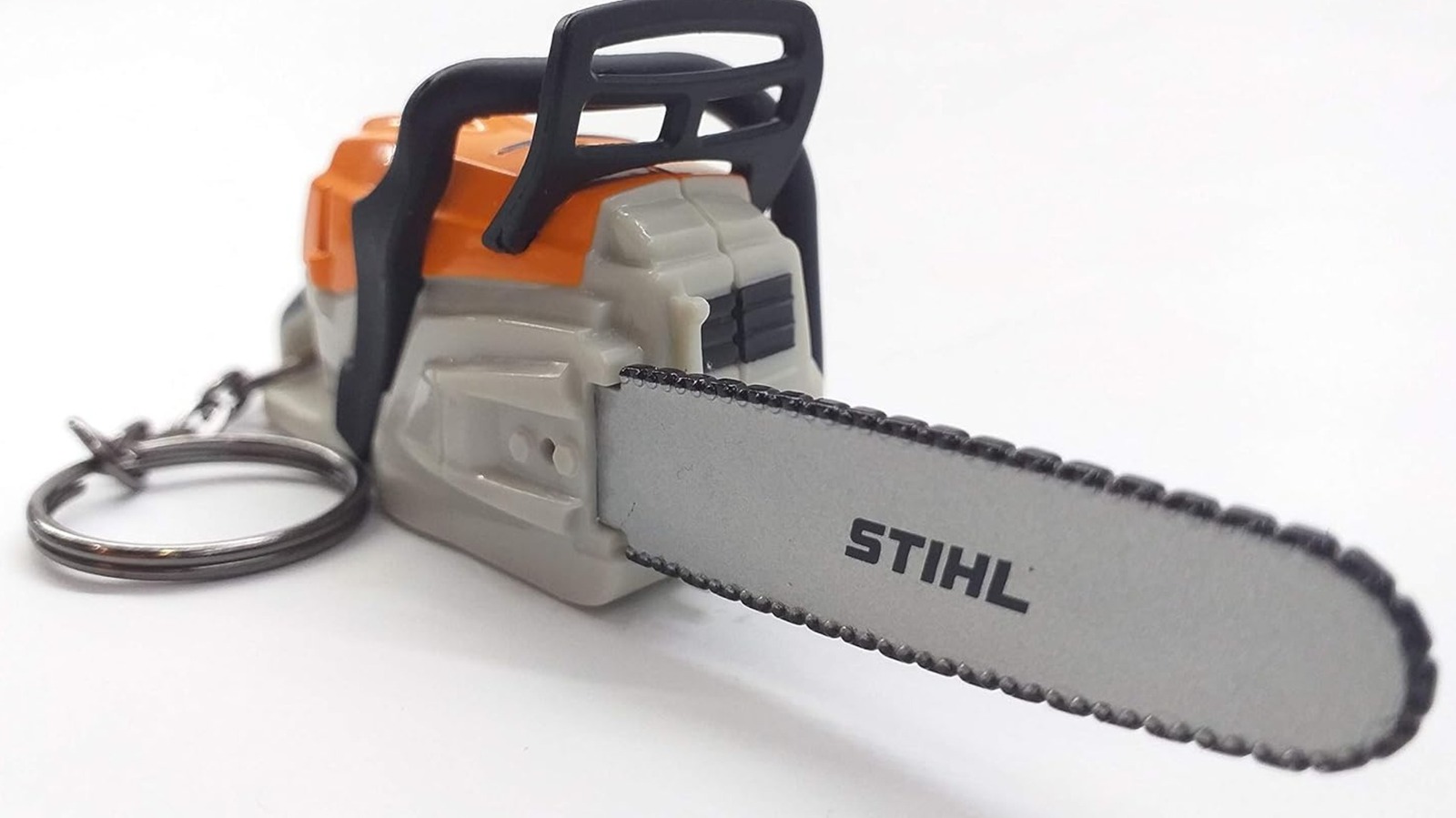
The Stihl chainsaw in question is the battery-operated Stihl chainsaw-shaped keyring. For $18.00 through Amazon, you can have a 3.78×1.34×1.18-inch Stihl chainsaw hooked on your car keys, belt, or anywhere else you can attach a keyring. Of course, just don’t expect to actually do any cutting with it. While it takes three CR123A batteries, they only allow you to press a button on the back to make it emit chainsaw sounds. The plastic blade is present purely for aesthetic purposes. Think of it more as a fine little trinket for kids or a fun gag gift for the arborist in your life.

While technically this is the smallest Stihl-branded chainsaw around, it isn’t actually a functional saw. Moving up from this keychain, we find the smallest functional Stihl chainsaw model released to date.

What’s the smallest functional Stihl chainsaw?

Technically speaking, the smallest usable Stihl chainsaw is the GTA 26 handheld garden pruner. This is a mini chainsaw that has a 4-inch bar and runs on a Stihl AS 2 rechargeable battery. Naturally, this isn’t meant for chopping down trees or lobbing off thick branches. Instead, this Stihl model is intended more for minor pruning and trimming. That doesn’t mean it’s all that cheap, though. The GTA 26 sells for $119.99 on the Stihl website, with a battery and charger bringing the price up to $149.99. Fortunately, there are a few different places to buy Stihl chainsaws, so looking around for deals isn’t impossible.

With that said, this tool still stretches the definition of a chainsaw just a bit. If you’re interested in a small Stihl product that looks and functions like a proper chainsaw, you’ll want to consider the Stihl MSA 60 C-B. This is the smallest standard chainsaw the brand has and comes with a 12-inch bar. This is another battery-operated model, advertised as being ideal for smaller jobs and those in residential areas where low noise is a must. The chainsaw costs $329.99 through Stihl, while the battery and charger combo kit goes for $349.99. 

Clearly, there’s more to Stihl’s chainsaw offerings than large, loud, noisy machines intended for professional work. It has its share of smaller, easier-to-use models, too, along with an itty bitty one that, while not an addition to a real tool collection, is still a fun little piece to have around.


Source link

Leave a Reply

Subscribe to Our Newsletter

Get our latest articles delivered straight to your inbox. No spam, we promise.

Recent Reviews


Google Maps

You can completely obscure your home from Google Maps’ view if you’re uncomfortable with it there. 

Google Maps

Type almost any residential address into Google Maps, switch to Street View and you’ll find a high-resolution photograph of the front of the property – the door, the windows, the cars in the driveway, the layout of the yard. For most homeowners, that level of detail being publicly accessible to anyone with an internet connection is a privacy concern that doesn’t get discussed nearly as much as it should. Google does offer a way to blur your property out of Street View entirely, the request is free, and once it’s approved the blur is permanent. Here’s how to submit one.

The good news is that you don’t have to just accept this exposure as a fact of life. You can actually force Google to censor your home, permanently blurring it out to protect your privacy from prying eyes. It’s a simple way to take back control of your home’s online footprint and ensure that your driveway and windows aren’t part of a global database.

Here’s how to reduce how much of your home is visible online.

For more, check out essential Google Maps tips for travel.


Don’t miss any of our unbiased tech content and lab-based reviews. Add CNET as a preferred Google source.


How to Blur Your Home or an Object in Google Maps

How to blur your home on Google Maps

You’ll need to do this on your computer since the blurring feature isn’t available in the Google Maps application on iOS or Android. It is accessible through the web browser on your mobile device, but it’s rather difficult to use, so your best option is a trusted web browser on your Mac or PC.

At maps.google.com, enter your home address in the search bar at the top-right, hit return, then click the photo of your home that appears.

Google Maps address

Click on the photo of your home, right above your address, on the top-left part of the page.

Screenshot by Nelson Aguilar/CNET

Next, you’ll see the Street View of your location. Click Report a Problem at the bottom-right. The text is super tiny, but it’s there.

Google Maps location

This is the Street View of your location.

Screenshot by Nelson Aguilar/CNET

Now, it’s up to you to choose what you want Google to blur. Using your mouse, adjust the view of the image so that your home and anything else you want to blur are all contained within the red and black box. Use your cursor to move around and the plus and minus buttons to zoom in and out, respectively.

Street View on Google Maps showing options for blurring the image

If you want to blur more than what’s in the red and black box, use the plus button to zoom in.

Screenshot by Nelson Aguilar/CNET

Once you’re finished adjusting the image, choose what you’re requesting to blur underneath:

  • A face
  • Your home
  • Car/license plate
  • A different object

You’ll be asked to provide a bit more detail about what you want blurred in case the image is busy with cars, people and other objects.

Also, be completely sure that what you select is exactly what you want blurred. Google cautions that once you blur something on Street View, it’s blurred permanently.

Finally, enter your email (this is required), verify the captcha (if needed), and click Submit.

Google Maps options

You are required to provide additional information about what you want to blur, so be thorough.

Screenshot by Nelson Aguilar/CNET

You should then receive an email from Google that says it’ll review your report and get back to you once the request is either denied or approved. You may receive more emails from Google asking for more information regarding your request. Google doesn’t offer any information on how long your request will take to process, so just keep an eye out for any further emails.

For more, take an inside look at how Google built Immersive View for Maps.


Source link