
Everyone is probably familiar with the adage of Toyota cars being amongst the most reliable vehicles on the planet. In fact, we’d argue that the brand has built its entire reputation on being boring — via route of being reliable, sensible, and usually gray — because the car never stops working. So, when a Toyota engine has a “send it back to the factory” level problem, it becomes the talk of the town. And, as you’ll see, Toyota’s rare misses are talked about decades later, especially when it concerns a truck.
We’ve all seen the memes about Toyota trucks winding up everywhere from wars in deserts to suburban driveways where the largest obstacle is the curb. That said, by and large, a Toyota truck (like the vast majority of other Toyota vehicles) is known for starting every morning, having lower-than-optimal infotainment systems, price gouging you on trim levels, and really never leaving you stranded on the side of the interstate. However, even the best of us aren’t infallible, and so it is with Toyota.
While we will get into numbers later in this article, here’s something to give you an idea of the scale of the problem: Just one engine family has been responsible for almost 275,000 vehicles being recalled — and that’s just in the past two years between 2024 and 2026. There are a total of five engines on this list, and we’ll be progressing in a chronological order, from oldest to newest.
Toyota’s current truck lineup explained
The current Toyota truck lineup consists of surprisingly few models. You have the workhorse Hilux (notoriously unavailable in the U.S.), the midsize Tacoma, and the full-size Toyota Tundra. There is also the LC79 pickup, which is essentially the legendary 70 series given a pickup body and a modern VIN number, like a blast from the past. Sadly, of the four trucks that Toyota currently has in production, only the Tacoma and the Tundra continue to be available in the U.S. market. The LC79 struggled with the American Federal Motor Vehicle Safety Standards (FMVSS) as well as EPA emissions guidelines, while the Hilux would remain uncompetitive on price because of the “chicken tax” — a duty imposed on light-duty imported pickups instituted in the 1960s.
The current duo of Toyota trucks on offer in the U.S., then, is all we have, and engine choices are equally restrictive. The Tacoma gets three distinct engine choices, all of which are a 2.4-liter inline-4 motors, making up to 326 hp and 465 lb-ft of torque. The most powerful engine on the Tacoma (with the 326 hp) is a hybrid setup, while the base engine makes 278 hp and 317 lb-ft of torque. The modern Toyota Tundra is similar — which we’ll cover later on – and it’s extremely, overwhelmingly, and uncharacteristically problematic.
3VZ-E 3.0L V6
The first engine on our list is over four decades old, having debuted in 1988. This family was actually the first mass-produced V6 engine that Toyota would ever make. This engine is so old that, at the time, Toyota didn’t even have a name for its pickup truck in North America, branding it the “Toyota truck” or “Toyota pickup” until 1995, when the Tacoma nameplate first appeared. The 3VZ-E displaced three liters across six cylinders, with a bore of 87.5 mm and a stroke of 82 mm, and could be found in the second iteration of the 4Runner, as well as in the fifth-gen Toyota pickup.
However, there were bound to be some teething problems on this generation, and the most fatal flaw stemmed from the way the exhaust system was set up. The exhaust crossover pipe (which is a system that connects the left and right side exhaust manifolds on V-shaped engines) used to run right behind a couple of the cylinder heads. This exhaust crossover would then proceed to bake that rear cylinder with excessive amounts of heat (from the exhaust gas it carried), which would lead to head gasket failure, wrecking the engine if unchecked. Furthermore, the from-factory exhaust crossover pipe was prone to heating up so much (and then not being cooled properly) that the valves in the exhaust system would literally burn themselves. The cooling system was also prone to trapping air bubbles in the system.
3VZ-E 3.0L V6 (Continued)
In Toyota’s defense, it did issue a service campaign – specifically SSC V06 for those interested – wherein gaskets on all affected vehicles made after 1990 would be replaced, and gaskets on 1988 to 1990 models would get an extended warranty up to 100,000 miles. If you are looking to nab a Toyota truck from this generation, you should really make sure that the service campaign was carried out, otherwise it’s just a very expensive repair waiting to happen.
However, proof of repair for a 30-something year old truck would be hard to find, so it’s probably best to avoid trucks with this engine. If you have your heart set on one of these trucks though, there are a couple fixes that one could do to alleviate the issues to a great degree — but they’re not cheap. For one, you could get performance headers installed on the engine that would be better at wicking the heat away from the head, or you could also get an aftermarket exhaust crossover kit. As a temporary fix, you could thermally insulate the factory crossover exhaust system on the passenger side — but be careful that the insulation is properly certified so as to not catch on fire.
If you can find a truck where any of the above “upgrades” have been done, then that’s great; otherwise you’ll need to budget a few thousand dollars for at least one of the fixes, which could actually well exceed the cost of the truck.
3RZ-FE 2.7L I4
Released in 1994, the 3RZ-FE is a four-cylinder unit arranged in an inline layout that displaces a total of 2.7 liters via a bore of 95 mm and an equivalent stroke — making about 150 hp and 177 lb-ft of torque. Additionally, the engine was notably a dual overhead cam (DOHC) unit that also featured fuel injection, technologies that were just gaining traction at the time.
This engine had big shoes to fill, given that it was the replacement for the tried, tested and true Toyota 22R-E, which was also a truck-focused four-cylinder workhorse engine. The 3RZ-FE could be found in all the models that the 3VZ-E 3.0L V6 from above was in, i.e., the 4Runner and Tacoma. In addition to those models, the 3RZ-FE I4 could also be had in the uniquely-named Land Cruiser Prado, Hilux truck, and the HiAce van.
While the unit didn’t suffer from a debilitating single flaw like the V6 that we just looked at, it did have a slew of common issues. The timing chain on the engine would be prone to stretching (usually because the tensioners or guides in the chain system begin to give) which could result in catastrophic damage to engine internals. Other issues were with the serpentine belt eating itself, the balancer shafts acting up, and the water pump failing.
5VZ-FE 3.4 V6
Next, we need to make a very clear distinction between “this is an unreliable hunk of metal that turns oil into mileage” and “this engine is not necessarily unreliable, but isn’t without criticism.” The 5VZ fits the latter. For those who are paying attention to the naming, you’ll notice that this engine is remarkably similar to the 3.0-liter V6 that we covered at the beginning of this article. That’s because the 5VZ-FE is a direct successor to that engine, introduced in 1995 for many of Toyota’s mainstay models, like the 4Runner, Tacoma, Tundra, T100, Hilux, and Land Cruiser Prado.
It did solve many of the quibbles that came with the incumbent V6, but new technologies did bring about some unforeseen issues on the new engine. The most prominent problem on this model would be the knock sensor harnesses in the bay failing, because both sensors were located at the bottom of the engine valley where various things could spoil them. This could even put the engine into limp mode, along with throwing up check engine lights and worsening the economy. To fix this (ostensibly common) issue would need a few hours of labor, all for a part that can be found for about $70, including shipping. Other issues on this legendary Toyota 3.4 V6 were the exhaust manifolds cracking, which could trigger an exhaust leak -– characterized by that tick-ticka-tick-ticka sound during a cold start. The timing belt, rough idling, and serpentine belt are also points of failure.
3UR-FE 5.7L V8
The 3UR-FE was the most powerful V8 motor available in a Toyota when it launched in 2007. It was to be found in models such as the Toyota Tundra and Sequoia as well as some Land Cruiser variants, so it was a massive engine built to power Toyota’s largest body-on frame trucks. The specific Land Cruiser it powered was the LC200 in only some markets, along with the Lexus LX570, the luxury version of the Land Cruiser; the only truck it came in would have been the Tundra, made between 2007 and 2021.
This is because 2022 model Tundra pickups shipped with the brand new V35A-FTS engine that we’ll cover in the next section, which was even more problematic than this one, the 3UR-FE. Once again, the 3UR-FE was not debilitatingly unreliable -– far from it -– but it did come with a number of known, common issues. Primarily, early models of the Tundra suffered from a defective camshaft (a supplier’s fault) that could lead to camshaft cracks and failure.
Also, moisture can enter the air injection pumps and switching valves, causing a host of issues. Other problems that happen with some regularity on the 5.7 V8 include exhaust manifold cracks, water pump leaks, and difficulties replacing the starter motor due to where it’s buried. Furthermore, aside from North America and some African markets, the 5.7 V8 was generally eschewed for the diesel or the 4.6 V8 instead; getting cheap imported parts would be tough if your local scrapyard doesn’t have one laying about.
V35A-FTS 3.4L Twin-Turbo V6
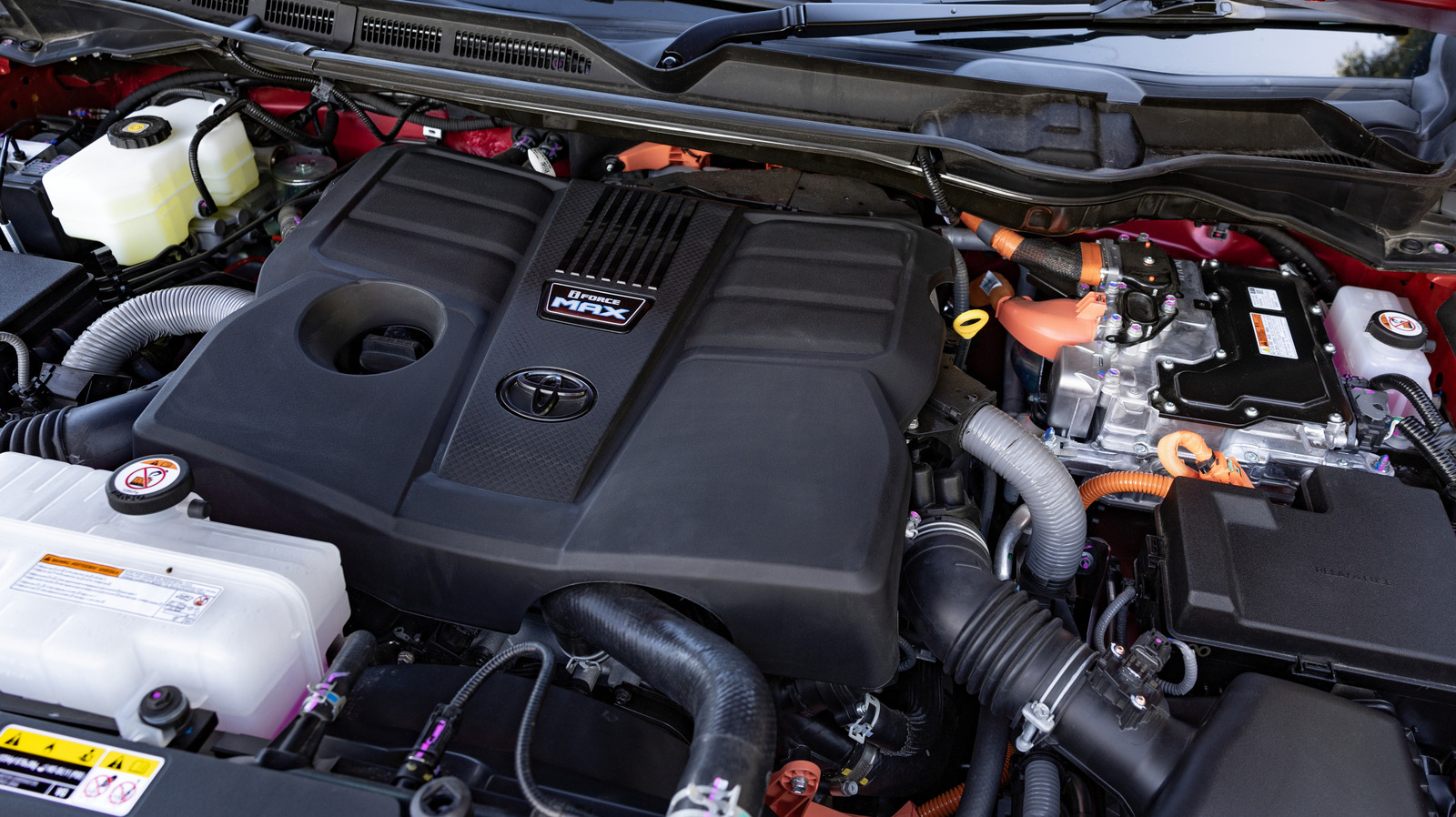
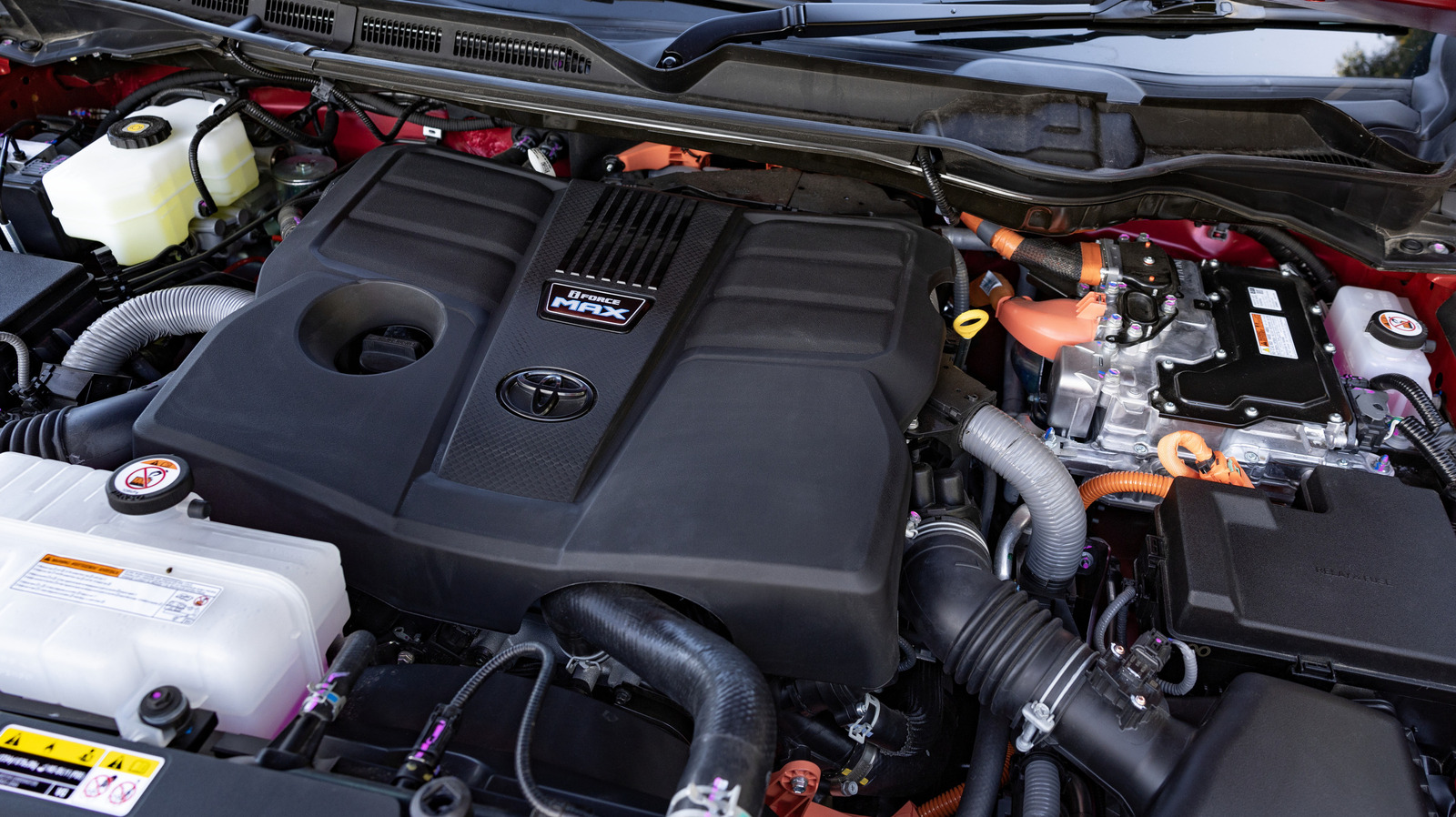
The latest problem child from Toyota is actually fairly new, as the issues began as recently as the middle of 2024. The engine in question is a V6 motor that displaces 3.4 liters, assisted by two turbochargers, carrying the engine code of V35A-FTS.
As we alluded to in the introduction, the V35A-FTS engine is found in the modern Toyota Tundra, where it can be had either as a hybrid powerplant or as a purely internal-combustion (ICE) unit. The non-hybrid makes 358 hp and 406 lb-ft of torque, while the electrified system, with its additional e-motor, makes an impressive 437 hp at 5,200 RPM, along with 583 lb-ft of torque at 2,400 RPM.
In 2022, this engine was offered in the Toyota Tundra for the first time, though the engine had been around for five years prior, debuting on the Lexus LS500. As Lexus is the luxury arm of Toyota, there is a fair bit of platform, engine, and component-sharing between the two brands. After the engine debuted on the Tundra, problems started almost immediately.
V35A-FTS 3.4L Twin-Turbo V6 (Continued)
Over a quarter-million units of the V35A-FTS were at risk of shipping with a major manufacturing defect. Engine blocks undergo machining which produces microscopic metal shavings – called “swarf” in the industry. Now, typically, the engine block is cleaned quite thoroughly, but in certain V35As, this wasn’t done. As a result, metal shavings could find their way into the crankshaft and the main bearing. For those who don’t know, the crankshaft is basically the thing that turns the up-down-up-down movement of the pistons into forward momentum sent to the wheels. The main bearing can be thought of as the “housing” that the crankshaft sits in, and it’s important to note that the crank and bearing aren’t supposed to touch.
There is a layer of oil that prevents that, but these metal shavings could get into that (very thin) layer of oil and cause friction. This would fuse the crankshaft and main bearing together, wrecking your engine. Toyota initially issued a recall for 102,000 units in May, 2024, expanded it once in November, 2025, and then once more in May, 2026, bringing the total number of affected vehicles up to more than 270,000 in total. On the initial recall, every single engine block would be replaced, but as the issue scale became clear, the “expansions” toned things down. On the 2025 and 2026 recalls, dealers would check the software for wear and replace the block if necessary — a risky move, considering how widespread the issue was.

Stephan is the sports journalist for the Maple Grove Report.