Viet Ville Restaurant Puerto Princesa Review: A Taste of Vietnamese Heritage in Palawan


One of the most memorable dining experiences I had during my recent visit to Puerto Princesa was at Viet Ville Restaurant, a unique culinary destination that offers not only delicious food but also a fascinating piece of the city’s history.

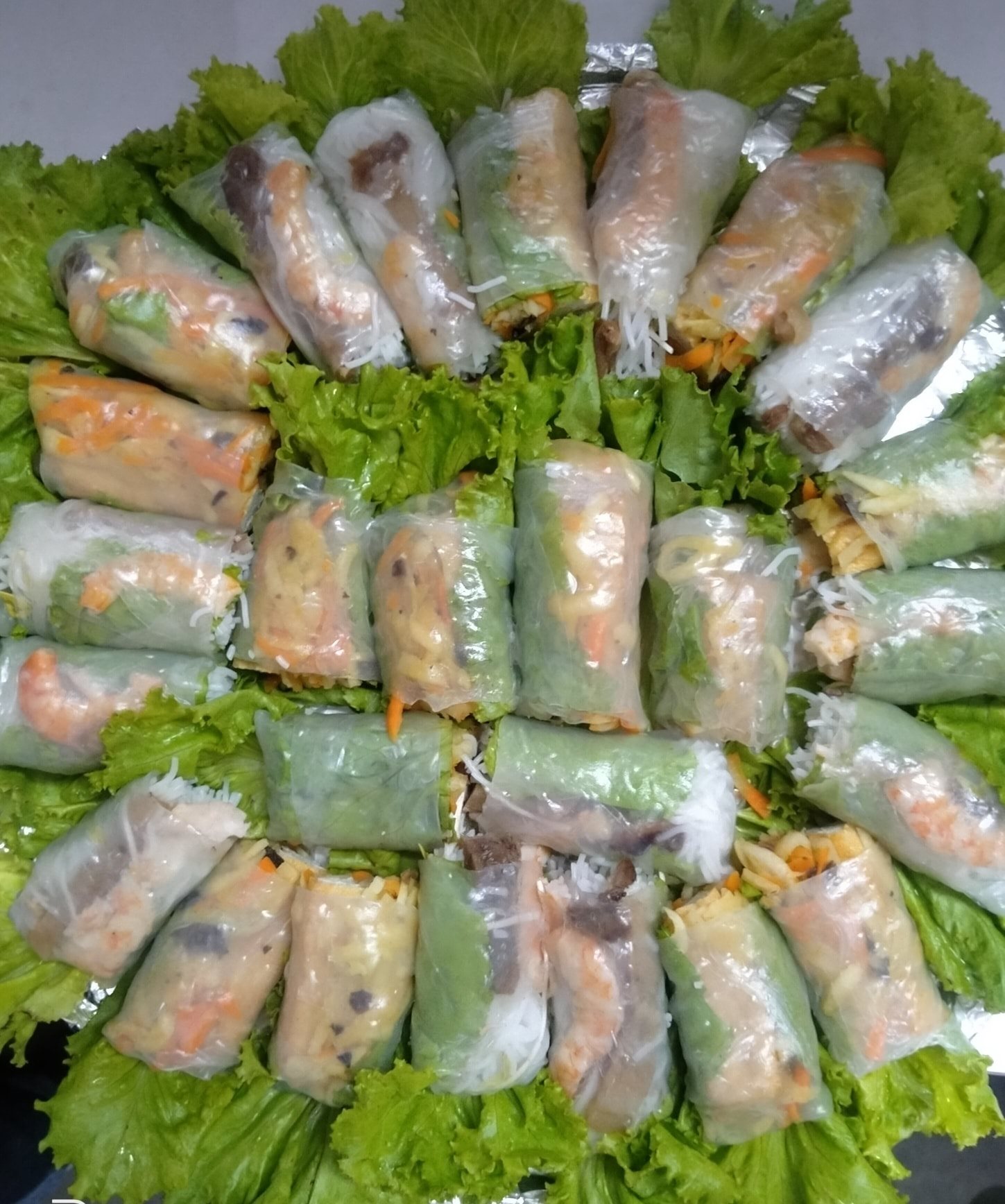
Fresh Lumpia Mixed photo via Viet Ville Restaurant FB Page

Fresh Lumpia Mixed photo via Viet Ville Restaurant FB Page

Located in Barangay Santa Lourdes, just a short drive from the city center and near several popular tourist attractions, Viet Ville is easy to reach by private vehicle, taxi, or ride-hailing services. From downtown Puerto Princesa, the restaurant is approximately 15 to 20 minutes away, making it a convenient stop for lunch or dinner while exploring the city.

What makes Viet Ville truly special is its story. The restaurant traces its roots to the Vietnamese refugee community that settled in Puerto Princesa during the late 1970s and early 1980s. The area was once known as the Philippine Vietnam Village, where thousands of Vietnamese refugees found temporary shelter. Over time, many families established businesses and introduced their culinary traditions to the local community. Today, Viet Ville Restaurant preserves this unique cultural heritage through its authentic Vietnamese-inspired dishes, making it one of Puerto Princesa’s most iconic dining establishments.

As soon as we arrived, we were welcomed by a relaxed atmosphere that blended Filipino hospitality with Vietnamese influences. The restaurant’s garden setting and traditional architecture immediately created a sense of warmth and comfort.

Chicken with Lemongrass

We started our meal with their bestselling Chicken with Lemongrass, and it quickly became one of my favorite dishes of the day. The chicken was wonderfully tender and juicy, infused with the bright citrus aroma of fresh lemongrass. Every bite was flavorful and incredibly comforting, striking the perfect balance between savory and fragrant notes. It’s easy to understand why this dish remains a customer favorite after all these years.
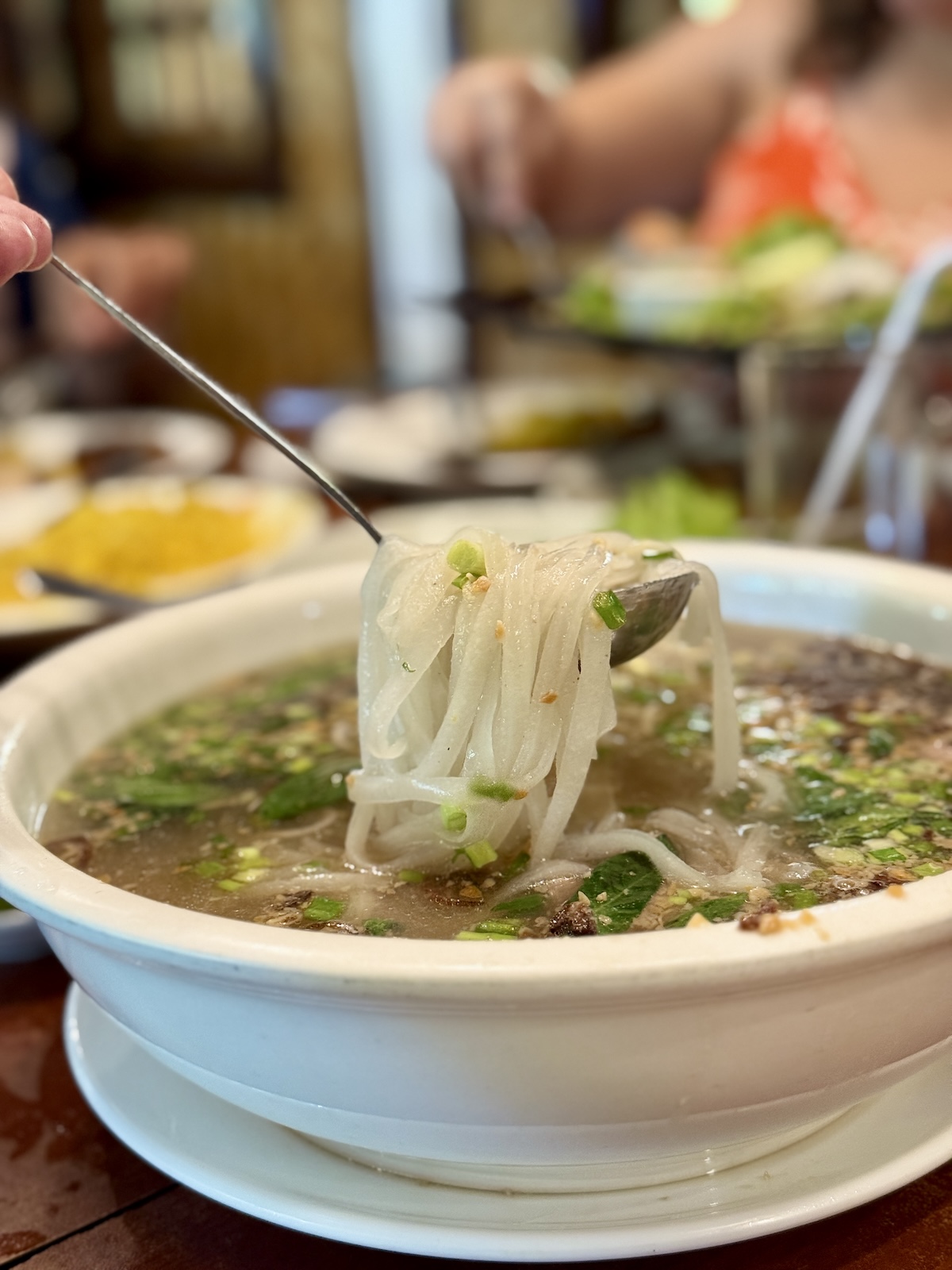
Chaolong Noodles at Vietville

Next came the Chaolong Noodles, arguably the restaurant’s most famous offering. Chaolong is Puerto Princesa’s beloved Vietnamese-inspired noodle soup and has become an integral part of the city’s culinary identity. The rich and flavorful broth delivered deep, satisfying flavors that reflected the unique blend of Vietnamese and Filipino influences. Each spoonful felt hearty and nourishing, while the noodles absorbed the soup’s savory goodness beautifully. For anyone visiting Puerto Princesa, trying Chaolong at Viet Ville is practically a culinary rite of passage.

Lumpia Platter at Viet Ville Restaurant

The Lumpia Platter arrived next and proved to be the perfect dish for sharing. The rolls were crisp and golden on the outside, revealing a savory filling that complemented the other dishes wonderfully. Every bite offered a satisfying crunch, making it an excellent appetizer or side dish for larger groups.

To accompany our meal, we enjoyed fragrant Turmeric Rice. Its vibrant golden color immediately brightened the table, while its subtle earthy flavor added warmth and depth to every dish it accompanied. The rice paired particularly well with the Chicken with Lemongrass, creating a combination that was both comforting and satisfying.

To complete the feast, we cooled down with a refreshing glass of Jasmine Iced Tea. Delicately floral and wonderfully soothing, it provided the perfect contrast to the rich flavors of the meal. Light, aromatic, and refreshing, it was exactly what we needed on a warm Puerto Princesa afternoon.

Dining at Viet Ville Restaurant was more than just a meal—it was a journey through history, culture, and tradition. The restaurant successfully preserves the legacy of Puerto Princesa’s Vietnamese community while serving dishes that continue to delight both locals and visitors. From the iconic Chaolong to the flavorful Chicken with Lemongrass, every dish showcased a beautiful fusion of heritage and flavor.

If you’re looking to experience one of Puerto Princesa’s most unique and historically significant dining destinations, Viet Ville Restaurant deserves a place on your itinerary. It’s a place where every meal tells a story, and every bite offers a taste of the city’s rich multicultural heritage.

Puerto Princesa Travel Tour Packages You Should Try

Follow and subscribe to OutofTownBlog.com  on  Facebook Twitter Instagram, Pinterest, and YouTube  for more Travel-related updates.

Read:


Source link

Leave a Reply

Subscribe to Our Newsletter

Get our latest articles delivered straight to your inbox. No spam, we promise.

Recent Reviews


How to get Siri AI - join the waitlist today

Apple / Elyse Betters Picaro / ZDNET

Follow ZDNET: Add us as a preferred source on Google.


ZDNET’s key takeaways

  • Siri AI requires the iOS 27 developer beta and a waitlist.
  • A free Apple Developer account is enough to install the beta.
  • Apple says Siri AI will launch in beta later this year.

Apple finally gave Siri the major update everyone has wanted for years, moving it from the voice assistant era to the intelligent AI era.

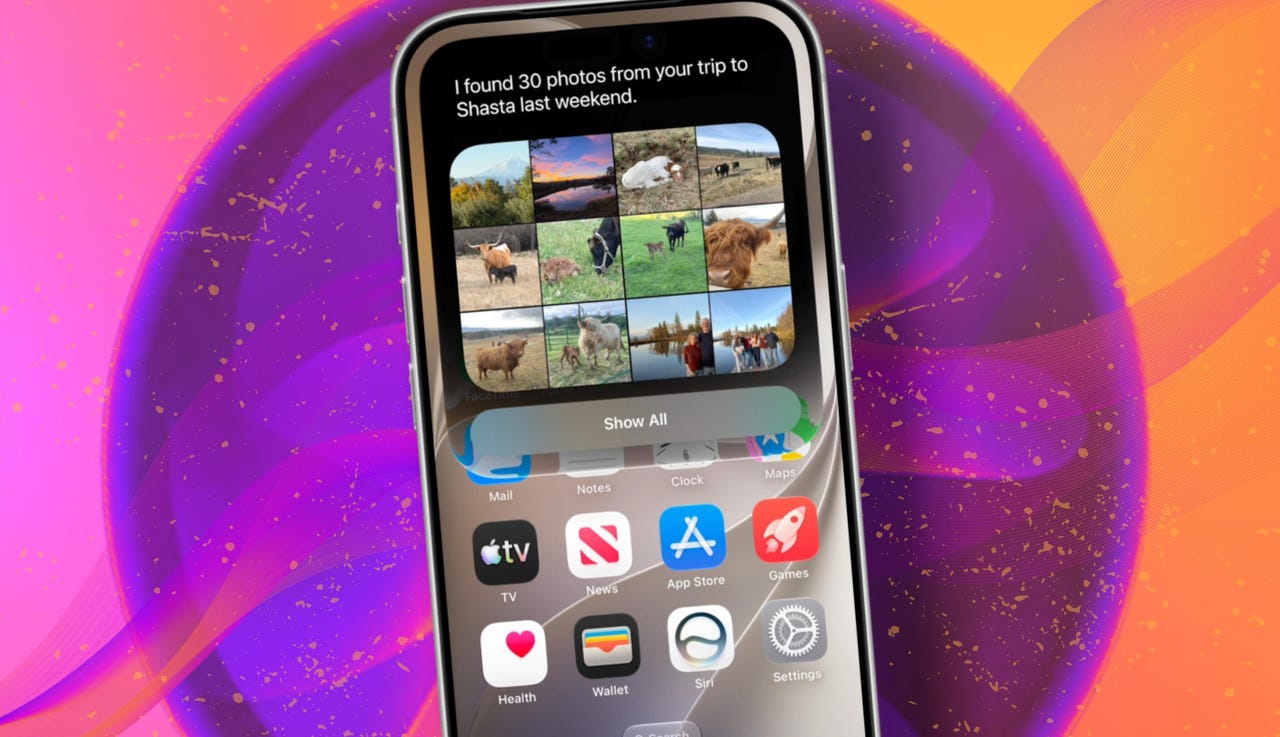
At WWDC 2026 in June, the company introduced Siri AI, a new version of Siri “powered by Apple Intelligence.” Apple said Siri AI is more conversational, understands personal context, can answer broader questions, and can take action across apps. It can also use my information from messages, emails, photos, notes, and the screen itself to get more done on my behalf.

Also: The two biggest iOS 27 features at WWDC for me had nothing to do with Siri AI

The catch? (There’s always one, right?) The iOS 27 developer beta needs to be installed first, and even then, there is a waitlist.

How to get Siri AI

What you’ll need: An iPhone 15 Pro or Pro Max, any iPhone 16 model, or any iPhone 17 model running the iOS 27 developer beta.

Install the iOS 27 developer beta on a secondary device, but be sure to back it up first. Remember, developer betas are unfinished software. Apps can crash or glitch, battery life can drain, and features can disappear.

The good news is Apple no longer requires a $99-a-year Apple Developer Program membership just to get access to beta software. A free Apple Developer account is enough. To join, if you haven’t before, simply go to Apple’s Developer website or use the Apple Developer app, sign in, and agree to the developer terms.

Also: 3 new MacOS 27 features make it worth upgrading right away for me – Siri included

Once that’s done, any new developer beta will automatically appear for the iPhone associated with that Apple Account. To check for iOS 27 and install it now, open Settings > General > Software Update > Beta Updates. From there, select iOS 27 Developer Beta, go back to the Software Update screen, and install the update.

Need help? Check out ZDNET’s guide on installing the iOS 27 developer beta.


Show more

Install the iOS 27 developer beta

Elyse Betters Picaro / ZDNET

After the iOS 27 developer beta is installed, the iPhone will reboot, but Siri AI will not automatically be available to try. Apple is using a waitlist. To join it, open the Settings app, go to Apple Intelligence and Siri, and select “Try New Siri.” Follow the prompts to opt in. Once a spot opens, a notification will appear saying New Siri is available.

Also: Getting real about WWDC and Siri AI – Video

Apple has not confirmed how long the wait will take, but it has said Siri AI will be available in beta “later this year.”


Show more

Join the Siri AI waitlist

Elyse Betters Picaro / ZDNET

Should you wait to try Siri AI?

Maybe. The iOS 27 developer beta is the only route to Siri AI right now. But it’s meant for developers testing apps and APIs, not for most people who need a stable daily phone. Only install it on an iPhone that’s not used every day, or wait for the iOS 27 public beta. That’s expected in July and is easy for anyone to try. An official release for the general public isn’t expected until this fall.

Also: How Data Can Improve Your Health and Wellness

As for me? I joined. I have a spare iPhone running the iOS 27 developer beta right now, and the first thing I did was get on the waitlist to try Siri AI. But that’s because I’m usually excited to try AI tools, and I want to play with the new Siri and be able to write about it. 

Should you join Siri Ai waitlist?

Elyse Betters Picaro / ZDNET

What can Siri AI do?

Apple said the new Siri AI is “a dramatically more capable and conversational assistant” that can help you “find information and get things done throughout the day.” That’s nice, but what, specifically, can it do? According to Apple, the new Siri AI can:

Also: Will your iPhone support Siri AI? The answer is complicated

  • Access “broad world knowledge for up-to-date answers” on any topic.
  • Provide “detailed responses” and “natural back-and-forth conversation.”
  • Use “personal context” in messages, emails, and photos to help find what you need.
  • Find details like restaurant tips, hotel confirmations, and trip photos.
  • Understand what’s on screen and answer questions about it.
  • Use “Visual Intelligence” in Camera and screenshots.
  • Take actions across apps, including drafting emails and editing or sharing photos.
  • Let you ask about images, files, and text from context menus.
  • Generate, rewrite, and proofread text systemwide.
  • Match punctuation and tone in Mail and Messages based on how you usually write.
  • Save “conversation history” in a dedicated Siri app.
  • Offer more expressive voices and better dictation.
  • Help split bills with Apple Cash.
  • Run across iPhone, iPad, Mac, Apple Watch, CarPlay, AirPods, and Vision Pro.
  • Work from Spotlight on iPad and Mac.

When will Siri AI be available?

Apple said it will be available in beta “later this year,” starting in English.

Which iPhone models support Siri AI?

The answer is complicated, but here’s my best guess:

  • iPhone 15 Pro and iPhone 15 Pro Max
  • All iPhone 16 models
  • Any later iPhone models

Apple hasn’t provided a supported device list, but its iOS 27 page shows Siri AI requires “an Apple Intelligence-enabled device.” Apple’s support page for Apple Intelligence also lists “iPhone 15 Pro models, and iPhone 16 models or later.” Apple’s iOS page uses similar wording for Apple Intelligence in iOS 27, as well: “all iPhone 16 models and later, iPhone 15 Pro, iPhone 15 Pro Max.”

There are also regional limits. Apple said Siri AI will “not initially” be available in the EU on iPhone and iPad.


Show more


Source link