
What’s The Difference Between These Suction Lifters?


We may receive a commission on purchases made from links.

The suction lifter is a major help on a job site, allowing workers to move large and unwieldy items like tiles, wood planks, and metal plates using vacuum pressure. Naturally, most major tool companies make these tools, including DeWalt, which teamed up with Grabo for the 20V Max Grabo Lifter. Grabo also sells its own lifters, including the Grabo Pro Lifter 20, named after its 20-liters-per-minute of suction. Thus, one has to wonder, where exactly do these two very similar products differ, aside from their appearance and branding?

Grabo and DeWalt’s suction lifters deviate in a few key areas. For one, their respective weight capacities are different, with DeWalt’s claiming a 265-pound maximum and the Grabo Pro rated for 375 pounds maximum. The DeWalt uses a 20-volt battery, while the Grabo uses 14.8 volts; their button and screen layouts are also different. Warranties also differ: The DeWalt Grabo comes with DeWalt’s three-year limited warranty, while the Grabo Pro has a 12-month warranty. The latter can be extended to 18 months should the tool be registered before the warranty claim is filed. Finally, price is also a differentiating factor, as the DeWalt 20-volt Max Grabo Lifter costs $259.00 compared to $299 for the Grabo Pro.

Though they overlap in key areas, including their general design and the presence of useful extras like attachment ports, the Grabo Pro and DeWalt Grabo aren’t exact duplicates. Therefore, one might be a better buy than the other depending on your needs.

Which is the right suction grabber for you?

The DeWalt Grabo Lifter is ideal for lighter work given its lower lifting capacity. It’s also a cheaper option, assuming you already have DeWalt batteries and chargers. Its $260 MSRP is a tool-only price, so the downside is you’ll have to pay extra for the supporting hardware if you’re not already invested in the DeWalt ecosystem. You could opt for the DeWalt Grabo Lifter Kit, which comes with a battery, charger, and carrying bag, but the set will cost you a steep $369 at Home Depot.

Conversely, the Grabo Pro comes with just about everything you need at $299, including the battery and charger. It is also rated for lifting heavier items. Unfortunately, the Grabo Pro isn’t as readily available as the DeWalt Grabo. It’s primarily sold through online retailers and less common brick-and-mortar stores like Floor & Decor. Grabo also advises against using its lifter with glass thinner than 6 millimeters, as the suction could damage the glass. In that case, the DeWalt Grabo’s reduced suction could be a selling point. Thus, despite their similar appearance, function, and naming, the DeWalt Grabo and Grabo Pro are two separate tools with potentially different use cases.


Source link

Leave a Reply

Subscribe to Our Newsletter

Get our latest articles delivered straight to your inbox. No spam, we promise.

Recent Reviews


How to get Siri AI - join the waitlist today

Apple / Elyse Betters Picaro / ZDNET

Follow ZDNET: Add us as a preferred source on Google.


ZDNET’s key takeaways

  • Siri AI requires the iOS 27 developer beta and a waitlist.
  • A free Apple Developer account is enough to install the beta.
  • Apple says Siri AI will launch in beta later this year.

Apple finally gave Siri the major update everyone has wanted for years, moving it from the voice assistant era to the intelligent AI era.

At WWDC 2026 in June, the company introduced Siri AI, a new version of Siri “powered by Apple Intelligence.” Apple said Siri AI is more conversational, understands personal context, can answer broader questions, and can take action across apps. It can also use my information from messages, emails, photos, notes, and the screen itself to get more done on my behalf.

Also: The two biggest iOS 27 features at WWDC for me had nothing to do with Siri AI

The catch? (There’s always one, right?) The iOS 27 developer beta needs to be installed first, and even then, there is a waitlist.

How to get Siri AI

What you’ll need: An iPhone 15 Pro or Pro Max, any iPhone 16 model, or any iPhone 17 model running the iOS 27 developer beta.

Install the iOS 27 developer beta on a secondary device, but be sure to back it up first. Remember, developer betas are unfinished software. Apps can crash or glitch, battery life can drain, and features can disappear.

The good news is Apple no longer requires a $99-a-year Apple Developer Program membership just to get access to beta software. A free Apple Developer account is enough. To join, if you haven’t before, simply go to Apple’s Developer website or use the Apple Developer app, sign in, and agree to the developer terms.

Also: 3 new MacOS 27 features make it worth upgrading right away for me – Siri included

Once that’s done, any new developer beta will automatically appear for the iPhone associated with that Apple Account. To check for iOS 27 and install it now, open Settings > General > Software Update > Beta Updates. From there, select iOS 27 Developer Beta, go back to the Software Update screen, and install the update.

Need help? Check out ZDNET’s guide on installing the iOS 27 developer beta.


Show more

Install the iOS 27 developer beta

Elyse Betters Picaro / ZDNET

After the iOS 27 developer beta is installed, the iPhone will reboot, but Siri AI will not automatically be available to try. Apple is using a waitlist. To join it, open the Settings app, go to Apple Intelligence and Siri, and select “Try New Siri.” Follow the prompts to opt in. Once a spot opens, a notification will appear saying New Siri is available.

Also: Getting real about WWDC and Siri AI – Video

Apple has not confirmed how long the wait will take, but it has said Siri AI will be available in beta “later this year.”


Show more

Join the Siri AI waitlist

Elyse Betters Picaro / ZDNET

Should you wait to try Siri AI?

Maybe. The iOS 27 developer beta is the only route to Siri AI right now. But it’s meant for developers testing apps and APIs, not for most people who need a stable daily phone. Only install it on an iPhone that’s not used every day, or wait for the iOS 27 public beta. That’s expected in July and is easy for anyone to try. An official release for the general public isn’t expected until this fall.

Also: How Data Can Improve Your Health and Wellness

As for me? I joined. I have a spare iPhone running the iOS 27 developer beta right now, and the first thing I did was get on the waitlist to try Siri AI. But that’s because I’m usually excited to try AI tools, and I want to play with the new Siri and be able to write about it. 

Should you join Siri Ai waitlist?

Elyse Betters Picaro / ZDNET

What can Siri AI do?

Apple said the new Siri AI is “a dramatically more capable and conversational assistant” that can help you “find information and get things done throughout the day.” That’s nice, but what, specifically, can it do? According to Apple, the new Siri AI can:

Also: Will your iPhone support Siri AI? The answer is complicated

  • Access “broad world knowledge for up-to-date answers” on any topic.
  • Provide “detailed responses” and “natural back-and-forth conversation.”
  • Use “personal context” in messages, emails, and photos to help find what you need.
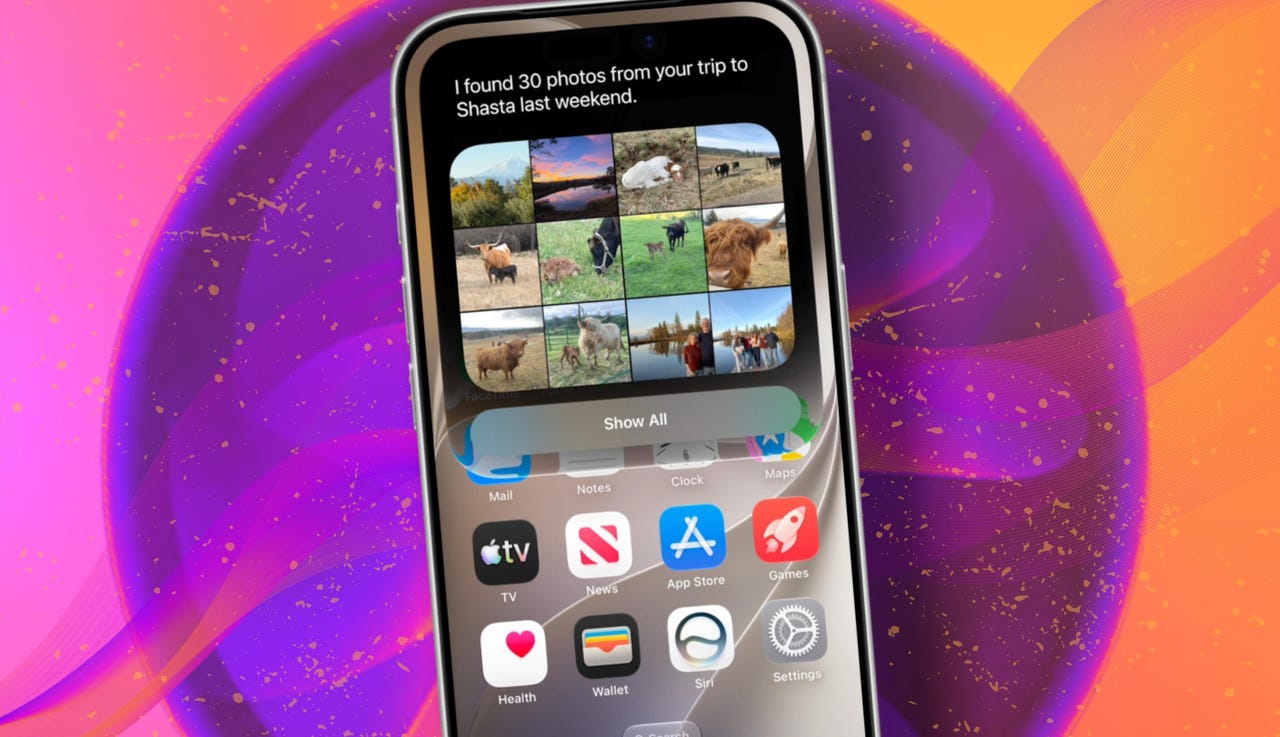
  • Find details like restaurant tips, hotel confirmations, and trip photos.
  • Understand what’s on screen and answer questions about it.
  • Use “Visual Intelligence” in Camera and screenshots.
  • Take actions across apps, including drafting emails and editing or sharing photos.
  • Let you ask about images, files, and text from context menus.
  • Generate, rewrite, and proofread text systemwide.
  • Match punctuation and tone in Mail and Messages based on how you usually write.
  • Save “conversation history” in a dedicated Siri app.
  • Offer more expressive voices and better dictation.
  • Help split bills with Apple Cash.
  • Run across iPhone, iPad, Mac, Apple Watch, CarPlay, AirPods, and Vision Pro.
  • Work from Spotlight on iPad and Mac.

When will Siri AI be available?

Apple said it will be available in beta “later this year,” starting in English.

Which iPhone models support Siri AI?

The answer is complicated, but here’s my best guess:

  • iPhone 15 Pro and iPhone 15 Pro Max
  • All iPhone 16 models
  • Any later iPhone models

Apple hasn’t provided a supported device list, but its iOS 27 page shows Siri AI requires “an Apple Intelligence-enabled device.” Apple’s support page for Apple Intelligence also lists “iPhone 15 Pro models, and iPhone 16 models or later.” Apple’s iOS page uses similar wording for Apple Intelligence in iOS 27, as well: “all iPhone 16 models and later, iPhone 15 Pro, iPhone 15 Pro Max.”

There are also regional limits. Apple said Siri AI will “not initially” be available in the EU on iPhone and iPad.


Show more


Source link