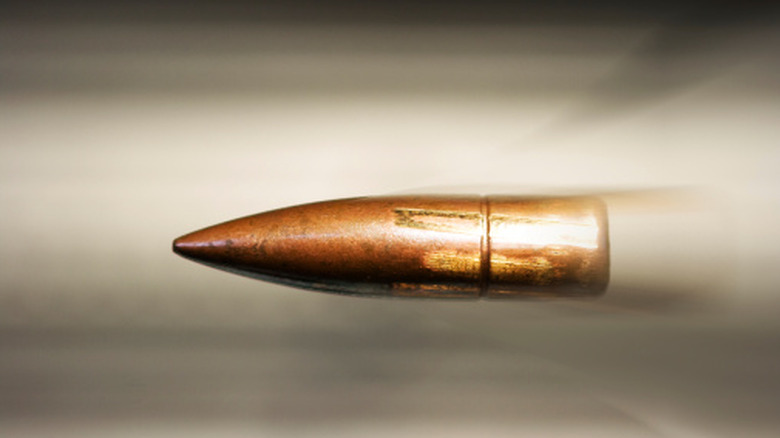

Let’s get one thing out of the way: we’re not talking about a bullet fired into your car having something in common with one fired into water. Rather, we’re talking about the shape of the bullet, and how it relates to why cars today generally follow specific shapes to reduce drag.
While the design of modern cars might not appeal to everyone, one thing’s indisputable: modern cars are almost always better at slicing through the air than classic cars. Sure, the classics have iconic looks, and they can even be practical as daily drivers, but you don’t get one for the fuel economy (unless it’s a first-gen Honda Insight or an early-90s Civic). Most older cars aren’t particularly efficient, for two reasons: archaic engine technology and aerodynamics that limit their top speed. It’s the latter point we’ll be focusing on here.
Those of you who watched that one Mythbusters episode likely already know what happens when a bullet hits the water. The energy quickly and sometimes violently dissipates, either dramatically slowing the bullet down or shattering it entirely. Something similar happens in the air. While it’s not traveling in water, a car must nevertheless wade through air to go from Point A to B. The force that opposes this motion is called drag. Drag affects anything traveling through air, be it a bullet or a car. In fact, the design architecture of bullets meant to travel long distances isn’t all that different from how your car is designed.
Let’s dive in (heh) and take a look at the physics, explaining how aerodynamics and drag influence a car’s exterior design.
The optimal shape for cutting through the air
Most car fans will already be familiar with what’s considered the ideal aerodynamic shape: the teardrop. The perfect airfoil has a drag coefficient nearly 30 times less than a flat plate with the same surface area, meaning the air will push a flat plate back about 30 times more effectively. In other words, if two cars have the same frontal surface area and one is shaped like a wall while the other a teardrop, the teardrop-shaped car will carry its momentum far more efficiently.
It’s not about slicing through the air like a wedge (though it helps to slice through the air), but instead lowering the wake generated behind the car as it moves. If you look at some bullets, for instance, you’ll notice that certain examples are not actually a cone shape — the back of it tapers in. Known as boattail bullets, the design minimizes the pocket of slow-moving air behind the bullet, called the wake.
What is a wake in terms of cars, though? Put simply, your car must move air out of the way to get anywhere, that much is common sense. The wake is what’s behind the car before the air fills that gap back up. That wake wants to drag the car backwards, meaning you’re fighting it as you’re driving along. Hence, automakers building efficient designs implement specialized aerodynamic devices like rear diffusers to minimize the wake by shrinking it down, much like a boattail bullet.
How automakers minimize drag coefficient and wake
Now that we know how the shape works in principle, how exactly do automakers use this knowledge to sculpt modern cars? Assuming we’re not talking about a Jeep Wrangler or something clearly not designed for efficiency, automakers prioritize lowering drag by eliminating the wake we were talking about as much as possible, and by countering effects like lift. This is accomplished through various means, such as adding underbody elements like a front lip and rear diffuser, lowering the ride height, and optimizing devices like the rear wing, among other changes.
Today’s manufacturers design cars with the aid of computers, active aerodynamic technology, and the all-important benefit of hindsight. However, they cannot defeat the laws of physics, which states as speed increases, it becomes exponentially harder to cut through the air. That’s why it’s so difficult for production cars to crack the 300 mph barrier. At those speeds, minute details matter far more.
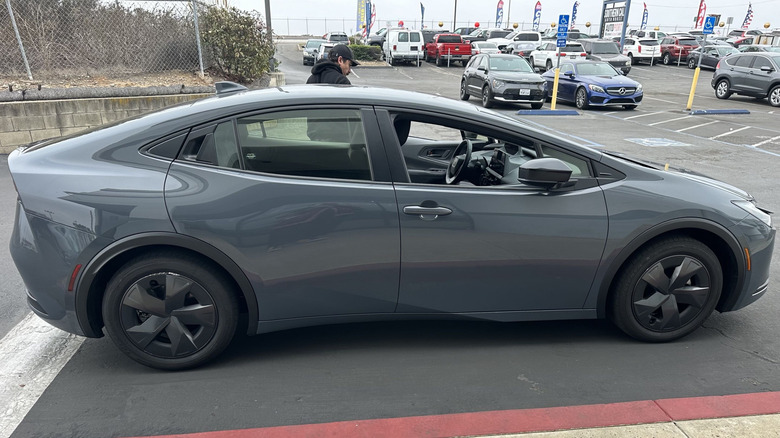
Even so, the same principles still apply in the realm of typical highway speeds, which is why automakers that prioritize range fit their cars with those aerodynamic wheel covers, for example. It’s a small aesthetic trade-off that means an extra however-many miles added to range, and that adds up. This means that, ideally, cars with excellent drag coefficients will resemble smooth teardrops, like the Volkswagen XL-1 or current-generation Toyota Prius. Hypermilers sometimes perform similar alterations to their cars, ranging from aerodynamic hubcaps to handmade teardrop-shaped bodywork.

Stephan is the sports journalist for the Maple Grove Report.