Even Your Summer Thermostat Temperature Has Become a Political Debate


How hot is it?

So hot, amid a record-breaking heatwave, that even talking about the temperature on your thermostat is making people angry. And, apparently, making the Department of Energy website pages disappear.

Last week, New York Mayor Zohran Mamdani advised the city’s residents to conserve energy. To keep the electric grid functioning, he recommended setting home thermostats to 78 degrees Fahrenheit and taking other measures to reduce electricity use. 

He wrote on X that local government was doing the same: “Our City is doing its part too: maintaining the 78 degrees rule in our buildings, dimming/turning off our lights during peak electricity demand, asking private partners to do the same, and powering down non-essential equipment.”

The response, especially among political opponents, has been heated, to say the least. Fox News gleefully highlighted those who “brutally mocked” the mayor, including politicians and influencers who claimed 78 degrees is untenable for vulnerable seniors or that Mamdani may not be following his own advice.

“Show us your thermostat, commie,” the publication quoted from an X post by Spencer Pratt, a TV actor and failed Los Angeles mayoral candidate. 

Complicating matters, and making them even more politically flammable, are reports that the Department of Energy deleted web pages, as many as 6,000 of them, referencing the same type of temperature recommendations and energy-conservation tips.

The Department of Energy did not immediately respond to a request for comment.

A list of home cooling tips appeared on the Department of Energy’s website as recently as June 19, 2026. That webpage is now gone.

Internet Archive

A review of the Internet Archive’s website shows an example of one page available as recently as June that states: “The Department of Energy and Energy Star recommend finding a comfortable indoor temperature during the day and increasing it by 7 degrees F when no one is home. Start with an indoor temperature between 75-78 degrees F during the day.” 

The agency advised homeowners to set thermostats “as high as comfortable” during the summer months and to raise the temperature when no one was home.

That page is no longer on the DOE’s website.

What’s with the current GOP outrage? 

As some news outlets and social media posters were quick to point out, conservative politicians have also called for residents to protect electrical grids by keeping their homes a little warmer in the summer. 

As far back as 1999, then-NYC Mayor Rudolph Giuliani’s office made the same recommendation during that summer’s heat wave, according to an archived press release.

In Texas, where electric grid problems led to 246 deaths in a 2021 winter freeze, the state’s energy council, ERCOT, has since asked citizens to save power by adjusting their thermostats. Before that, even, the state’s longtime governor, Greg Abbott, asked residents to do their part to lower electricity use to avoid grid strain.

“In order to mitigate stress on our state’s electricity grid, Texans should take simple measures to save as much energy as possible,” Abbott said in 2015.

Why set a thermostat to 78 degrees?

Heat waves like the one currently affecting the US can pose major health risks.

But the debate over temperature settings is less about personal safety than about preventing energy grid problems that could lead to blackouts, putting large groups of people and their pets at risk of heat-related ailments and death.

The 78-degree line is what organizations, including Energy Star (and formerly the Department of Energy), have cited for decades as a setting that balances comfort with energy savings. That recommendation dates back to 1979, when President Jimmy Carter mandated the same temperature for public buildings during a major energy shortage. 

There are a variety of technologies and home hacks that can help keep homes cooler in the summer without spiking energy bills, as CNET has reported on.

Read more: Here’s the Right Temperature for Your Thermostat in the Summer


Source link

Leave a Reply

Subscribe to Our Newsletter

Get our latest articles delivered straight to your inbox. No spam, we promise.

Recent Reviews


Google Pixel 10a

Kerry Wan/ZDNET

Follow ZDNET: Add us as a preferred source on Google.


ZDNET’s key takeaways

  • Android 17 is here, along with the June Pixel Drop.
  • The OS is rolling out to Pixel devices first.
  • Users are getting upgraded productivity, security, and more.

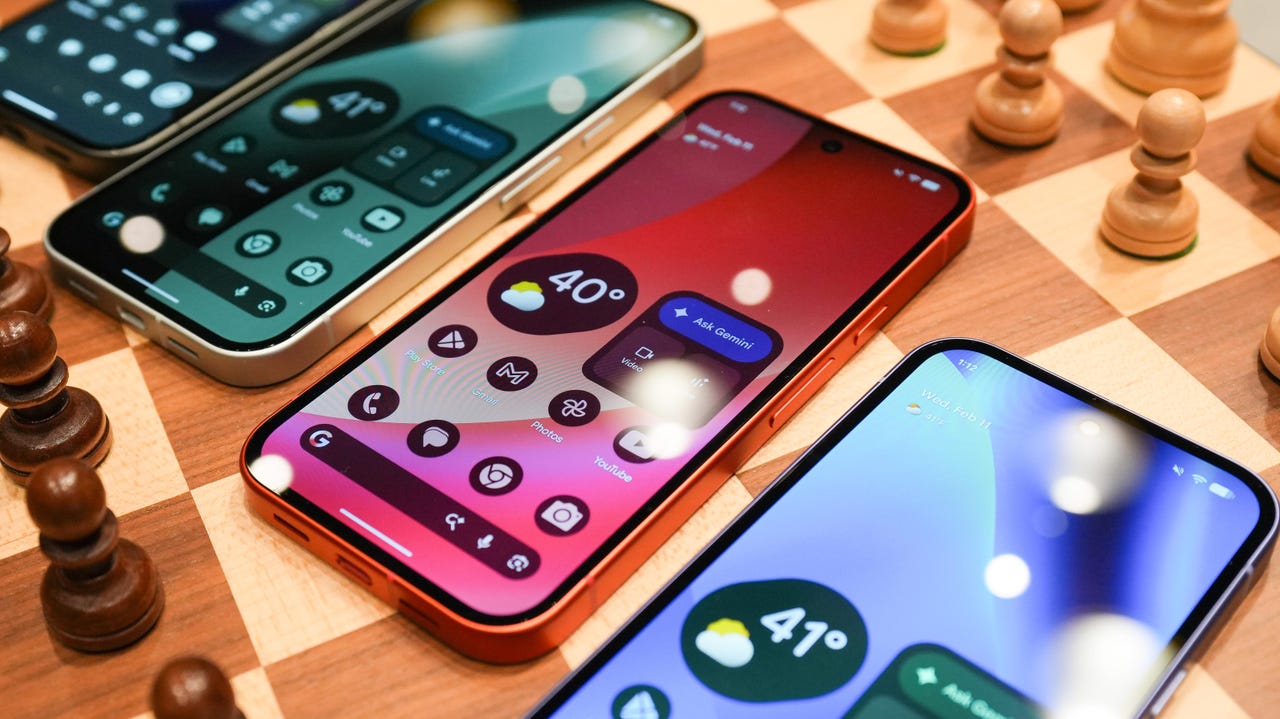
Android 17 is officially here, and it’s a doubly good day for Pixel users, as it’s bringing the June Pixel Drop with it.

Google has rolled out its annual OS update and its latest collection of Pixel-exclusive features at the same time, and the updates pack not only some practical features that will make an impact on how you use your phone daily, but also security protections, some new translation tricks, and more. Pixel Watches — the 2 and later — are included, too, with a potentially life-saving feature addition.

Also: I’m a devoted iPhone user but Android 17 is tempting me with its new video and social features

Here’s a look at what’s new in Android 17, which starts rolling out today to Pixel phones first and then to other devices “throughout 2026,” along with what’s new in the June 2026 Pixel Drop.

What’s new in Android 17?

Since many manufacturers now offer longer update windows, usually 4 to 7 years, a wide range of devices are eligible. The updated OS starts rolling out today to Pixel 6 phones and newer. Samsung’s Galaxy S23 series and newer will get it as One UI 9, along with the Flip 5 and newer, Galaxy A24 and newer, and Tab S9 series. OnePlus will bring Android 17 to the OnePlus 11 and newer.

1. App Bubbles

Perhaps the most useful feature is Bubbles, which lets you turn any app into a floating bubble on your main screen. All you have to do is long-press an app, and it becomes an easy-to-access bubble. If you consistently switch back and forth between apps or need to access a certain app often, like a map or airline app while you’re on a trip, you can now find what you need more quickly.

Pixel Folds are getting a special Bubble Bar at the bottom of the screen that lets you organize, move, and access your recent bubbles from one dedicated space.

2. Additional security

Android 17 is also bringing boosted security. 

To start, you can now grant an app temporary access to your exact location and share only specific contacts. 

Additionally, an enhanced “Mark as lost” feature, located in Find Hub, lets you lock a missing phone with your biometrics, so even if a thief has your passcode, they can’t access anything on your device or turn off tracking. 

Improvements to Live Threat Detection block more suspicious apps and scams, Google explained, and enhanced Advanced Protection mode helps keep you safe from sophisticated threats. Lastly, Google is reducing the number of times someone can attempt to guess your PIN and adding longer wait times between failed attempts.

Also: How to clear your Android phone cache – the 30-second routine every user should be doing

3. Screen reactions and more

Also new is Screen Reactions, which lets you take a selfie video overlaid on a screen recording in lieu of a green screen; a 50/50 gaming mode with a dynamic pad for foldables; and built-in parental controls beyond Pixel devices, so you can set screen time limits and content filtering with a PIN, even if you don’t link your Google Account.

What’s in the June Pixel Drop?

Beyond Android 17, Pixel users are getting several Pixel-specific upgrades in the June Pixel Drop.

1. Custom greetings for Take a Message

Introduced in 2025, Take a Message expands on the Pixel call screening feature and gives you a real-time transcript of what the caller is saying, along with AI-generated follow-up steps. Now, Take a Message has custom greetings, letting you record a personalized outgoing message instead of the default voice.

2. New AI models

Two new AI models are making their way to Android phones. The first is Gemini Omni, a new way to create and edit videos. Gemini Omni lets you type in a prompt and get a custom, high-quality video. This is available on all devices with the Gemini app for Gemini Pro users only.

Also: Everything we saw at Google I/O: Gemini 3.5, Android XR glasses, Spark, and more

Also on the way is Lyria 3, which lets you create original tracks using text prompts or images as inspiration. You can prompt Gemini with the style, vocals, and tempo you want. This is coming to all Android 17 Pixel phones and Folds.

3. Voice Translate for the Pixel 10a

One of the Pixel 10 series’ exclusive features is Voice Translate, which provides a real-time translation on phone calls in the speaker’s voice. ZDNET’s Sabrina Ortiz tried the feature last fall, noting how quickly the feature worked and how well it copied her voice. Voice Translate is getting a small expansion, coming to the Pixel 10a.

Also: iOS 27 envy? 4 features you can already use on an Android phone (including Samsung models)

4. Android Quick Share expansion and more

Pixel users are also getting an expansion of Android Quick Share compatibility with AirDrop, coming to the Pixel 9a and Pixel 8a, and an expansion of Magic Cue to more apps, coming to the Pixel 10 series.

What’s new for Pixel Watches?

Pixel Watches are only getting one new feature, but it’s a potentially big one. Core detection features, including Car Crash Detection, Fall Detection, and Loss of Pulse Detection, are getting emergency sharing. If a severe event is detected, Google explains, your Pixel will call emergency services and notify your chosen contacts. You can toggle emergency contacts on or off for each type of event.

Also: This silent Android feature scans your photos for ‘sensitive content’ – how to uninstall it

Fall Detection is coming to the Pixel Watch, plus the 2, 3, and 4, while Car Crash Detection is coming to the Pixel Watch 2, 3, and 4. Loss of Pulse Detection is only coming to the last two generations, the Pixel Watch 3 and 4.


Source link