
Why Did Automakers Stop Using Bulky Bumpers On Their Cars?


At one time, automobiles in the United States were big, boxy, and often covered in swathes of chrome. But over the years, vehicles have become more compact and streamlined, ditching chrome in favor of other options. The bulky bumpers that characterized American-market cars gradually disappeared as well, thanks to amended government regulations introduced in 1983.

Those regulations were set forth by the National Highway Traffic Safety Administration (NHTSA) and lowered the front and rear impact requirement from 5 mph to 2.5 mph. The updated rules also reduced corner impact requirements to 1.5 mph. These changes allowed automakers to be more flexible with their bumper designs. So, instead of relying on massive front and rear structures, designers could focus more on creating bumpers that blended into the vehicle’s body. As a result, the big and heavy bumpers that were the norm during the 1970s gave way to newer setups that were more integrated into the automobile’s overall shape while still offering protection in low-speed collisions.

This change came after the NHTSA reviewed both the costs and benefits of the Bumper Standard as it existed at the time. In a 1981 evaluation, the agency determined that the requirements, while strict, may not have benefited consumers enough. Taking the findings and public comments into account, the NHTSA amended the Bumper Standard in 1982, with the changes taking effect for 1983 model year vehicles.

The evolution of the automobile bumper
During the early days of automobiles, carmakers used bumpers as protective equipment for the vehicle and its passengers. But bumpers were also seen as an important style element that added to the vehicle’s overall appearance. However, that changed when the NHTSA’s Federal Motor Vehicle Safety Standard No. 215 (FMVSS 215), known as Exterior Protection, was introduced for model year 1973. That standard listed a specific front and rear impact requirement, also known as the 5-mph bumper rule, leading automakers to design new, bigger bumpers to comply.

Some car manufacturers actually just attached large steel bumpers to existing designs instead, which contributed to the new era of bulky front ends. These new bumpers often extended farther from the body than previous structures, which increased the front and rear overhangs. They also added significant weight. Not all automakers went down this path, though; some chose instead to develop bumpers that fit the vehicle and didn’t ruin the lines. The Corvette C3 is a great example of this.

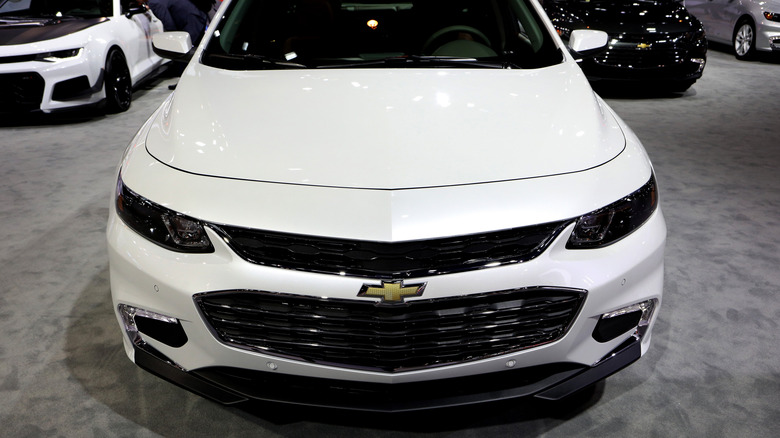
Today’s bumper systems are not as visible as they were in years past, with automakers now hiding the necessary safety components behind a plastic cover. Underneath that cover lies thick, energy-absorbing foam and metal reinforcement, a combination that allows manufacturers to maintain low-speed impact protection, per government standards, without compromising on aesthetics.


Source link

Leave a Reply

Subscribe to Our Newsletter

Get our latest articles delivered straight to your inbox. No spam, we promise.

Recent Reviews


Google Pixel 10a

Kerry Wan/ZDNET

Follow ZDNET: Add us as a preferred source on Google.


ZDNET’s key takeaways

  • Android 17 is here, along with the June Pixel Drop.
  • The OS is rolling out to Pixel devices first.
  • Users are getting upgraded productivity, security, and more.

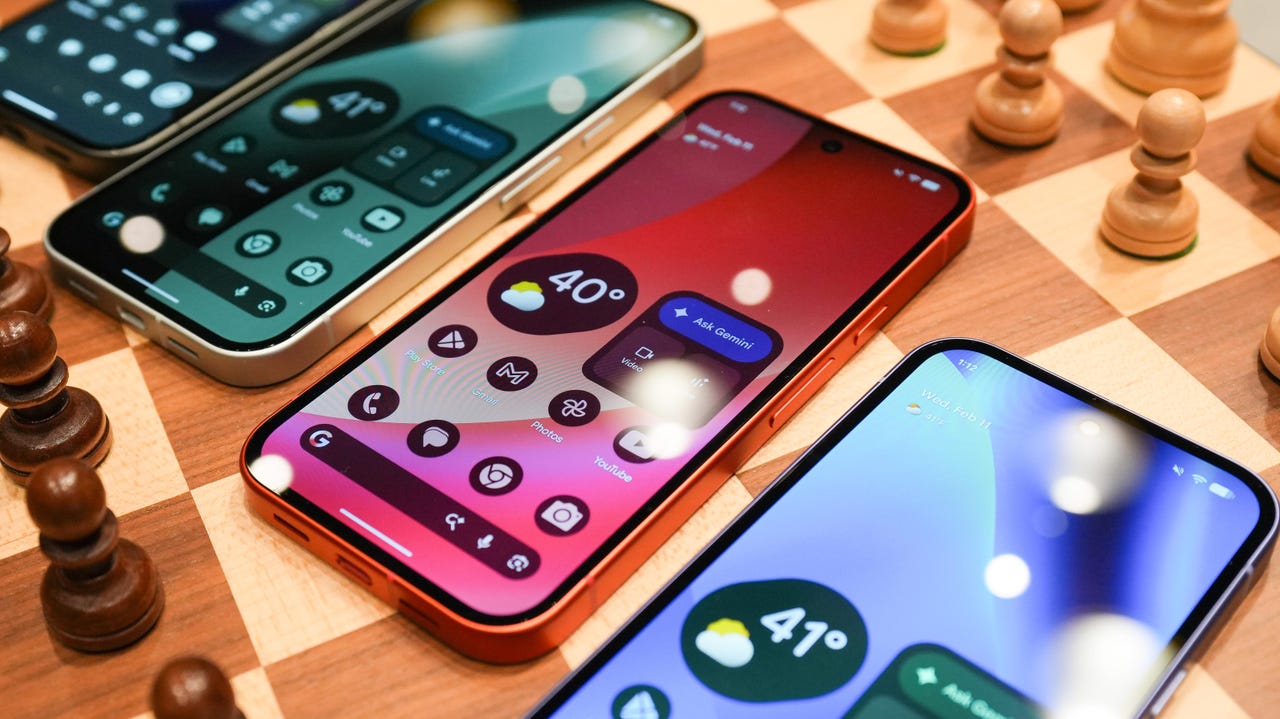
Android 17 is officially here, and it’s a doubly good day for Pixel users, as it’s bringing the June Pixel Drop with it.

Google has rolled out its annual OS update and its latest collection of Pixel-exclusive features at the same time, and the updates pack not only some practical features that will make an impact on how you use your phone daily, but also security protections, some new translation tricks, and more. Pixel Watches — the 2 and later — are included, too, with a potentially life-saving feature addition.

Also: I’m a devoted iPhone user but Android 17 is tempting me with its new video and social features

Here’s a look at what’s new in Android 17, which starts rolling out today to Pixel phones first and then to other devices “throughout 2026,” along with what’s new in the June 2026 Pixel Drop.

What’s new in Android 17?

Since many manufacturers now offer longer update windows, usually 4 to 7 years, a wide range of devices are eligible. The updated OS starts rolling out today to Pixel 6 phones and newer. Samsung’s Galaxy S23 series and newer will get it as One UI 9, along with the Flip 5 and newer, Galaxy A24 and newer, and Tab S9 series. OnePlus will bring Android 17 to the OnePlus 11 and newer.

1. App Bubbles

Perhaps the most useful feature is Bubbles, which lets you turn any app into a floating bubble on your main screen. All you have to do is long-press an app, and it becomes an easy-to-access bubble. If you consistently switch back and forth between apps or need to access a certain app often, like a map or airline app while you’re on a trip, you can now find what you need more quickly.

Pixel Folds are getting a special Bubble Bar at the bottom of the screen that lets you organize, move, and access your recent bubbles from one dedicated space.

2. Additional security

Android 17 is also bringing boosted security. 

To start, you can now grant an app temporary access to your exact location and share only specific contacts. 

Additionally, an enhanced “Mark as lost” feature, located in Find Hub, lets you lock a missing phone with your biometrics, so even if a thief has your passcode, they can’t access anything on your device or turn off tracking. 

Improvements to Live Threat Detection block more suspicious apps and scams, Google explained, and enhanced Advanced Protection mode helps keep you safe from sophisticated threats. Lastly, Google is reducing the number of times someone can attempt to guess your PIN and adding longer wait times between failed attempts.

Also: How to clear your Android phone cache – the 30-second routine every user should be doing

3. Screen reactions and more

Also new is Screen Reactions, which lets you take a selfie video overlaid on a screen recording in lieu of a green screen; a 50/50 gaming mode with a dynamic pad for foldables; and built-in parental controls beyond Pixel devices, so you can set screen time limits and content filtering with a PIN, even if you don’t link your Google Account.

What’s in the June Pixel Drop?

Beyond Android 17, Pixel users are getting several Pixel-specific upgrades in the June Pixel Drop.

1. Custom greetings for Take a Message

Introduced in 2025, Take a Message expands on the Pixel call screening feature and gives you a real-time transcript of what the caller is saying, along with AI-generated follow-up steps. Now, Take a Message has custom greetings, letting you record a personalized outgoing message instead of the default voice.

2. New AI models

Two new AI models are making their way to Android phones. The first is Gemini Omni, a new way to create and edit videos. Gemini Omni lets you type in a prompt and get a custom, high-quality video. This is available on all devices with the Gemini app for Gemini Pro users only.

Also: Everything we saw at Google I/O: Gemini 3.5, Android XR glasses, Spark, and more

Also on the way is Lyria 3, which lets you create original tracks using text prompts or images as inspiration. You can prompt Gemini with the style, vocals, and tempo you want. This is coming to all Android 17 Pixel phones and Folds.

3. Voice Translate for the Pixel 10a

One of the Pixel 10 series’ exclusive features is Voice Translate, which provides a real-time translation on phone calls in the speaker’s voice. ZDNET’s Sabrina Ortiz tried the feature last fall, noting how quickly the feature worked and how well it copied her voice. Voice Translate is getting a small expansion, coming to the Pixel 10a.

Also: iOS 27 envy? 4 features you can already use on an Android phone (including Samsung models)

4. Android Quick Share expansion and more

Pixel users are also getting an expansion of Android Quick Share compatibility with AirDrop, coming to the Pixel 9a and Pixel 8a, and an expansion of Magic Cue to more apps, coming to the Pixel 10 series.

What’s new for Pixel Watches?

Pixel Watches are only getting one new feature, but it’s a potentially big one. Core detection features, including Car Crash Detection, Fall Detection, and Loss of Pulse Detection, are getting emergency sharing. If a severe event is detected, Google explains, your Pixel will call emergency services and notify your chosen contacts. You can toggle emergency contacts on or off for each type of event.

Also: This silent Android feature scans your photos for ‘sensitive content’ – how to uninstall it

Fall Detection is coming to the Pixel Watch, plus the 2, 3, and 4, while Car Crash Detection is coming to the Pixel Watch 2, 3, and 4. Loss of Pulse Detection is only coming to the last two generations, the Pixel Watch 3 and 4.


Source link